OLM to PST alternative: Mac mail into Outlook for Windows
Looking for an OLM to PST converter to move Outlook for Mac mail to Windows? We turn the .olm into Outlook .msg files in the same folders, plus contacts and calendar, and show you step by step how Outlook for Windows takes them in, and even makes the .pst itself.
- First 20 e-mails free to check before you pay.
- Every attachment saved next to its e-mail.
- Nothing loaded from the web. No tracking pictures.
- Deleted after 24 hours. Nobody reads your mail.
An Outlook for Mac archive converted by FileOpens
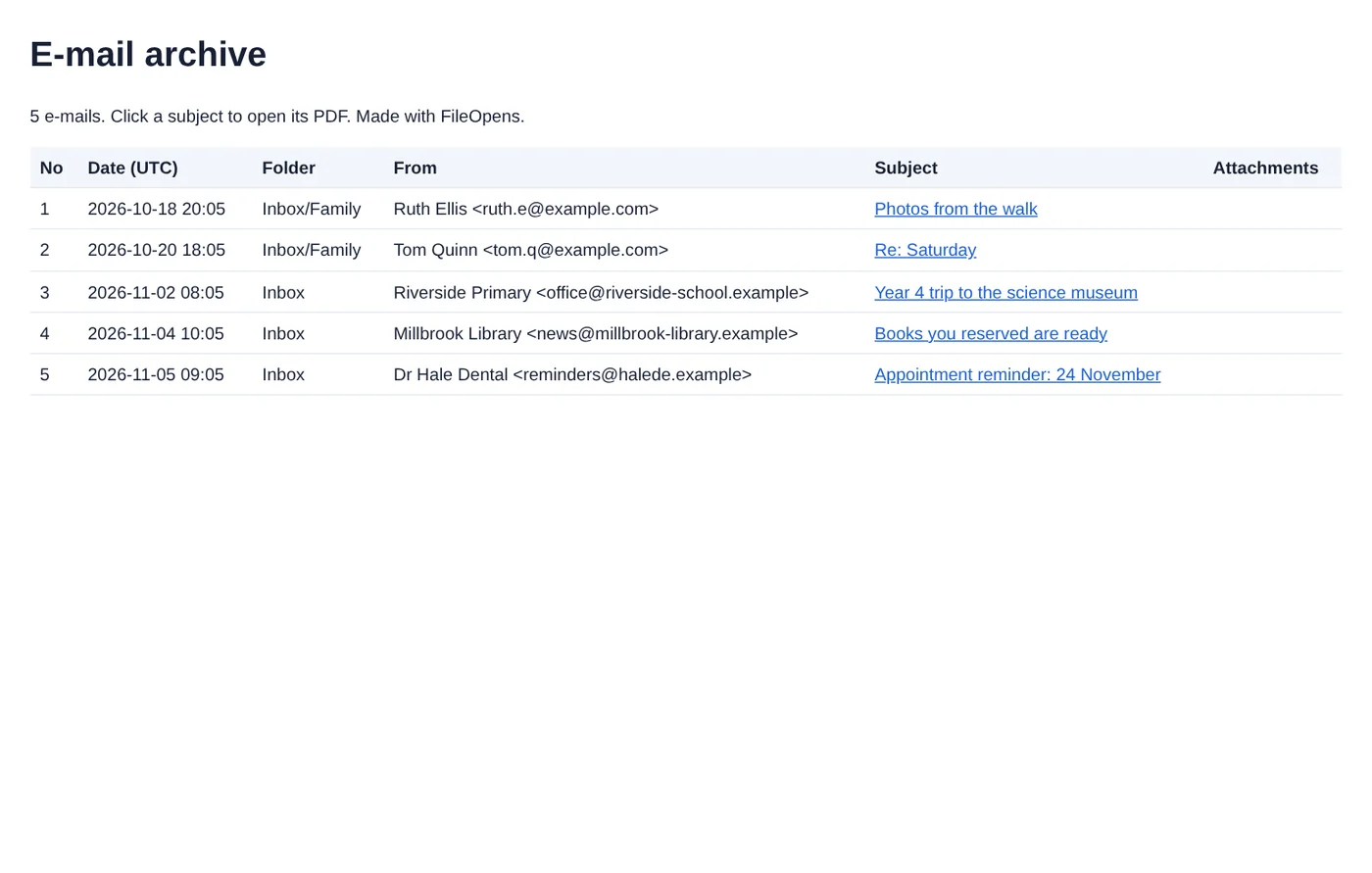
Outlook for Mac Archive.olmIndex.html
Index with the Outlook folders
- Folder of every e-mail
- Every e-mail also as .msg for Outlook for Windows
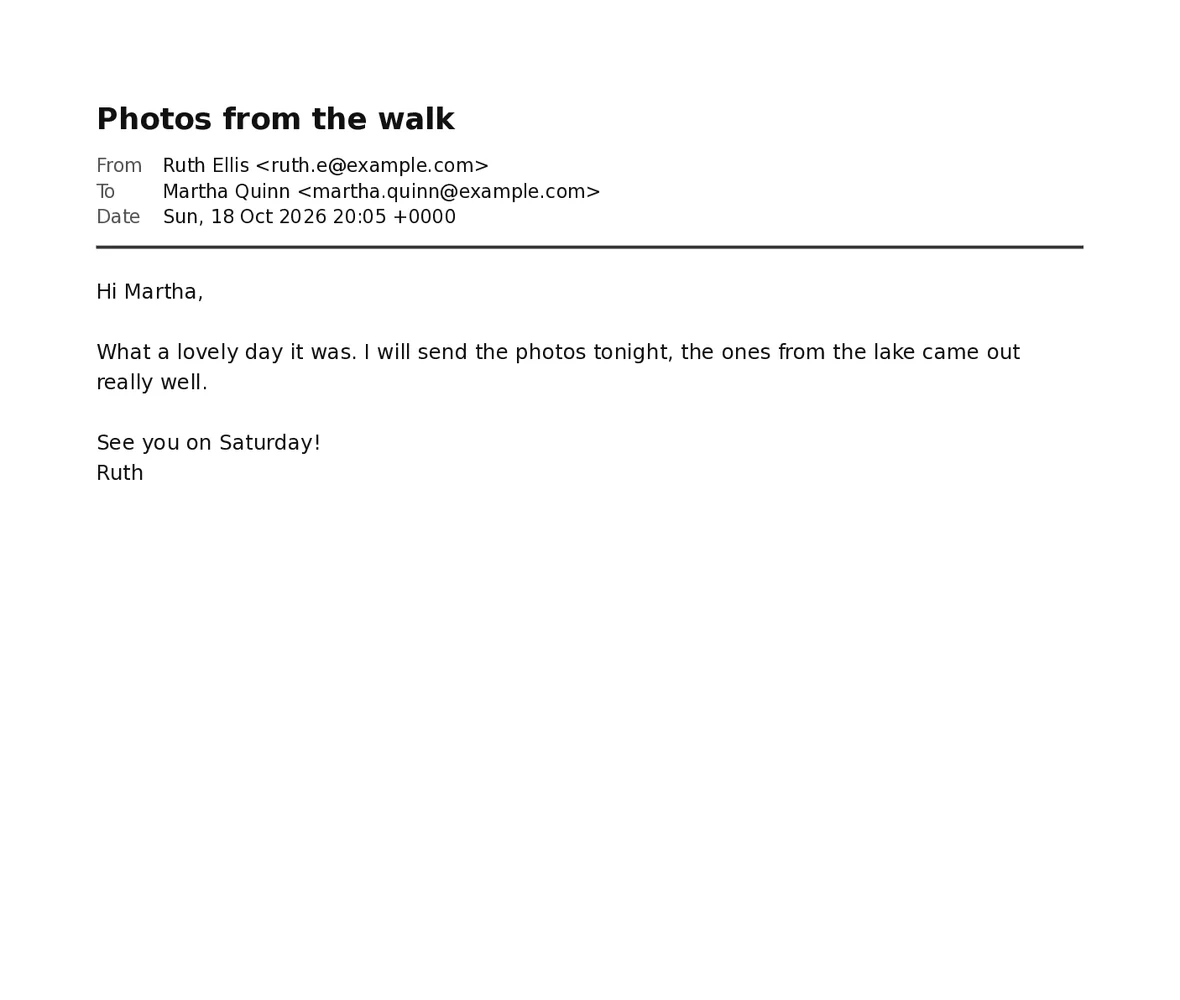
Outlook for Mac Archive.olmAll e-mails 2026.pdf
Every e-mail as a PDF
- Sender, recipients and date
- Each e-mail from a new page
Sample archive we made ourselves, with made-up names and data, converted here and shown as they came out. Your own files are never shown to anyone.
What you get: a whole mailbox as a PDF archive
A sample mailbox of a made-up bakery, 95 e-mails over three years, converted by FileOpens.

Why people archive a mailbox
- Leaving a job or closing an account
- Gmail storage is full
- A court case or an audit
- Mail of a relative who passed away
- Moving away from Outlook
- Business records to keep for years
- Old Thunderbird or Apple Mail
How to turn a mailbox into PDFs
-
STEP 1
Upload your mailbox
An .mbox, a .zip of Thunderbird folders, or an Outlook .pst.
-
STEP 2
See the first 20 e-mails
We count every e-mail and show you the oldest ones as PDF, free.
-
STEP 3
Pay once, get the archive
A PDF per e-mail and per year, an index and attachments.
What is in your archive
- A PDF for every e-mailNumbered from the oldest, named with the date and subject, so they sort the right way.
- One PDF per yearAll e-mails of a year in a single file, ready to print, search or send to a lawyer.
- An indexIndex.csv opens in Excel: number, date, sender, recipients, subject, and the folder for Outlook and Thunderbird mail. Index.html links to every PDF.
- All attachmentsIn a folder next to each e-mail, exactly as they were sent.
- The e-mail as it looksHeader on top, then the message with its fonts, tables and pictures. Every language.
- Searchable textText stays text, so you can search the PDFs and copy from them.
Price
Checking your mailbox and the first 20 e-mails are free. The full archive is one payment: $14.99 for up to 1,000 e-mails, $39.00 for up to 20,000. No subscription.
OLM, PST and MSG: what is the difference
All three are Outlook formats. OLM is the archive Outlook for Mac writes when you export: one file with your e-mails, folders, contacts and calendar, which only Outlook for Mac reads. PST is the same idea on Windows: one Outlook data file that classic Outlook for Windows opens or imports. MSG is a single e-mail in Outlook's own format: it opens with a double-click in Outlook for Windows, keeps the sender, recipients, date, formatting and attachments, and can be dragged into any Outlook folder, where it becomes an ordinary e-mail again. A folder of .msg files dragged into Outlook gives the same result as importing a .pst.
Why you get .msg files and not one .pst
A .pst is a complex database, and a converter that writes it slightly wrong leaves you with a file Outlook calls damaged. We would rather give you something that cannot break: every e-mail as its own .msg, in folders named like your Outlook for Mac folders, which Outlook reads one by one. If you need a .pst at the end, for a backup or for IT, Outlook makes it for you: create a new Outlook Data File and drag the e-mails into it (step 6 below). That .pst is made by Outlook itself, so it is as good as any.
Step by step: move Outlook for Mac mail to Outlook for Windows
1. On the Mac, in Outlook choose Tools > Export (File > Export in older versions), tick Mail, Contacts and Calendar, and save the .olm file.
2. Upload the .olm above. The free preview shows how many e-mails there are, the folders and the first 20 e-mails, so you can check it is the right archive.
3. Pay once and download the ZIP on the Windows computer. Right-click it and choose Extract All.
4. Open classic Outlook for Windows (the one with the File menu; in the new Outlook, switch the "New Outlook" toggle off). Right-click your mailbox in the folder list and choose New Folder, for example "Mac mail", and inside it one folder for each folder you want to keep.
5. In File Explorer, open "Outlook for Windows (.msg)" and then a folder, press Ctrl+A to select all the e-mails, and drag them onto the matching Outlook folder. Outlook copies them in as e-mails. Repeat for each folder; for very large folders, drag a few thousand at a time.
6. Need a .pst? In Outlook choose New Items > More Items > Outlook Data File, name it, and drag your folders into it. Outlook writes the .pst as you go.
Contacts and calendar
Contacts come as Contacts.csv with the column names Outlook expects. In Outlook: File > Open & Export > Import/Export > Import from another program or file > Comma Separated Values, choose the file and the Contacts folder. The calendar comes as Calendar.ics: File > Open & Export > Import/Export > Import an iCalendar (.ics) file > Import. Both files also work in Google Contacts and Google Calendar. A repeating meeting comes across as its first date, with a note that it repeats.
What comes across, and what does not
Sender, recipients, copy, date, subject, the formatted text, pictures inside the e-mail and every attachment, and the folder structure. E-mails arrive marked as read, and drafts arrive as ordinary e-mails. Flags, categories, rules and signatures from Outlook for Mac are not carried over. If your Outlook for Windows is connected to Microsoft 365 or Outlook.com, the e-mails you drag in are uploaded to that mailbox and appear on your phone and the web as well. You also get every e-mail as PDF, which is described on OLM to PDF.
No Windows, or another mail app?
The ZIP also holds the whole mailbox as an .mbox file, which Apple Mail (File > Import Mailboxes) and Thunderbird read. Outlook for Windows data files the other way round, .pst to PDF, are on PST to PDF.
More E-mail tools
Also on FileOpens
Questions about mailbox to PDF
Is this an OLM to PST converter?
Not directly: you get .msg files in folders, plus CSV contacts and an .ics calendar. Outlook for Windows takes them in by drag and drop, and makes a .pst from them in a minute if you need one.
Does it work with the new Outlook for Windows?
Use classic Outlook for the drag and drop; the new Outlook has a toggle at the top to switch back. Once the e-mails are in a Microsoft 365 or Outlook.com mailbox, they show in the new Outlook too.
Which .olm files work?
Archives exported from Outlook for Mac 2016 and later, including Microsoft 365. The free preview shows whether yours opens before you pay anything.
How much does it cost?
The preview is free. The whole archive, with PDF, .msg, .mbox, contacts and calendar, is a one-time $14.99 for up to 1,000 e-mails or $39.00 for up to 20,000.
Is my mail safe?
It is used only to make your files and is deleted automatically 24 hours after the archive is ready. Nobody reads it.