Free No account · the file is deleted after 24 hours
PDF to EPUB converter
Convert a PDF to EPUB here and read it comfortably on an e-reader or phone: the text flows to fit the screen, and you can make the letters bigger. Free, no account.
or drop it here. Up to 200 MB. Free, no account.
Convert to EPUB
The file is sent over an encrypted connection to our server in Canada (OVHcloud, Beauharnois, Quebec), processed by a program there, and deleted with the result 24 hours later. Nobody looks at it.
A PDF converted to EPUB by FileOpens
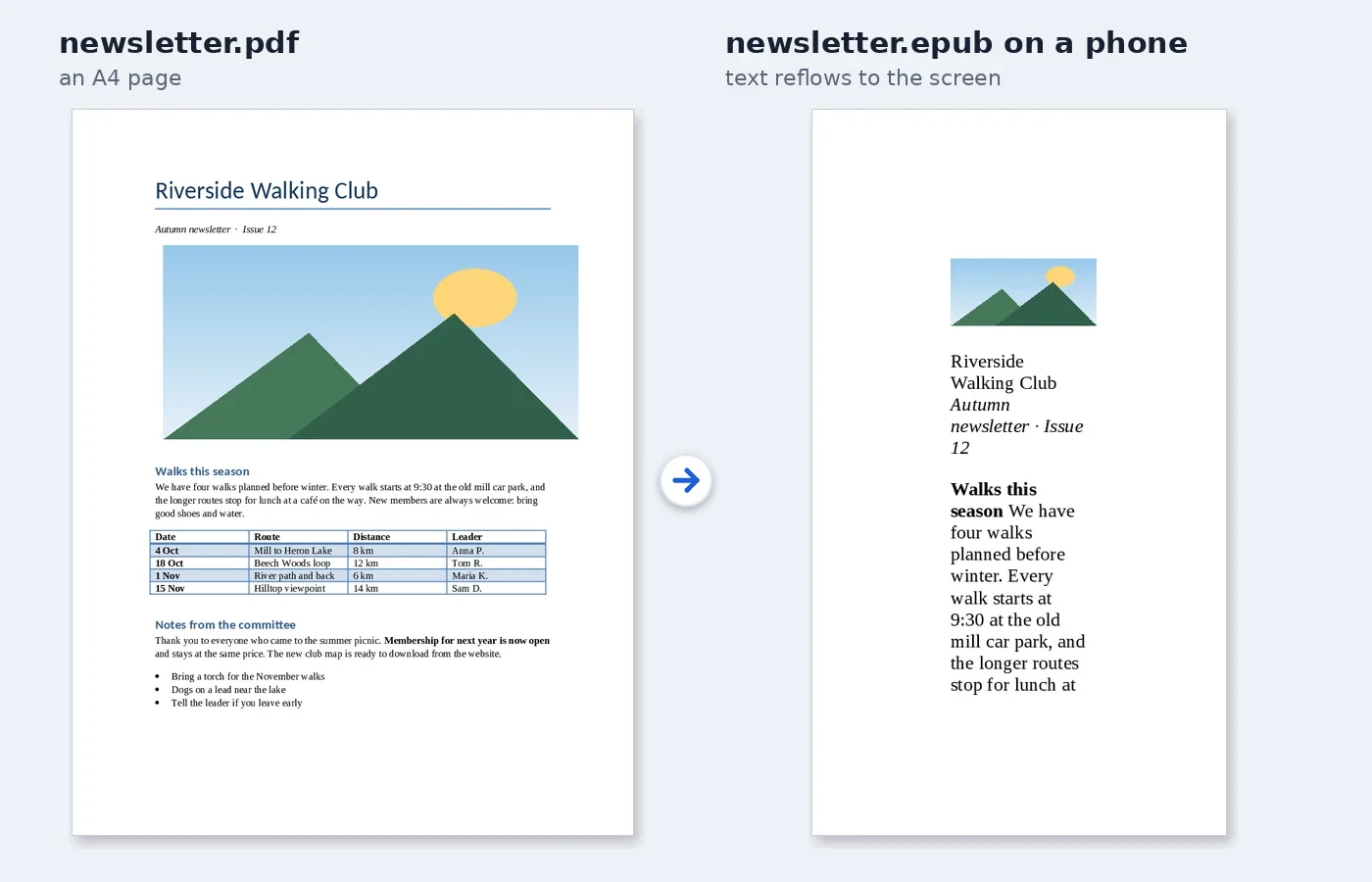
newsletter.pdfnewsletter.epub
An A4 newsletter on a phone screen
- Text reflows to the screen width
- Picture kept between the paragraphs
- Font size set by the reader
Sample newsletter we made ourselves, with made-up names and data, converted here and shown as they came out. Your own files are never shown to anyone.
How to convert a PDF to EPUB
-
Step 1
Choose the PDF
A book, a long article or a report with real text (not a scan).
-
Step 2
Text is reflowed
calibre joins the lines into paragraphs and drops page breaks, headers and page numbers.
-
Step 3
Download the EPUB
Copy it to the e-reader or open it in Apple Books, Google Play Books or Kobo.
Why a PDF is hard to read on an e-reader
A PDF is a picture of paper pages. On a 6-inch e-reader an A4 page has to be shrunk to a third of its size, so the text is tiny, and zooming means scrolling sideways on every line. An EPUB has no pages: the text flows to fill whatever screen it is on, in the size and font you choose, and the reader makes pages as you go. Converting turns the first kind of file into the second. It is the same reason publishers sell e-books as EPUB rather than PDF.
What PDF to EPUB conversion does
The conversion is done by calibre, the free e-book manager many readers already use. It reads the text of the PDF, joins the lines of each paragraph back together (a PDF ends every line with a hard break), removes the repeated headers, footers and page numbers that would otherwise appear in the middle of sentences, and recognises headings so the book gets chapters and a table of contents. Pictures are carried over and placed between paragraphs. Bold and italic text stay bold and italic. The EPUB gets the title and author from the PDF's document properties when they are filled in, so it shows up properly in your library; if they are empty, the file name is used as the title. The cover is made from the first page of the PDF. EPUB files are much smaller than the PDFs they come from, often a tenth of the size for a text book, so even a large library fits on any e-reader.
Which PDFs convert well, and which do not
Novels, essays, reports and articles that are mainly running text convert well. Textbooks with sidebars, two-column scientific papers, magazines, comics and anything with complex tables lose their layout, because an EPUB cannot place things side by side the way a page can; for those, an e-reader with a big screen and the original PDF are often the better choice. Scanned books have no text to reflow: make them searchable with OCR PDF first. Footnotes become text at the place where they were printed. Check the first chapters after converting; the result page warns you if the PDF had almost no text.
Kindle, Kobo, Apple Books
Kobo, PocketBook, Tolino, Apple Books and Google Play Books open EPUB directly. Kindle readers now take EPUB too, through Amazon's Send to Kindle (by e-mail, the app or the website), which converts it for the device. For the opposite direction, an e-book you want to print or send as a PDF, use EPUB to PDF; for Kindle files, MOBI and AZW3 to PDF.
Privacy and limits
The PDF goes to our server over an encrypted connection and is converted automatically; both files are deleted 24 hours later. Files up to 200 MB. Books bought with DRM are sold as protected EPUB or Kindle files rather than PDF; this tool does not remove DRM.
More free PDF tools and converters
- Merge PDF
- Split PDF
- Compress PDF
- Compress PDF to 100 KB
- Delete PDF pages
- Rotate PDF
- Extract PDF pages
- Reorder PDF pages
- Crop PDF
- Add page numbers
- Watermark PDF
- Sign PDF
- Protect PDF
- Unlock PDF
- OCR PDF
- Flatten PDF
- PDF to grayscale
- Invert PDF colors
- Remove PDF metadata
- PDF to Word
- Word to PDF
- PDF to Excel
- Excel to PDF
- PDF to PowerPoint
- PowerPoint to PDF
- JPG to PDF
- PNG to PDF
- Image to PDF
- PDF to JPG
- PDF to PNG
- PDF to text
- HTML to PDF
- PDF to PDF/A
- PDF to TIFF
- PDF to SVG
Questions about converting PDF to EPUB
Will it look like the PDF?
No, and that is the point: the text reflows to fit the screen. Layout-heavy pages lose their layout.
Can I read the EPUB on a Kindle?
Yes, send it with Send to Kindle, which converts it for the device.
Why is my EPUB almost empty?
The PDF is a scan. Run it through OCR PDF first.
Are pictures kept?
Yes, between the paragraphs where they appeared.
Is it free?
Yes, with no account.