Free Your pictures are not uploaded
JPEG to JPG converter
Convert JPEG to JPG here without losing any quality: JPEG and JPG are the same format, so each file keeps exactly the same picture and only its name changes from .jpeg to .jpg, or the other way round. Many files at once, in your browser.
or drop them here, as many as you like. .jpeg, .jpg, .jpe, .jfif. Nothing is uploaded.
Your JPEG files
Everything happens in this browser tab: your pictures are not sent to FileOpens or anywhere else, and nothing is kept when you close the page.
JPEG files renamed to JPG by FileOpens
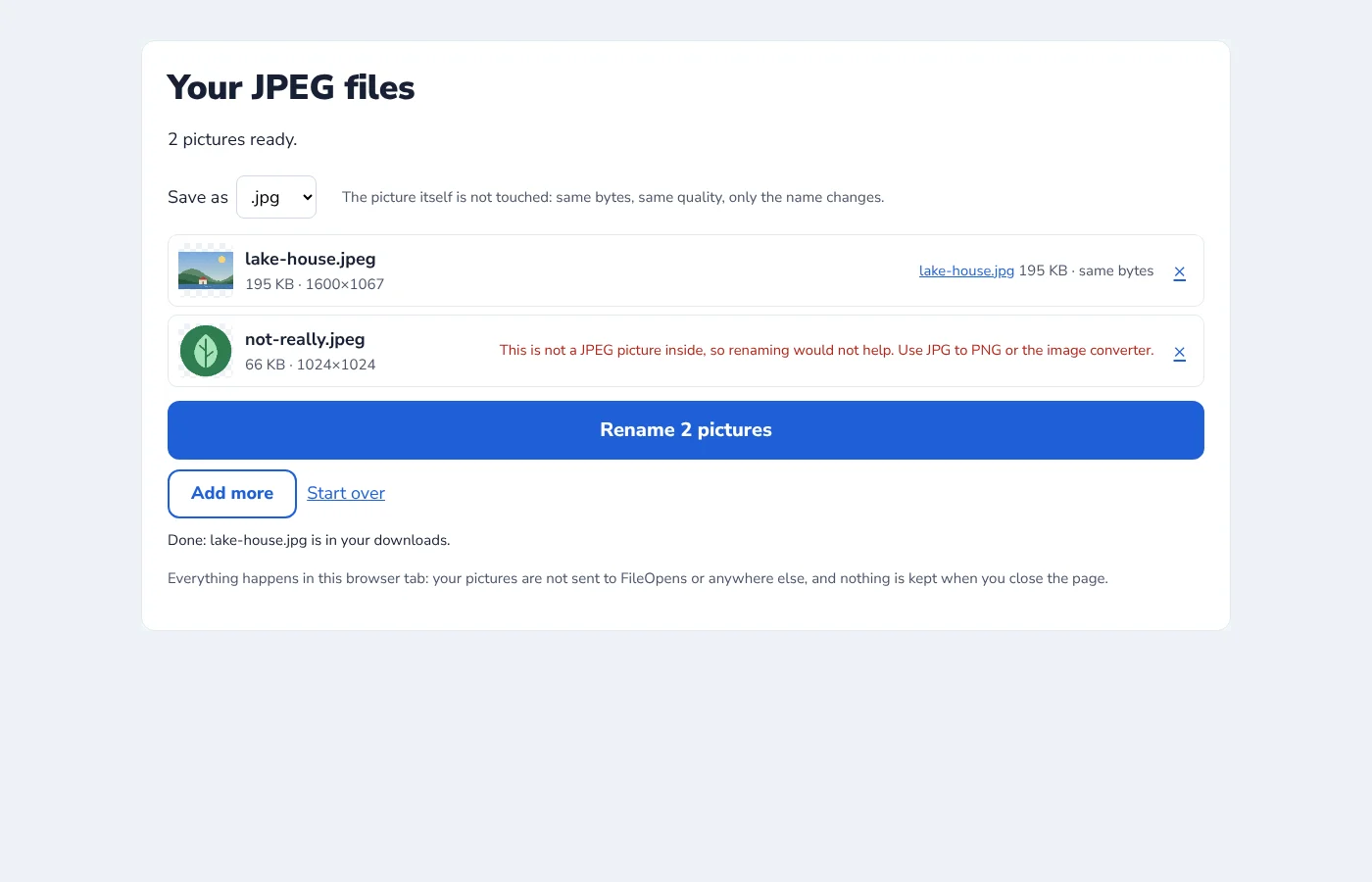
lake-house.jpeglake-house.jpg
A .jpeg renamed, a fake one refused
- Same bytes, same 195 KB
- A PNG named .jpeg is caught
A sample picture we made ourselves, with made-up names and data, opened in this tool and shown as it came out. Your own files stay on your device.
How to convert JPEG to JPG
-
Step 1
Choose the files
.jpeg files that a form or program refuses, or .jpg ones you need as .jpeg.
-
Step 2
Pick the ending
.jpg or .jpeg; nothing else changes.
-
Step 3
Download
Each file, or all of them in a ZIP.
JPEG to JPG: one format, two names
JPEG is the name of the format, from the Joint Photographic Experts Group that created it in 1992. Early Windows and MS-DOS allowed only three letters after the dot, so files were named .jpg; Macs and Unix used .jpeg. Both stuck, and the bytes inside are identical. Some upload forms, online shops and older programs check only the ending and reject one of them, which is the whole reason this conversion exists.
Why re-saving is the wrong way
Most "converters" open the JPEG and save a new JPG. That decodes and compresses the photo again, which loses a little quality every time and strips information. Here the file is not re-encoded at all: the page checks that the file really is a JPEG inside and gives it back with the new ending, byte for byte the same, with the camera details (EXIF), colour profile and full quality untouched. The file size does not change either.
JPG to JPEG and JFIF
The same page works the other way: choose ".jpeg" to turn .jpg files into .jpeg ones. Files ending in .jpe or .jfif, which some browsers save from websites, are JPEG inside too and can be renamed the same way; JFIF to JPG explains that case in detail. If a file is not JPEG inside, for example a PNG or WebP that was renamed to .jpeg, the page says so instead of renaming it, and you can use the image converter to make a real JPG.
Doing it by hand
On Windows you can rename a file to .jpg in File Explorer, after turning on "File name extensions" in the View menu; on a Mac, select the file, press Return and change the ending, confirming "Use .jpg". On a phone, renaming endings is awkward or impossible, and with many files it is slow anywhere: this page renames a whole batch in one go and keeps the originals on your device untouched.
When a site rejects your JPEG
If an upload form says "only JPG allowed" while your file ends in .jpeg, renaming here is the fastest fix and keeps your photo exactly as it was. If the form still refuses the file, the problem is usually the file size or the picture dimensions, not the format: compress JPEG makes the file smaller or caps its size in KB. Some forms also reject photos with unusual colour profiles; re-saving through the image converter fixes that, at the cost of one more compression.
Private
Nothing is uploaded or recompressed: your browser simply gives you a copy with the new name.
More free image converters
- Image converter
- Compress image
- JPG to PNG
- PNG to JPG
- Compress JPEG
- Compress PNG
- GIF to PNG
- PNG to GIF
- GIF to JPG
- JPG to GIF
- GIF maker
- Remove background
- Background eraser
- Make background transparent
- White background for photo
- Remove white background
- Resize image
- Crop image
- Rotate image
- Flip image
- Blur image
- Pixelate image
- Black and white photo
- Invert image colors
- Merge images
- Watermark image
- Add text to image
- Remove EXIF data
- EXIF viewer
- Change DPI
- Image to Base64
- Base64 to image
- MP4 to GIF
- Video to GIF
- GIF to MP4
- GIF compressor
- PNG to SVG
- JPG to SVG
- Image to SVG
- SVG to PDF
- Image to text
- PNG to DXF
- SVG to DXF
- DXF to SVG
- HEIC to JPG
- HEIC to PNG
- HEIC to PDF
- HEIC viewer
- WebP to PNG
- WebP to JPG
- WebP to GIF
- WebP to PDF
- PNG to WebP
- JPG to WebP
- AVIF to PNG
- AVIF to JPG
- JFIF to JPG
- JFIF to PNG
- SVG to PNG
- SVG to JPG
- PNG to ICO
- ICO to PNG
- BMP to JPG
- BMP to PNG
- TIFF to JPG
- TIFF to PNG
- PSD viewer
- PSD to PNG
- PSD to JPG
- PSD to PDF
- AI to SVG
- AI to PNG
- Open AI file
- EPS to PNG
- DDS to PNG
- TGA to PNG
- TGA to JPG
- RAW to JPG
- CR3 to JPG
- CR2 to JPG
- NEF to JPG
Questions about JPEG and JPG
Is there any difference between JPEG and JPG?
No. It is one format; only the spelling of the ending differs.
Does this lower the quality?
No. The file is not re-saved, so every byte stays the same.
Can I go from JPG to JPEG?
Yes, choose ".jpeg" before converting.
Why was my file refused?
It is not a JPEG inside. Use the image converter to make a real JPG.
Do JPEG and JPG open in the same programs?
Yes, every program that opens one opens the other.
Are my files uploaded?
No, the renaming happens in your browser.