Free Nothing is uploaded
VCF to Excel: contacts to a spreadsheet
Turn a .vcf contacts file into a spreadsheet. Drop the file: the VCF to Excel conversion runs in your browser and gives you one row per contact, with every phone number and e-mail in its own column.
or drop it here. From an iPhone, Android, Google Contacts, Outlook or an e-mail attachment. Read on your device, never sent anywhere.
Contacts
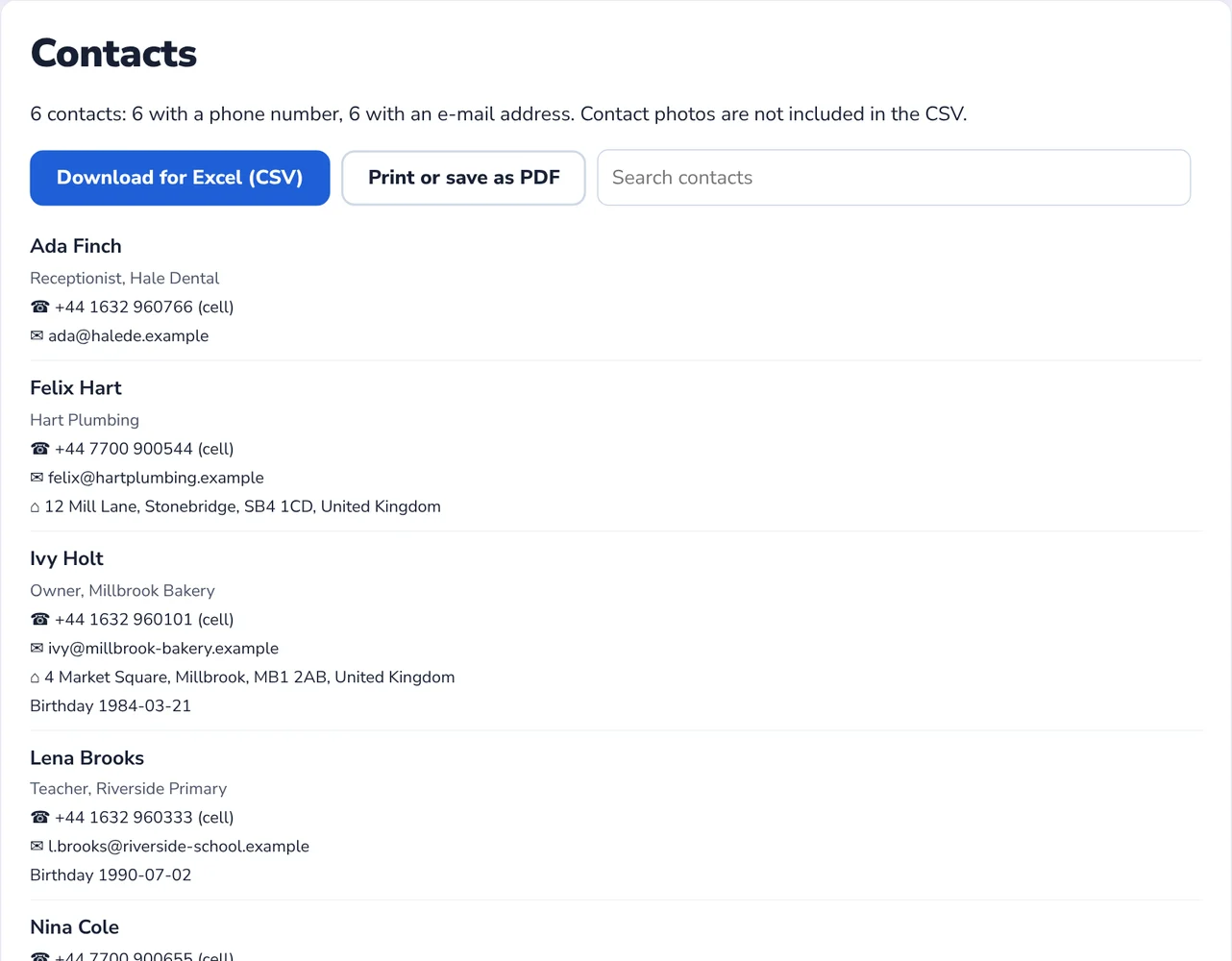
Sorted by name. The CSV has one row per contact with every phone number, e-mail address and address in its own column.
A contacts file opened in FileOpens
contacts.vcfcontacts.csv
Address book, sorted by name
- Phones, e-mails and addresses
- Company, job title and birthday
- Search box for long lists
A sample contacts we made ourselves, with made-up names and data, opened in this tool and shown as it came out. Your own files stay on your device.
How to open a .vcf file in three steps
-
Step 1
Drop the file
A contacts export, a shared contact card or a backup from an old phone.
-
Step 2
See every contact
Names, phone numbers, e-mails, addresses, birthdays and notes, with a search box.
-
Step 3
Keep it your way
Download a CSV for Excel or Google Sheets, or print the list as a PDF.
What is a VCF file?
A .vcf file is a vCard: the standard format for contact cards, used by every phone and e-mail program. One file can hold a single contact, such as a card someone sent you, or a whole address book: an iPhone, Android phone, Google Contacts, iCloud or Outlook export puts all contacts into one .vcf. Inside it is text, one block per person starting with BEGIN:VCARD, with lines for the name, phone numbers, e-mail addresses, postal addresses, company, birthday and notes. Old phones write vCard 2.1 with special encodings for accents, newer ones vCard 3.0 or 4.0; all of them are read here.
VCF to Excel: the columns
Each contact becomes one row: Name, First name, Last name, Nickname, Company and Job title, then Mobile, Home and Work phone and Other phones, three e-mail columns, Home, Work and Other address written on one line, Birthday as 1984-03-21, Website and Notes. Several numbers of the same kind share a cell, separated by semicolons. The file is a CSV in UTF-8 with a byte order mark, so Excel, Google Sheets and Numbers show every alphabet correctly; double-click it or use Data > From Text/CSV. Contact photos are not included.
Why people convert contacts to Excel
To clean up a messy address book before moving to a new phone, to merge two lists and find duplicates, to print a phone list for a family member or an office, to import contacts into a CRM, a newsletter tool or a church or club database that only takes spreadsheets, or simply to have a readable backup that does not depend on any phone or account.
Cleaning up duplicates in Excel
Address books that went through several phones and accounts often hold the same person three times, with different spellings or numbers. In the spreadsheet, sort by Name or by Mobile phone and duplicates sit next to each other; Excel's Remove Duplicates on the phone column, or conditional formatting for duplicate values, shows them at once. Keep the cleaned sheet as your master list; Google Contacts can import a CSV back if you want to load the tidy version onto a phone.
How to get the .vcf file
iPhone: on icloud.com, open Contacts, select all and choose Export vCard. Android: open the Contacts app, then Fix & manage (or Settings) > Export to file, and save the .vcf. Google Contacts on the web: Export > vCard. Outlook and Apple Contacts on a Mac export vCards as well. Then drop the .vcf above. To simply look through a file first, see open a VCF file.
Your contacts stay on your device
The file is read by your own browser; it is never uploaded to our server or anyone else. Close the page and nothing is left. More free tools that work the same way: the calendar (.ics) viewer and KML viewer.
Also on FileOpens
Questions about .vcf files
How do I convert VCF to Excel?
Drop the .vcf on this page and click Download for Excel (CSV). Open the CSV in Excel; each contact is one row.
Are my contacts uploaded?
No. The file is read by your browser on your own device and is not sent to our server or anyone else.
Which vCard versions work?
vCard 2.1 from older phones, 3.0 and 4.0, including accented letters and other alphabets, and files with thousands of contacts.
Is it free?
Yes, with no account and no limit.