Free Your pictures are not uploaded
GIF to JPG converter
Convert GIF to JPG here: a GIF, or the first frame of an animated GIF, becomes a JPG picture that every phone, form and photo app accepts; tick one box to get every frame as a JPG. Converted in your browser.
or drop them here, still or animated. Nothing is uploaded.
Your GIFs
Everything happens in this browser tab: your pictures are not sent to FileOpens or anywhere else, and nothing is kept when you close the page.
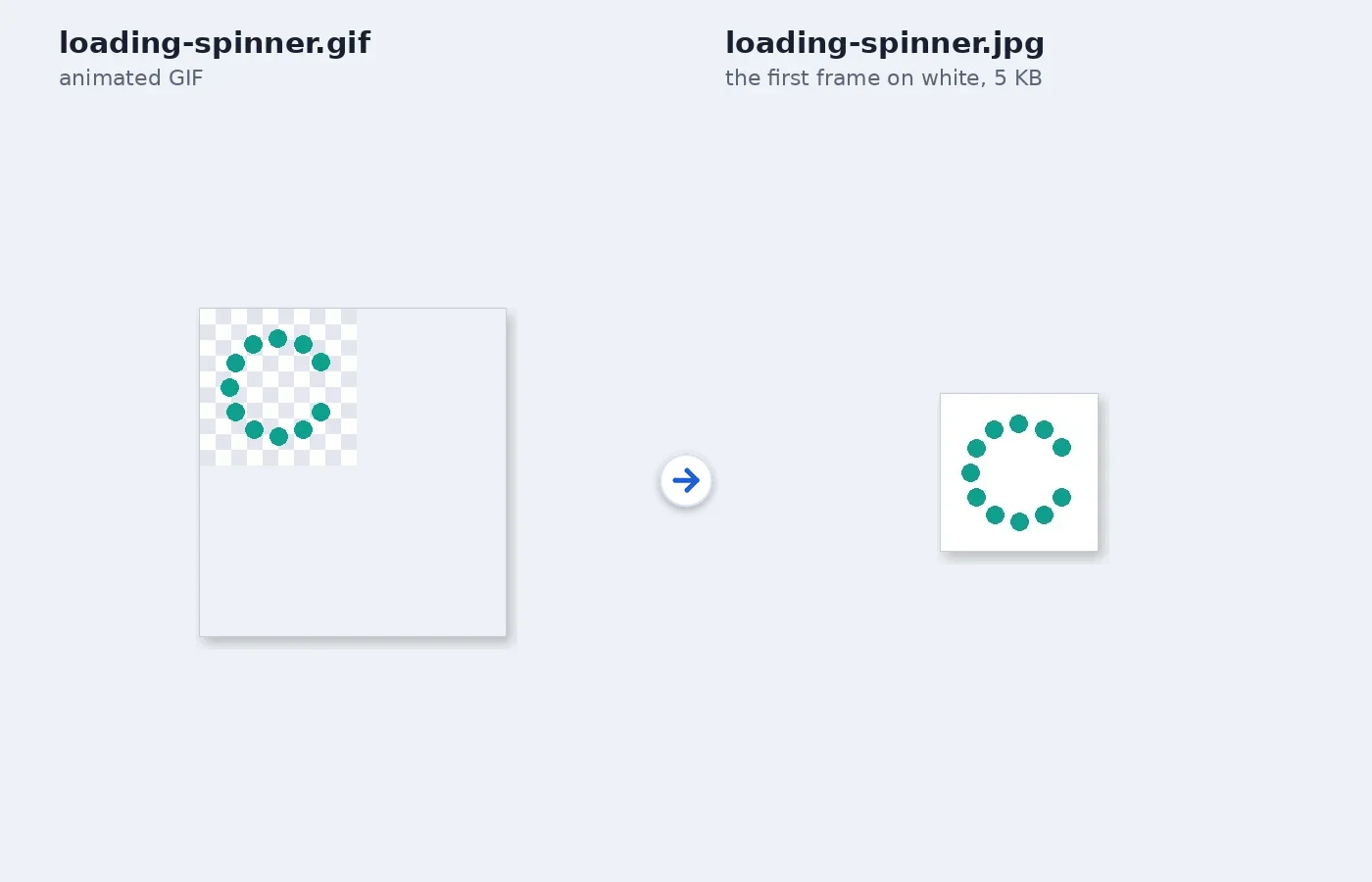
A GIF converted to JPG by FileOpens
loading-spinner.gifloading-spinner.jpg
The first frame of an animated GIF
- First frame, 160 × 160
- Transparent parts on white
A sample animation we made ourselves, with made-up names and data, opened in this tool and shown as it came out. Your own files stay on your device.
How to convert GIF to JPG
-
Step 1
Choose the GIFs
Saved from a chat, a website or an old archive.
-
Step 2
First frame or all
Set the quality, the background and whether you want every frame.
-
Step 3
Download
The JPGs one by one, or all in a ZIP.
When a JPG is better than a GIF
GIFs saved from chats and websites often need to become ordinary pictures: a profile photo or listing picture that must be JPG, a still image for a document or slide, or a frame to print. Photo libraries, printing services and many upload forms accept JPG but treat GIF as an animation or refuse it. Converting gives you a normal photo file at the full size of the GIF.
Animated GIF to JPG
A JPG cannot move, so an animated GIF gives you its first frame by default. If the moment you want is later in the animation, tick "save every frame": each frame becomes a JPG, numbered in order, in one ZIP, and you keep the one you need. Frames that store only the changed part are drawn complete. This needs Chrome, Edge or Firefox 133 or later; Safari gives the first frame.
Quality and transparency
JPG has no transparency, so transparent parts of the GIF are filled with white or a colour you choose. Because a GIF has at most 256 colours, the JPG will look the same as the GIF, not better; quality 92 keeps it faithful, and the file is usually smaller than the GIF for photo-like content and similar for simple graphics. For simple graphics with sharp edges, GIF to PNG is the better choice.
Other tools
Windows Paint and Mac Preview open a GIF and save its first frame as JPG. To make a GIF from photos instead, use JPG to GIF. For many other formats in one place, the image converter turns almost any picture into JPG.
Using a GIF frame as a thumbnail
Video and blog platforms, online shops and social networks ask for a still cover picture, usually as JPG. Saving every frame of the GIF and picking the clearest one gives a better thumbnail than the first frame, which is often blank or mid-transition. The JPG has the GIF's size in pixels; GIFs are usually small, 480 or 500 pixels wide, so for a large cover you may need to accept some softness when it is enlarged. Frames are numbered in order, so you can tell where in the animation each one comes from, and the ZIP opens on any computer or phone. If the GIF has a transparent background, choose a background colour that matches the place where the thumbnail will appear.
Private
Everything happens in the browser; your GIFs are not uploaded.
More free image converters
- Image converter
- Compress image
- JPG to PNG
- PNG to JPG
- JPEG to JPG
- Compress JPEG
- Compress PNG
- GIF to PNG
- PNG to GIF
- JPG to GIF
- GIF maker
- Remove background
- Background eraser
- Make background transparent
- White background for photo
- Remove white background
- Resize image
- Crop image
- Rotate image
- Flip image
- Blur image
- Pixelate image
- Black and white photo
- Invert image colors
- Merge images
- Watermark image
- Add text to image
- Remove EXIF data
- EXIF viewer
- Change DPI
- Image to Base64
- Base64 to image
- MP4 to GIF
- Video to GIF
- GIF to MP4
- GIF compressor
- PNG to SVG
- JPG to SVG
- Image to SVG
- SVG to PDF
- Image to text
- PNG to DXF
- SVG to DXF
- DXF to SVG
- HEIC to JPG
- HEIC to PNG
- HEIC to PDF
- HEIC viewer
- WebP to PNG
- WebP to JPG
- WebP to GIF
- WebP to PDF
- PNG to WebP
- JPG to WebP
- AVIF to PNG
- AVIF to JPG
- JFIF to JPG
- JFIF to PNG
- SVG to PNG
- SVG to JPG
- PNG to ICO
- ICO to PNG
- BMP to JPG
- BMP to PNG
- TIFF to JPG
- TIFF to PNG
- PSD viewer
- PSD to PNG
- PSD to JPG
- PSD to PDF
- AI to SVG
- AI to PNG
- Open AI file
- EPS to PNG
- DDS to PNG
- TGA to PNG
- TGA to JPG
- RAW to JPG
- CR3 to JPG
- CR2 to JPG
- NEF to JPG
Questions about GIF to JPG
What happens to an animated GIF?
You get the first frame, or every frame if you tick the box.
What about transparent parts?
They become white or the colour you choose.
Will the JPG look better than the GIF?
No, it keeps the GIF's colours; it cannot add detail.
Is GIF to JPEG the same?
Yes, JPEG and JPG are the same format.
Can I pick a frame from the middle?
Yes, save every frame and keep the one you want.
Can I choose the JPG quality?
Yes, from 50 to 100; the default of 92 keeps the GIF faithful.
Are my files uploaded?
No, they are converted in your browser.