Free Your PDF is not uploaded
PDF to text
Turn PDF to text here: the words of every page appear in a box to copy, or you save them as a .txt file. It all happens in your browser, so the PDF never leaves your device.
or drop it here. Up to 500 MB. Read on your device and never sent anywhere.
The text of your PDF
Everything happens in this browser tab: the PDF is not sent to FileOpens or anywhere else, and nothing is kept when you close the page.
PDF to text in use
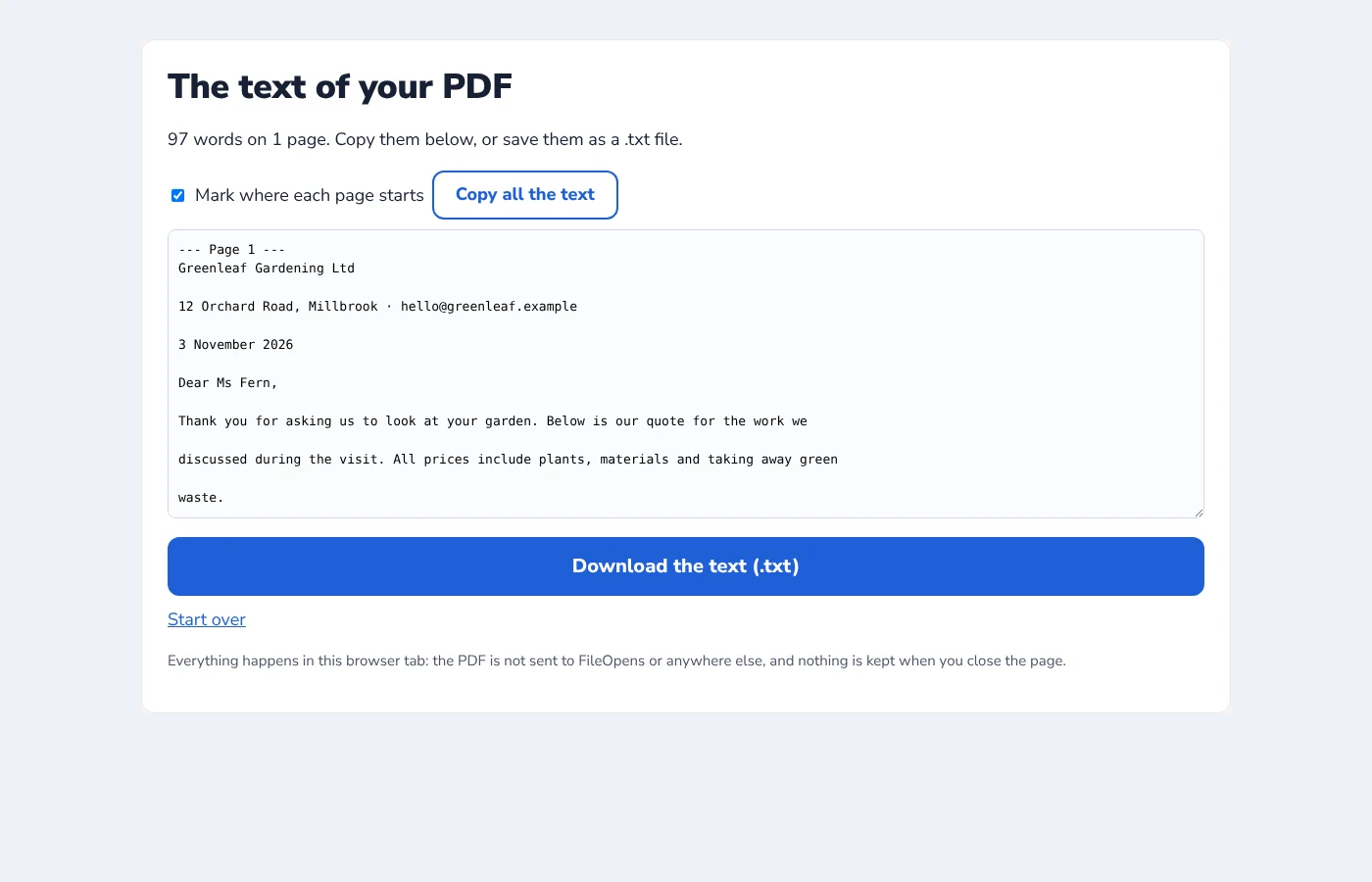
quote.pdfquote.txt
The text of a letter
- Words counted, page starts marked
- Copy everything with one click
- Or save it as a .txt file
A sample letter we made ourselves, with made-up names and data, opened in this tool and shown as it came out. Your own files stay on your device.
How to extract text from a PDF
-
Step 1
Choose the PDF
It is opened in this browser tab, not uploaded.
-
Step 2
Read or copy
The text of all pages appears in the box. Copy it with one click.
-
Step 3
Save as .txt
A plain text file in UTF-8 that opens anywhere.
Why not just copy from the PDF reader?
You can, for a sentence. For a whole document, selecting and copying in a PDF reader is fiddly: it often grabs headers and page numbers in the middle of a paragraph, stops at page breaks, or selects columns in the wrong order. Here every page is read at once, lines are kept in reading order, paragraph breaks are kept as empty lines, and you get the text of the whole document in one go, with a marker where each page starts if you want one. It is handy for quoting, translating, feeding text into another program, searching a long document with your own tools, or keeping a plain copy that any device opens.
PDF to text in your browser
The text is read by pdf.js, the PDF engine of Firefox, running in this tab. Your PDF is read from your disk into the page's memory and never sent over the internet, to us or anyone, so it is fine for contracts and private letters, works offline once the page has loaded, and has no queue and no daily limit. PDFs that open freely but are restricted against copying are read too, because the text is only shown to you; PDFs that need a password to open must be unlocked first with Unlock PDF.
Scans have no text to extract
If the box stays empty, the PDF is a scan or a photo: its pages are pictures of text, not text. The page tells you when that happens. Make it searchable with OCR PDF, which recognises the letters and adds them as a hidden text layer, then extract the text here. OCR can misread a letter, so check names and numbers in the result.
What the .txt file contains
Plain text only: no fonts, no bold, no pictures, no tables as tables (a table comes out as its cells separated by spaces, row by row). The file is UTF-8 with a byte order mark and Windows line endings, so Notepad, TextEdit, Word and every code editor open it with all accents and non-Latin letters intact. If you want to keep the formatting, convert with PDF to Word; for tables with numbers, use PDF to Excel.
Columns, footnotes and odd orders
Text is put in the order the PDF stores it, which for almost all documents is the reading order. In two-column layouts each column usually comes out complete, one after the other; in some PDFs made by design programs, boxes come out in the order they were drawn. Footnotes, headers and footers are included where they are on the page. Hyphenated words at line ends stay hyphenated, as on the page.
More free PDF tools and converters
- Merge PDF
- Split PDF
- Compress PDF
- Compress PDF to 100 KB
- Delete PDF pages
- Rotate PDF
- Extract PDF pages
- Reorder PDF pages
- Crop PDF
- Add page numbers
- Watermark PDF
- Sign PDF
- Protect PDF
- Unlock PDF
- OCR PDF
- Flatten PDF
- PDF to grayscale
- Invert PDF colors
- Remove PDF metadata
- PDF to Word
- Word to PDF
- PDF to Excel
- Excel to PDF
- PDF to PowerPoint
- PowerPoint to PDF
- JPG to PDF
- PNG to PDF
- Image to PDF
- PDF to JPG
- PDF to PNG
- HTML to PDF
- PDF to EPUB
- PDF to PDF/A
- PDF to TIFF
- PDF to SVG
Questions about extracting text from a PDF
Is my PDF uploaded?
No. pdf.js reads it in your browser; nothing is sent anywhere.
Why is there no text?
The PDF is a scan. Use OCR PDF first, then extract the text.
Does it work with copy-protected PDFs?
Yes, if they open without a password. PDFs with an open password need Unlock PDF first.
Will tables keep their columns?
Only as text with spaces. Use PDF to Excel for real columns.
Is it free?
Yes, with no account and no limits.