Free Your pictures are not uploaded
HEIC viewer: open HEIC files online
This HEIC viewer opens iPhone photos on any computer or phone: drop the .heic files and see them full size in the page, then save any of them as JPG or PNG. It needs no app or extension, and the photos are shown by your browser without being uploaded.
or drop them here. .heic and .heif, as many as you like. Nothing is uploaded.
Your HEIC photos
Everything happens in this browser tab: your pictures are not sent to FileOpens or anywhere else, and nothing is kept when you close the page.
The HEIC viewer in use
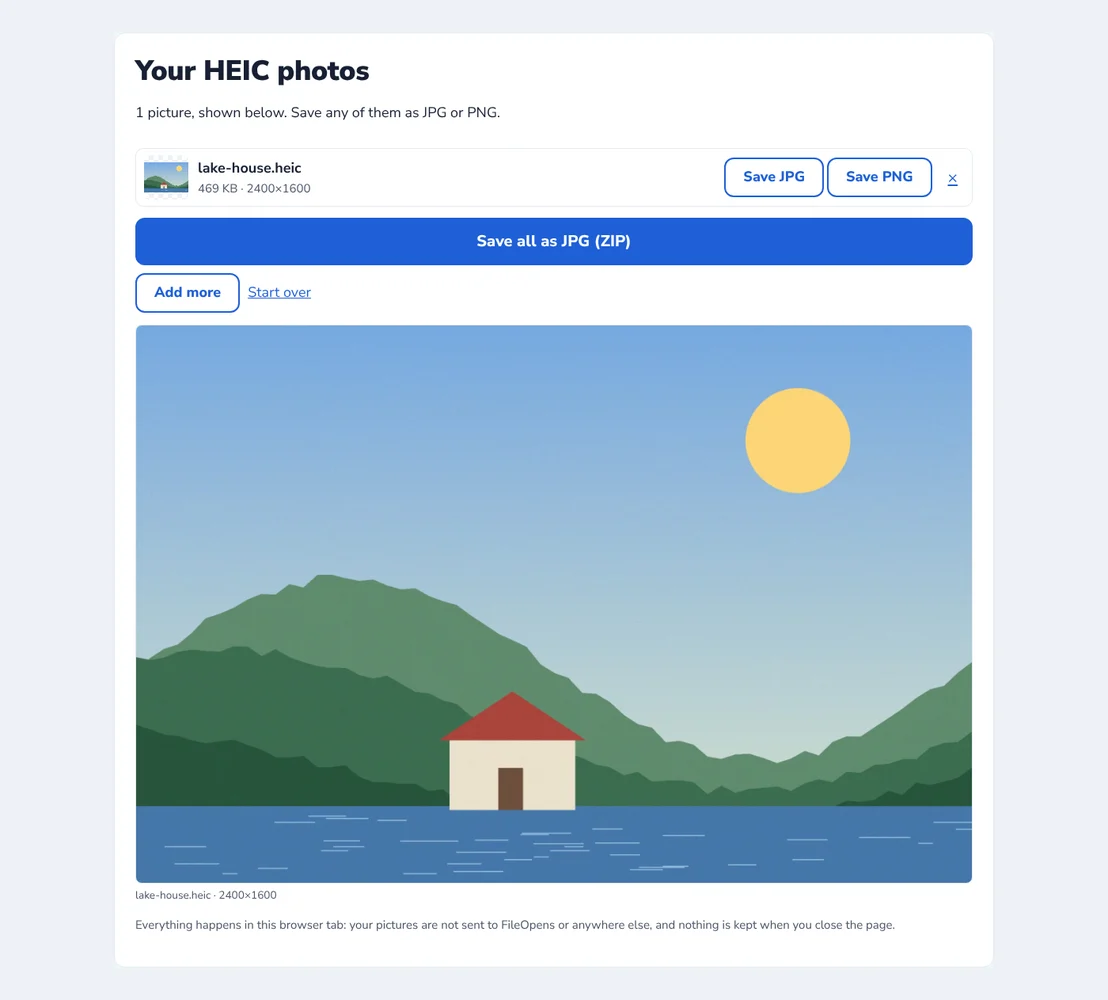
lake-house.heicshown in the page
A HEIC photo opened in the browser
- Decoded on the device, nothing uploaded
- Save JPG or Save PNG buttons
A sample photo we made ourselves, with made-up names and data, opened in this tool and shown as it came out. Your own files stay on your device.
How to open a HEIC file
-
Step 1
Choose the files
HEIC photos someone sent you, or copied from an iPhone.
-
Step 2
Look at them
They appear below, full width, with their size in pixels.
-
Step 3
Save if you like
Each as JPG or PNG, or all as JPG in a ZIP.
Why a HEIC file will not open
HEIC is the photo format of iPhones and iPads since iOS 11. Apple devices open it without thinking, but elsewhere support is patchy. Windows 10 and 11 show HEIC files as a blank icon until two extensions are installed from the Microsoft Store, and one of them, HEVC Video Extensions, costs 99 cents. Google Chrome and Firefox do not display HEIC at all, so a photo emailed to you as an attachment just downloads. Many Android galleries and Chromebooks open it only in recent versions. Behind this is a licensing tangle: HEIC compresses pictures with HEVC, a technology covered by patents, so not every company ships a decoder for free.
How this HEIC viewer opens them anyway
The page brings its own decoder: libheif, the open-source HEIF library, compiled to WebAssembly so it runs inside any modern browser. When you choose a file, it is read from your disk, decoded on your device and shown as an ordinary picture. Nothing is uploaded, so it works for private photos and even keeps working if your connection drops after the page has loaded. Photos are turned upright as the camera recorded them; burst photos and Live Photos show their main still image.
Open HEIC on Windows for good
If you get HEIC photos often, it is worth fixing Windows itself. Open the Microsoft Store, install "HEIF Image Extensions" (free) and "HEVC Video Extensions" (99 cents); the Photos app and File Explorer thumbnails then show HEIC files. Some PC makers preinstall a free HEVC extension, so check "HEVC Video Extensions from Device Manufacturer" in the Store first. Alternatively, the free IrfanView with its plugins, or GIMP, open HEIC without any Store purchase. For the photos you already have, converting them with HEIC to JPG is often simpler than changing anything.
Ask the sender for JPG next time
If a friend or a customer keeps sending HEIC, they can change one setting on their iPhone: Settings > Camera > Formats > Most Compatible. New photos are then taken as JPG. When they share photos by email or messaging apps, iOS often converts them to JPG automatically, but not when they are sent as files or through cloud links. For photos you need as a single document, use HEIC to PDF.
Viewing HEIC on a phone or Chromebook
On Android, recent Google Photos and Samsung Gallery versions show HEIC, but older phones and many file managers do not; this page shows the photos in Chrome on any Android phone. On a Chromebook, the Gallery app opens HEIC in current ChromeOS versions, and this page covers older ones and school-managed Chromebooks where you cannot install anything. On an iPhone or iPad you do not need a viewer at all. The photos are shown at screen size here; the saved JPG or PNG keeps their full resolution.
More free image converters
- Image converter
- Compress image
- JPG to PNG
- PNG to JPG
- JPEG to JPG
- Compress JPEG
- Compress PNG
- GIF to PNG
- PNG to GIF
- GIF to JPG
- JPG to GIF
- GIF maker
- Remove background
- Background eraser
- Make background transparent
- White background for photo
- Remove white background
- Resize image
- Crop image
- Rotate image
- Flip image
- Blur image
- Pixelate image
- Black and white photo
- Invert image colors
- Merge images
- Watermark image
- Add text to image
- Remove EXIF data
- EXIF viewer
- Change DPI
- Image to Base64
- Base64 to image
- MP4 to GIF
- Video to GIF
- GIF to MP4
- GIF compressor
- PNG to SVG
- JPG to SVG
- Image to SVG
- SVG to PDF
- Image to text
- PNG to DXF
- SVG to DXF
- DXF to SVG
- HEIC to JPG
- HEIC to PNG
- HEIC to PDF
- WebP to PNG
- WebP to JPG
- WebP to GIF
- WebP to PDF
- PNG to WebP
- JPG to WebP
- AVIF to PNG
- AVIF to JPG
- JFIF to JPG
- JFIF to PNG
- SVG to PNG
- SVG to JPG
- PNG to ICO
- ICO to PNG
- BMP to JPG
- BMP to PNG
- TIFF to JPG
- TIFF to PNG
- PSD viewer
- PSD to PNG
- PSD to JPG
- PSD to PDF
- AI to SVG
- AI to PNG
- Open AI file
- EPS to PNG
- DDS to PNG
- TGA to PNG
- TGA to JPG
- RAW to JPG
- CR3 to JPG
- CR2 to JPG
- NEF to JPG
Questions about opening HEIC files
Why can't Windows open HEIC?
Windows needs the HEIF and HEVC extensions from the Microsoft Store; the HEVC one costs 99 cents.
Does Chrome open HEIC?
No, Chrome and Firefox do not display HEIC. This page decodes it with its own library.
Are my photos uploaded to view them?
No. They are decoded and shown in your browser only.
Can I save a HEIC as JPG here?
Yes, each photo has Save JPG and Save PNG buttons.
Does it work on Android and Chromebook?
Yes, in Chrome and other current browsers.