Free No account · the file is deleted after 24 hours
Image to text
Convert an image to text here: the words in a screenshot, a photo of a document, a sign, a receipt or a scan are read by OCR in any of 18 languages and shown on the page, ready to copy or save as a .txt file. It works with PNG, JPG, WebP, BMP, GIF and multi-page TIFF.
or drop it here. PNG, JPG, WebP, BMP, GIF, TIFF, up to 200 MB. Free, no account.
Read the text
The file is sent over an encrypted connection to our server in Canada (OVHcloud, Beauharnois, Quebec), processed by a program there, and deleted with the result 24 hours later. Nobody looks at it.
Text copied out of a photo by FileOpens
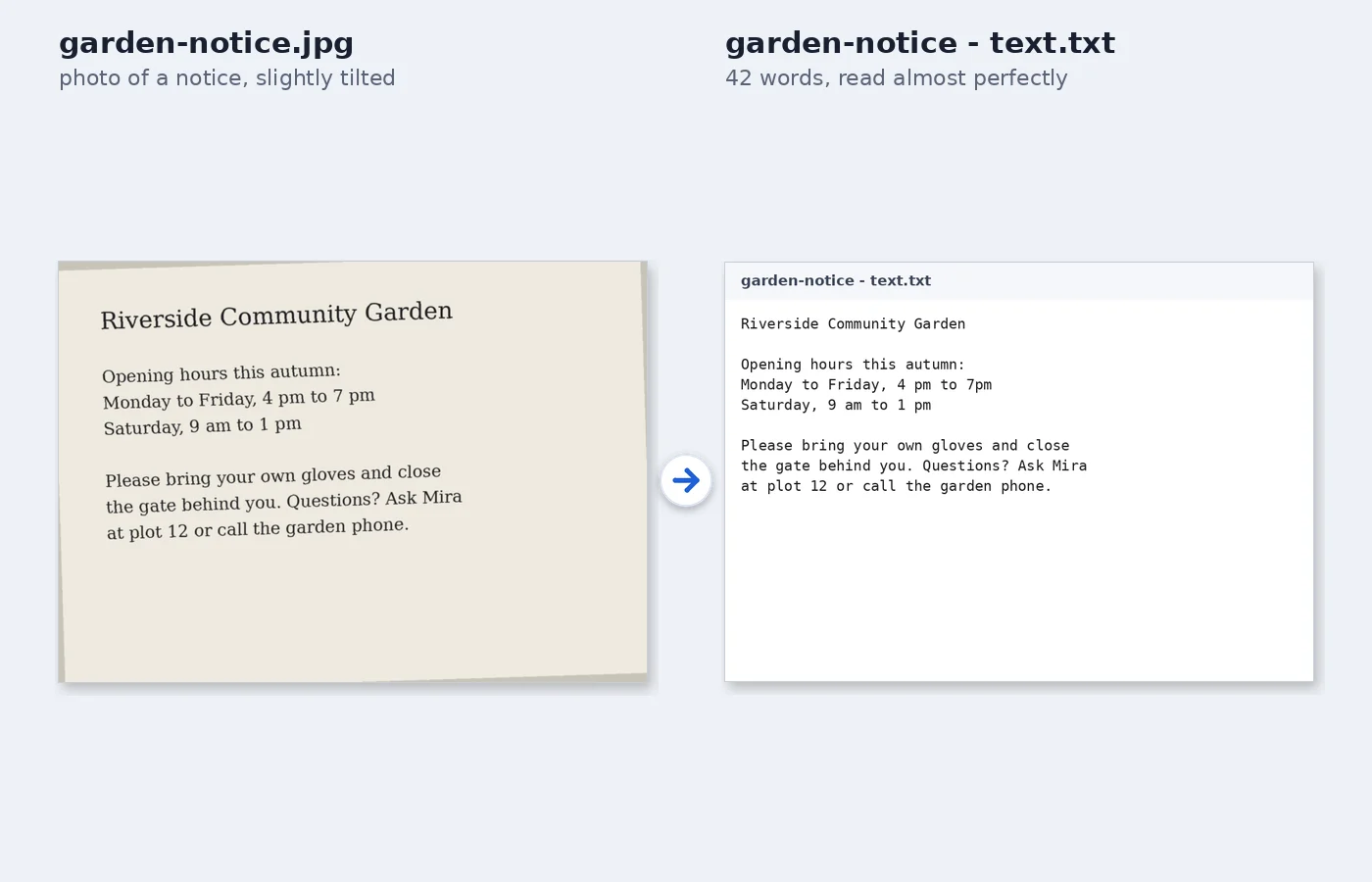
garden-notice.jpggarden-notice - text.txt
A slightly tilted photo of a notice
- 42 words found
- Read almost perfectly
- Ready to copy or save as .txt
A sample notice we made ourselves, with made-up names, converted by this tool and shown as it came out. Files you upload are deleted after 24 hours and never shown to anyone.
How to convert an image to text
-
Step 1
Choose the picture
A screenshot, a photo of a page, a scan.
-
Step 2
Pick the language
Up to two languages, for example English and Spanish.
-
Step 3
Copy the text
Or download it as a .txt file.
Copy text from a picture
Text in a picture cannot be selected or copied: a screenshot of an error message, a photo of a recipe or whiteboard, a scanned letter, a sign, a slide photographed in a lecture. OCR (optical character recognition) reads the letters and gives you the text, so you can paste it into an email, search it, translate it or edit it, instead of typing it out.
How it works and which languages
We use Tesseract, the open-source OCR engine originally developed at HP and later maintained with Google's support, on our server. Choose the language of the text: English, German, French, Spanish, Italian, Portuguese, Dutch, Polish, Ukrainian, Czech, Swedish, Danish, Norwegian, Finnish, Turkish, Japanese, Korean or Chinese (Simplified), and a second one for mixed text. The language matters: it decides which letters and words are expected. Small pictures are enlarged before reading, which helps with screenshots.
Getting a good result
Printed and screen text works best: screenshots are usually read almost perfectly. For photos of paper, shoot straight from above in good light, fill the frame with the page and avoid shadows and blur. Handwriting is generally not recognised reliably. Tables and columns come out as lines of text in reading order, without the table structure. Multi-page TIFF scans give the text of every page, separated by lines.
Image to text or searchable PDF
This page gives you plain text to copy. For a scanned PDF that should stay a PDF but become searchable and copyable, use OCR PDF, which adds an invisible text layer behind each page. To straighten a crooked photo first, use rotate image.
Image to text on a phone
On an iPhone or Android phone, open this page, choose a photo or screenshot from your gallery, and the text appears on the result page with a copy button, ready to paste into notes, messages or a translator. Newer phones can also select text in photos themselves (Live Text on iPhone, Google Lens on Android), which is quick for a few words; this page is handy for long texts, other languages, TIFF scans, saving the text as a file, or when you are on a computer without those features. The text stays selectable on the result page for 24 hours.
Privacy and limits
The file goes to our server over an encrypted connection, is processed automatically and is deleted with the result 24 hours later. Nobody looks at it. Up to 200 MB. Text found in your picture is shown only to you.
More free image converters
- Image converter
- Compress image
- JPG to PNG
- PNG to JPG
- JPEG to JPG
- Compress JPEG
- Compress PNG
- GIF to PNG
- PNG to GIF
- GIF to JPG
- JPG to GIF
- GIF maker
- Remove background
- Background eraser
- Make background transparent
- White background for photo
- Remove white background
- Resize image
- Crop image
- Rotate image
- Flip image
- Blur image
- Pixelate image
- Black and white photo
- Invert image colors
- Merge images
- Watermark image
- Add text to image
- Remove EXIF data
- EXIF viewer
- Change DPI
- Image to Base64
- Base64 to image
- MP4 to GIF
- Video to GIF
- GIF to MP4
- GIF compressor
- PNG to SVG
- JPG to SVG
- Image to SVG
- SVG to PDF
- PNG to DXF
- SVG to DXF
- DXF to SVG
- HEIC to JPG
- HEIC to PNG
- HEIC to PDF
- HEIC viewer
- WebP to PNG
- WebP to JPG
- WebP to GIF
- WebP to PDF
- PNG to WebP
- JPG to WebP
- AVIF to PNG
- AVIF to JPG
- JFIF to JPG
- JFIF to PNG
- SVG to PNG
- SVG to JPG
- PNG to ICO
- ICO to PNG
- BMP to JPG
- BMP to PNG
- TIFF to JPG
- TIFF to PNG
- PSD viewer
- PSD to PNG
- PSD to JPG
- PSD to PDF
- AI to SVG
- AI to PNG
- Open AI file
- EPS to PNG
- DDS to PNG
- TGA to PNG
- TGA to JPG
- RAW to JPG
- CR3 to JPG
- CR2 to JPG
- NEF to JPG
Questions about image to text
Which languages can it read?
18 languages, including English, Spanish, German, Ukrainian, Japanese and Chinese.
Can it read handwriting?
Not reliably; it is made for printed and screen text.
Does it keep tables?
No, tables become lines of text.
Can I read a screenshot?
Yes, screenshots are usually read almost perfectly.
Can I get a searchable PDF?
Yes, with OCR PDF for scanned PDFs.
Can I read text from a photo of a receipt?
Yes, if it is sharp and well lit; crumpled or faded receipts read worse.
Is it free?
Yes, with no account.