Free No account needed
EPS to PDF: convert EPS files, vector kept
Convert EPS to PDF here, free: a logo, illustration or chart saved as .eps becomes a PDF that keeps its vector shapes and text sharp, sized to the drawing, and opens on any computer or phone.
- Free. No account, no watermark.
- See the pages right on this site.
- Deleted after 24 hours. Nobody reads it.
An EPS converted by FileOpens
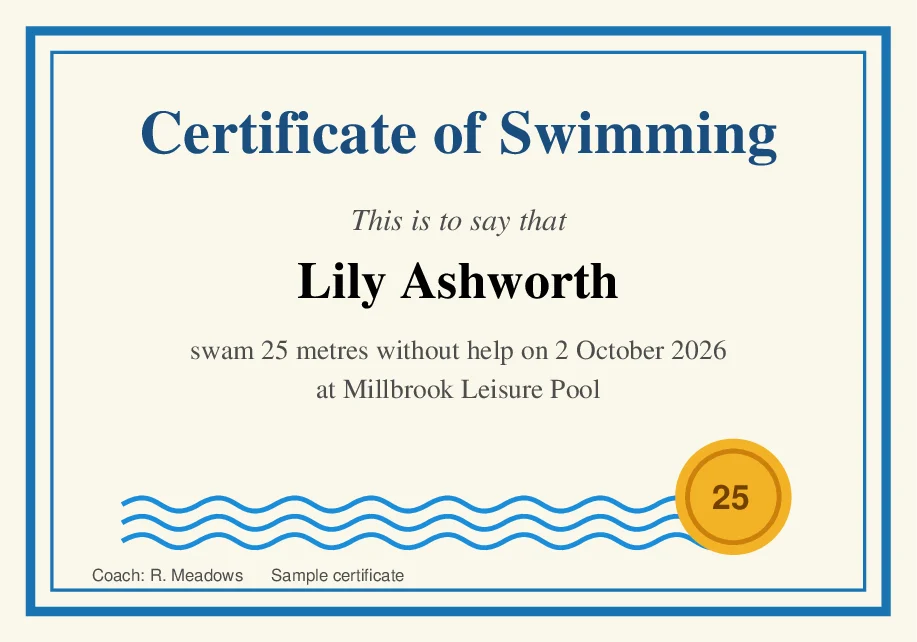
certificate.epscertificate.pdf
Printable certificate
- Page sized to the artwork
- Vector lines and text
- Colours as designed
Sample artwork we made ourselves, with made-up names and data, converted here and shown as they came out. Your own files are never shown to anyone.
What you get
- Vectors stay vectorsLines, shapes and text stay sharp at any zoom and in print.
- The right sizeThe PDF page is cropped to the drawing, not placed on a blank sheet.
- Colours keptRGB and CMYK artwork, fonts embedded in the file, gradients and pictures.
- Nothing runs hereThe file is drawn in a locked-down Ghostscript; it cannot reach anything else.
Why an EPS file will not open
EPS (Encapsulated PostScript) is the Adobe format that designers, printers and sign makers have used for logos and artwork since the late 1980s. It is a small PostScript program that draws the picture, and fewer and fewer programs can run it. Since macOS Ventura (2022) Preview on a Mac no longer opens EPS or PostScript files. Microsoft Office turned off EPS pictures in Word, PowerPoint and Excel in 2017 for security reasons, and Windows has no viewer for them. Phones and browsers show nothing. Without Adobe Illustrator, a logo file from a designer or a brand pack often cannot be seen at all.
How to convert EPS to PDF here
Choose the .eps file above. It is drawn by Ghostscript, the standard open-source PostScript interpreter, and saved as PDF in a few seconds. The page is cropped to the bounding box of the drawing, so a logo becomes a PDF the size of the logo rather than a small picture in the corner of an A4 page. You see it on this site first, then download the PDF. It is free, with no account and no watermark.
What carries over: vectors, fonts and colours
An EPS to PDF conversion here is vector to vector: curves, lines and text are not turned into pixels, so the PDF stays sharp when you zoom in or print it as large as a banner. Fonts embedded in the EPS are embedded in the PDF; CMYK colours for printing stay CMYK. Pictures inside the EPS keep their resolution. Many EPS files from Illustrator, Photoshop or CorelDRAW also carry a small low-quality preview image for old programs; that preview is ignored and the full-quality drawing is used.
Use the PDF in Word, PowerPoint or a print shop
Word and PowerPoint cannot place an EPS any more, but a PDF opens everywhere and is what most print shops and online printers ask for. Illustrator, Inkscape and Affinity Designer open the PDF as editable vectors, so the conversion also helps if you need to change the artwork. A fonts warning? If the EPS did not embed its fonts, Ghostscript uses a close free substitute; the preview shows the result before you download.
Privacy and related tools
An EPS file is a small program, so it is drawn with Ghostscript in safe mode: it cannot read or write anything else on our server. Your file is deleted 24 hours after upload. Have a whole document as PostScript? See PS to PDF. CorelDRAW drawings? CDR to PDF.
Also on FileOpens
Questions about EPS to PDF
How do I open an EPS file on a Mac?
Preview stopped opening EPS files in macOS Ventura. Convert the EPS to PDF here; Preview opens the PDF, sharp at any size.
Will my EPS logo stay vector in the PDF?
Yes. Shapes and text are kept as vectors, not turned into pixels, so the PDF prints sharp at any size.
Why does Word say it cannot insert my EPS?
Microsoft turned off EPS pictures in Office in 2017. Convert the EPS to PDF or to a picture and insert that.
Is it really free?
Yes: no account, no watermark, no limit on the number of files. We make our money converting old document formats such as Publisher and Works files.
What happens to my file?
It is used only to make your PDF and is deleted automatically 24 hours after upload. Nobody looks at it.