Free Your pictures are not uploaded
PSD viewer: open PSD files without Photoshop
This PSD viewer opens Photoshop files on any computer or phone: drop a .psd or .psb and see the full picture, its size and how many layers it has, then save it as JPG or PNG. The file is read by your browser, so it never leaves your device.
or drop them here. .psd and .psb. Nothing is uploaded.
Your Photoshop files
Everything happens in this browser tab: your pictures are not sent to FileOpens or anywhere else, and nothing is kept when you close the page.
A Photoshop file opened by FileOpens
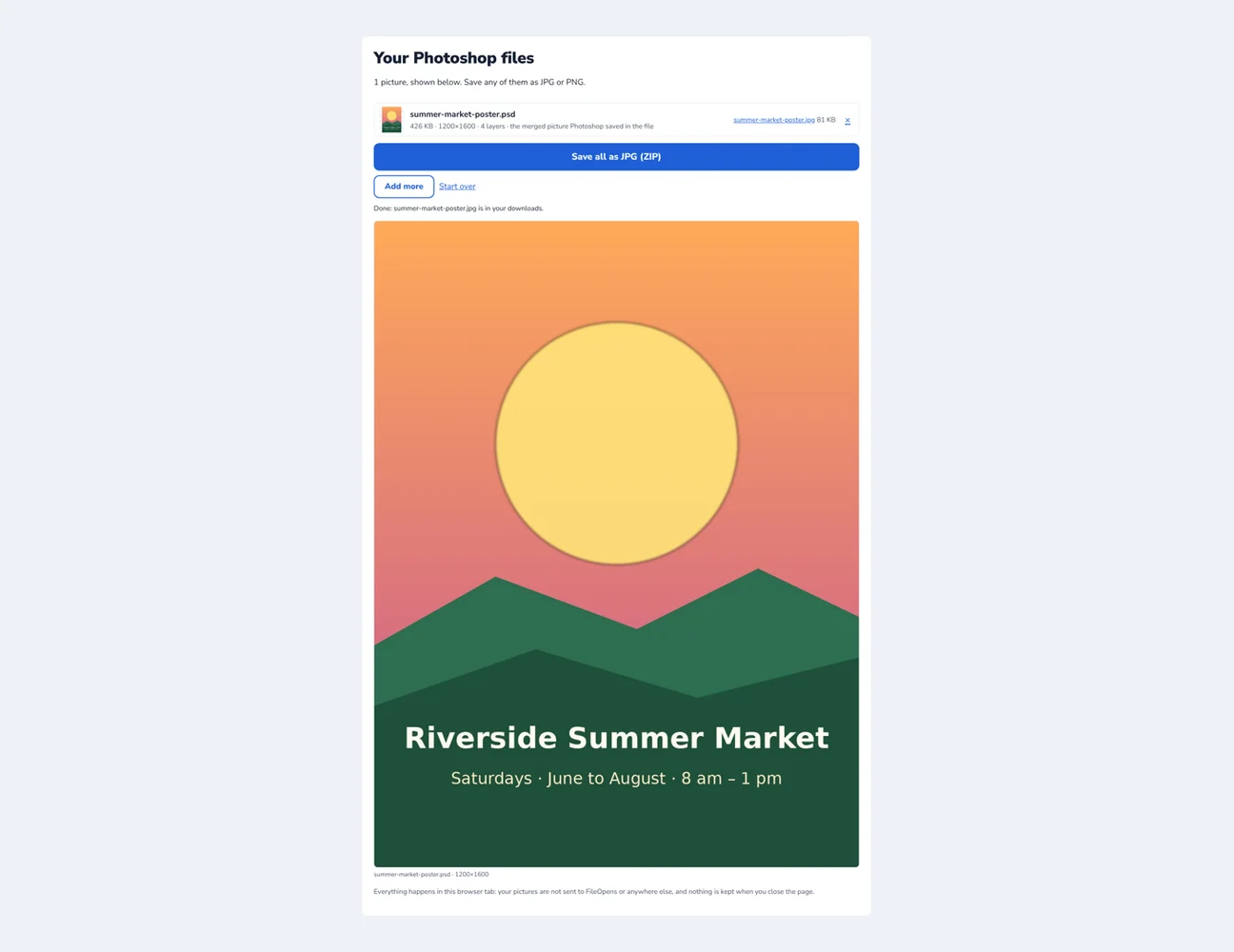
summer-market-poster.psdthe picture
A 4-layer poster PSD in the viewer
- 1200 × 1600, 4 layers
- Shown with Save JPG and Save PNG
- No Photoshop
A sample poster we made ourselves, with made-up names and data, opened in this tool and shown as it came out. Your own files stay on your device.
How to open a PSD file
-
Step 1
Choose the .psd
From a designer, a template site, a client or your own archive.
-
Step 2
Look at it
The full picture appears below with its size and number of layers.
-
Step 3
Save it
As JPG or PNG, one file or all of them in a ZIP.
Why a PSD will not open
PSD is Photoshop's own format, around since 1990. It stores every layer, mask, text layer and effect so the designer can keep working, which is why templates, mock-ups and design deliveries arrive as PSD. Without Photoshop, though, most computers cannot show it: Windows Photos does not open PSD, phones and browsers do not either, and email attachments just download. A PSB is the same format for very large documents, over 2 GB or more than 30,000 pixels wide, and is even less widely supported.
What this PSD viewer shows
When Photoshop saves a file with "Maximize PSD and PSB File Compatibility" ticked, as its save dialog suggests, it stores a ready-made merged picture of all visible layers alongside them. The viewer reads that picture with ag-psd, an open-source PSD reader, so you see exactly what the designer saw, including layer styles, adjustment layers and smart objects. If the file was saved without it, the viewer puts the visible layers together itself, respecting their order, opacity and common blend modes; in that case layer effects and adjustment layers are not applied, and the list tells you so. Under each file you see its size in pixels and the number of layers.
Other ways to open PSD without Photoshop
On a Mac, Preview and Quick Look show the merged picture of most PSD files, like this page does. GIMP (free, Windows, Mac, Linux) opens PSD with its layers for editing, though it does not understand every Photoshop effect. Photopea, a web editor, can edit PSD layers in the browser. Affinity Photo opens PSD too. If you only need to look at the picture, pass it on or print it, this page is quickest: nothing to install and no account. To save directly in one step, use PSD to JPG or PSD to PNG.
PSD viewer on iPhone, Android and Chromebook
Phones are where PSD files are most often stuck: a designer sends a mock-up by email or chat, and the phone shows only a file icon. Open this page in Safari or Chrome, tap the button and choose the file from Files, Downloads or a cloud drive. The picture appears on the page, and "Save JPG" puts a copy in your downloads that you can forward, comment on or keep in your photo library. On a Chromebook the page works the same as on a computer. Nothing has to be installed, which also makes it a quick way to check a file on a work computer where you cannot add software.
Big files, 16-bit and CMYK
Photoshop files are often large: hundreds of megabytes with many layers. The viewer only needs the merged picture, which keeps memory use down, but a phone may still run out of memory on very big files; a computer handles them better. 16-bit and 32-bit files are converted to normal screen colours for viewing and saving. CMYK print files are converted with a simple formula, without the print colour profile, so strong colours can look a little brighter than in Photoshop. Text layers are shown as they look; the fonts do not need to be installed, because the merged picture already contains the text as pixels.
Private
Designs are often confidential. Here the PSD is read from your disk by your browser and is never uploaded, so client work and unreleased artwork stay on your device.
More free image converters
- Image converter
- Compress image
- JPG to PNG
- PNG to JPG
- JPEG to JPG
- Compress JPEG
- Compress PNG
- GIF to PNG
- PNG to GIF
- GIF to JPG
- JPG to GIF
- GIF maker
- Remove background
- Background eraser
- Make background transparent
- White background for photo
- Remove white background
- Resize image
- Crop image
- Rotate image
- Flip image
- Blur image
- Pixelate image
- Black and white photo
- Invert image colors
- Merge images
- Watermark image
- Add text to image
- Remove EXIF data
- EXIF viewer
- Change DPI
- Image to Base64
- Base64 to image
- MP4 to GIF
- Video to GIF
- GIF to MP4
- GIF compressor
- PNG to SVG
- JPG to SVG
- Image to SVG
- SVG to PDF
- Image to text
- PNG to DXF
- SVG to DXF
- DXF to SVG
- HEIC to JPG
- HEIC to PNG
- HEIC to PDF
- HEIC viewer
- WebP to PNG
- WebP to JPG
- WebP to GIF
- WebP to PDF
- PNG to WebP
- JPG to WebP
- AVIF to PNG
- AVIF to JPG
- JFIF to JPG
- JFIF to PNG
- SVG to PNG
- SVG to JPG
- PNG to ICO
- ICO to PNG
- BMP to JPG
- BMP to PNG
- TIFF to JPG
- TIFF to PNG
- PSD to PNG
- PSD to JPG
- PSD to PDF
- AI to SVG
- AI to PNG
- Open AI file
- EPS to PNG
- DDS to PNG
- TGA to PNG
- TGA to JPG
- RAW to JPG
- CR3 to JPG
- CR2 to JPG
- NEF to JPG
Questions about opening PSD files
Can I open a PSD without Photoshop?
Yes. This page shows the full picture in your browser and lets you save it as JPG or PNG.
Can I edit the layers here?
No, it shows and saves the picture. For layer editing use GIMP or Photopea.
Does it open PSB files?
Yes, large-document PSB files are read the same way.
Why do some effects look different?
The file was saved without its merged picture, so the layers are combined here without effects. The list says when that happens.
Is my file uploaded?
No, it is read in your browser only.