HughesNet email shutdown: how to save your hughes.net mail
The HughesNet email shutdown is close: hughes.net addresses end on November 16, 2026, and after that the mail is out of reach. Export your mailbox from HughesNet webmail as a .tgz file now, then upload it here to read, search and print every email as PDF, with attachments, without Outlook.
- First 20 e-mails free to check before you pay.
- Every attachment saved next to its e-mail.
- Nothing loaded from the web. No tracking pictures.
- Deleted after 24 hours. Nobody reads your mail.
A mailbox converted by FileOpens
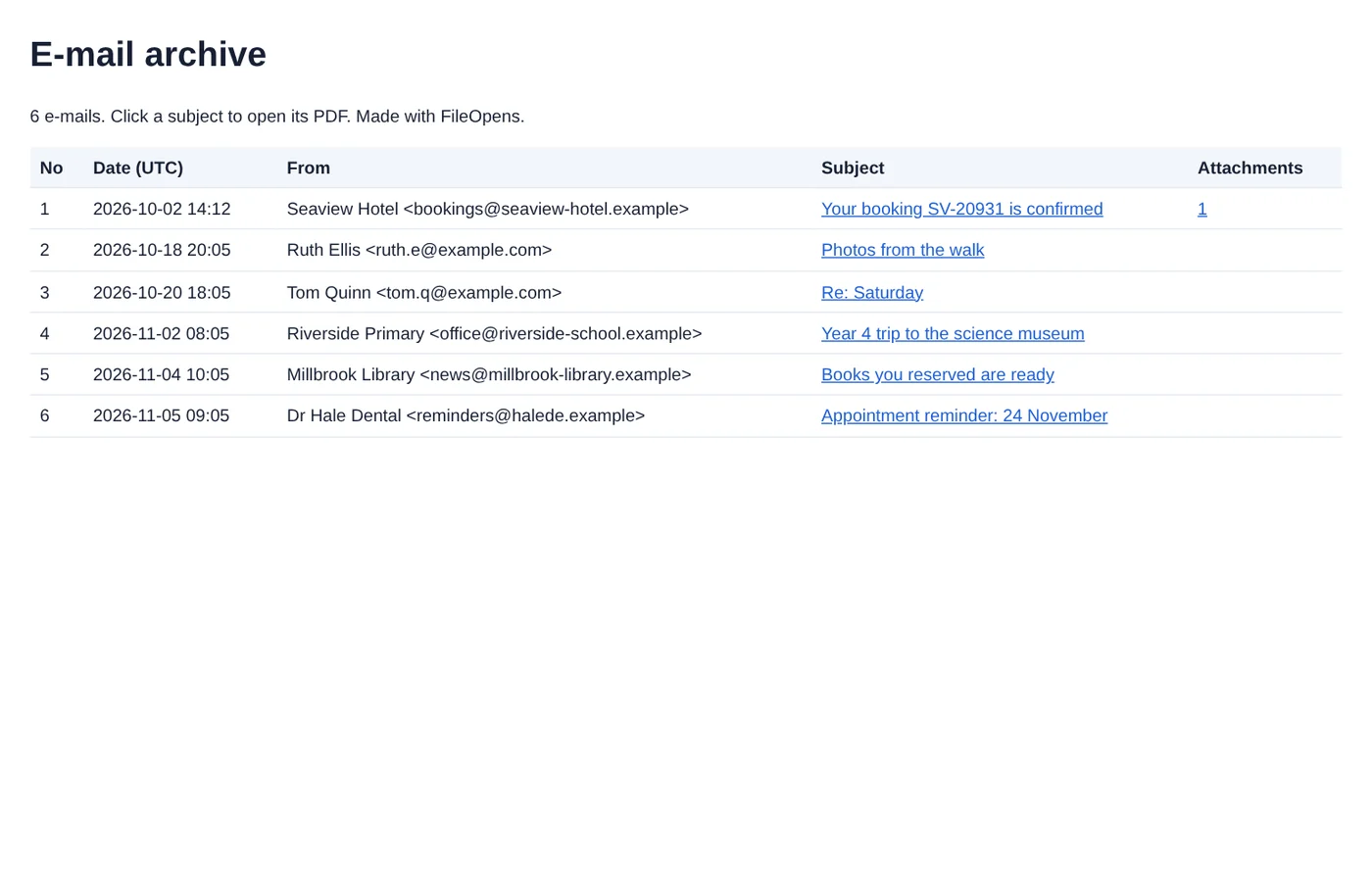
Martha-2026.mboxIndex.html
Index of every e-mail
- Date, sender and subject
- Click a subject to open its PDF
- Attachments counted
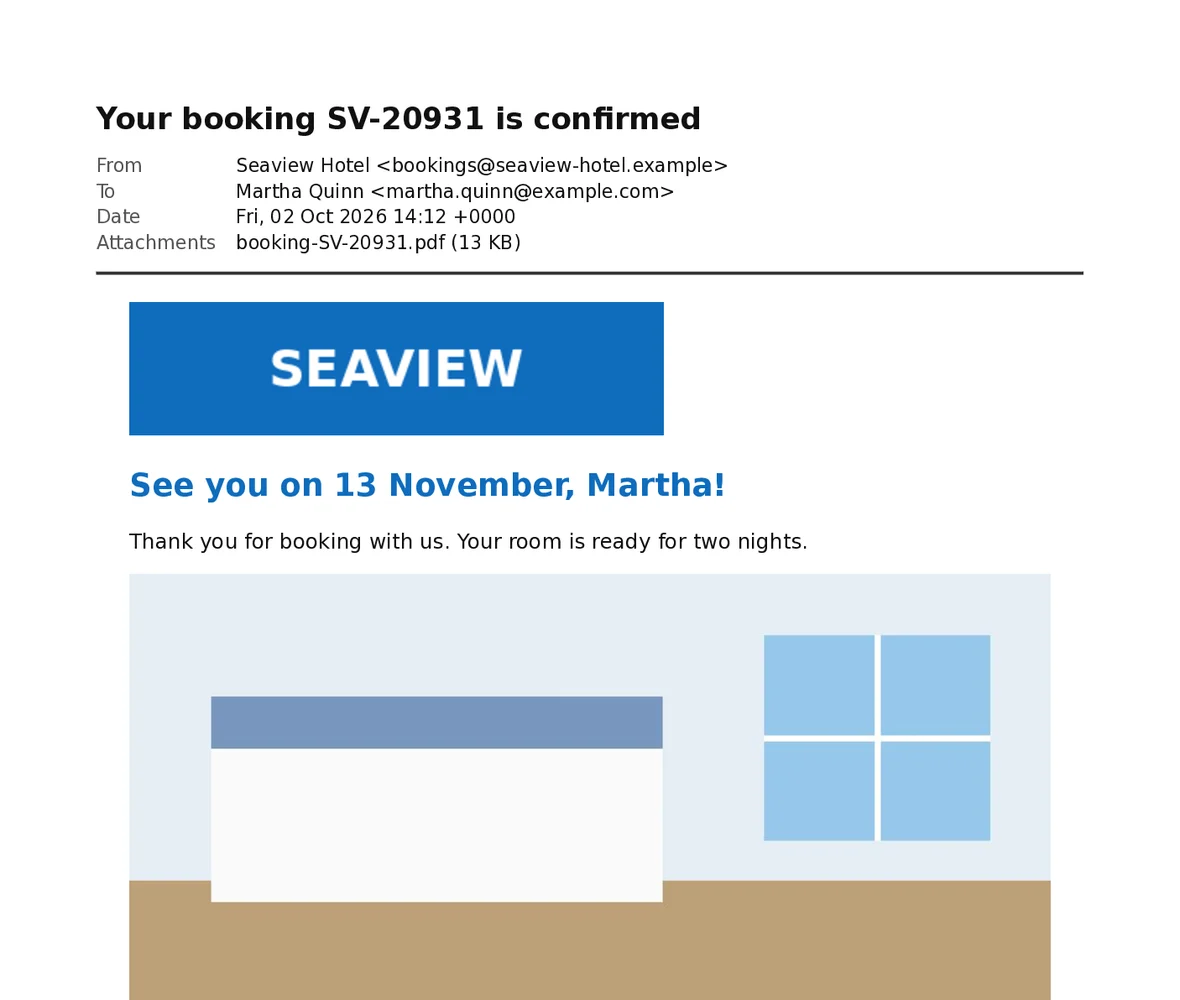
Martha-2026.mboxAll e-mails 2026.pdf
One PDF with every e-mail
- Oldest first, each from a new page
- Pictures and tables kept
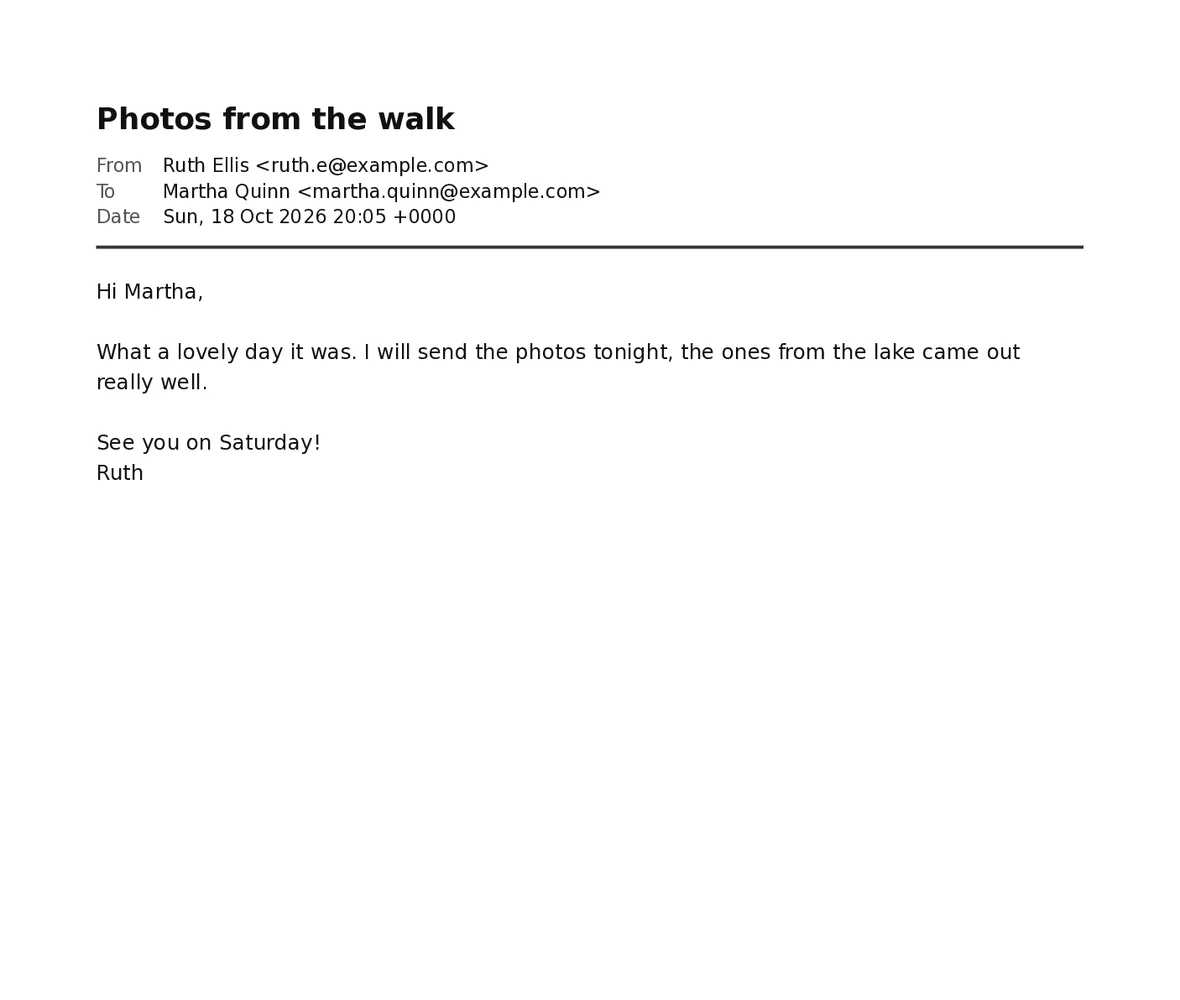
Martha-2026.mboxAll e-mails 2026.pdf
A plain-text e-mail
- Also as its own PDF, one per e-mail
Sample mailbox we made ourselves, with made-up names and data, converted here and shown as they came out. Your own files are never shown to anyone.
What you get: a whole mailbox as a PDF archive
A sample mailbox of a made-up bakery, 95 e-mails over three years, converted by FileOpens.

Why people archive a mailbox
- Leaving a job or closing an account
- Gmail storage is full
- A court case or an audit
- Mail of a relative who passed away
- Moving away from Outlook
- Business records to keep for years
- Old Thunderbird or Apple Mail
How to turn a mailbox into PDFs
-
STEP 1
Upload your mailbox
An .mbox, a .zip of Thunderbird folders, or an Outlook .pst.
-
STEP 2
See the first 20 e-mails
We count every e-mail and show you the oldest ones as PDF, free.
-
STEP 3
Pay once, get the archive
A PDF per e-mail and per year, an index and attachments.
What is in your archive
- A PDF for every e-mailNumbered from the oldest, named with the date and subject, so they sort the right way.
- One PDF per yearAll e-mails of a year in a single file, ready to print, search or send to a lawyer.
- An indexIndex.csv opens in Excel: number, date, sender, recipients, subject, and the folder for Outlook and Thunderbird mail. Index.html links to every PDF.
- All attachmentsIn a folder next to each e-mail, exactly as they were sent.
- The e-mail as it looksHeader on top, then the message with its fonts, tables and pictures. Every language.
- Searchable textText stays text, so you can search the PDFs and copy from them.
Price
Checking your mailbox and the first 20 e-mails are free. The full archive is one payment: $14.99 for up to 1,000 e-mails, $39.00 for up to 20,000. No subscription.
What is happening to hughes.net email
HughesNet, the satellite internet provider, is ending its email service. Customers are told to move their mail and change their address before November 16, 2026; after that date mail sent to a hughes.net address is no longer forwarded, and you should not count on reaching the old mailbox again. HughesNet offers no paid replacement that keeps the address, as some providers did; it suggests moving to a free service such as Gmail or Outlook.com. That takes care of new mail. Your old mail, often ten or twenty years of letters, photos from family, receipts and account records, stays behind unless you copy it out yourself before the date.
Two ways to get your mail out
Import into Gmail. HughesNet's own help explains it: in Gmail, Settings > See all settings > Accounts and Import > Import mail and contacts, then your hughes.net address and password. If Gmail asks for the server, it is mail.hughes.net, port 110 (POP). It is free, but slow (several hours, up to two days for a big mailbox), works best from a computer rather than a phone, and HughesNet says the Drafts and Deleted folders are not copied. If many people try in the last days, imports can also stall.
Export a .tgz from webmail. Sign in to your mail at myhughesnet.com, open My Email, click the Settings (gear) icon, go to Settings > Accounts, expand your account and choose Export. Your browser downloads one file ending in .tgz with your mail folders, contacts and calendar. Do this even if a Gmail import is already running: it takes minutes, and it is your own copy that no company can switch off. The catch: Windows does not open a .tgz, and inside are hundreds or thousands of separate email files. That is what this page solves.
Open the HughesNet .tgz export here
Upload the .tgz above exactly as you downloaded it, without unpacking. It goes to our server in parts, so a large file over a slow satellite connection is fine; keep the page open until it finishes. We unpack it, find every mail folder (Inbox, Sent, your own folders), count the emails and show you the oldest 20 as PDF, free, with sender, date, subject and attachments. If it looks right, one payment builds your archive: a PDF for every email and one PDF per year to read or print, every attachment saved next to its email, an index you can open in Excel and search, the whole mailbox as .mbox for Thunderbird or Apple Mail, every email as an Outlook .msg, your contacts as a .vcf file that Gmail, Outlook and Apple Contacts import, and the calendar as .ics. You keep it on your computer or a USB stick. We never ask for your HughesNet password, and we only see the file you choose. Already have the mail in Thunderbird? Zip its folders and see MBOX viewer. Only a few single .eml files? EML to PDF is free.
Too late? After November 16
If you downloaded the .tgz before the date, nothing is lost: it opens here months or years later, just as it would today. If you did not, try your mail anyway, and call HughesNet support to ask whether your mailbox can still be reached for a short time; we cannot promise it can, and nobody else can get the mail out without access to the account. Be wary of sites and emails offering to "recover" a closed hughes.net mailbox for a fee, or asking for your password: closures like this always bring scams.
HughesNet email shutdown checklist: before November 16
Export the .tgz, even if you also import into Gmail. Open it here, or at least check that the file is not a few kilobytes, so you know it holds your mail. Give your new address to your bank, Social Security and Medicare, your insurer, pharmacy and doctors, utilities, and the shops and sites where you sign in with your email, since password resets go there. Tell family and friends. Save anything in Drafts yourself, because the Gmail import leaves it out. FileOpens is an independent service, not connected with Hughes Network Systems, HughesNet or EchoStar. Another service closing at the end of 2026 is the Universe website builder: save a Universe site before 31 December.
More E-mail tools
Also on FileOpens
Questions about mailbox to PDF
When does hughes.net email end?
Customers are told to finish moving their mail and change their address before November 16, 2026. After that, forwarding from hughes.net addresses stops.
What is a .tgz file and how do I open it?
A .tgz is a compressed archive, like a .zip, common on Linux servers. Windows cannot open it without extra software, and inside are many separate email files. Upload it here as it is: we unpack it and show your emails as PDF.
Why are my drafts missing in Gmail?
HughesNet says its Gmail import does not move the Drafts and Deleted folders. The .tgz export from webmail includes your folders, so export it as well.
Do you need my HughesNet password?
No. You export the .tgz yourself from HughesNet webmail and upload only that file. We never ask for or see your password.
How much does it cost?
Counting the emails and the PDF of the first 20 are free. The full archive is a one-time $14.99 for up to 1,000 emails, or $39.00 for up to 20,000. No subscription.
Is my mail safe with you?
It is used only to make your archive. Nothing in it runs, nothing is loaded from the internet, and everything is deleted automatically 24 hours after the archive is ready. Nobody reads it.