Free No account · the file is deleted after 24 hours
AI to SVG converter
Convert AI to SVG here: an Adobe Illustrator file becomes a vector SVG that websites, Figma, Inkscape, Canva and cutting machines use, with every shape still sharp at any size. You do not need Illustrator.
or drop it here. .ai from any Illustrator version, up to 200 MB. Free, no account.
Convert to SVG
The file is sent over an encrypted connection to our server in Canada (OVHcloud, Beauharnois, Quebec), processed by a program there, and deleted with the result 24 hours later. Nobody looks at it.
An Illustrator file converted to SVG by FileOpens
maple-fern-logo.ai2 SVGs
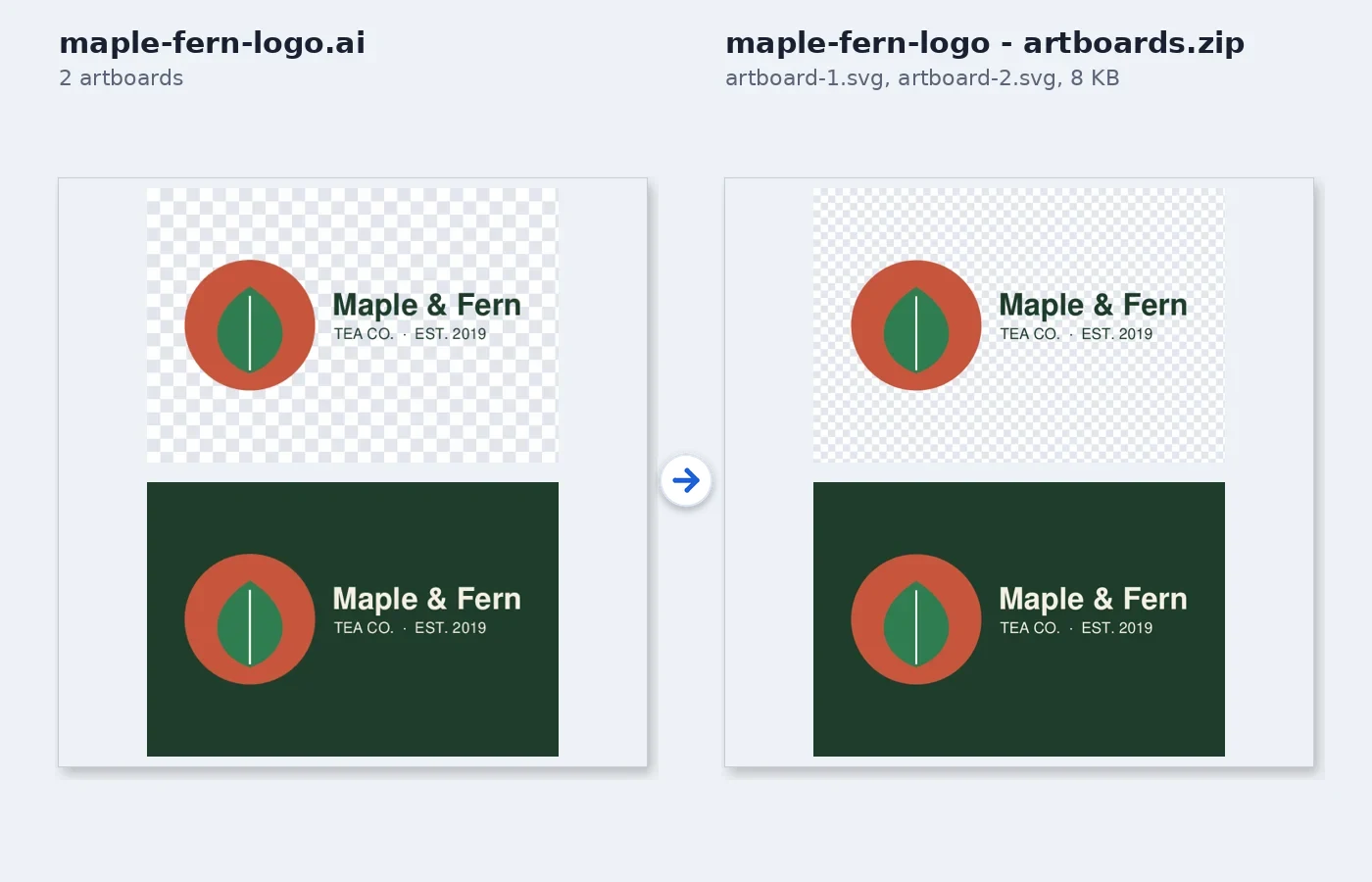
A logo with two artboards
- One SVG per artboard, in an 8 KB ZIP
- Text turned into outlines
- Still vector, sharp at any size
A sample logo we made ourselves, with made-up names, converted by this tool and shown as it came out. Files you upload are deleted after 24 hours and never shown to anyone.
How to convert AI to SVG
-
Step 1
Choose the .ai file
A logo, icon set, illustration or cut file.
-
Step 2
It is converted
The artwork is read and written as SVG paths.
-
Step 3
Download
One SVG, or one per artboard in a ZIP.
Why you need the SVG
AI is Adobe Illustrator's own format. Designers deliver logos and artwork as .ai, but outside Illustrator it is hard to use: websites, Figma, Canva, Cricut Design Space, laser and plotter software and most developers want SVG, the open vector format every browser draws. Converting keeps the artwork as shapes, so it stays perfectly sharp and small, unlike exporting a PNG.
How AI to SVG conversion works here
Since Illustrator 9 in 2000, .ai files normally contain a full PDF version of the artwork ("Create PDF Compatible File", on by default). We read that PDF part on our server with qpdf and MuPDF and write each artboard as an SVG: paths, fills, strokes, gradients and embedded pictures carry over. Older files from Illustrator 8 and earlier are PostScript; those are drawn with Ghostscript first, then written as SVG, and we handle their unusual page positions. A file with several artboards gives one SVG per artboard in a ZIP.
What to expect in the SVG
Text is converted into the outlines of its letters, so it looks exactly right without the fonts being installed, but it is edited as shapes rather than as text. Illustrator-only features are flattened into what they look like: effects, appearance stacks and symbols become ordinary paths and groups. Layer names are not kept. A file saved with "Create PDF Compatible File" switched off contains no PDF part, and only Illustrator can read it; the page tells you if that is the case, so you can ask the designer for a re-save or an SVG export.
AI to SVG for Cricut and laser cutters
Cutting machines follow paths, so what counts is the shapes: filled outlines become cut lines, strokes are cut along their centre or ignored depending on the software, and embedded photos cannot be cut at all. Cricut Design Space accepts SVG uploads directly; Glowforge, LightBurn and Silhouette Studio (Designer edition) import SVG too. If text was converted to outlines, which this page does, the letters cut exactly as designed, even without the fonts. Check the size after importing: SVG carries real units, but some programs assume a different number of pixels per inch.
Using the SVG
In Figma, drag the SVG onto the canvas; in Inkscape, open it and ungroup to edit shapes; on a website, use it as an image or inline. Cricut and laser software import it for cutting; for that, artwork made of clean outlines works best. If you need a picture instead, use AI to PNG; to just look at an AI file, open AI file gives you a PDF and page previews. For PDFs, see PDF to SVG.
Privacy
The file goes to our server over an encrypted connection, is converted automatically and is deleted with the result 24 hours later. Nobody opens it. Up to 200 MB.
More free image converters
- Image converter
- Compress image
- JPG to PNG
- PNG to JPG
- JPEG to JPG
- Compress JPEG
- Compress PNG
- GIF to PNG
- PNG to GIF
- GIF to JPG
- JPG to GIF
- GIF maker
- Remove background
- Background eraser
- Make background transparent
- White background for photo
- Remove white background
- Resize image
- Crop image
- Rotate image
- Flip image
- Blur image
- Pixelate image
- Black and white photo
- Invert image colors
- Merge images
- Watermark image
- Add text to image
- Remove EXIF data
- EXIF viewer
- Change DPI
- Image to Base64
- Base64 to image
- MP4 to GIF
- Video to GIF
- GIF to MP4
- GIF compressor
- PNG to SVG
- JPG to SVG
- Image to SVG
- SVG to PDF
- Image to text
- PNG to DXF
- SVG to DXF
- DXF to SVG
- HEIC to JPG
- HEIC to PNG
- HEIC to PDF
- HEIC viewer
- WebP to PNG
- WebP to JPG
- WebP to GIF
- WebP to PDF
- PNG to WebP
- JPG to WebP
- AVIF to PNG
- AVIF to JPG
- JFIF to JPG
- JFIF to PNG
- SVG to PNG
- SVG to JPG
- PNG to ICO
- ICO to PNG
- BMP to JPG
- BMP to PNG
- TIFF to JPG
- TIFF to PNG
- PSD viewer
- PSD to PNG
- PSD to JPG
- PSD to PDF
- AI to PNG
- Open AI file
- EPS to PNG
- DDS to PNG
- TGA to PNG
- TGA to JPG
- RAW to JPG
- CR3 to JPG
- CR2 to JPG
- NEF to JPG
Questions about AI to SVG
Do I need Illustrator?
No, the file is converted on our server.
Is the text editable in the SVG?
No, text becomes letter outlines. It looks exact and needs no fonts.
What about several artboards?
Each artboard becomes its own SVG, delivered in a ZIP.
Why does my file fail?
It was saved without "Create PDF Compatible File". Ask for a re-save or an SVG.
Are old Illustrator files supported?
Yes, including Illustrator 8 and earlier.