Free Your pictures are not uploaded
PSD to JPG converter
Convert PSD to JPG here without Photoshop: each design or retouched photo becomes a JPG that opens on every phone and computer and is small enough to email, at the quality you choose. Many files at once, converted in your browser.
or drop them here, as many as you like. .psd and .psb. Nothing is uploaded.
Your Photoshop files
Everything happens in this browser tab: your pictures are not sent to FileOpens or anywhere else, and nothing is kept when you close the page.
A PSD converted to JPG by FileOpens
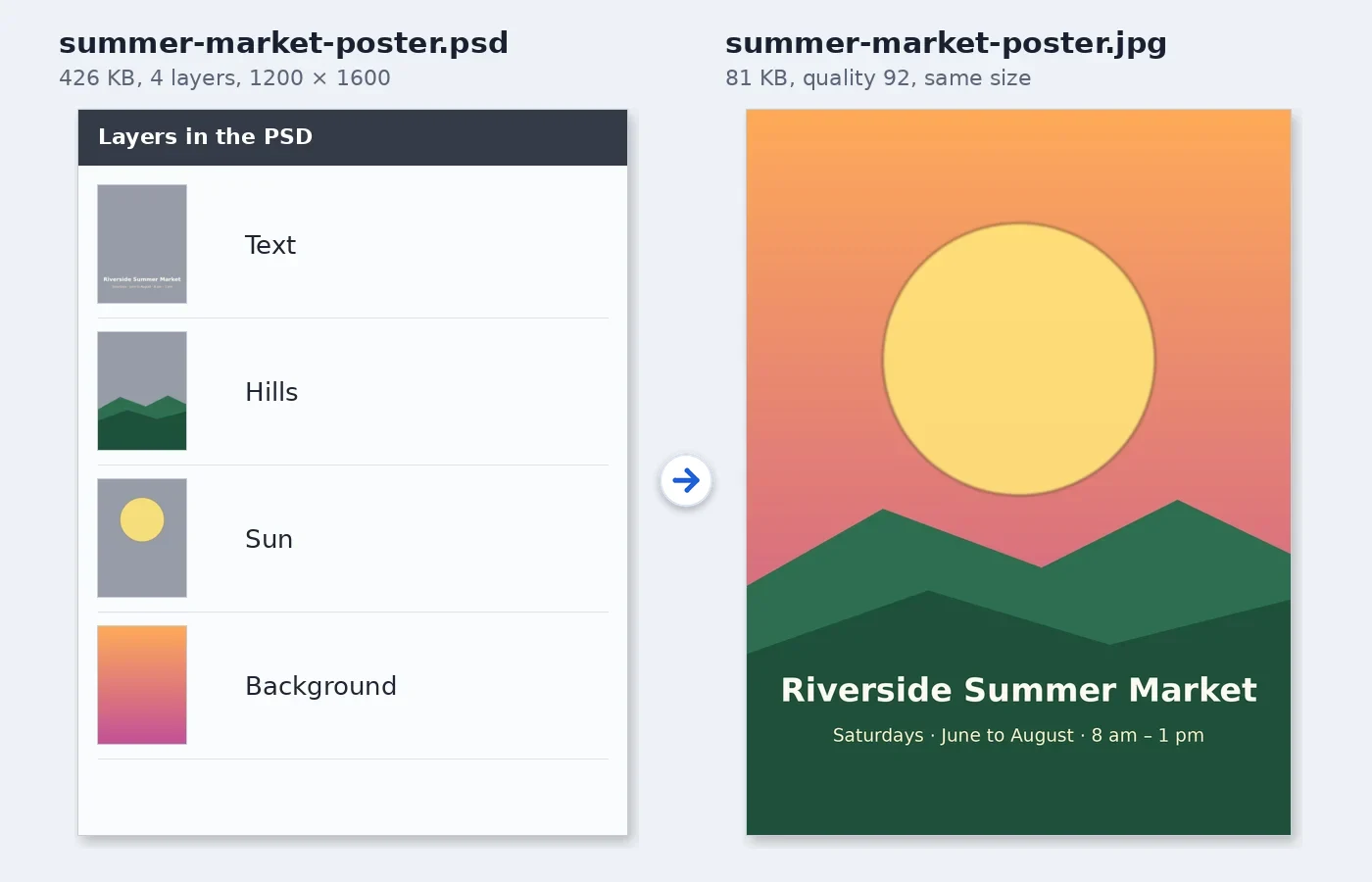
summer-market-poster.psdsummer-market-poster.jpg
A 4-layer poster as JPG
- 426 KB PSD to 81 KB JPG
- All visible layers in one picture
- Full size, 1200 × 1600
A sample poster we made ourselves, with made-up names and data, opened in this tool and shown as it came out. Your own files stay on your device.
How to convert PSD to JPG
-
Step 1
Choose the .psd files
Retouched photos, social posts, flyers, mock-ups.
-
Step 2
Set quality and background
Quality 92; white behind transparent parts, or a colour you pick.
-
Step 3
Download
Each JPG, or all of them in a ZIP.
JPG for sharing and approval
A PSD is a working file: big, layered, and readable only by design programs. When a client needs to approve a design, a photographer sends retouched pictures, or a post goes to social media, everyone needs a JPG. It opens on any phone, in any email program and on any website, and it is small: a 150 MB layered PSD often becomes a 1–3 MB JPG. That is the job of this page.
Quality, size and transparency
The default quality of 92 looks identical to the design on screen; 80 halves the file again and is fine for web and email. JPG has no transparency, so areas without pixels are filled with white, or with a colour you choose, for example the background colour of the website where the picture will go. If you need the transparency, use PSD to PNG. The JPG has the full size of the document in pixels; resize it afterwards if a platform asks for smaller dimensions.
What you see is the finished design
The converter uses the merged picture Photoshop keeps inside the file (with "Maximize PSD and PSB File Compatibility", which Photoshop suggests), so layer styles, adjustment layers, smart objects and text look exactly as in Photoshop, and the fonts do not need to be installed. If a file was saved without that picture, the visible layers are combined here without effects and adjustments, and the list tells you, so you know to ask for a re-save. 16-bit, 32-bit and CMYK files are turned into standard sRGB colours.
Many PSD files at once
Choose or drop a whole folder's worth of PSD files: each is read, shown in the list with its size and layer count, and converted in turn. Files that fail, for example because they are damaged or not really PSD, are marked in the list while the others carry on. "Download all" gives one ZIP with every JPG named after its PSD, which makes it easy to send a full set of designs or retouched photos in one attachment. Large batches take memory, so on a phone convert a few at a time.
PSD to JPG on a phone
On an iPhone or Android phone, open this page in the browser and choose the PSD from Files, Downloads, or a cloud drive such as Google Drive or Dropbox; the JPG is saved to your downloads and can go straight into a message or your photo library. Very large PSD files can exceed a phone's memory; then convert on a computer. To look before converting, use the PSD viewer; to put several designs in one document, PSD to PDF.
Private
The PSD never leaves your device: your browser reads it and writes the JPG.
More free image converters
- Image converter
- Compress image
- JPG to PNG
- PNG to JPG
- JPEG to JPG
- Compress JPEG
- Compress PNG
- GIF to PNG
- PNG to GIF
- GIF to JPG
- JPG to GIF
- GIF maker
- Remove background
- Background eraser
- Make background transparent
- White background for photo
- Remove white background
- Resize image
- Crop image
- Rotate image
- Flip image
- Blur image
- Pixelate image
- Black and white photo
- Invert image colors
- Merge images
- Watermark image
- Add text to image
- Remove EXIF data
- EXIF viewer
- Change DPI
- Image to Base64
- Base64 to image
- MP4 to GIF
- Video to GIF
- GIF to MP4
- GIF compressor
- PNG to SVG
- JPG to SVG
- Image to SVG
- SVG to PDF
- Image to text
- PNG to DXF
- SVG to DXF
- DXF to SVG
- HEIC to JPG
- HEIC to PNG
- HEIC to PDF
- HEIC viewer
- WebP to PNG
- WebP to JPG
- WebP to GIF
- WebP to PDF
- PNG to WebP
- JPG to WebP
- AVIF to PNG
- AVIF to JPG
- JFIF to JPG
- JFIF to PNG
- SVG to PNG
- SVG to JPG
- PNG to ICO
- ICO to PNG
- BMP to JPG
- BMP to PNG
- TIFF to JPG
- TIFF to PNG
- PSD viewer
- PSD to PNG
- PSD to PDF
- AI to SVG
- AI to PNG
- Open AI file
- EPS to PNG
- DDS to PNG
- TGA to PNG
- TGA to JPG
- RAW to JPG
- CR3 to JPG
- CR2 to JPG
- NEF to JPG
Questions about PSD to JPG
Do I need Photoshop?
No, the file is read and converted in your browser.
What happens to transparent parts?
They become white, or a colour you choose. PSD to PNG keeps them transparent.
Will text and effects look right?
Yes, when the file has its merged picture, which Photoshop saves unless the compatibility option is turned off.
How big will the JPG be?
Usually a small fraction of the PSD; the list shows each size.
Are my files uploaded?
No, everything happens in your browser.