Free Your PDF is not uploaded
Remove metadata from a PDF
Remove metadata from PDF files here: see what the file says about who made it, with what software and when, and delete it all in one click before you send it on. The PDF never leaves your device. Free.
or drop it here. One PDF up to 500 MB. It is read and cleaned on your device and never sent anywhere.
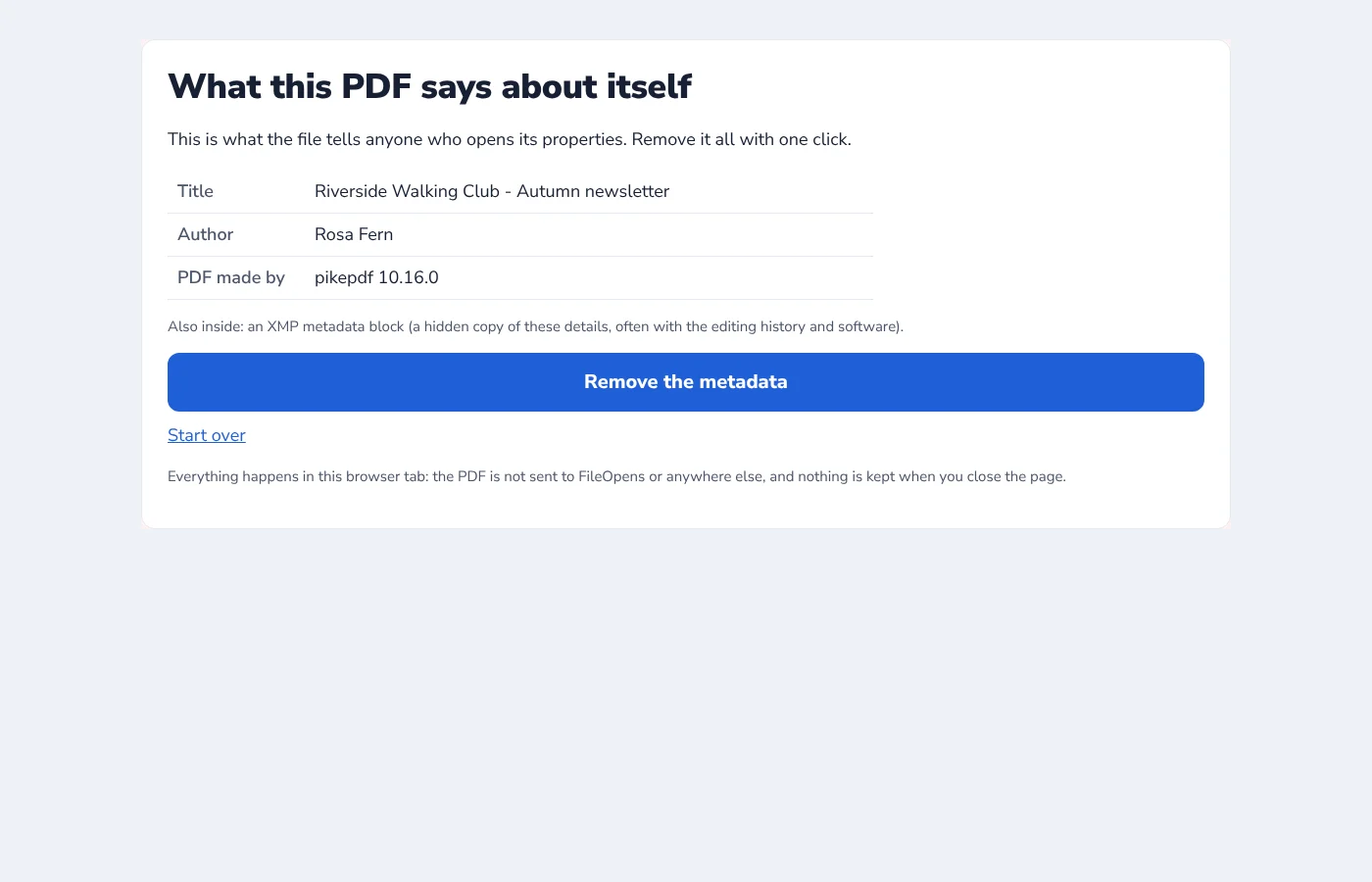
What this PDF says about itself
Everything happens in this browser tab: the PDF is not sent to FileOpens or anywhere else, and nothing is kept when you close the page.
Remove PDF metadata in use
newsletter.pdfnewsletter-clean.pdf
What the file says about itself
- Title, author and the program that made it
- Hidden XMP copy found too
- Removed with one click
A sample newsletter we made ourselves, with made-up names and data, opened in this tool and shown as it came out. Your own files stay on your device.
How to remove PDF metadata
-
Step 1
Choose the PDF
Pick or drop the file. Its hidden properties are listed.
-
Step 2
Check what is there
Title, author, the program and computer it came from, dates, the XMP block.
-
Step 3
Remove and save
Download a clean copy; the pages are untouched.
What PDF metadata gives away
Every PDF carries a small set of properties that most people never see: the author, usually the name of the account on the computer that made it; the title, often the original file name, such as "Offer v3 FINAL lower price"; the program and version, such as "Microsoft Word for Microsoft 365" or a scanner model; and the date and time it was created and last changed. Many PDFs also contain an XMP block, a second, hidden copy of these details that can include the editing history. Sent to a client, an employer or the other side in a dispute, these details can reveal more than you meant to.
How to remove metadata from PDF
Choose the PDF above. The tool reads the file on your device and lists what it found: title, author, subject, keywords, the software it was made with and by, and the dates, plus whether an XMP block or other properties are inside. Click Remove the metadata and you get a clean copy: the document properties are emptied, the XMP block is deleted and so are application-specific leftovers (PieceInfo). The pages themselves, the text, pictures, links and form fields, are not changed at all.
What is not removed
Metadata is not the only place a PDF can hold personal details, so be clear about what this does not touch: anything visible on the pages (names, signatures, headers); comments and their author names; filled-in form fields; files attached inside the PDF; hidden layers; and the details inside pictures, such as GPS positions in a photo placed in the document. For those, edit the original document and export a new PDF. Cropping does not remove content either, as explained on crop PDF.
Why do it in the browser
Uploading a file to a website to make it more private would defeat the purpose. Here the cleaning happens in your browser, on your own device: the PDF is not sent to FileOpens or anywhere else, and nothing is kept. Other tools for files you are about to share: watermark PDF and delete pages.
More free PDF tools and converters
- Merge PDF
- Split PDF
- Compress PDF
- Compress PDF to 100 KB
- Delete PDF pages
- Rotate PDF
- Extract PDF pages
- Reorder PDF pages
- Crop PDF
- Add page numbers
- Watermark PDF
- Sign PDF
- Protect PDF
- Unlock PDF
- OCR PDF
- Flatten PDF
- PDF to grayscale
- Invert PDF colors
- PDF to Word
- Word to PDF
- PDF to Excel
- Excel to PDF
- PDF to PowerPoint
- PowerPoint to PDF
- JPG to PDF
- PNG to PDF
- Image to PDF
- PDF to JPG
- PDF to PNG
- PDF to text
- HTML to PDF
- PDF to EPUB
- PDF to PDF/A
- PDF to TIFF
- PDF to SVG
Questions about PDF metadata
What is PDF metadata?
Hidden properties stored in the file: title, author, the software used, and the creation and change dates, often also an XMP block with more detail.
Does removing metadata change the pages?
No. Text, pictures, links and forms stay exactly as they were.
Is the XMP metadata removed too?
Yes. The XMP block and leftover application data are deleted along with the document properties.
Are comments and attachments removed?
No. Comments, form data, attachments and anything on the pages stay; edit the original for those.
Is my PDF uploaded?
No. It is read and cleaned in your browser on your device.