Free No account · the file is deleted after 24 hours
MP4 to GIF converter
Convert MP4 to GIF here: choose an MP4 video, set where the clip starts and how long it is (up to 30 seconds), pick the width and smoothness, and get a looping GIF with a colour palette made for that clip. It plays everywhere, in chats, emails, slides and web pages.
or drop it here. One MP4 video, up to 200 MB. Free, no account.
Make your GIF
The file is sent over an encrypted connection to our server in Canada (OVHcloud, Beauharnois, Quebec), processed by a program there, and deleted with the result 24 hours later. Nobody looks at it.
An MP4 clip turned into a GIF by FileOpens
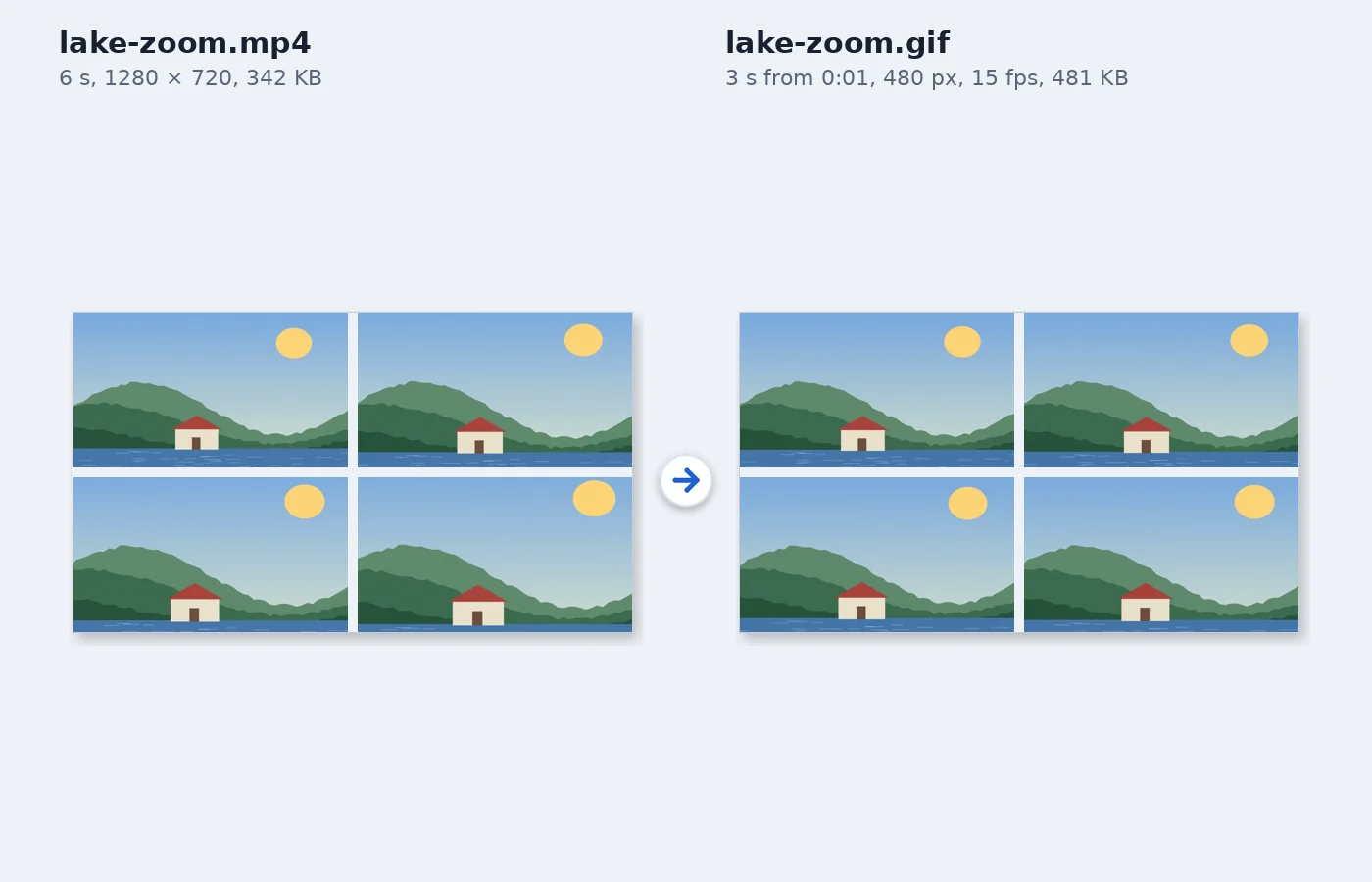
lake-zoom.mp4lake-zoom.gif
A 3-second part of a 6-second clip
- Start and length chosen
- 480 px wide, 15 frames per second
- Smooth colours, no banding
A sample video we made ourselves, with made-up names, converted by this tool and shown as it came out. Files you upload are deleted after 24 hours and never shown to anyone.
How to convert MP4 to GIF
-
Step 1
Choose the MP4
A screen recording, a phone video, a downloaded clip.
-
Step 2
Pick the part
Start time, length, width and frames per second.
-
Step 3
Download the GIF
It loops forever and plays without a player.
Why turn an MP4 into a GIF
A GIF plays by itself, without a play button, sound or player, in every browser, chat app, email program, presentation and documentation tool. That makes it ideal for showing a short action: a software feature, a reaction, a product turning, a step in a tutorial, a funny moment from a video. Many places that do not accept video at all, such as some forums, wikis, GitHub issues and older email systems, accept GIFs.
Choosing the part and the size
GIFs store every frame as a picture, so they grow fast. Pick the start time in seconds and a length between 2 and 30 seconds; three to eight seconds is the sweet spot for most uses. Width matters most: 480 pixels is a good default, 320 is right for chat reactions, 640 or 800 for detailed screen recordings. Frames per second decide smoothness: 10 is fine for slides and screen recordings, 15 for most clips, 20 to 25 for fast motion. As a guide, a 5-second clip at 480 pixels and 15 frames per second is usually 1 to 4 MB.
How the GIF is made
Our server uses FFmpeg, the standard open-source video tool, in two passes: first it builds a palette of the 256 colours that best fit your clip, then it draws every frame with that palette and a light dither, which gives far better colours than a fixed web palette. Then gifsicle optimises the result and trims bytes with a light lossy setting that is not visible. The GIF loops forever. Sound is dropped, because GIF has no audio.
MP4 to GIF for chats and slides
Slack, Discord, Teams, WhatsApp and Telegram all show GIFs inline, but most limit their size, often to a few megabytes, and some convert big GIFs into videos. If yours is too big, choose a smaller width or fewer frames per second, or shorten the clip. PowerPoint, Keynote and Google Slides play GIFs in presentations automatically. To shrink a GIF you already have, use the GIF compressor; to go back to video, GIF to MP4. For MOV, WEBM and other videos, see video to GIF.
Screen recordings to GIF
Screen recordings from macOS (Cmd+Shift+5), Windows (Snipping Tool or Xbox Game Bar), iPhone and Android are saved as MP4 or MOV and are the most common source of GIFs for tutorials and bug reports. They have large areas that do not change, which GIF handles well, so you can afford a wider GIF: 800 pixels at 10 frames per second keeps menus and text readable while the file stays small. Trim the recording to the part that shows the action: set the start a second before the click and the length to cover just the result, and the GIF tells the story without waiting.
Privacy and limits
The file goes to our server over an encrypted connection, is processed automatically and is deleted with the result 24 hours later. Nobody looks at it. Up to 200 MB. Up to 30 seconds of the video become the GIF; the rest is ignored.
More free image converters
- Image converter
- Compress image
- JPG to PNG
- PNG to JPG
- JPEG to JPG
- Compress JPEG
- Compress PNG
- GIF to PNG
- PNG to GIF
- GIF to JPG
- JPG to GIF
- GIF maker
- Remove background
- Background eraser
- Make background transparent
- White background for photo
- Remove white background
- Resize image
- Crop image
- Rotate image
- Flip image
- Blur image
- Pixelate image
- Black and white photo
- Invert image colors
- Merge images
- Watermark image
- Add text to image
- Remove EXIF data
- EXIF viewer
- Change DPI
- Image to Base64
- Base64 to image
- Video to GIF
- GIF to MP4
- GIF compressor
- PNG to SVG
- JPG to SVG
- Image to SVG
- SVG to PDF
- Image to text
- PNG to DXF
- SVG to DXF
- DXF to SVG
- HEIC to JPG
- HEIC to PNG
- HEIC to PDF
- HEIC viewer
- WebP to PNG
- WebP to JPG
- WebP to GIF
- WebP to PDF
- PNG to WebP
- JPG to WebP
- AVIF to PNG
- AVIF to JPG
- JFIF to JPG
- JFIF to PNG
- SVG to PNG
- SVG to JPG
- PNG to ICO
- ICO to PNG
- BMP to JPG
- BMP to PNG
- TIFF to JPG
- TIFF to PNG
- PSD viewer
- PSD to PNG
- PSD to JPG
- PSD to PDF
- AI to SVG
- AI to PNG
- Open AI file
- EPS to PNG
- DDS to PNG
- TGA to PNG
- TGA to JPG
- RAW to JPG
- CR3 to JPG
- CR2 to JPG
- NEF to JPG
Questions about MP4 to GIF
How long can the GIF be?
Up to 30 seconds. Three to eight seconds keeps the file small.
Why is my GIF so large?
Every frame is a picture. Use a smaller width, fewer frames per second or a shorter part.
Is the sound kept?
No, GIF has no sound.
Does the GIF loop?
Yes, it loops forever.
Will the colours look right?
Yes, a palette is made for your clip; very colourful scenes may show some dots.
Is it free?
Yes, with no account and no watermark.