Free Your pictures are not uploaded
Grayscale image converter
Make a grayscale image here: photos and pictures become shades of grey, pure black and white with a threshold you set, or warm sepia, for printing, documents, forms or a classic look. A whole batch at once, in your browser.
or drop them here. JPG, PNG, WebP, HEIC, AVIF, GIF, BMP, TIFF. Nothing is uploaded.
Your pictures
Everything happens in this browser tab: your pictures are not sent to FileOpens or anywhere else, and nothing is kept when you close the page.
Pictures made grayscale by FileOpens
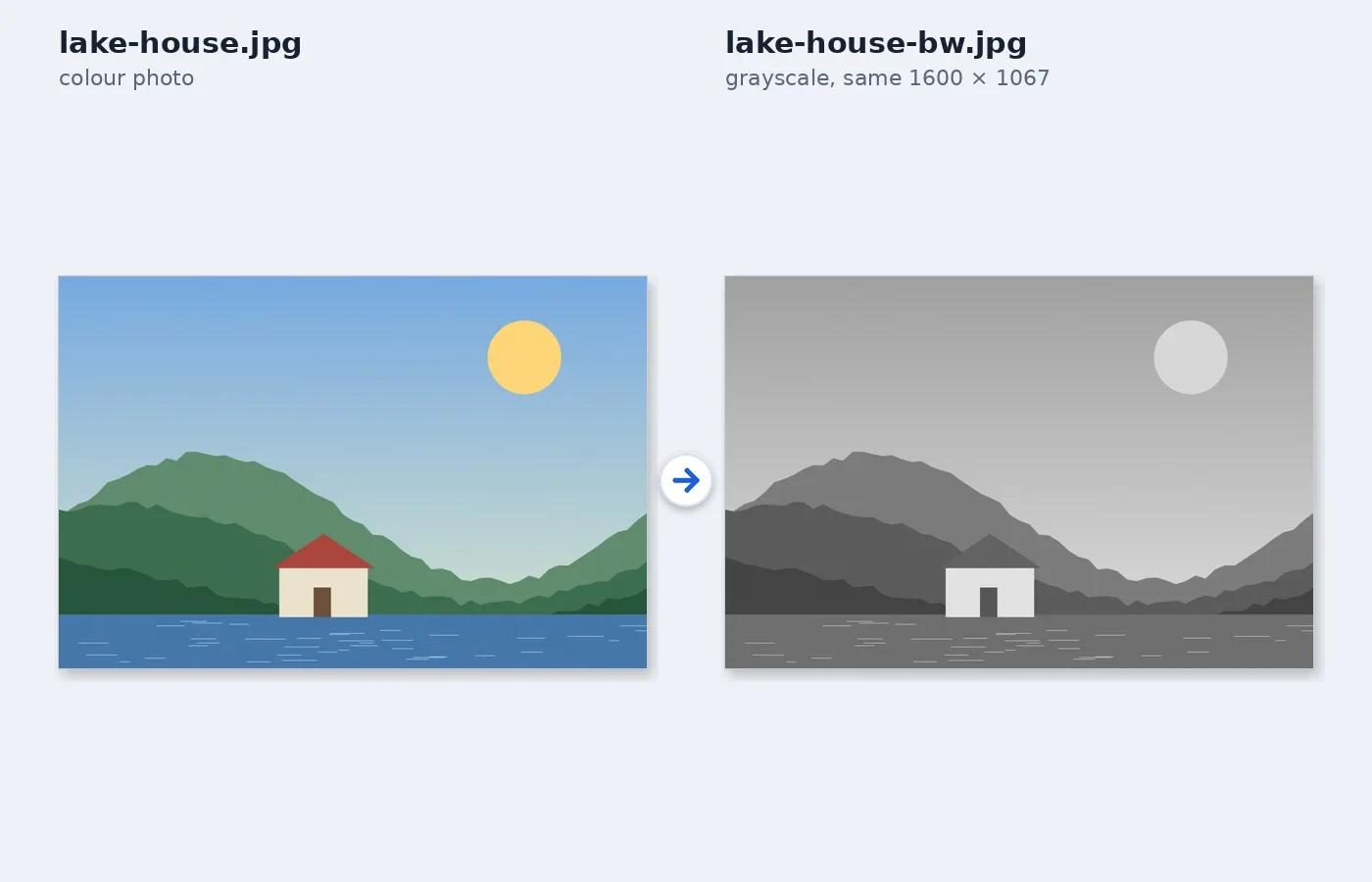
lake-house.jpglake-house-bw.jpg
A colour photo in grayscale
- Brightness kept, colours gone
- Same 1600 × 1067
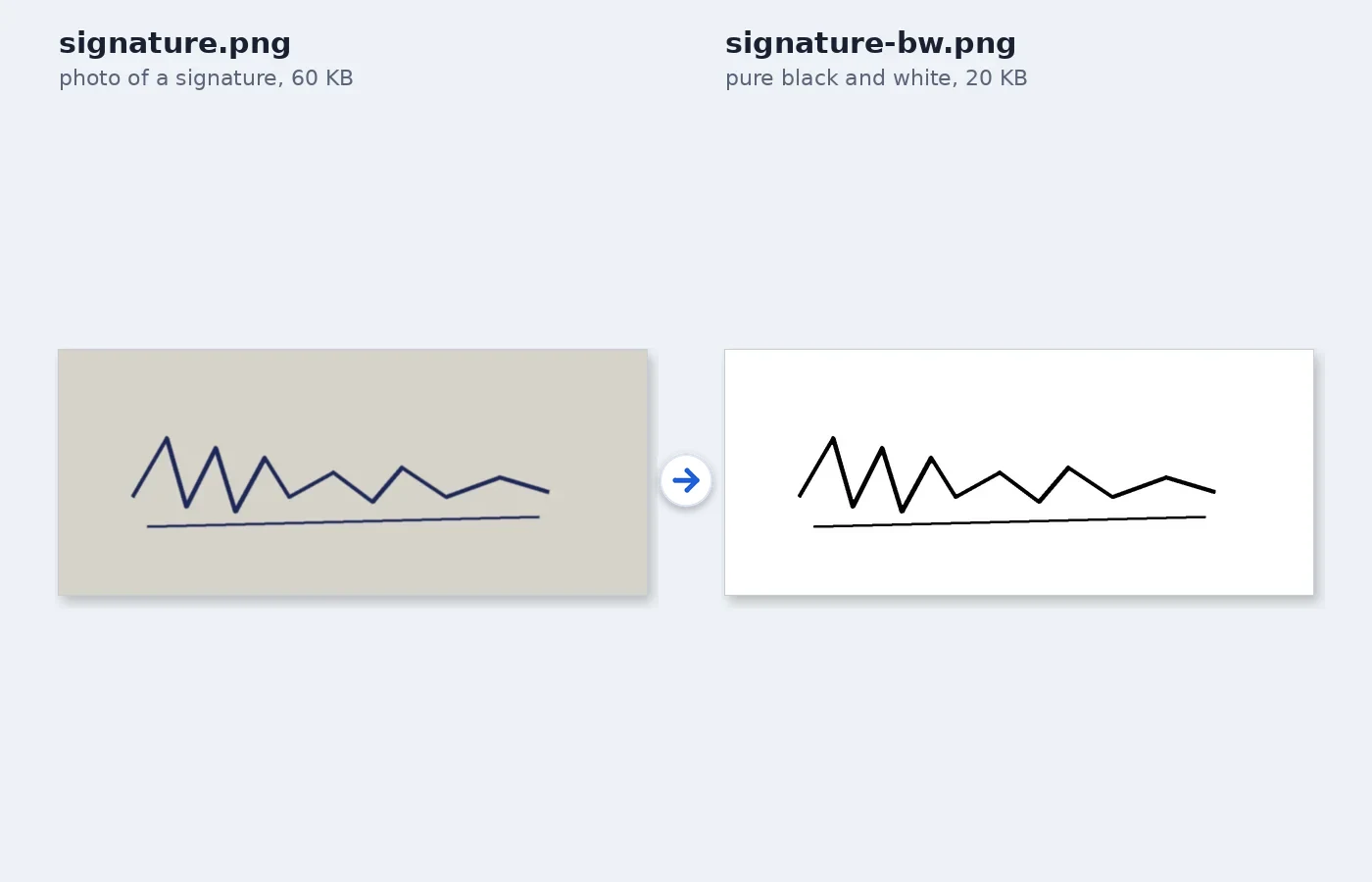
signature.pngsignature-bw.png
A photographed signature in pure black and white
- Grey paper turned white
- 60 KB to 20 KB
A sample picture we made ourselves, with made-up names and data, opened in this tool and shown as it came out. Your own files stay on your device.
How to make an image grayscale
-
Step 1
Choose the pictures
Photos, scans, signatures, logos.
-
Step 2
Choose the style
Grayscale, black and white with a threshold, or sepia.
-
Step 3
Download
Each converted picture, or all in a ZIP.
Grayscale image or black and white?
In everyday speech "black and white photo" means grayscale: every colour is replaced by a shade of grey of the same brightness. That is the first style here, calculated with the standard weights for how bright red, green and blue look to the eye (29.9%, 58.7% and 11.4%), so skies and faces keep natural contrast. The second style is true black and white: every pixel becomes either black or white, like a fax or a stamp.
Pure black and white for signatures and scans
Forms and e-signature tools often want a signature or stamp as a clean black-on-white picture. Photograph the signature on white paper, choose "Black and white" and move the threshold until the lines are solid and the paper is clean: a lower threshold keeps only the darkest strokes, a higher one makes everything bolder. The same works for photographed documents and drawings. To place the signature in a PDF afterwards, use sign PDF.
Sepia
Sepia gives the warm brown tone of old photographs, using the common sepia colour formula. It suits family history projects, invitations and a vintage look. Like grayscale, it keeps the brightness and detail of the photo and only changes the colours.
Printing and file size
Grayscale is useful before printing on a colour printer when you want to save colour ink, or to check how a design looks in a black-and-white newspaper or copy. The picture keeps its size and is saved in the same format; jPG pictures are saved as JPG at quality 92, PNG stays PNG with its transparency, WebP stays WebP; HEIC, AVIF, GIF, BMP and TIFF are saved as PNG, which every program opens. A whole PDF can be made grayscale with PDF to grayscale.
Making better black and white photos
Photos with strong colour contrast but similar brightness, such as red flowers on green leaves, can look flat in grayscale, because both colours become a similar grey. That is how the eye judges brightness, not a fault of the converter. Photos with clear light and shadow, portraits, architecture and landscapes with sky usually convert beautifully. For a more dramatic look, convert to grayscale here and then raise the contrast in any photo app. Converting many photos at once gives a consistent look across an album. The same goes for scans: a grayscale scan of a letter is easier to read and smaller than a colour one.
Private
Pictures are converted in your browser and never uploaded.
More free image converters
- Image converter
- Compress image
- JPG to PNG
- PNG to JPG
- JPEG to JPG
- Compress JPEG
- Compress PNG
- GIF to PNG
- PNG to GIF
- GIF to JPG
- JPG to GIF
- GIF maker
- Remove background
- Background eraser
- Make background transparent
- White background for photo
- Remove white background
- Resize image
- Crop image
- Rotate image
- Flip image
- Blur image
- Pixelate image
- Invert image colors
- Merge images
- Watermark image
- Add text to image
- Remove EXIF data
- EXIF viewer
- Change DPI
- Image to Base64
- Base64 to image
- MP4 to GIF
- Video to GIF
- GIF to MP4
- GIF compressor
- PNG to SVG
- JPG to SVG
- Image to SVG
- SVG to PDF
- Image to text
- PNG to DXF
- SVG to DXF
- DXF to SVG
- HEIC to JPG
- HEIC to PNG
- HEIC to PDF
- HEIC viewer
- WebP to PNG
- WebP to JPG
- WebP to GIF
- WebP to PDF
- PNG to WebP
- JPG to WebP
- AVIF to PNG
- AVIF to JPG
- JFIF to JPG
- JFIF to PNG
- SVG to PNG
- SVG to JPG
- PNG to ICO
- ICO to PNG
- BMP to JPG
- BMP to PNG
- TIFF to JPG
- TIFF to PNG
- PSD viewer
- PSD to PNG
- PSD to JPG
- PSD to PDF
- AI to SVG
- AI to PNG
- Open AI file
- EPS to PNG
- DDS to PNG
- TGA to PNG
- TGA to JPG
- RAW to JPG
- CR3 to JPG
- CR2 to JPG
- NEF to JPG
Questions about grayscale and black and white
What is the difference between grayscale and black and white?
Grayscale has shades of grey; black and white has only two tones.
How do I make a signature black and white?
Choose "Black and white" and adjust the threshold until the paper is white and the lines are solid.
Can I make many photos black and white at once?
Yes, every picture in the list is converted.
Is transparency kept?
Yes, PNG pictures stay transparent.
Can I get the colours back later?
No, keep your original if you may need colour again.
Is it the same as a greyscale image?
Yes, grayscale and greyscale are the American and British spellings of the same thing.
Are my pictures uploaded?
No, everything happens in your browser.