Free Your pictures are not uploaded
WebP to JPG converter
Convert WebP to JPG here when a form, a printer or an older program will not take .webp: the picture becomes a standard JPG at the quality you choose, with transparent areas filled in. Many files at once, converted in your browser.
or drop them here, as many as you like. Nothing is uploaded.
Your WebP pictures
Everything happens in this browser tab: your pictures are not sent to FileOpens or anywhere else, and nothing is kept when you close the page.
A WebP picture converted to JPG by FileOpens
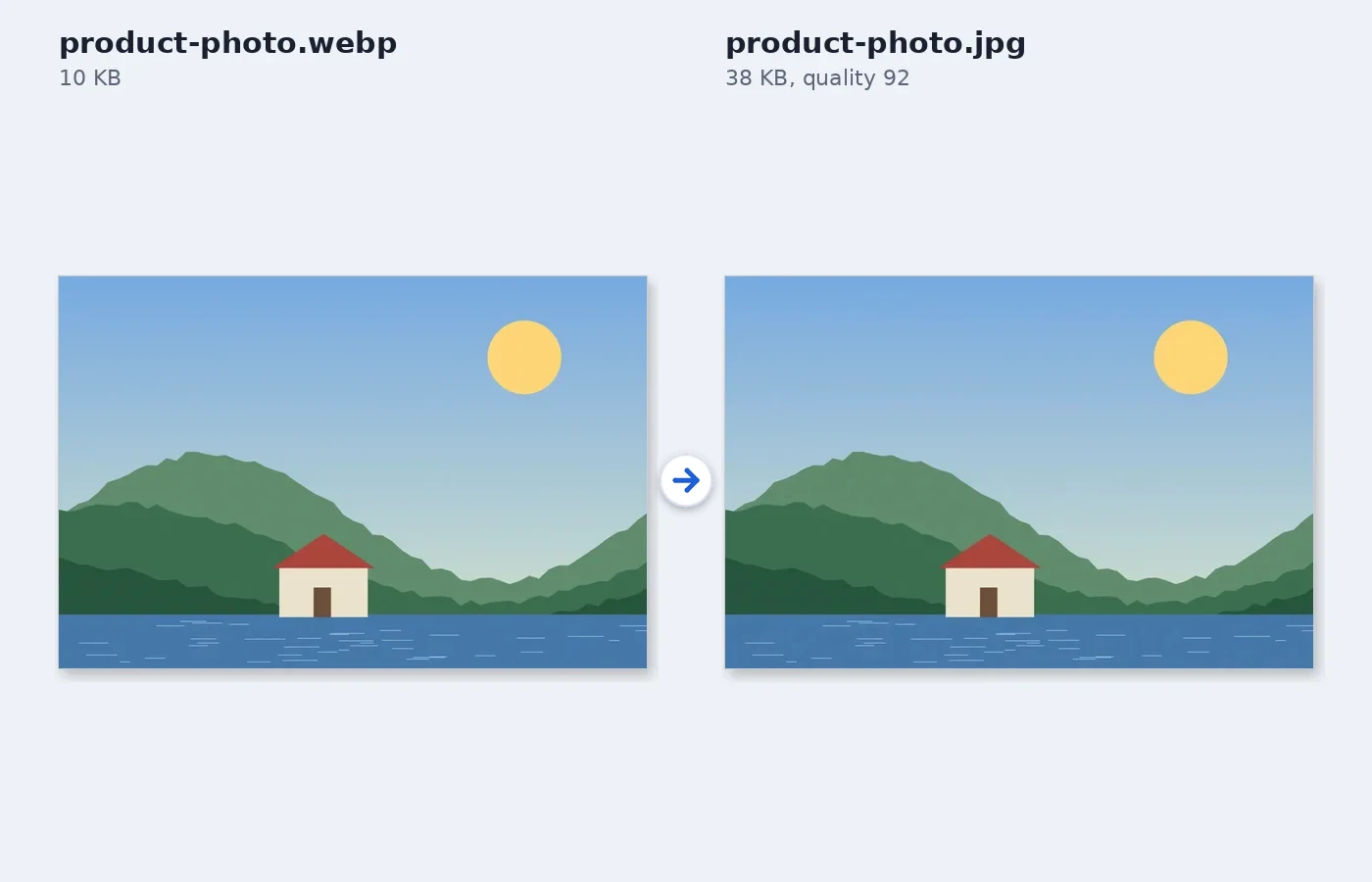
product-photo.webpproduct-photo.jpg
WebP to JPG for an upload form
- Quality 92, 38 KB
- Same size, 1200 × 800
A sample picture we made ourselves, with made-up names and data, opened in this tool and shown as it came out. Your own files stay on your device.
How to convert WebP to JPG
-
Step 1
Choose the .webp files
Product photos, pictures from news sites, images from chats.
-
Step 2
Set quality and background
Quality 92 by default; white behind transparent parts.
-
Step 3
Download
One JPG straight away, or all of them in a ZIP.
JPG is what forms and printers expect
WebP pictures look like any other on screen, but the file ending trips up many places: visa, job and school portals that list "JPG, JPEG or PNG", online photo printing, digital photo frames, older Office and Photoshop versions, and cameras and TVs that show pictures from a USB stick. JPG is the format they all know. For photographs it is also the most practical: much smaller than PNG and good enough that nobody sees a difference at normal quality.
Quality and file size
JPG compression has a quality setting from 0 to 100. The default here is 92, which keeps the picture visually identical to the WebP; 80–85 roughly halves the file and is still very good for screens; below 70 you start to see blocks in skies and smooth areas. Since the WebP was itself compressed, the JPG cannot be better than it, only as good, so there is no point going to 100 except for a picture you will edit further. If a form has a size limit, try 80 first.
Transparent areas
A WebP can have a transparent background, a logo or a product cut-out for instance. JPG has no transparency, so something has to be behind the picture. By default it is white, which is right for documents and most forms; you can pick another colour, for example to match a slide or a dark website. If you need the transparency kept, convert with WebP to PNG instead.
WebP to JPG without a converter
You can sometimes avoid WebP when saving: in Chrome or Edge, right-click the picture and choose "Copy image", then paste it into Paint, Word or Photos and save from there as JPG. On a Mac, open the WebP in Preview, then File > Export and choose JPEG. These work one picture at a time. On a phone, a screenshot of the picture gives you a PNG or JPG, but at screen size and with whatever else was on the screen. This page keeps the full size and does a whole folder at once.
Privacy and other formats
The pictures are decoded and re-encoded by your own browser: nothing is uploaded, nothing is kept, and there is no limit. Several WebP pictures for one document? WebP to PDF puts them on pages. Need AVIF, the other new web format, as JPG? Use AVIF to JPG.
WebP to JPG on a phone
Phones save web pictures as WebP too, for example when you long-press an image in Chrome and choose Download. Open this page in the same browser, choose the files from your Downloads or Files app, and the JPGs are saved next to them. On an iPhone, the Files app keeps them under Downloads; tap a JPG and use Share, Save Image to put it in Photos. Chat apps that refuse to send WebP as a photo accept the JPG straight away.
More free image converters
- Image converter
- Compress image
- JPG to PNG
- PNG to JPG
- JPEG to JPG
- Compress JPEG
- Compress PNG
- GIF to PNG
- PNG to GIF
- GIF to JPG
- JPG to GIF
- GIF maker
- Remove background
- Background eraser
- Make background transparent
- White background for photo
- Remove white background
- Resize image
- Crop image
- Rotate image
- Flip image
- Blur image
- Pixelate image
- Black and white photo
- Invert image colors
- Merge images
- Watermark image
- Add text to image
- Remove EXIF data
- EXIF viewer
- Change DPI
- Image to Base64
- Base64 to image
- MP4 to GIF
- Video to GIF
- GIF to MP4
- GIF compressor
- PNG to SVG
- JPG to SVG
- Image to SVG
- SVG to PDF
- Image to text
- PNG to DXF
- SVG to DXF
- DXF to SVG
- HEIC to JPG
- HEIC to PNG
- HEIC to PDF
- HEIC viewer
- WebP to PNG
- WebP to GIF
- WebP to PDF
- PNG to WebP
- JPG to WebP
- AVIF to PNG
- AVIF to JPG
- JFIF to JPG
- JFIF to PNG
- SVG to PNG
- SVG to JPG
- PNG to ICO
- ICO to PNG
- BMP to JPG
- BMP to PNG
- TIFF to JPG
- TIFF to PNG
- PSD viewer
- PSD to PNG
- PSD to JPG
- PSD to PDF
- AI to SVG
- AI to PNG
- Open AI file
- EPS to PNG
- DDS to PNG
- TGA to PNG
- TGA to JPG
- RAW to JPG
- CR3 to JPG
- CR2 to JPG
- NEF to JPG
Questions about WebP to JPG
Which quality should I choose?
92 looks the same as the original. 80 makes a much smaller file that is still fine on screens.
What happens to a transparent background?
It becomes white, or a colour you choose. Use WebP to PNG to keep transparency.
Will the JPG be bigger than the WebP?
Usually yes, by about a third at quality 92, because WebP compresses better.
Are my pictures uploaded?
No, they are converted in your browser.
Can I convert a whole folder?
Yes, choose or drop all the files and download one ZIP.