WhatsApp chat to PDF, with the photos
Export the chat from WhatsApp, drop the file here and get a WhatsApp chat PDF that looks like the chat: bubbles, names, dates, photos where they were sent, page numbers. Plus every message in Excel.
- See the first pages free before you pay.
- Photos stay in the chat, where they were sent.
- Refund in one click if it is not usable.
- Deleted after 24 hours. Nobody looks at it.
A WhatsApp chat converted by FileOpens
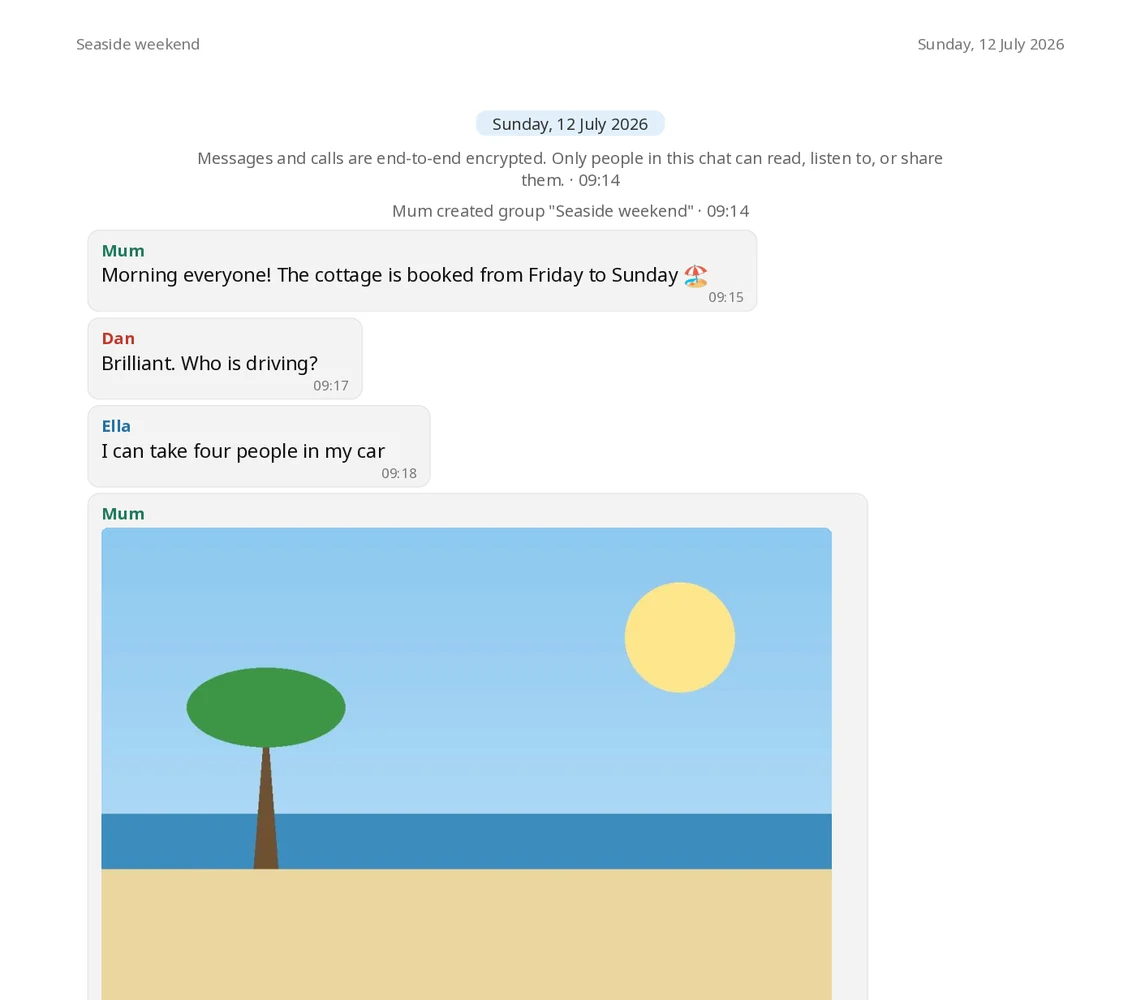
WhatsApp Chat with Seaside weekend.zipchat.pdf + .xlsx
Messages with photos
- Bubbles with names and times
- Photos where they were sent
- Emoji in colour
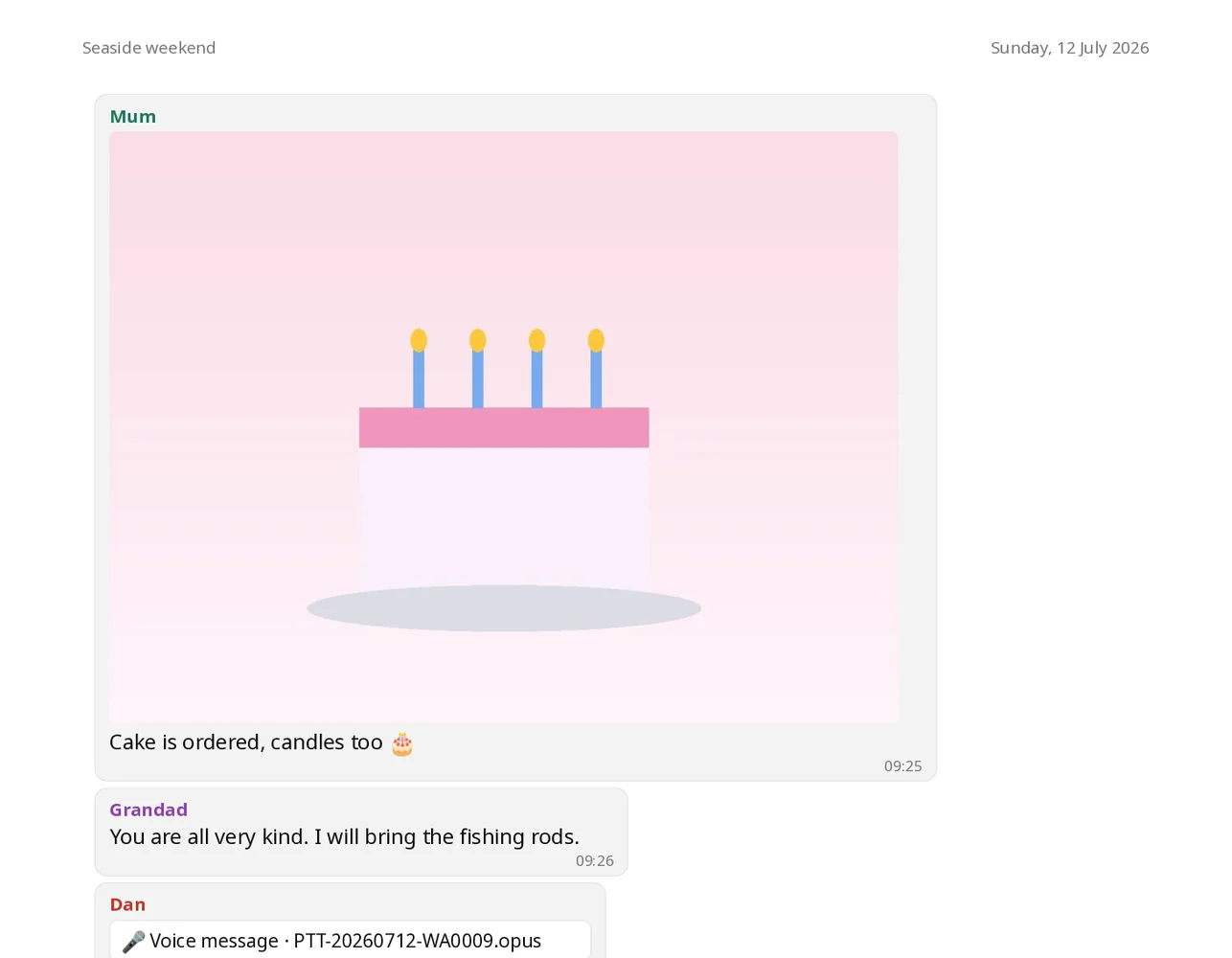
WhatsApp Chat with Seaside weekend.zipchat.pdf + .xlsx
Photos and a voice message
- Caption under the photo
- Voice notes listed by name
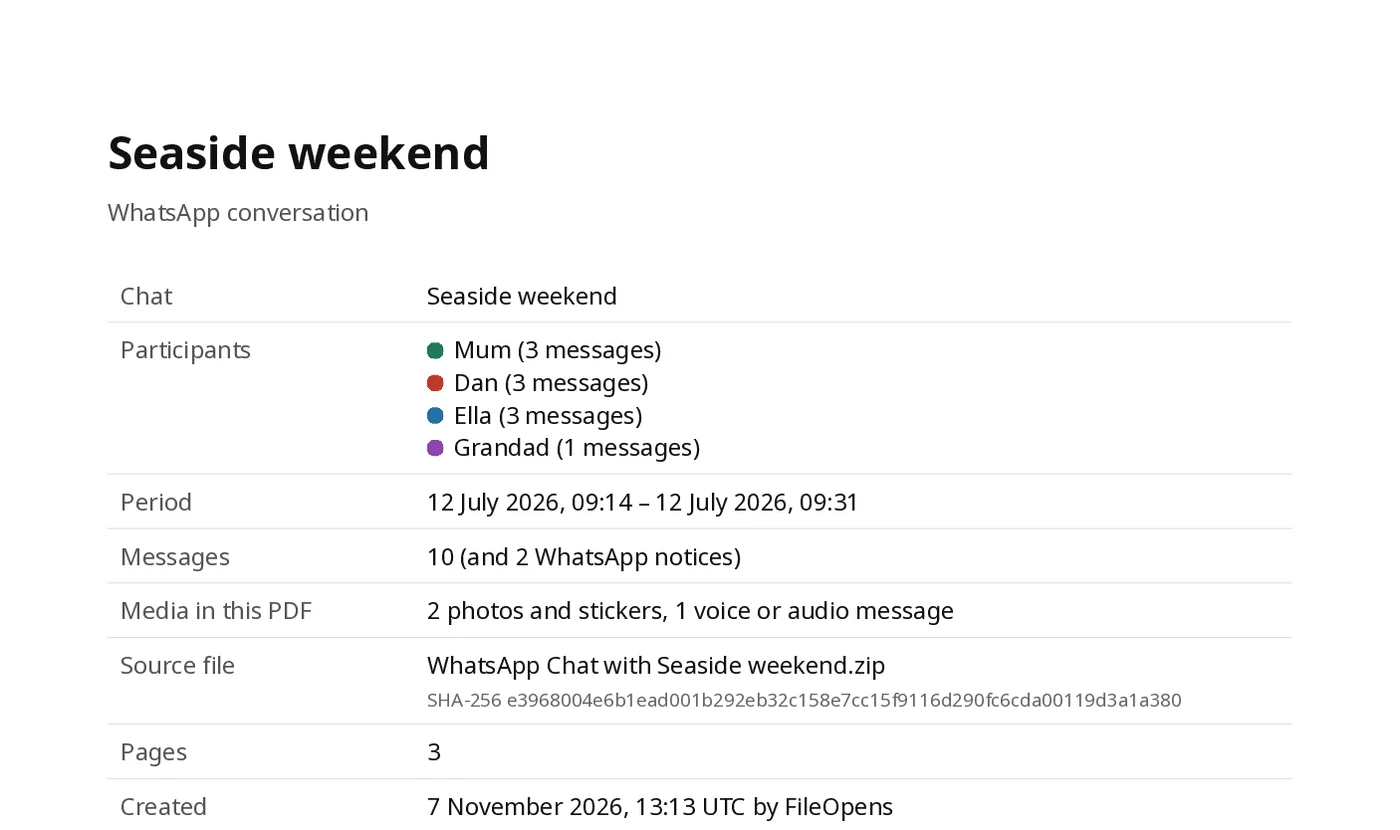
WhatsApp Chat with Seaside weekend.zipchat.pdf + .xlsx
Cover page of the chat
- Who wrote how many messages
- Period, media and page count
- Fingerprint of the export file
Sample chat we made ourselves, with made-up names and data, converted here and shown as they came out. Your own files are never shown to anyone.
Chats people save as PDF
- Evidence for court or a lawyer
- Divorce and custody
- Disputes with a landlord or employer
- Business and client agreements
- Family groups and memories
- Chats with someone who has died
- Printing to keep
How to turn a WhatsApp chat into a PDF
-
STEP 1
Export the chat in WhatsApp
Chat > Export chat > Attach media. You get one .zip.
-
STEP 2
Upload it and look
The cover page and the first pages appear for free.
-
STEP 3
Pay once, download
The PDF with every message and photo, plus Excel. Refund in one click.
What you get back
- The whole chat as a PDFMessages as bubbles with names, dates and times, page numbers on every page.
- Photos in placePhotos and stickers where they were sent, videos with a still frame, voice notes with their length.
- A cover pageParticipants, number of messages, the period, and the SHA-256 fingerprint of your export file.
- Every message in ExcelDate, time, sender and text in columns, to search, filter or quote.
- Any phone, any languageExports from Android and iPhone, 12- or 24-hour clock, every alphabet and emoji.
Price
See the cover and the first pages free. Then $4.99 per chat, however long it is: the PDF and the Excel file. One payment, no subscription, refund within 24 hours if it is not usable.
How to export a WhatsApp chat to PDF
Everything starts in WhatsApp itself, with its own Export chat. On an iPhone, open the chat, tap the name at the top, scroll down and tap Export Chat, then Attach Media, and save the .zip to Files or send it to yourself by e-mail. On Android, open the chat, tap ⋮ > More > Export chat, choose Include media, and save the file to Drive or Files or send it to yourself (a step-by-step guide to WhatsApp chat export covers the details). Then upload that file here, as it is: there is no need to unpack the .zip. A group works the same way as a chat with one person.
Why not screenshots or printing from the phone
Screenshots of a long chat run to hundreds of images, cut messages in half and lose the dates of older messages. WhatsApp itself has no Print or Save as PDF. The export file is complete, but it is a plain text file next to a folder of photos with names like IMG-20240512-WA0007.jpg, which nobody wants to read. Here the two are put back together: each photo appears in the message where it was sent, with the caption below it.
What the PDF looks like
The first page lists the participants with the number of messages each sent, the first and last date, how many photos, videos and voice notes are inside, and the SHA-256 fingerprint of the file you uploaded. Then come the messages, day by day, as bubbles: in a chat with one person, yours on the right in green; in a group, every sender with their name in their own colour. Photos and stickers are shown, videos as a still frame with their length, voice notes with their length and file name, documents by name and size. Links stay clickable. Every page has the chat name, the date and a page number. The Excel file holds the same messages in columns (date, time, sender, text, attached file), easy to search or quote.
Using a WhatsApp chat as evidence
People often need a chat on paper for a lawyer, a court, an employer or an insurer. The PDF reproduces the export exactly: nothing is added, removed or reordered, and the cover page records the fingerprint of the export file, so anyone can check later that the PDF was made from that very file. What a court accepts, and whether it also wants to see the phone, depends on the country and the case, so ask your lawyer; we do not certify chats. Keep the original export file and the phone. If you need more than one chat on paper, see how to print WhatsApp messages.
What WhatsApp leaves out of an export
An export is not a full copy of the chat on your phone. WhatsApp says that with media an export holds only the latest 10,000 or so messages, and without media up to 40,000. Photos that were deleted from the phone, and everything when you choose Without media, appear as a note such as <Media omitted>, and we mark them in the PDF the same way. View-once photos, reactions and edits are not in the export. Times are those of the phone that exported the chat, in its time zone. A backup in Google Drive or iCloud is a different, encrypted thing and cannot be read here; only Export chat files can.
Big chats and many photos
Long chats are fine: 20,000 messages make about 1,200 pages and take a couple of minutes. A chat with thousands of photos takes longer, and the preview appears as soon as the PDF is ready. Uploads of up to 4 GB go in pieces and continue by themselves if the connection drops. For a single e-mail, there is the free EML to PDF converter.
More chat tools
Also on FileOpens
Questions about WhatsApp chats
Can I use the PDF in court?
It shows the chat exactly as WhatsApp exported it and records the fingerprint of the export file on the cover. Whether that is enough depends on the court and the case; ask your lawyer, and keep the original file and the phone.
Which side am I on in the PDF?
In a chat with one person, the messages of whoever exported the chat are on the right in green and the other person's on the left; the cover page says who is who. In groups, every message carries its sender's name.
Can you open a WhatsApp backup from Google Drive or iCloud?
No. Backups are encrypted and tied to your phone number. Use Export chat in WhatsApp instead; it takes a minute per chat.
Some photos are missing. Why?
WhatsApp only puts media into the export for the latest messages, and never for photos already deleted from the phone. Those messages show a note in the PDF instead of the picture.
Which chats can you convert?
Any chat or group exported with WhatsApp's Export chat, from Android or iPhone, in any language: the .zip with media, or the .txt alone. Dates in day/month or month/day order and 12- or 24-hour times are recognised by themselves.
How much does it cost?
The cover page and the first pages are free to see. Then $4.99 per chat, however long it is, for the PDF and the Excel file. Not usable? Refund within 24 hours.
What happens to my chat?
It is used only to make your PDF and Excel file and is deleted automatically 24 hours after upload, together with the photos in it. Nobody reads it, and it is never shared.