Free Your pictures are not uploaded
JPG to GIF converter
Convert JPG to GIF here: turn photos into GIF files, or tick one box to make an animated GIF from several JPGs, a small slideshow that plays everywhere, with each photo shown as long as you choose. Made in your browser.
or drop them here; for an animation, in the order they should play. Nothing is uploaded.
Your photos
Everything happens in this browser tab: your pictures are not sent to FileOpens or anywhere else, and nothing is kept when you close the page.
Photos turned into an animated GIF by FileOpens
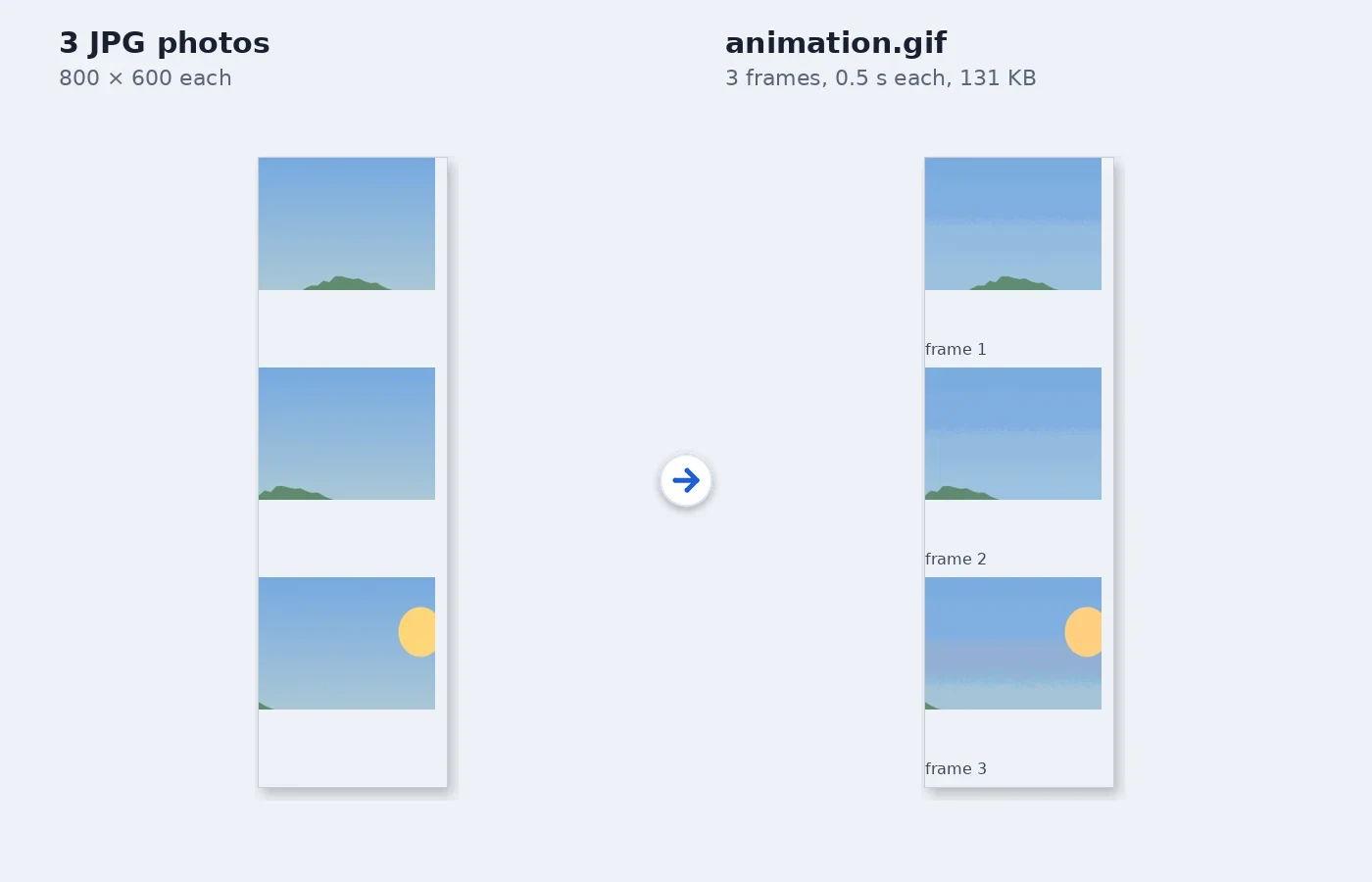
3 JPG photosanimation.gif
Three photos as a looping slideshow
- 3 frames, 0.5 seconds each
- 800 × 600, 131 KB
A sample photo set we made ourselves, with made-up names and data, opened in this tool and shown as it came out. Your own files stay on your device.
How to convert JPG to GIF
-
Step 1
Choose the photos
In the order they should appear.
-
Step 2
Still or animated
Tick "one animated GIF" and choose 0.2 to 2 seconds per photo.
-
Step 3
Download
Your GIF files or your animation.
JPG to GIF slideshow
An animated GIF is the simplest way to show several photos in one picture: a before-and-after, the steps of a recipe or repair, a product from several sides, a burst of shots that becomes a tiny movie. It plays by itself in chats, emails, forums and web pages, without a video player. Choose the JPGs in order, tick the box, set the speed, and the GIF loops forever.
Sizes and order
The animation takes the size of the first photo; photos with a different shape are centred on it without being stretched. To keep the GIF light, use photos of similar size and not too many of them: ten 1080-pixel photos make a GIF of several megabytes, because each frame is a full picture. Phone photos are turned the right way up automatically. Remove a photo from the list with × and add more with "Add more".
GIF colours and photos
GIF can show only 256 colours per frame, so skies and skin tones get some banding or a slightly grainy look. That is the format, not the converter: for best photo quality, keep JPG, or share a short video. For logos, drawings and screenshots saved as JPG, GIF looks fine. Without the tick, every JPG becomes its own still GIF, which some old websites and tools require.
Related
To take a GIF apart into photos, use GIF to JPG. For pictures with transparency, PNG to GIF keeps it. To make photos smaller rather than animated, compress JPEG is the right tool.
JPG to GIF for websites and messages
Animated GIFs from photos are popular for product listings, real-estate and travel teasers, and birthday or team messages. For a website, keep the GIF under about 2 MB so it loads quickly; for messaging apps, under 5–8 MB. Resizing the photos before you start, for example to 800 pixels wide with resize tools or the longest-side option of compress image, makes the GIF several times lighter. A pause of 0.5–1 second per photo suits slideshows; 0.2 seconds makes a burst of photos look like a short movie. Before sharing, open the GIF in your browser to check the speed and order; if a photo is in the wrong place, remove it from the list, add it again at the end, and make the GIF once more. Everything stays on your device, so you can repeat it as often as you like.
Private
Your photos are put together in your browser and never uploaded.
More free image converters
- Image converter
- Compress image
- JPG to PNG
- PNG to JPG
- JPEG to JPG
- Compress JPEG
- Compress PNG
- GIF to PNG
- PNG to GIF
- GIF to JPG
- GIF maker
- Remove background
- Background eraser
- Make background transparent
- White background for photo
- Remove white background
- Resize image
- Crop image
- Rotate image
- Flip image
- Blur image
- Pixelate image
- Black and white photo
- Invert image colors
- Merge images
- Watermark image
- Add text to image
- Remove EXIF data
- EXIF viewer
- Change DPI
- Image to Base64
- Base64 to image
- MP4 to GIF
- Video to GIF
- GIF to MP4
- GIF compressor
- PNG to SVG
- JPG to SVG
- Image to SVG
- SVG to PDF
- Image to text
- PNG to DXF
- SVG to DXF
- DXF to SVG
- HEIC to JPG
- HEIC to PNG
- HEIC to PDF
- HEIC viewer
- WebP to PNG
- WebP to JPG
- WebP to GIF
- WebP to PDF
- PNG to WebP
- JPG to WebP
- AVIF to PNG
- AVIF to JPG
- JFIF to JPG
- JFIF to PNG
- SVG to PNG
- SVG to JPG
- PNG to ICO
- ICO to PNG
- BMP to JPG
- BMP to PNG
- TIFF to JPG
- TIFF to PNG
- PSD viewer
- PSD to PNG
- PSD to JPG
- PSD to PDF
- AI to SVG
- AI to PNG
- Open AI file
- EPS to PNG
- DDS to PNG
- TGA to PNG
- TGA to JPG
- RAW to JPG
- CR3 to JPG
- CR2 to JPG
- NEF to JPG
Questions about JPG to GIF
How do I make an animated GIF from photos?
Choose the JPGs, tick "one animated GIF" and set the speed.
Can photos of different sizes go together?
Yes, they are centred on the size of the first photo.
Why does the GIF look grainy?
GIF has 256 colours per frame. That is a limit of the format.
How big will the GIF be?
It grows with the number and size of photos; the result shows it.
Is there a limit on the number of photos?
No fixed limit, but more photos make a bigger GIF.
Can I make one GIF per photo instead?
Yes, leave the box unticked and each JPG becomes its own GIF.
Are my photos uploaded?
No, the GIF is made in your browser.