Free Your pictures are not uploaded
Remove background from image
Remove background from an image here: choose a picture of a product, a pet, a person or an object, and an AI model running in your own browser finds the subject and removes the background, leaving a transparent PNG or a clean white or coloured background. Full size, no watermark, and the photo is never uploaded.
or drop them here. JPG, PNG, WebP, HEIC and more. Nothing is uploaded.
Your photos
Everything happens in this browser tab: your pictures are not sent to FileOpens or anywhere else, and nothing is kept when you close the page.
Backgrounds removed by FileOpens
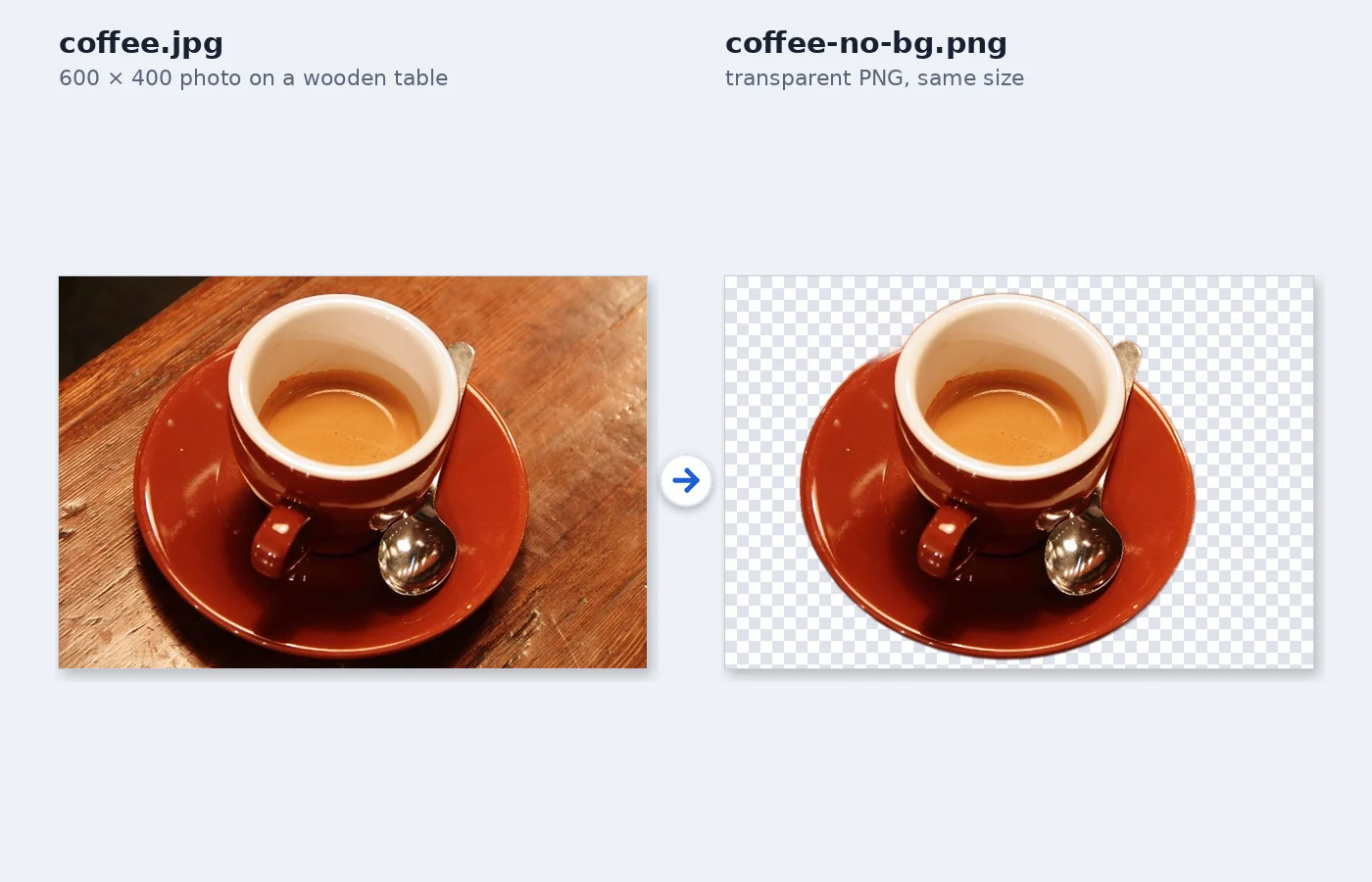
coffee.jpgcoffee-no-bg.png
A cup on a wooden table
- Cup, saucer and spoon kept whole
- Table made transparent
- Same size as the photo
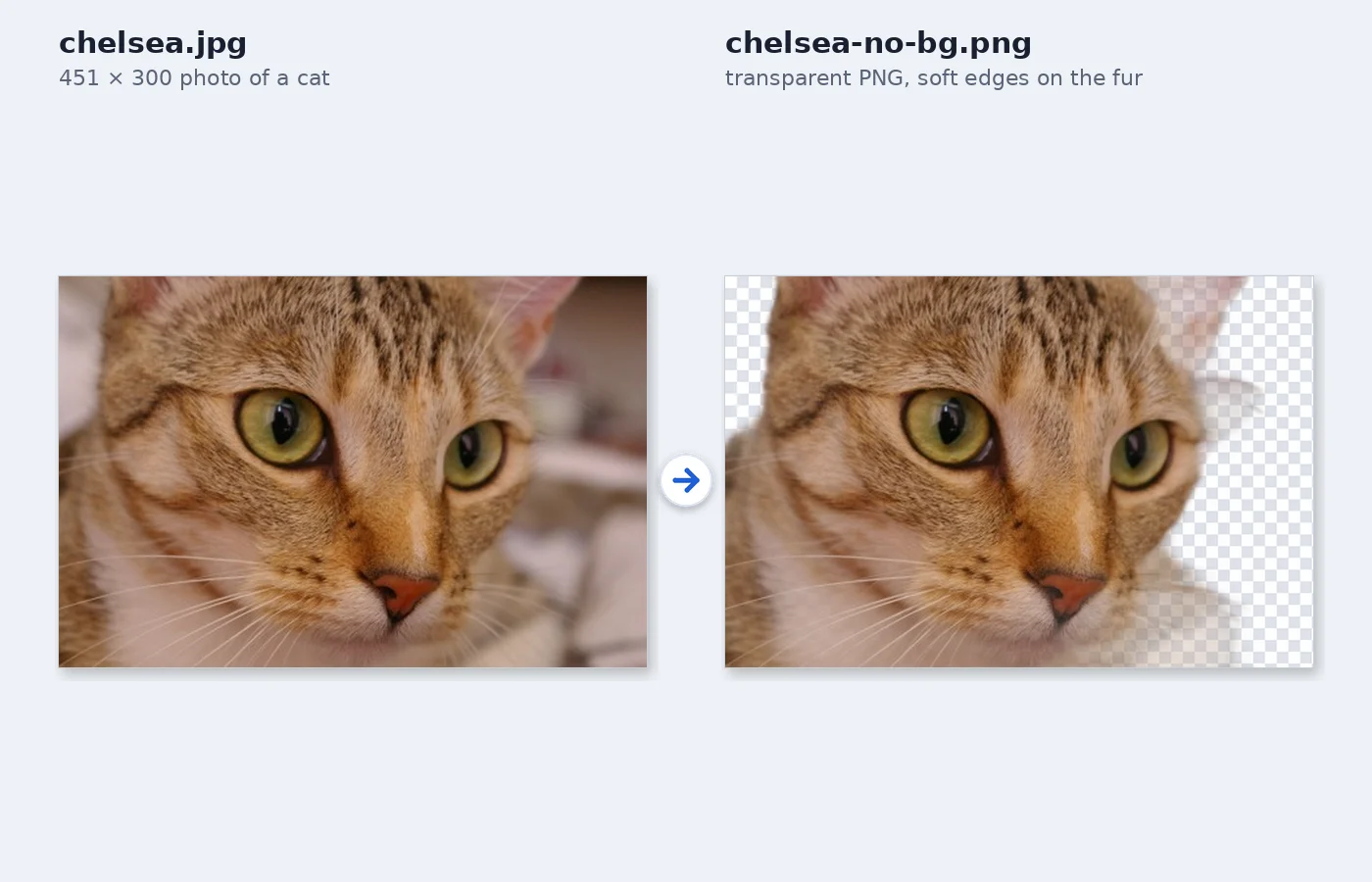
chelsea.jpgchelsea-no-bg.png
A close-up of a cat
- Soft edges around the fur
- Room behind removed
Sample photos with no copyright restrictions (CC0): the coffee cup by Rachel Michetti and Chelsea the cat by Stefan van der Walt, from the scikit-image test images. Processed by this tool in the browser; the photos shown are the real results.
How to remove the background from a photo
-
Step 1
Choose the photos
One or many; the first one shows a preview.
-
Step 2
Pick the new background
Transparent, white or any colour.
-
Step 3
Save
Full size PNG or JPG, one by one or in a ZIP.
Remove background without uploading your photos
Most online background removers send your photo to their servers, process it there and keep a copy for some time. This page works differently: the AI model is downloaded to your browser once, and every photo is processed by your own computer or phone. That matters for product photos before a launch, pictures of children, ID documents, private rooms and anything under a confidentiality agreement. You can even disconnect from the internet after the model has loaded, and it still works.
How the AI finds the subject
The model is IS-Net, published by researchers for "dichotomous image segmentation", the job of separating a main object from everything else with fine detail. It looks at the whole photo at 1024 x 1024 pixels and decides, for every pixel, how sure it is that it belongs to the subject. That answer becomes the transparency of the result, so edges are soft where they should be, around hair, fur and blurred parts. The original pixels of the subject are kept unchanged at full size.
What works best
Product photos, pets, people, cars, furniture, food, plants and logos photographed on a desk give the cleanest results, because there is one clear subject. Busy scenes with many objects, a subject that has the same colour as the background, or glass and smoke are harder: check the preview, and if parts are missing, try a photo with more contrast. Fine single hairs on a very large photo may come out a little soft, since the model sees the photo at 1024 pixels.
Transparent, white or coloured
"Transparent" saves a PNG with an empty background, ready for slides, Canva, Photoshop, stickers and websites. "White" fills the background with pure white (255, 255, 255) and saves a JPG, the standard for online shop listings; there is a separate page for white backgrounds for product photos. "Colour" puts the subject on any colour you choose, for profile pictures and banners. For logos and scans on plain white, remove white background is faster and keeps exact edges.
Remove background on Windows, Mac, iPhone and Android
Nothing needs to be installed. On a computer, open this page in Chrome, Edge, Firefox or Safari and drop the photos onto it. On an iPhone, tap "Choose photos" and pick from the Photos library; HEIC photos are read directly. On Android, pick from the gallery or files. The result is saved to your downloads, or, on a phone, to the files app, from where you can share it or save it to the photo library. Because the work is done by your device, a recent computer is the fastest place to do a large set. Choose a whole set of product photos: the first one is previewed, and when you press the button each photo is processed in turn and saved under its own name with "-no-bg" added, or all together in one ZIP. The first photo takes longer because the model starts; after that, each one takes a few seconds on a recent computer, longer on older phones. To make the cut-outs smaller for the web, use the PNG compressor afterwards.
Private
Your photos never leave your device. The page downloads the AI model once (44 MB) and your browser keeps it; the subject is found and cut out by your own computer or phone. Nothing is uploaded, and nothing is kept when you close the page.
More free image converters
- Image converter
- Compress image
- JPG to PNG
- PNG to JPG
- JPEG to JPG
- Compress JPEG
- Compress PNG
- GIF to PNG
- PNG to GIF
- GIF to JPG
- JPG to GIF
- GIF maker
- Background eraser
- Make background transparent
- White background for photo
- Remove white background
- Resize image
- Crop image
- Rotate image
- Flip image
- Blur image
- Pixelate image
- Black and white photo
- Invert image colors
- Merge images
- Watermark image
- Add text to image
- Remove EXIF data
- EXIF viewer
- Change DPI
- Image to Base64
- Base64 to image
- MP4 to GIF
- Video to GIF
- GIF to MP4
- GIF compressor
- PNG to SVG
- JPG to SVG
- Image to SVG
- SVG to PDF
- Image to text
- PNG to DXF
- SVG to DXF
- DXF to SVG
- HEIC to JPG
- HEIC to PNG
- HEIC to PDF
- HEIC viewer
- WebP to PNG
- WebP to JPG
- WebP to GIF
- WebP to PDF
- PNG to WebP
- JPG to WebP
- AVIF to PNG
- AVIF to JPG
- JFIF to JPG
- JFIF to PNG
- SVG to PNG
- SVG to JPG
- PNG to ICO
- ICO to PNG
- BMP to JPG
- BMP to PNG
- TIFF to JPG
- TIFF to PNG
- PSD viewer
- PSD to PNG
- PSD to JPG
- PSD to PDF
- AI to SVG
- AI to PNG
- Open AI file
- EPS to PNG
- DDS to PNG
- TGA to PNG
- TGA to JPG
- RAW to JPG
- CR3 to JPG
- CR2 to JPG
- NEF to JPG
Questions about removing backgrounds
Is it really free?
Yes, at full size, with no watermark, no account and no limit on the number of photos.
Are my photos uploaded?
No, the AI model runs in your browser; only the model itself is downloaded.
Why is the first photo slow?
The model (44 MB) is downloaded and started once; later photos are faster.
Can I get a white background?
Yes, choose White or any colour; the result is a JPG.
Does it work on a phone?
Yes, in a recent Chrome or Safari, though more slowly than on a computer.
Which photos work best?
One clear subject with some contrast to the background.