Free No account · the file is deleted after 24 hours
PDF to PDFA converter (PDF/A-2b)
Convert PDF to PDFA here, the archive version of PDF that courts, public tenders and record offices ask for: all fonts are embedded and a colour profile is added, so it looks the same in decades. Free.
or drop it here. Up to 200 MB. Free, no account.
Convert to PDF/A
The file is sent over an encrypted connection to our server in Canada (OVHcloud, Beauharnois, Quebec), processed by a program there, and deleted with the result 24 hours later. Nobody looks at it.
A PDF converted to PDF/A by FileOpens
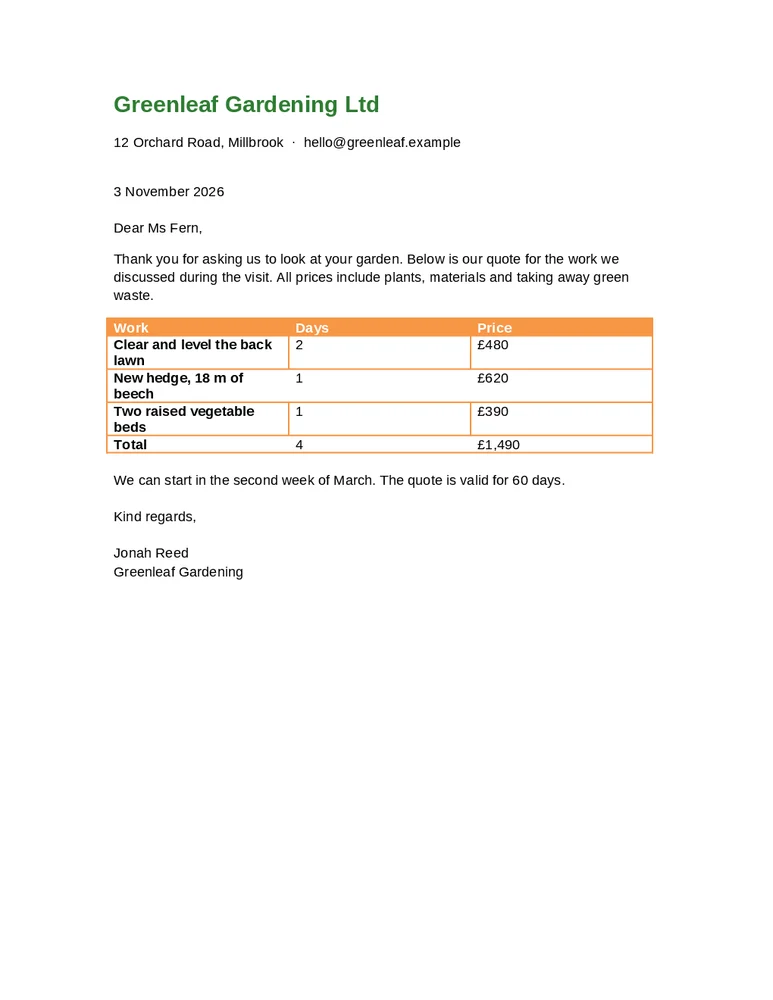
quote.pdfPDF-A.pdf
Letter as PDF/A-2b
- Looks the same as before
- Both fonts embedded
- sRGB colour profile and PDF/A metadata added
Sample letter we made ourselves, with made-up names and data, converted here and shown as they came out. Your own files are never shown to anyone.
How to convert a PDF to PDF/A
-
Step 1
Choose the PDF
The document a portal rejected with "not PDF/A".
-
Step 2
It is rebuilt
Ghostscript writes a PDF/A-2b with every font embedded and an sRGB profile.
-
Step 3
Download and upload
Upload it where it was refused before.
What PDF/A is
PDF/A is an ISO standard (ISO 19005) for PDFs that must still open correctly far in the future. It forbids what could make a file look different later or depend on something outside it: every font must be inside the file, colours must be tied to a colour profile, there may be no JavaScript, no encryption and no content loaded from outside the file, and the document must describe itself in standard metadata. Archives, land registries, courts with electronic filing and many public procurement portals accept only PDF/A for that reason. PDF/A-1 dates from 2005; PDF/A-2, from 2011, also allows transparency and layers and is the version most portals now ask for.
What PDF to PDFA conversion makes
The output is PDF/A-2b, written by Ghostscript: "2" is the version and "b" (basic) the level that guarantees the document looks right, which is what almost every portal means by "PDF/A". Fonts that were missing are embedded (or replaced by a close match when the original PDF did not contain them), colours are converted to RGB with the sRGB output profile, and the standard XMP metadata is written. Text stays text, so the file remains searchable. PDF/A-2a and PDF/A-2u, which also require tagged structure or Unicode mapping of every character, are not produced here.
If a portal still says it is not PDF/A
Portals check files with a validator, often veraPDF. Ghostscript's output passes in the vast majority of cases, but a few kinds of source file can still fail, for example PDFs with broken fonts, embedded video or attachments. We do not run a validator on your file, so we do not promise a certificate. If your file is rejected, write to us with what the portal said and we will look into it. Two more things portals often check: a size limit (compress the PDF first, because compressing after conversion can break PDF/A) and that the file is not password protected (unlock it first).
Saving as PDF/A from Word or LibreOffice
If you still have the original document, you can make a PDF/A at the source. In Word for Windows: File > Save As > PDF > Options > tick "PDF/A compliant". In LibreOffice: File > Export as PDF > General > "Archive (PDF/A, ISO 19005)" and choose PDF/A-2b. Scanners for offices often have a "PDF/A" setting as well. For a PDF you received, or a scan, use this page. You can also OCR a scan first so the archived file is searchable, then convert it here.
Privacy
The PDF goes to our server over an encrypted connection and is converted automatically; both files are deleted 24 hours later. Up to 200 MB. Legal documents are handled by the program only; nobody opens them.
More free PDF tools and converters
- Merge PDF
- Split PDF
- Compress PDF
- Compress PDF to 100 KB
- Delete PDF pages
- Rotate PDF
- Extract PDF pages
- Reorder PDF pages
- Crop PDF
- Add page numbers
- Watermark PDF
- Sign PDF
- Protect PDF
- Unlock PDF
- OCR PDF
- Flatten PDF
- PDF to grayscale
- Invert PDF colors
- Remove PDF metadata
- PDF to Word
- Word to PDF
- PDF to Excel
- Excel to PDF
- PDF to PowerPoint
- PowerPoint to PDF
- JPG to PDF
- PNG to PDF
- Image to PDF
- PDF to JPG
- PDF to PNG
- PDF to text
- HTML to PDF
- PDF to EPUB
- PDF to TIFF
- PDF to SVG
Questions about PDF/A
Which PDF/A version do I get?
PDF/A-2b, the version most courts, archives and portals ask for.
Is the result validated?
We do not run a validator, so there is no certificate. Ghostscript output passes in most cases; tell us if a portal rejects it.
Will the PDF look different?
No. Fonts are embedded and colours tied to sRGB so it looks the same.
Can a password-protected PDF be PDF/A?
No, PDF/A forbids encryption. Unlock it first.
Is it free?
Yes, with no account.