Free Your PDF is not uploaded
Add a watermark to a PDF
Watermark PDF files here: write CONFIDENTIAL, DRAFT, COPY or any text across the pages, set its size, colour and transparency, and save. It is done in your browser, so the file is never uploaded. Free.
or drop it here. One PDF up to 500 MB. The watermark is added on your device; nothing is sent anywhere.
Write your watermark
Everything happens in this browser tab: the PDF is not sent to FileOpens or anywhere else, and nothing is kept when you close the page.
A watermark added by FileOpens
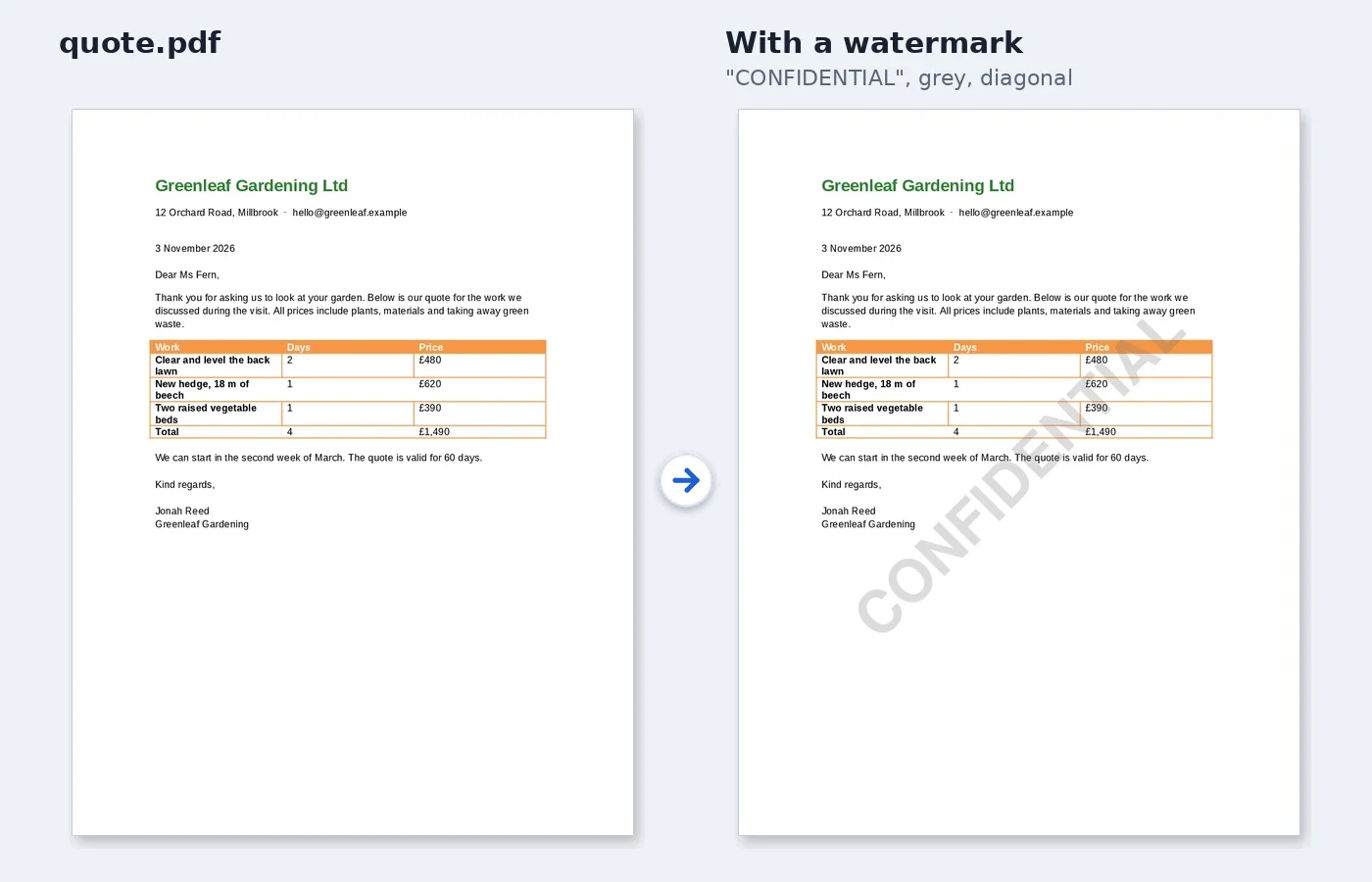
quote.pdfwatermarked.pdf
"CONFIDENTIAL" across the page
- Text, size, opacity, angle and colour
- Any language, text stays searchable
A sample letter we made ourselves, with made-up names and data, opened in this tool and shown as it came out. Your own files stay on your device.
How to watermark a PDF
-
Step 1
Choose the PDF
Pick or drop the file to mark.
-
Step 2
Write the text
CONFIDENTIAL, DRAFT, a name or a date. Pick size, colour, angle and opacity.
-
Step 3
Save
Download the marked PDF; every page or only the pages you list.
Why watermark PDF files
A watermark says what a document is before anyone reads it: a DRAFT that must not be signed, a CONFIDENTIAL report, a SAMPLE for a client, a COPY that is not the original. Writing the recipient's name or "Sent to Acme Ltd, 12 March" across a document also makes people think twice before forwarding it, and shows where a leaked copy came from. Landlords and employers increasingly ask for ID documents; adding "Only for the tenancy at 5 High Street" across a copy of your passport limits what it can be used for.
How to add a watermark to a PDF
Choose the PDF above and type your text; it can be up to 80 characters, in any language, including accented letters, Cyrillic and Greek. Choose the size, the transparency (25 % is clearly visible but lets the text below be read), the colour, and whether it runs diagonally, straight across or up the side. Long text is made smaller automatically so it fits the page. Leave "Pages" empty to mark every page, or list pages such as 1-3, 7. Click Add and the marked PDF downloads.
A watermark is a deterrent, not a lock
The watermark is drawn on top of each page as semi-transparent text. It prints, it shows in every PDF reader and it cannot be switched off like a comment, but a determined person with a PDF editor can remove it, as with any watermark. For real protection keep the original and share the marked copy only. To make it much harder to remove, print the watermarked file to a new PDF; to stop people copying text, a password-protected PDF is the tool.
No upload
Your browser draws the watermark on your device. The PDF is not sent to FileOpens or anywhere else, which is exactly what you want for confidential files and ID documents. There is no account, no limit and no FileOpens mark on your pages. Related tools: add page numbers and remove metadata before you send a file out.
More free PDF tools and converters
- Merge PDF
- Split PDF
- Compress PDF
- Compress PDF to 100 KB
- Delete PDF pages
- Rotate PDF
- Extract PDF pages
- Reorder PDF pages
- Crop PDF
- Add page numbers
- Sign PDF
- Protect PDF
- Unlock PDF
- OCR PDF
- Flatten PDF
- PDF to grayscale
- Invert PDF colors
- Remove PDF metadata
- PDF to Word
- Word to PDF
- PDF to Excel
- Excel to PDF
- PDF to PowerPoint
- PowerPoint to PDF
- JPG to PDF
- PNG to PDF
- Image to PDF
- PDF to JPG
- PDF to PNG
- PDF to text
- HTML to PDF
- PDF to EPUB
- PDF to PDF/A
- PDF to TIFF
- PDF to SVG
Questions about PDF watermarks
Is it free?
Yes. Adding a watermark is free, with no account and no FileOpens mark.
Can I watermark only some pages?
Yes. Type the pages, such as 1-3, 7, in the Pages box. Leave it empty for all pages.
Can the watermark be removed?
It is part of the page and shows everywhere, but someone with a PDF editor can remove it, as with any watermark.
Does it work with non-English text?
Yes. Accented letters, Cyrillic and Greek work; the right font is embedded.
Is my PDF uploaded?
No. The watermark is added in your browser and the file never leaves your device.