Free No account · the file is deleted after 24 hours
SVG to PDF converter
Convert SVG to PDF here: a logo, icon, chart, diagram or illustration in SVG becomes a PDF page of the same size with its shapes and text kept as vectors, so it prints sharply at any size and opens on every computer and phone, also for people without design software.
or drop it here. One .svg or .svgz file, up to 200 MB. Free, no account.
Convert to PDF
The file is sent over an encrypted connection to our server in Canada (OVHcloud, Beauharnois, Quebec), processed by a program there, and deleted with the result 24 hours later. Nobody looks at it.
An SVG converted to PDF by FileOpens
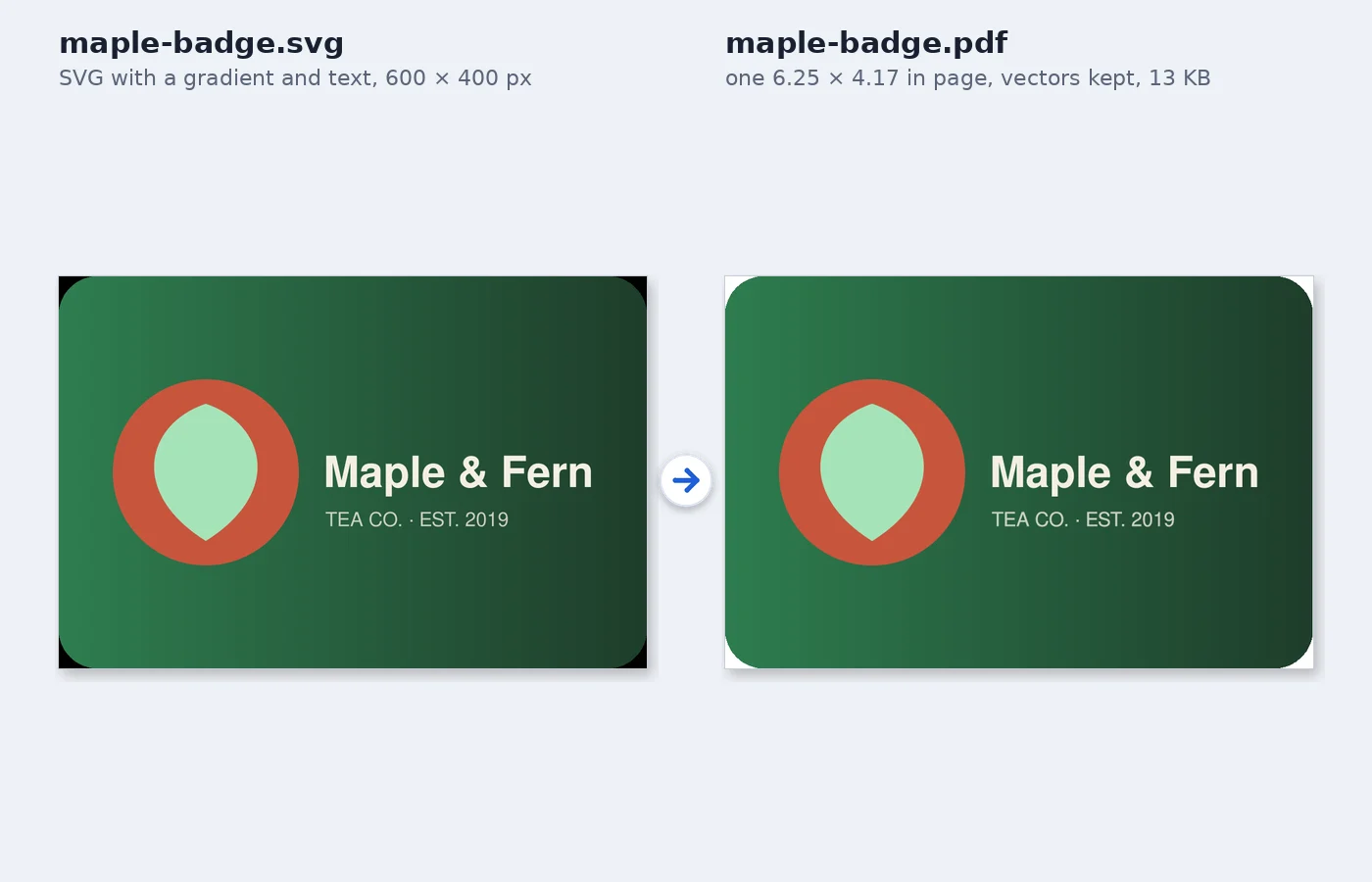
maple-badge.svgmaple-badge.pdf
A badge with a gradient and text
- 600 × 400 px to a 6.25 × 4.17 in page
- Gradient and text stay vector
- 13 KB PDF
A sample badge we made ourselves, with made-up names, converted by this tool and shown as it came out. Files you upload are deleted after 24 hours and never shown to anyone.
How to convert SVG to PDF
-
Step 1
Choose the SVG
From a designer, an icon library, a chart tool or a website.
-
Step 2
It is converted
Drawn as vectors into a PDF page of the same size.
-
Step 3
Download the PDF
With a preview of the page.
Why SVG to PDF
SVG is the vector format of the web: every browser shows it, but print shops, office programs, e-mail recipients and many document systems expect PDF. A PDF keeps the drawing as vectors, so a logo or diagram stays perfectly sharp when printed on a poster, zoomed in or placed into InDesign, Word or LaTeX, and it opens the same everywhere.
How SVG to PDF works here
The SVG is drawn into a PDF on our server by librsvg, the widely used open-source SVG renderer, which supports paths, fills, strokes, gradients, clipping, patterns, transparency, text and embedded pictures. The page size comes from the SVG's own width and height or view box, with 96 CSS pixels to the inch, so a 600 × 400 pixel SVG becomes a 6.25 × 4.17 inch page. Compressed .svgz files are unpacked first. External files referenced by the SVG, such as fonts or pictures on other websites, are not fetched, so embed them in the SVG if they matter.
Fonts, filters and animation
Text in an SVG uses the fonts named in the file; if a font is not available on our server, a similar standard font is used, so for exact lettering convert text to outlines in your editor before saving. Filter effects such as blurs and drop shadows are drawn, sometimes as pictures inside the PDF; animations and scripts cannot exist in a PDF and are left out, so you get the first, still state. The preview shows the result before you download.
Other ways to use the SVG
For a picture instead of a PDF, SVG to PNG works in your browser. To join several PDFs into one document afterwards, use merge PDF. For Illustrator files, see open AI file.
SVG to PDF for print shops
Print shops usually ask for PDF with fonts embedded or text converted to outlines, and with the right page size. Set the SVG canvas to the final size before converting, for example 85 x 55 mm for a business card, plus bleed if the printer asks for it. Colours in SVG are RGB, which is fine for most digital printing; for offset printing with exact CMYK or spot colours, prepare the file in a design program. For quick proofs, office printing and sending to people who cannot open SVG, the PDF from this page is ready to use. The result page shows a preview of the page so you can check it before downloading, and the file can be downloaded again for 24 hours.
Privacy and limits
The file goes to our server over an encrypted connection, is processed automatically and is deleted with the result 24 hours later. Nobody looks at it. Up to 200 MB.
More free image converters
- Image converter
- Compress image
- JPG to PNG
- PNG to JPG
- JPEG to JPG
- Compress JPEG
- Compress PNG
- GIF to PNG
- PNG to GIF
- GIF to JPG
- JPG to GIF
- GIF maker
- Remove background
- Background eraser
- Make background transparent
- White background for photo
- Remove white background
- Resize image
- Crop image
- Rotate image
- Flip image
- Blur image
- Pixelate image
- Black and white photo
- Invert image colors
- Merge images
- Watermark image
- Add text to image
- Remove EXIF data
- EXIF viewer
- Change DPI
- Image to Base64
- Base64 to image
- MP4 to GIF
- Video to GIF
- GIF to MP4
- GIF compressor
- PNG to SVG
- JPG to SVG
- Image to SVG
- Image to text
- PNG to DXF
- SVG to DXF
- DXF to SVG
- HEIC to JPG
- HEIC to PNG
- HEIC to PDF
- HEIC viewer
- WebP to PNG
- WebP to JPG
- WebP to GIF
- WebP to PDF
- PNG to WebP
- JPG to WebP
- AVIF to PNG
- AVIF to JPG
- JFIF to JPG
- JFIF to PNG
- SVG to PNG
- SVG to JPG
- PNG to ICO
- ICO to PNG
- BMP to JPG
- BMP to PNG
- TIFF to JPG
- TIFF to PNG
- PSD viewer
- PSD to PNG
- PSD to JPG
- PSD to PDF
- AI to SVG
- AI to PNG
- Open AI file
- EPS to PNG
- DDS to PNG
- TGA to PNG
- TGA to JPG
- RAW to JPG
- CR3 to JPG
- CR2 to JPG
- NEF to JPG
Questions about SVG to PDF
Are the vectors kept?
Yes, shapes and text stay vectors, sharp at any zoom.
What size is the page?
The SVG's own width and height, or its view box.
Why does the font look different?
The font was not embedded; convert text to outlines before saving the SVG.
Does it support SVGZ?
Yes, compressed SVG files are unpacked first.
Are linked pictures included?
Only pictures embedded in the SVG; links to other sites are not fetched.
Can I convert several SVGs into one PDF?
Convert them one by one, then join the PDFs with merge PDF.
Is it free?
Yes, with no account and no watermark.