Free No account · the file is deleted after 24 hours
PDF to Word converter
Convert a PDF to Word here and get a .docx you can edit: paragraphs flow as text, tables become Word tables, and pictures stay where they were. Free, with no account and no watermark on the document.
or drop it here. Up to 200 MB. Free, no account.
Convert to Word
The file is sent over an encrypted connection to our server in Canada (OVHcloud, Beauharnois, Quebec), processed by a program there, and deleted with the result 24 hours later. Nobody looks at it.
A PDF converted to Word by FileOpens
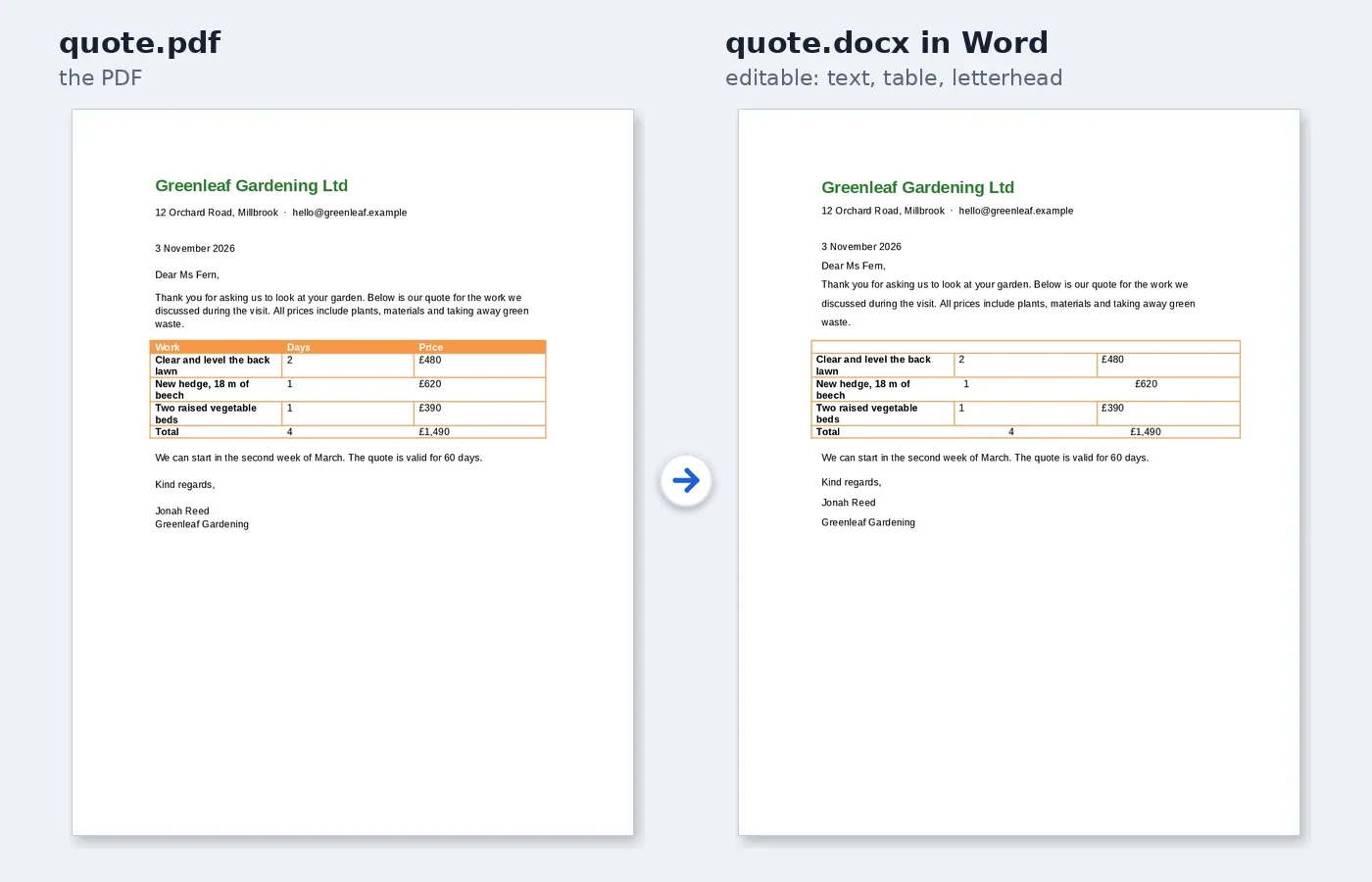
quote.pdfquote.docx
Letter with a price table
- Paragraphs you can type into
- The table becomes a Word table
- Letterhead colours kept
- Shown here: the .docx opened in a word processor
Sample letter we made ourselves, with made-up names and data, converted here and shown as they came out. Your own files are never shown to anyone.
How to convert a PDF to Word
-
Step 1
Choose the PDF
Any PDF that has real text in it: saved from Word, exported from a program, downloaded from a website.
-
Step 2
Wait a few seconds
Each page is analysed: lines of text are joined into paragraphs, ruled areas become tables.
-
Step 3
Download the .docx
Open it in Word, Pages, LibreOffice or Google Docs and edit.
What you get in the Word file
A PDF does not really contain paragraphs, only letters placed at exact positions on a page. To make it editable, the converter reads those positions and rebuilds the document: lines that belong together become a paragraph that wraps when you type, bold and italic and font sizes are kept, tables with lines become real Word tables with cells, and pictures are placed back at their size. Page size and margins follow the PDF, so the Word file usually looks very close to the original. The engine is pdf2docx, an open-source converter built for exactly this, running on our server.
What does not carry over perfectly
Fonts: if the PDF used a font your computer does not have, Word shows a similar one, so lines can break in slightly different places. Complex layouts such as magazines, brochures with text running around shapes, or columns next to pictures may come out as text boxes or with extra line breaks. Tables without any lines may come out as text separated by tabs; for those, PDF to Excel is often the better tool. Form fields, comments, headers repeated on every page and footnote links come through as plain text. Japanese, Chinese and Korean text set horizontally converts, but text set vertically (Japanese tategaki) cannot: we check for it and tell you instead of returning a grid of single characters. For a simple letter, a report or a CV the result is usually ready to edit straight away.
Scanned PDFs need OCR first
A scan or a photo of a page has no letters in it, only a picture of them, and no converter can turn a picture into Word text without recognising the letters first. You can tell: if you cannot select a single word in your PDF reader, it is a scan. Run it through OCR PDF, which adds a hidden layer of real text, and then convert the searchable PDF here. When we notice a PDF has almost no text, the result page says so.
Other ways to convert PDF to Word
Word 2013 and later can open a PDF itself: File > Open, choose the PDF, and Word converts it. It works for simple documents but often struggles with tables and pictures, and it is not available in Word for Mac. Google Docs can open a PDF from Drive with "Open with > Google Docs", but it keeps only the text and drops most of the layout. Adobe Acrobat can export to Word with a paid plan. This converter sits between them: free, and better than Word at keeping tables and pictures. If what you actually want is to change a few words, try it, then save back to PDF with Word to PDF.
Privacy and limits
The PDF is sent to our server over an encrypted connection and converted there automatically; the PDF and the Word file are deleted 24 hours later and nobody reads them. PDFs up to 200 MB are accepted; a very long one (several hundred pages) may take a few minutes, and if it is too long to convert in one go, split it into parts. A PDF that needs a password to open must be unlocked first with Unlock PDF.
More free PDF tools and converters
- Merge PDF
- Split PDF
- Compress PDF
- Compress PDF to 100 KB
- Delete PDF pages
- Rotate PDF
- Extract PDF pages
- Reorder PDF pages
- Crop PDF
- Add page numbers
- Watermark PDF
- Sign PDF
- Protect PDF
- Unlock PDF
- OCR PDF
- Flatten PDF
- PDF to grayscale
- Invert PDF colors
- Remove PDF metadata
- Word to PDF
- PDF to Excel
- Excel to PDF
- PDF to PowerPoint
- PowerPoint to PDF
- JPG to PDF
- PNG to PDF
- Image to PDF
- PDF to JPG
- PDF to PNG
- PDF to text
- HTML to PDF
- PDF to EPUB
- PDF to PDF/A
- PDF to TIFF
- PDF to SVG
Questions about converting PDF to Word
Is it really free?
Yes. No account, no watermark in the document, no daily page count to buy more of.
Will the layout be exactly the same?
Close for letters, reports and CVs. Magazines and designed brochures may need tidying, and fonts you do not have are replaced.
Why is my Word file empty or full of pictures?
The PDF is a scan. Use OCR PDF first, then convert the searchable PDF.
Does it work with Word for Mac and Google Docs?
Yes. The result is a standard .docx that Word on Windows and Mac, Pages, LibreOffice and Google Docs open.
Can I convert a PDF with a password?
Remove the password first with Unlock PDF (you need to know it), then convert.