Free Your PDF is not uploaded
Sign PDF online
Sign PDF documents here without printing them: draw your signature with a mouse or a finger, or upload a photo of it, place it on the page and save the signed PDF. It all happens in your browser; nothing is uploaded.
or drop it here. One PDF up to 500 MB. It is signed on your device and never sent anywhere.
Sign your PDF
Everything happens in this browser tab: the PDF is not sent to FileOpens or anywhere else, and nothing is kept when you close the page.
A PDF signed in FileOpens
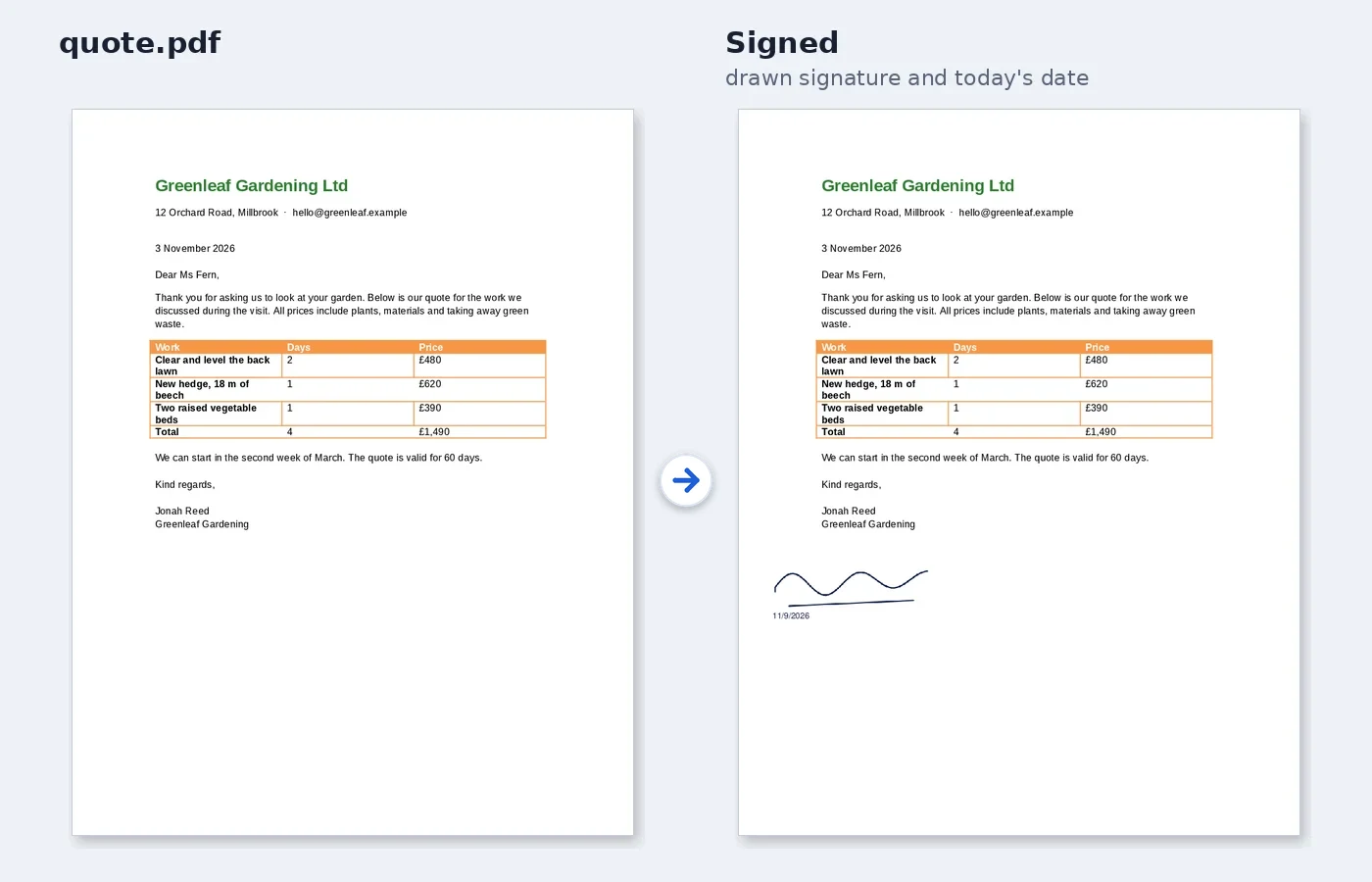
quote.pdfsigned.pdf
Signature drawn with the mouse
- Placed where you click
- Today's date under it
A sample letter we made ourselves, with made-up names and data, opened in this tool and shown as it came out. Your own files stay on your device.
How to sign a PDF
-
Step 1
Choose the PDF
Pick or drop the document you need to sign.
-
Step 2
Draw your signature
With the mouse, a trackpad or your finger, or upload a photo of it on paper.
-
Step 3
Place it and save
Click where it goes, drag and resize it, add the date, and download.
Sign a PDF without printing and scanning
A lease, a consent form for school, an offer letter, a delivery note: more and more documents arrive as PDF with "please sign and return". Printing, signing, scanning and emailing takes a printer, a scanner and twenty minutes. Here you sign on the screen, and the signed PDF is ready in a minute, on a computer or a phone.
How to sign PDF documents
Choose the PDF above. Draw your signature in the box with the mouse, a trackpad or, on a phone or tablet, your finger; "Clear" starts again. You can also upload a photo of your signature on white paper: the white becomes transparent, so only the ink shows. Then click on the page where the signature goes. Drag it to move it, use the slider to make it larger or smaller, and click the cross to remove it. Use the page buttons to reach the page with the signature line; you can sign several pages, or several places on one page. Tick "Add today's date" to write the date under each signature. Save, and the signed PDF downloads.
Is a signature like this valid?
This adds a picture of your handwritten signature to the PDF: what lawyers call a simple electronic signature. In the US (ESIGN Act, UETA), the UK and the EU (eIDAS), such signatures are generally accepted for everyday agreements, such as leases, forms, offers and permission slips, as long as it is clear you meant to sign. It is not a certificate-based "digital signature" that proves the file was not changed afterwards; some institutions, courts and notaries require that kind, and some documents, such as wills, must be signed on paper. When in doubt, ask the person who sent the document. This is general information, not legal advice.
Private: your signature stays with you
Your signature is the last thing you want stored on a stranger's server. Here it is drawn and added in your browser, on your own device. Neither the PDF nor the signature is sent to FileOpens or anyone else, and both are gone when you close the page. There is no account and no watermark.
Before you send it
Check the date and every page that needs your signature or initials. If the document has pages you should not return, delete them; to send several signed documents as one file, merge them. If the PDF is a form, fill it in first and then flatten it, so the answers next to your signature cannot be changed later. To keep a signed copy private on its way, protect it with a password and send the password separately, by text message or phone.
More free PDF tools and converters
- Merge PDF
- Split PDF
- Compress PDF
- Compress PDF to 100 KB
- Delete PDF pages
- Rotate PDF
- Extract PDF pages
- Reorder PDF pages
- Crop PDF
- Add page numbers
- Watermark PDF
- Protect PDF
- Unlock PDF
- OCR PDF
- Flatten PDF
- PDF to grayscale
- Invert PDF colors
- Remove PDF metadata
- PDF to Word
- Word to PDF
- PDF to Excel
- Excel to PDF
- PDF to PowerPoint
- PowerPoint to PDF
- JPG to PDF
- PNG to PDF
- Image to PDF
- PDF to JPG
- PDF to PNG
- PDF to text
- HTML to PDF
- PDF to EPUB
- PDF to PDF/A
- PDF to TIFF
- PDF to SVG
Questions about signing PDFs
Is it free?
Yes. Signing PDFs is free, with no account, no limit and no watermark.
Can I sign on my phone?
Yes. Draw the signature with your finger, then tap the page where it goes.
Can I use a picture of my real signature?
Yes. Upload a photo of it on white paper; the white background is removed automatically.
Is this a legally valid signature?
It is a simple electronic signature, accepted for many everyday documents. Some documents need a certified digital signature or ink on paper; ask the sender if unsure.
Is my PDF or signature uploaded?
No. Both stay in your browser on your device.