Free No account · the file is deleted after 24 hours
OCR PDF: make a scanned PDF searchable
OCR PDF files here to make a scan searchable: the text on every page is recognised and added as an invisible layer under the picture, so you can search it, select it and copy it, while the pages look as they did. Free.
or drop it here. Up to 200 MB, 300 pages. Free, no account.
Which language is the text in?
The file is sent over an encrypted connection to our server in Canada (OVHcloud, Beauharnois, Quebec), processed by a program there, and deleted with the result 24 hours later. Nobody looks at it.
A scan made searchable by FileOpens
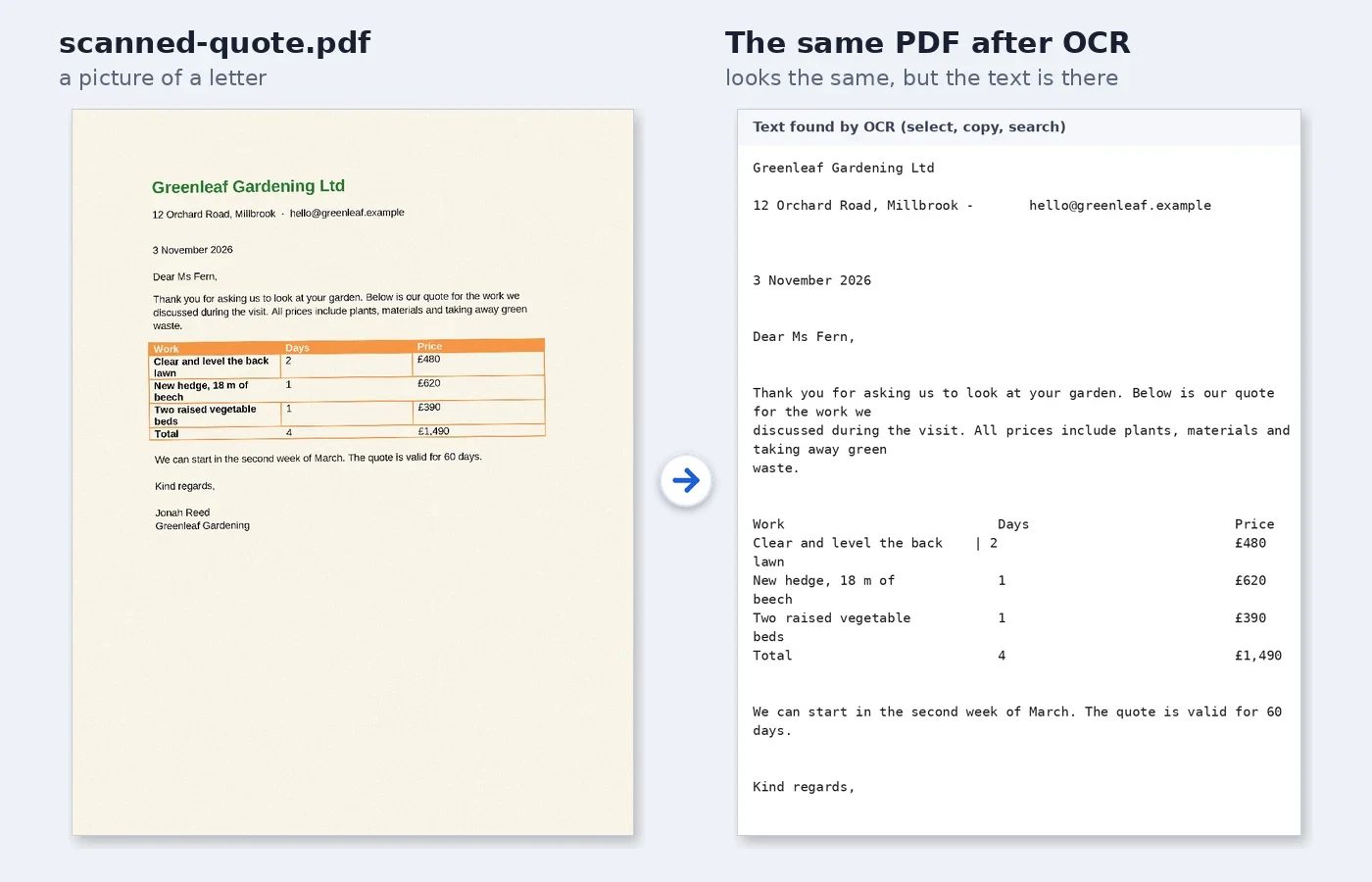
scanned-quote.pdfsearchable.pdf
Scanned letter after OCR
- Looks exactly the same
- Every word can be found with Ctrl+F
- Shown on the right: the text it recognised
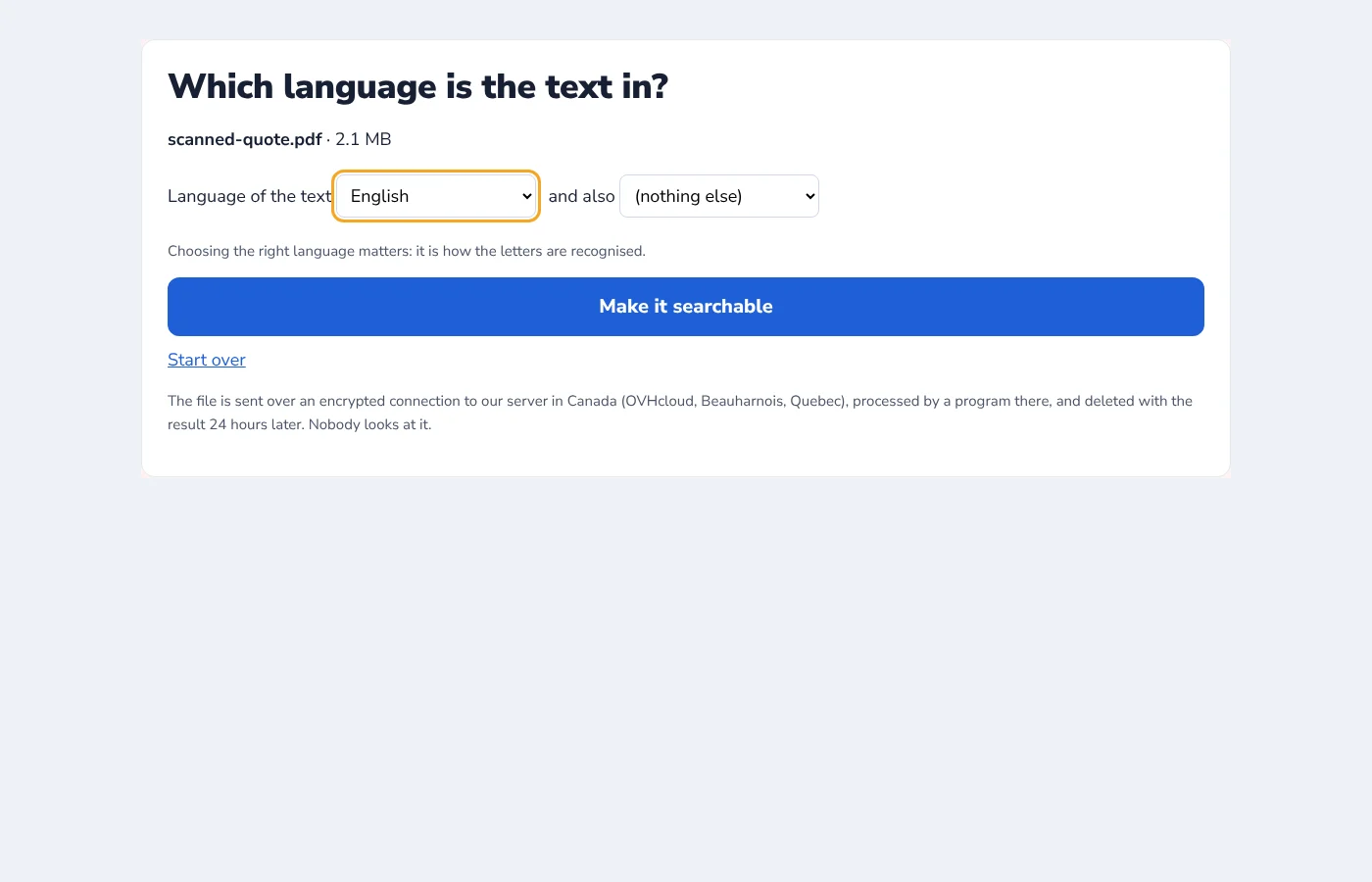
scanned-quote.pdf
Choose the language of the text
- Up to two languages
- Your browser language is chosen first
Sample scanned letter we made ourselves, with made-up names and data, converted here and shown as they came out. Your own files are never shown to anyone.
How to OCR a PDF
-
Step 1
Choose the scan
A scanned letter, contract, book or a PDF made from phone photos.
-
Step 2
Choose the language
Up to two, for example German and English. It tells the reader which letters to expect.
-
Step 3
Download
A long scan takes a few minutes. Then search it with Ctrl+F (Cmd+F).
What OCR does to a PDF
A scanner or phone camera makes a picture of a page. To a computer that is just dots, so you cannot search the document, copy a sentence or have it read aloud. Optical character recognition (OCR) looks at the picture, finds the letters and words, and writes them into the PDF as a text layer exactly under where they appear. The layer is invisible, so the page looks like the original scan, signature and stamps included, but when you press Ctrl+F the words are found, and when you drag across a line the text is selected. Search tools in Windows, macOS and document systems can then find the file by its content.
How OCR PDF works here
The tool uses OCRmyPDF with the Tesseract engine, both free and widely used by archives and libraries. Before reading, pages that were scanned sideways or upside down are turned the right way, and pages scanned a little crooked are straightened, which helps recognition a lot. Pages that already have text (a PDF that is half typed, half scanned, say) are left alone and only the scanned pages are read. The pictures are recompressed losslessly where possible, so the file does not grow much. Expect around 2 to 5 seconds a page.
Choosing the language matters
Tesseract recognises words using what it knows about a language: which letters exist, and which combinations are likely. A German letter read as English loses its ä, ö, ü and ß; a Polish one its ł and ż. So choose the language of the document, and a second one if it mixes them, such as a Ukrainian form with English names. Available: English, German, French, Spanish, Italian, Portuguese, Dutch, Polish, Ukrainian, Czech, Swedish, Danish, Norwegian, Finnish, Turkish, Japanese, Korean and simplified Chinese. Clear printed text is read almost perfectly; handwriting mostly is not, and very small, blurry or low-contrast scans give more mistakes.
After OCR: Word, Excel, text
A searchable PDF can be converted further. PDF to Word then gives you an editable document instead of pictures, PDF to Excel can pull out a scanned table, and PDF to text gives you just the words in a .txt file. Keep in mind that OCR can mistake a letter or digit, so check names and amounts before relying on them. If the searchable PDF is too large for e-mail, compress it; the text layer survives.
Privacy and limits
Scans are often personal papers. The PDF goes to our server over an encrypted connection, OCR runs automatically, and both files are deleted 24 hours later; nobody looks at them. Up to 200 MB and 300 pages per file; split longer books and run the parts one by one, then merge them back.
More free PDF tools and converters
- Merge PDF
- Split PDF
- Compress PDF
- Compress PDF to 100 KB
- Delete PDF pages
- Rotate PDF
- Extract PDF pages
- Reorder PDF pages
- Crop PDF
- Add page numbers
- Watermark PDF
- Sign PDF
- Protect PDF
- Unlock PDF
- Flatten PDF
- PDF to grayscale
- Invert PDF colors
- Remove PDF metadata
- PDF to Word
- Word to PDF
- PDF to Excel
- Excel to PDF
- PDF to PowerPoint
- PowerPoint to PDF
- JPG to PDF
- PNG to PDF
- Image to PDF
- PDF to JPG
- PDF to PNG
- PDF to text
- HTML to PDF
- PDF to EPUB
- PDF to PDF/A
- PDF to TIFF
- PDF to SVG
Questions about OCR for PDF
Will my PDF look different?
Almost not: the text layer is invisible. Crooked pages are straightened and sideways pages turned upright.
Which languages can it read?
Eighteen, including English, German, French, Spanish, Polish, Ukrainian, Japanese and Chinese; you can combine two.
Can it read handwriting?
Mostly not. It is made for printed and typed text.
How long does it take?
About 2–5 seconds a page, so a 100-page book takes several minutes.
My PDF already has text. What happens?
Pages with text are left as they are; only scanned pages are read.
Is it free?
Yes, with no account and no watermark.