Free No account needed
EPUB validator: check your EPUB with EPUBCheck
Check an EPUB here before you send it to a store or a distributor: this EPUB validator runs EPUBCheck, the official checker, and gives you every error and warning with the file and line to fix, free.
- Free. No account, no watermark.
- See the pages right on this site.
- Deleted after 24 hours. Nobody reads it.
EPUBCheck reports from FileOpens
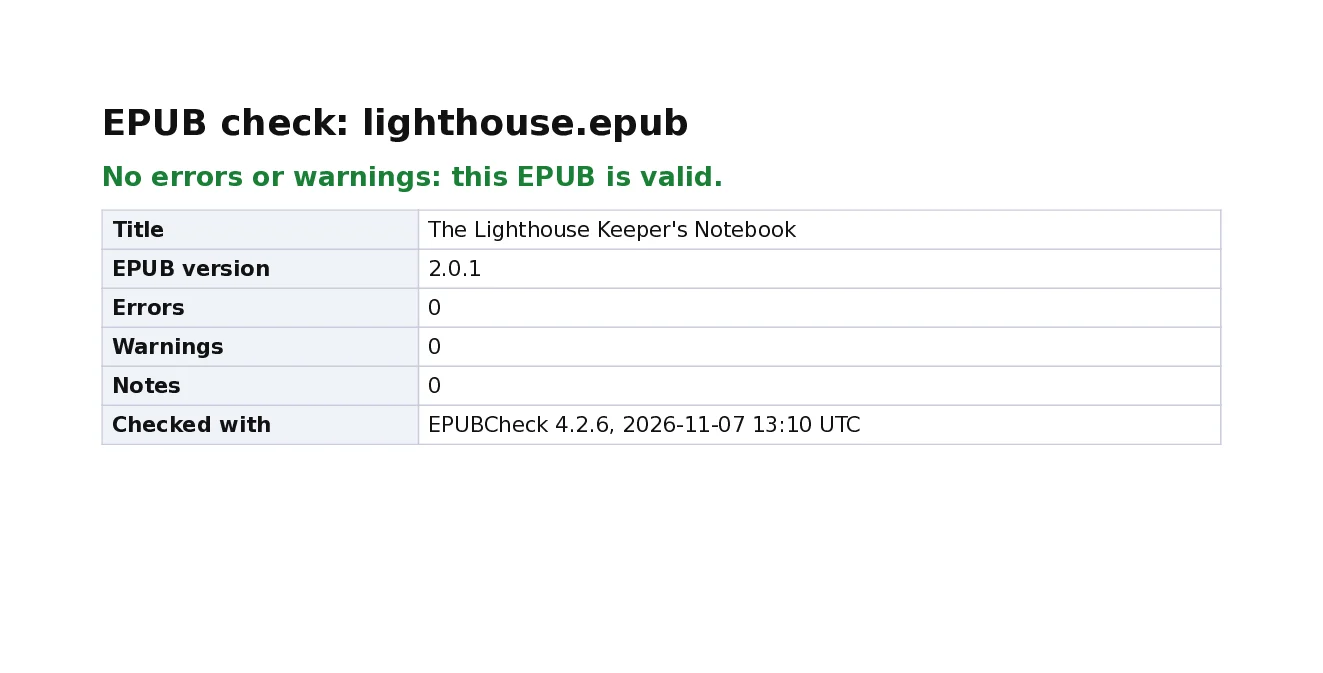
lighthouse.epubreport.pdf
A valid book
- Clear verdict at the top
- Title and EPUB version
- EPUBCheck version and date
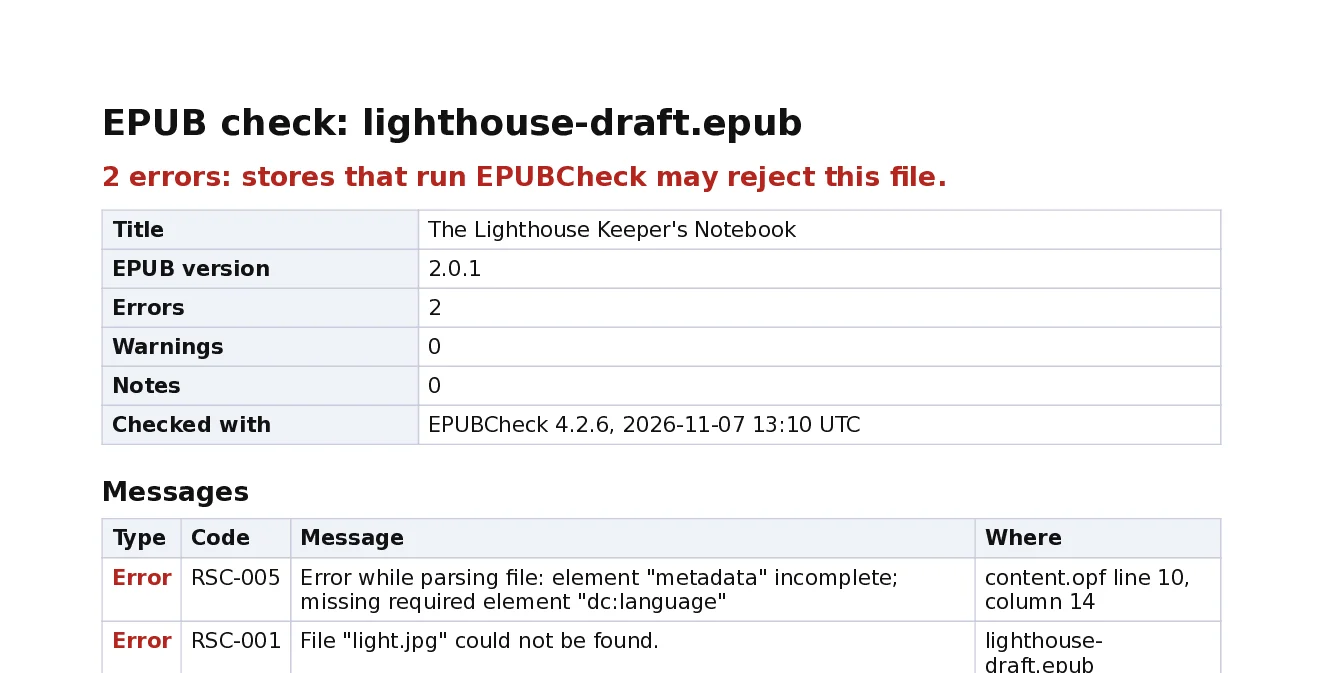
lighthouse-draft.epubreport.pdf
A book with two errors
- Each error with its code
- The file and line to fix
- A missing picture found
Sample e-books we made ourselves, with made-up names and data, converted here and shown as they came out. Your own files are never shown to anyone.
What you get
- Every messageAll errors and warnings EPUBCheck reports, sorted by importance.
- Where to fix itThe file inside the EPUB, the line and the column of each problem.
- A report to shareA PDF report and the same as plain text, for you or your designer.
- EPUB 2 and 3Any EPUB from Sigil, Calibre, InDesign, Vellum, Pages, Word or a converter.
Why validate an EPUB
An EPUB is a ZIP of web pages, pictures, fonts and a few files that describe the book. Reading apps forgive a lot, so a book can look fine on your own device and still be broken inside: a missing picture, a wrong file type, a mistake in the table of contents. Distributors check files when you upload them, and IngramSpark, for one, runs EPUBCheck and rejects files with errors. Validating first saves a round of rejections and makes sure the book works on every reader, not just yours.
How to use this EPUB validator
Choose the .epub file above. It is checked with EPUBCheck, the open-source validator maintained by the W3C, the body that writes the EPUB standard. A small book takes seconds, a large one with many pictures up to a minute. You then see the verdict and the report on this page: valid, valid with warnings, or the number of errors, followed by every message. Download the report as PDF or as plain text to work through it or to send it to your designer or conversion service.
Errors, warnings and notes
Errors break the rules of the EPUB standard, for example a file that is missing, listed twice or of the wrong type, or a page that is not valid XHTML. Stores that run EPUBCheck usually reject a book with errors, so fix all of them. Warnings point at things that are allowed but risky, such as spaces in file names or old-fashioned markup; they rarely block a book but are worth cleaning up. Notes are for information only. Each message has a code such as RSC-005 or OPF-014 that you can look up in the EPUBCheck documentation.
Common EPUB errors and how to fix them
The most frequent ones are a picture or font that is used but not listed in the package file (add it to the manifest), a file listed that is not in the EPUB (remove it or add the file), "attribute not allowed here" (markup copied from a web page or a word processor; remove the attribute), wrong media types for fonts, and links to a heading that does not exist. Sigil and Calibre's editor can fix most of these directly in the EPUB; after a fix, check the file here again. Problems with the book's layout, such as pictures that are too large, are not errors and are not reported.
Versions and privacy
We run EPUBCheck 4.2.6, which checks EPUB 2 and EPUB 3 books. The newest EPUBCheck 5 adds the latest EPUB 3.3 rules, so a store on a newer version may report a few messages more or fewer. Your book is used only for the check and deleted 24 hours after upload; nothing in it is published or kept. Need the book as PDF or for a Kindle? See EPUB to PDF and EPUB to Kindle.
Also on FileOpens
Questions about the EPUB validator
Is this the same EPUBCheck that stores use?
Yes, it is the same open-source EPUBCheck from the W3C. Stores may run a newer version, so a few messages can differ, but the errors that matter are the same.
Does this validator change my EPUB?
No. It only reads the file and writes a report; your EPUB is not changed or fixed.
Can I check a Kindle file here?
No, only EPUB. Kindle Create and KDP check Kindle files themselves; KDP also accepts EPUB, so checking the EPUB here first helps.
Is it really free?
Yes: no account, no watermark, no limit on the number of files. We make our money converting old document formats such as Publisher and Works files.
What happens to my file?
It is used only to make your PDF and is deleted automatically 24 hours after upload. Nobody looks at it.