Free Your pictures are not uploaded
Image converter
This image converter turns almost any picture into the format you need: drop HEIC, WebP, AVIF, PNG, JPG, GIF, BMP, TIFF, SVG, ICO, PSD or DDS files, choose JPG, PNG, WebP, GIF, PDF or ICO, and download them, one by one or in a ZIP. It all runs in your browser.
or drop them here, mixed formats are fine. Nothing is uploaded.
Your pictures
Everything happens in this browser tab: your pictures are not sent to FileOpens or anywhere else, and nothing is kept when you close the page.
Mixed pictures converted by FileOpens
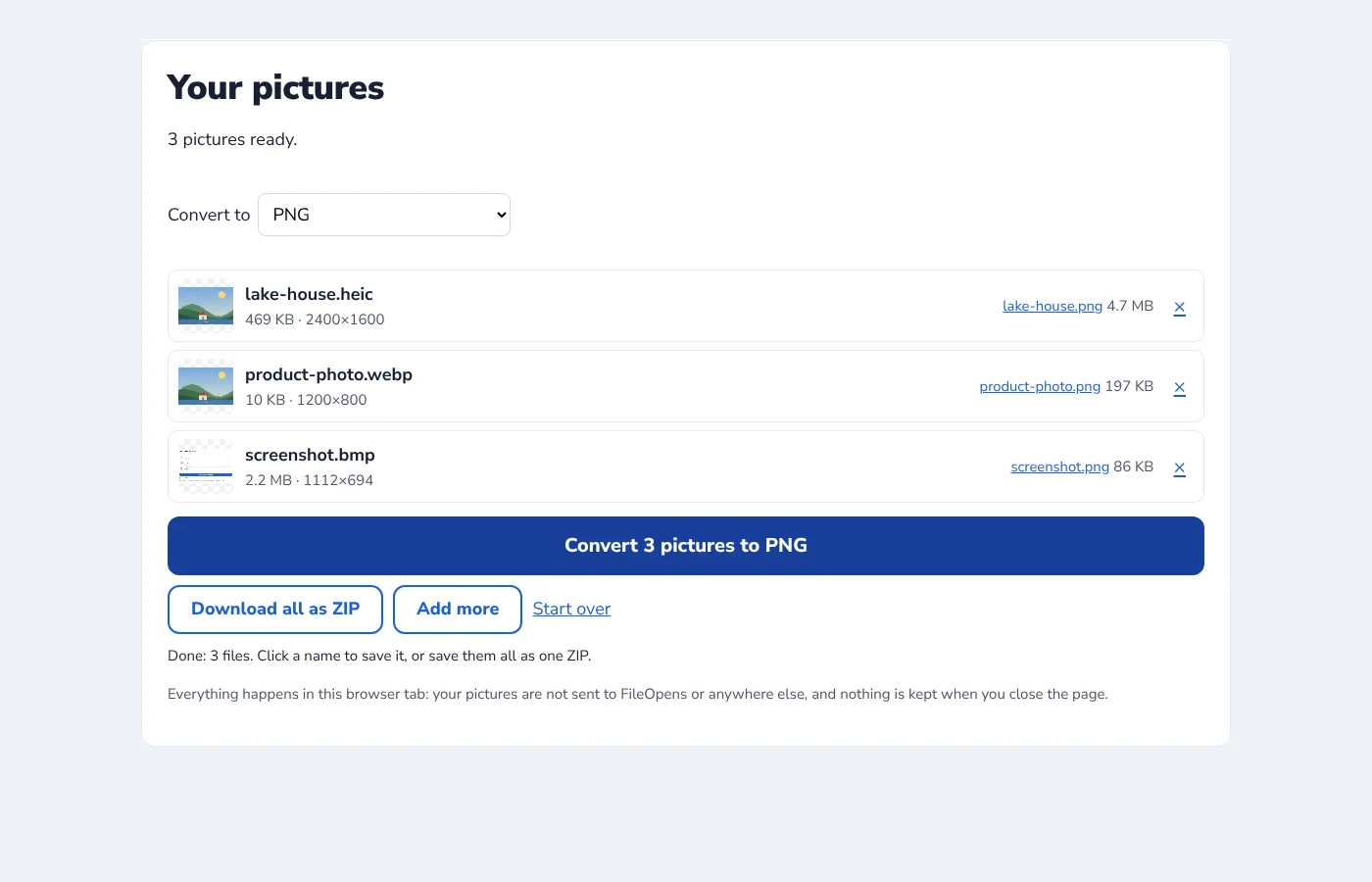
HEIC + WebP + BMP3 PNGs
Three formats in one batch
- HEIC, WebP and BMP to PNG
- One ZIP with all three
A sample picture set we made ourselves, with made-up names and data, opened in this tool and shown as it came out. Your own files stay on your device.
How to convert images
-
Step 1
Drop the pictures
Any mix of formats, from a phone, a camera, the web or a designer.
-
Step 2
Choose the format
JPG, PNG, WebP, GIF, PDF or ICO, with its options.
-
Step 3
Download
Each file, or everything in one ZIP.
One image converter for every picture
Pictures arrive in a dozen formats: HEIC from iPhones, WebP and AVIF from websites, TIFF from scanners, BMP from old programs, SVG from designers, PSD from Photoshop. Most forms, documents and people only want JPG or PNG. This page reads all of them and converts a mixed batch in one go, so you do not have to find a separate tool for each format. Each format also has its own page with details, such as HEIC to JPG or WebP to PNG.
Which format to choose
Convert images to JPG for photos you want to share, email or upload: small and accepted everywhere. Convert to PNG for screenshots, logos, graphics with text and anything with transparency: exact and lossless. WebP is the modern web format, smaller than both, for your own website. GIF is for simple animations and old systems. PDF puts all pictures into one document, one per page. ICO makes a website or Windows icon in several sizes.
What the converter reads
JPG, JFIF, PNG, WebP, AVIF, GIF, BMP and SVG are read by your browser itself. HEIC and HEIF are decoded by libheif compiled for the browser; TIFF (including multi-page faxes and scans) by UTIF.js; ICO, 32-bit BMP and DDS textures by our own code; PSD by ag-psd. Multi-page TIFFs give one picture per page. Animated GIF and WebP become a still of the first frame, except when converting to GIF, where animations stay animated in Chrome and Edge.
What does not carry over
Camera details (EXIF) such as date and location are not copied, which also protects your privacy when sharing. Colours are converted to standard sRGB for screens. Converting cannot add quality a picture never had: a small or blurry picture stays small or blurry. For camera RAW files, Illustrator and EPS, which need server software, see RAW to JPG and AI to PNG.
Converting many images at once
There is no limit on the number of pictures: drop a whole folder of mixed formats and they are read one after another, each with its size and format shown in the list. Pictures that cannot be read, for example damaged files or formats that are not images, are marked and skipped while the rest carry on. When converting to PDF, all pictures go into one document in the order of the list; for the other formats, "Download all" gives one ZIP with the files named after the originals. On a phone, large batches may take a while; keep the page open until the list shows every result.
Private
Every picture is converted by your own browser and never leaves your device.
More free image converters
- Compress image
- JPG to PNG
- PNG to JPG
- JPEG to JPG
- Compress JPEG
- Compress PNG
- GIF to PNG
- PNG to GIF
- GIF to JPG
- JPG to GIF
- GIF maker
- Remove background
- Background eraser
- Make background transparent
- White background for photo
- Remove white background
- Resize image
- Crop image
- Rotate image
- Flip image
- Blur image
- Pixelate image
- Black and white photo
- Invert image colors
- Merge images
- Watermark image
- Add text to image
- Remove EXIF data
- EXIF viewer
- Change DPI
- Image to Base64
- Base64 to image
- MP4 to GIF
- Video to GIF
- GIF to MP4
- GIF compressor
- PNG to SVG
- JPG to SVG
- Image to SVG
- SVG to PDF
- Image to text
- PNG to DXF
- SVG to DXF
- DXF to SVG
- HEIC to JPG
- HEIC to PNG
- HEIC to PDF
- HEIC viewer
- WebP to PNG
- WebP to JPG
- WebP to GIF
- WebP to PDF
- PNG to WebP
- JPG to WebP
- AVIF to PNG
- AVIF to JPG
- JFIF to JPG
- JFIF to PNG
- SVG to PNG
- SVG to JPG
- PNG to ICO
- ICO to PNG
- BMP to JPG
- BMP to PNG
- TIFF to JPG
- TIFF to PNG
- PSD viewer
- PSD to PNG
- PSD to JPG
- PSD to PDF
- AI to SVG
- AI to PNG
- Open AI file
- EPS to PNG
- DDS to PNG
- TGA to PNG
- TGA to JPG
- RAW to JPG
- CR3 to JPG
- CR2 to JPG
- NEF to JPG
Questions about the image converter
Which formats can I convert?
HEIC, WebP, AVIF, JPG, PNG, GIF, BMP, TIFF, SVG, ICO, PSD and DDS, to JPG, PNG, WebP, GIF, PDF or ICO.
Can I convert different formats at once?
Yes, drop a mixed batch; they all go to the format you choose.
Is it free?
Yes, with no account, no watermark and no limit on the number of files.
Is quality lost?
Not with PNG. JPG and WebP compress; at the default quality the difference is not visible.
Does the image converter work on a phone?
Yes, in any current mobile browser.
Are my pictures uploaded?
No, everything happens in your browser.