ENEX to PDF: your Evernote notes as one PDF
Exported a notebook from Evernote and got an .enex file? Upload it here: ENEX to PDF gives you every note on its own pages with pictures, dates and tags, plus each note as a web page with its attachments.
- See the first notes free before you pay.
- PDF and HTML files with every picture.
- Refund in one click if it is not usable.
- Deleted after 24 hours. Nobody looks at it.
Evernote notes converted by FileOpens

My Notebook.enexnotes.pdf
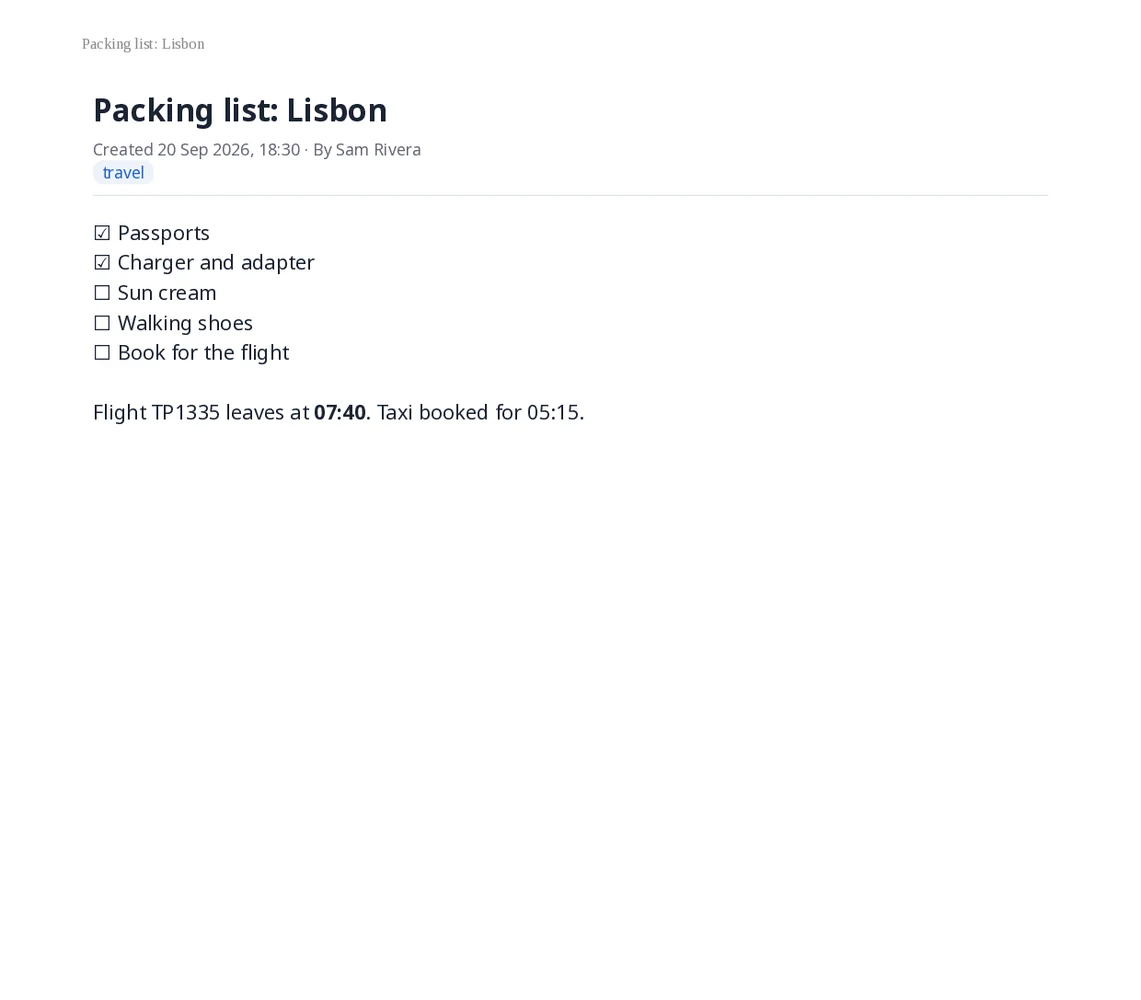
Note with a picture
- Title, date, author and tags
- Picture where it was in the note
- Bold text and lists
My Notebook.enexnotes.pdf
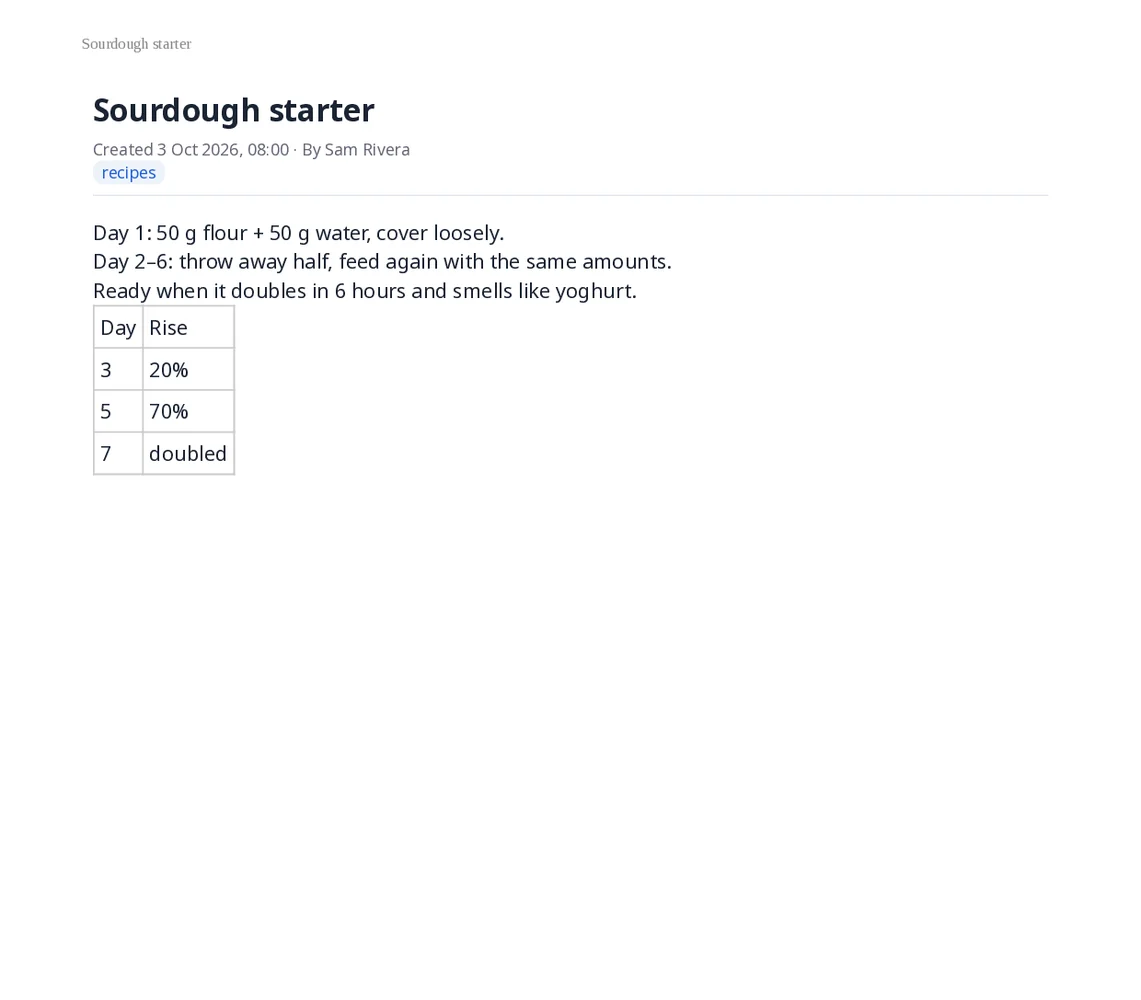
Checklist
- Ticked and open boxes as in Evernote
My Notebook.enexnotes.pdf
Note with a table
- Tables kept
- Each note from a new page
Sample notebook we made ourselves, with made-up names and data, converted here and shown as they came out. Your own files are never shown to anyone.
Notes people save with us
- Recipes
- Journals and diaries
- Research and clippings
- Receipts and scans
- Meeting notes
- Family records
- A whole account before leaving Evernote
How to turn Evernote notes into a PDF
-
STEP 1
Export from Evernote
Right-click a notebook > Export notebook > ENEX.
-
STEP 2
Upload it and look
The cover and the first notes appear free.
-
STEP 3
Pay once, download
One PDF of every note, plus each note as HTML with attachments.
What you get back
- One PDF of every noteEach note on its own pages with title, dates and tags, pictures where they were.
- Every note as a web pageOne HTML file per note with its pictures and attachments next to it.
- All attachmentsPDFs, scans, Office files and audio, with their original names, in one ZIP.
- An indexTitle, created and updated dates, tags and source link of every note, ready for Excel.
- See it firstThe cover and the first notes in the preview before you pay.
Price
See the first notes free. Then $4.99 per export, however many notes it holds: the PDF and the ZIP of notes. One payment, no subscription.
Why people take their notes out of Evernote
Evernote changed a lot after Bending Spoons bought it. Since December 2023 the free plan is limited to 50 notes and one notebook, prices for paid plans went up, and many long-time users decided to leave or to keep a copy of everything they wrote over the years. Evernote's own way out is the export: a notebook or a set of notes saved as one .enex file. Notion, Joplin, OneNote, Apple Notes and Obsidian can import it, but often you just want to read and keep your notes without signing up for another app.
What is in an .enex file
ENEX is XML: one block per note with the title, the dates it was created and last changed, its tags, the source URL for web clippings, and the content in Evernote's own markup. Pictures, scanned PDFs, audio and other attachments are packed into the same file as base64 text, linked to the place in the note where they appear by a fingerprint. That is why an .enex opens in a browser or text editor as an unreadable wall of code, and why it can be hundreds of megabytes for a notebook of scans.
ENEX to PDF: what the PDF looks like
Every note starts on a new page with its title, its created and updated dates, the source link and its tags. The text keeps its headings, lists, tables, bold and colours; checkboxes show as ☐ and ☑; pictures appear where they were in the note. Attachments that are not pictures, such as PDFs or Word files, are named where they belong and included in the ZIP. Encrypted text stays encrypted and is marked as such. The cover page shows how many notes and pictures there are and the period they span; a contents list at the end gives the page of every note.
Every note as a web page, too
The ZIP next to the PDF has a folder with one HTML file per note, named after its title, and the note's pictures and attachments in a folder next to it, with their original names. The files open in any browser, now and in twenty years, and the attachments are ordinary files you can open, move or back up. An Index.csv lists every note with its dates, tags and source, so you can sort and search your notes in Excel or Google Sheets. See also how to open an .enex file.
How to export from Evernote
In the Evernote desktop app for Windows or Mac, right-click a notebook and choose Export notebook, or select notes and choose Export from the note menu, then pick ENEX (.enex) as the format. Evernote may limit how many selected notes you can export at once, so exporting whole notebooks one by one is the easiest way to get everything. The web version and the phone apps do not export to ENEX. Upload each .enex file here; large notebooks upload in pieces and are converted in the background while you wait on the page. Notes from other apps saved as web archives (.mht) go to MHT to PDF.
Also on FileOpens
Questions about ENEX to PDF
Can I convert Evernote notes to PDF without Evernote?
Yes, once you have the .enex file. Upload it here and you get every note as a PDF, without opening Evernote again.
Are pictures and attachments kept?
Pictures appear inside the notes in the PDF. All attachments, including PDFs and Office files, are in the ZIP with their original names.
Can I upload several notebooks?
Each notebook is its own .enex file; upload them one by one. Each export is one payment, however many notes it has, so exporting a big notebook in one piece costs the same as a small one.
How much does it cost?
You see the cover and the first notes free. Then $4.99 per export, however many notes it holds: the PDF and the ZIP. Not usable? Refund within 24 hours.
What happens to my notes?
They are used only to make your PDF and ZIP and are deleted automatically 24 hours after upload. Nobody reads them, and they are never shared.