Free No account · the file is deleted after 24 hours
Convert PDF to grayscale
Convert a PDF to grayscale here: text, pictures and drawings are turned into shades of grey, so the file prints the same on any printer and meets "black and white only" rules. Text stays text. Free.
or drop it here. Up to 200 MB. Free, no account.
Convert to grayscale
The file is sent over an encrypted connection to our server in Canada (OVHcloud, Beauharnois, Quebec), processed by a program there, and deleted with the result 24 hours later. Nobody looks at it.
A PDF made grayscale by FileOpens
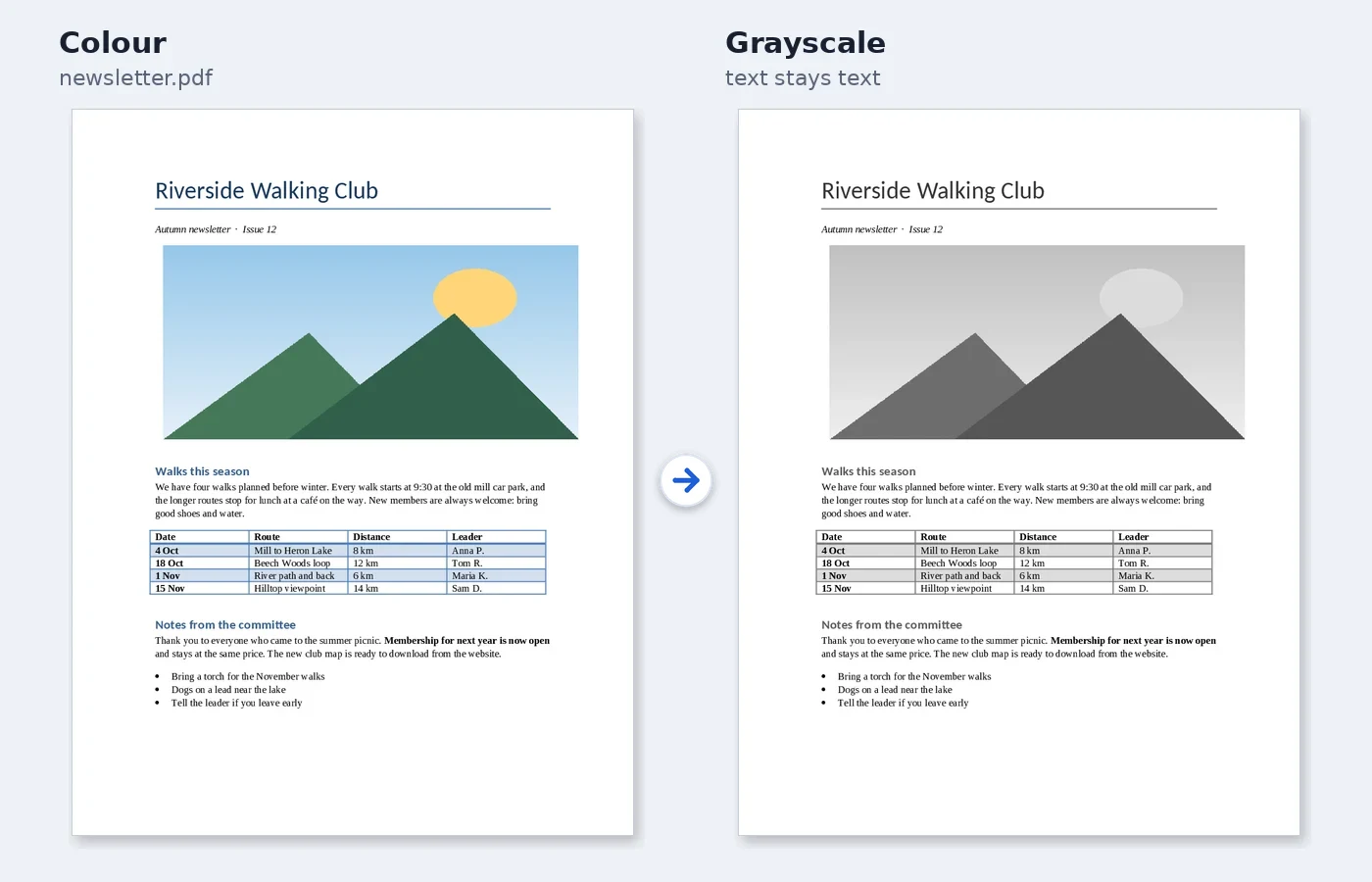
newsletter.pdfgrayscale.pdf
Colour newsletter in shades of grey
- Picture, table shading and headings turned grey
- Text stays searchable
- Prints the same on any printer
Sample newsletter we made ourselves, with made-up names and data, converted here and shown as they came out. Your own files are never shown to anyone.
How to make a PDF black and white
-
Step 1
Choose the PDF
Any PDF with colour: a report with charts, a scan, slides.
-
Step 2
Colours become grey
Ghostscript converts every colour on every page.
-
Step 3
Download
Check the previews and print or upload it.
Why convert a PDF to grayscale
Some submissions must be black and white: theses and court bundles in some places, applications that are printed and photocopied, documents for fax. Printing a colour PDF on a black-and-white laser printer can turn light colours into almost nothing and dark ones into black blocks, while a proper grey conversion keeps the differences visible, so you can check on screen what will come out. Office printers often charge colour pages even when the colour is a small logo; a grey PDF is counted as black and white. And scans in colour of black-and-white documents are larger than they need to be.
What changes and what does not
Ghostscript rewrites the PDF with all colour turned into grey: text colour, highlighted text, lines, charts, backgrounds and every picture. Each colour becomes the grey of its brightness, so a dark blue becomes dark grey and a yellow highlight a light grey. Text remains real text, so the PDF is still searchable and you can copy from it; pages, sizes and links are kept. The file is often a little smaller, because grey pictures need a third of the data of colour ones. Scanned documents, whose pages are pictures, are converted as well, so a colour scan of a printed letter becomes a proper grey scan. Forms, signatures drawn on the page and stamps simply turn grey with the rest; nothing is removed. The conversion takes a few seconds even for long documents, because the pages do not need to be drawn as pictures, only their colours rewritten.
Grey, black and white, or smaller
Grayscale keeps shades, which is right for photos and charts. If you need pure black and white with no grey at all, as for some fax services, PDF to TIFF with "Black and white" gives a CCITT G4 TIFF, the fax format. If the real goal is a smaller file, compress PDF shrinks pictures more than removing colour does; you can run both. Charts that tell lines apart only by colour can become hard to read in grey; check the previews.
Doing it while printing
If you just want a grey printout, most print dialogs have a "Black and white" or "Grayscale" option (in Windows under Printer Properties, on a Mac under the Color menu of the print dialog), so you do not need a new file at all. Convert the PDF itself when you must send or upload a grey file, or want to check how it will look first. Need the opposite, white text on black for reading at night? Invert PDF colours.
Privacy
The PDF goes to our server over an encrypted connection and is converted automatically; both files are deleted 24 hours later. Up to 200 MB. Password-protected PDFs must be unlocked first.
More free PDF tools and converters
- Merge PDF
- Split PDF
- Compress PDF
- Compress PDF to 100 KB
- Delete PDF pages
- Rotate PDF
- Extract PDF pages
- Reorder PDF pages
- Crop PDF
- Add page numbers
- Watermark PDF
- Sign PDF
- Protect PDF
- Unlock PDF
- OCR PDF
- Flatten PDF
- Invert PDF colors
- Remove PDF metadata
- PDF to Word
- Word to PDF
- PDF to Excel
- Excel to PDF
- PDF to PowerPoint
- PowerPoint to PDF
- JPG to PDF
- PNG to PDF
- Image to PDF
- PDF to JPG
- PDF to PNG
- PDF to text
- HTML to PDF
- PDF to EPUB
- PDF to PDF/A
- PDF to TIFF
- PDF to SVG
Questions about grayscale PDFs
Is the text still searchable?
Yes. Only colours change; text stays text.
Will the file be smaller?
Often a little, because grey pictures need less data. Use Compress PDF for a real reduction.
Can I get pure black and white?
Use PDF to TIFF with "Black and white" for a fax-style file without grey.
Are pictures converted too?
Yes, every picture on every page.
Is it free?
Yes, with no account.