Free No account · the file is deleted after 24 hours
DXF to SVG converter
Convert DXF to SVG here: the model space of an AutoCAD, LibreCAD, Fusion 360 or CAM drawing is drawn as a vector SVG at its real size, in its own colours or all black, ready for cutting machines that prefer SVG, for web pages and for editing in Inkscape or Illustrator.
or drop it here. One DXF drawing, up to 200 MB. Free, no account.
Convert your drawing
The file is sent over an encrypted connection to our server in Canada (OVHcloud, Beauharnois, Quebec), processed by a program there, and deleted with the result 24 hours later. Nobody looks at it.
A DXF drawing converted to SVG by FileOpens
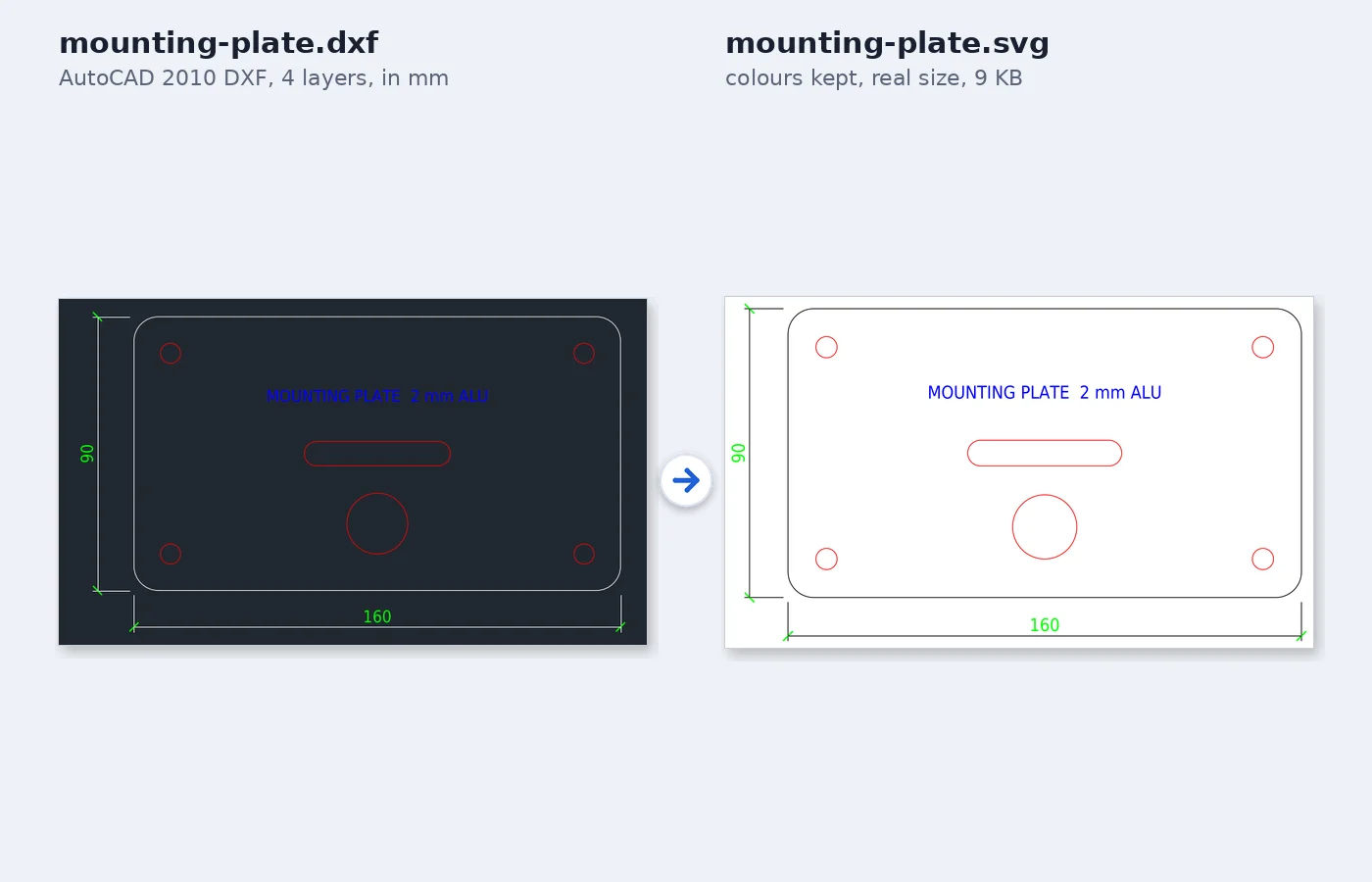
mounting-plate.dxfmounting-plate.svg
A mounting plate with holes and dimensions
- Layer colours kept, white lines black
- Real size in millimetres
- Text and dimensions drawn as outlines
A sample drawing we made ourselves, with made-up names, converted by this tool and shown as it came out. Files you upload are deleted after 24 hours and never shown to anyone.
How to convert DXF to SVG
-
Step 1
Choose the DXF
From AutoCAD, LibreCAD, Fusion 360, SolidWorks or a parts library.
-
Step 2
Pick the line colour
The drawing's colours, or all black.
-
Step 3
Download the SVG
At the drawing's real size.
Why convert DXF to SVG
DXF is the exchange format of CAD, but much of the design world speaks SVG. Glowforge and xTool Creative Space, Inkscape, Illustrator, Figma and every web browser read SVG, and the phone apps of Cricut Design Space take SVG but not DXF. Converting a part, a floor plan, a gasket or a sign template to SVG lets you open it in those tools, put it on a web page, or recolour it for a presentation.
Real size and units
The SVG gets the size of the drawing in millimetres, read from the units stored in the DXF; drawings in inches or metres are converted, and drawings without units are taken as millimetres. Open it in your cutter software and the part has the size it was drawn at. Very large drawings, such as building plans over 5 metres, and tiny ones under 1 millimetre are fitted on a 400 mm page instead, since nobody cuts them at that size; the result page shows the size.
What is drawn
Lines, polylines, arcs, circles, ellipses, splines, hatches and solid fills, blocks and their attributes, dimensions and text are drawn with their colours and line weights, using the drawing add-on of ezdxf, an open-source DXF library. Text becomes outlines, so it looks right without the CAD fonts. White lines, which are white only on AutoCAD's black screen, are drawn black. "All black" draws every line black, which is what most cutters and print shops want.
Limits
Only the model space is converted, not paper layouts with title blocks and viewports; for those, DXF to PDF prints every layout. 3D solids and surfaces are not drawn. DWG files are a different, closed format: save them as DXF in your CAD program first. To read what is in a drawing without converting, see how to open a DXF file. If you edit the SVG and need a DXF for a laser or CNC again, SVG to DXF converts it back with sizes kept and layers by colour. Keep the original DXF as well, since round trips turn curves into short straight pieces.
DXF to SVG for Cricut and Glowforge
For a cutting machine, choose "All black" so that every line is a cut line, then upload the SVG. Cricut Design Space may show the lines as a single cut image; ungroup or "Contour" to switch parts off. Glowforge and xTool read the size from the SVG, so the part comes in at the size it was drawn. Dimension lines and notes in the drawing are converted too, so delete them before cutting.
Privacy and limits
The file goes to our server over an encrypted connection, is processed automatically and is deleted with the result 24 hours later. Nobody looks at it. Up to 200 MB.
More free image converters
- Image converter
- Compress image
- JPG to PNG
- PNG to JPG
- JPEG to JPG
- Compress JPEG
- Compress PNG
- GIF to PNG
- PNG to GIF
- GIF to JPG
- JPG to GIF
- GIF maker
- Remove background
- Background eraser
- Make background transparent
- White background for photo
- Remove white background
- Resize image
- Crop image
- Rotate image
- Flip image
- Blur image
- Pixelate image
- Black and white photo
- Invert image colors
- Merge images
- Watermark image
- Add text to image
- Remove EXIF data
- EXIF viewer
- Change DPI
- Image to Base64
- Base64 to image
- MP4 to GIF
- Video to GIF
- GIF to MP4
- GIF compressor
- PNG to SVG
- JPG to SVG
- Image to SVG
- SVG to PDF
- Image to text
- PNG to DXF
- SVG to DXF
- HEIC to JPG
- HEIC to PNG
- HEIC to PDF
- HEIC viewer
- WebP to PNG
- WebP to JPG
- WebP to GIF
- WebP to PDF
- PNG to WebP
- JPG to WebP
- AVIF to PNG
- AVIF to JPG
- JFIF to JPG
- JFIF to PNG
- SVG to PNG
- SVG to JPG
- PNG to ICO
- ICO to PNG
- BMP to JPG
- BMP to PNG
- TIFF to JPG
- TIFF to PNG
- PSD viewer
- PSD to PNG
- PSD to JPG
- PSD to PDF
- AI to SVG
- AI to PNG
- Open AI file
- EPS to PNG
- DDS to PNG
- TGA to PNG
- TGA to JPG
- RAW to JPG
- CR3 to JPG
- CR2 to JPG
- NEF to JPG
Questions about DXF to SVG
Is the SVG at real size?
Yes, in millimetres from the drawing's units.
Are paper layouts converted?
No, the model space only; DXF to PDF prints the layouts.
Can I convert DWG?
No, save the DWG as DXF in your CAD program first.
Why are the lines black?
White CAD lines are drawn black; choose "All black" for every line.
Is text kept?
Yes, drawn as outlines so it looks right without CAD fonts.
Is it free?
Yes, with no account and no watermark.