Free No account · the file is deleted after 24 hours
Compress PDF to 100KB (or any size limit)
Compress PDF to 100KB, 200KB, 500KB or 1MB here when a visa, job or university portal will not take anything larger. Choose the limit; the tool tries stronger settings step by step until the file fits, and tells you honestly if it cannot.
or drop it here. Up to 200 MB in, as small as 100 KB out. Free, no account.
Your size limit
The file is sent over an encrypted connection to our server in Canada (OVHcloud, Beauharnois, Quebec), processed by a program there, and deleted with the result 24 hours later. Nobody looks at it.
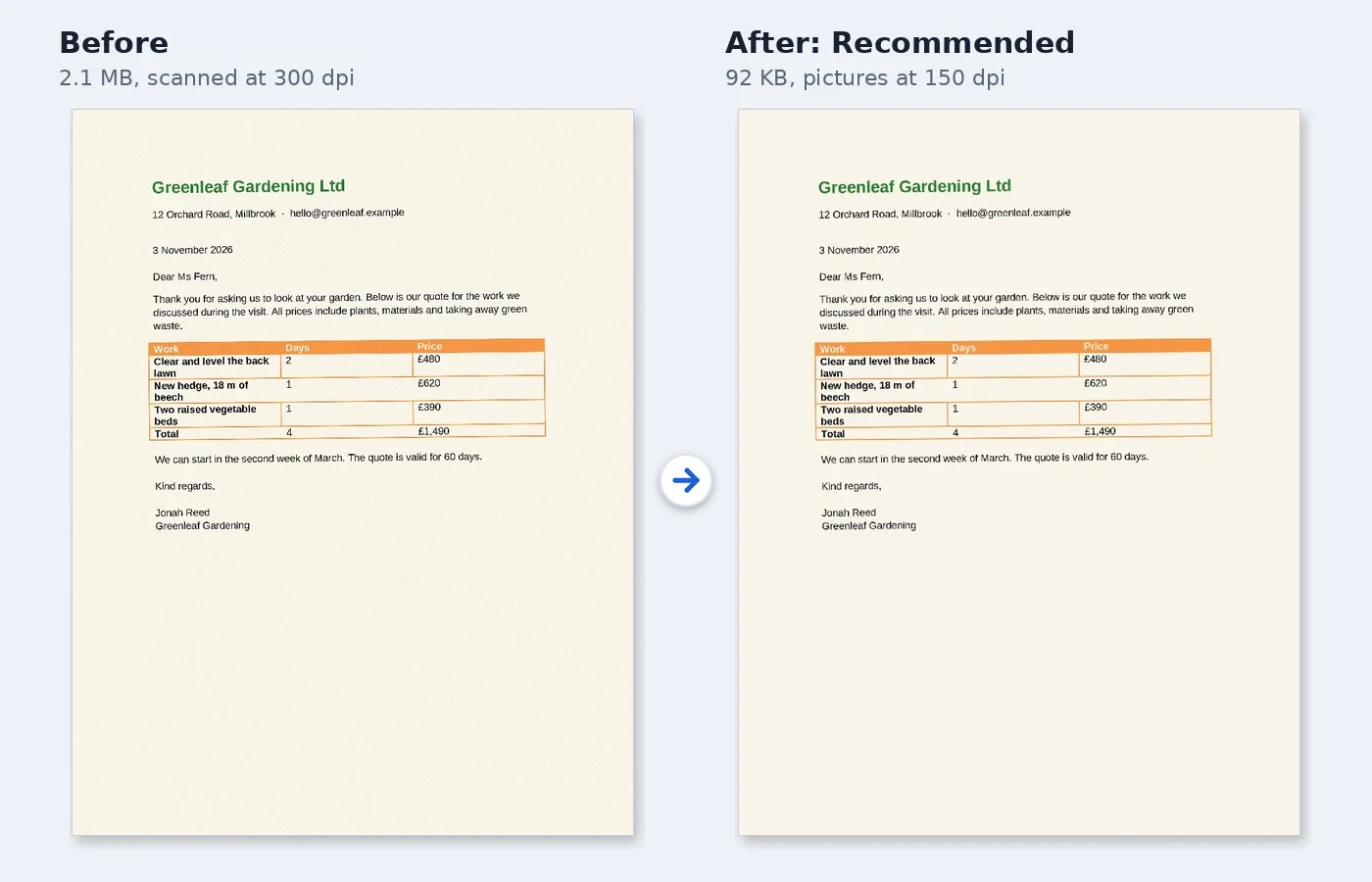
A scanned letter compressed by FileOpens
scanned-quote.pdfcompressed.pdf
A colour scan: 2.1 MB to 92 KB
- Scanned at 300 dpi, Recommended strength
- Pictures resampled to 150 dpi
- Fits a 100 KB upload limit
scanned-quote.pdfcompressed.pdf
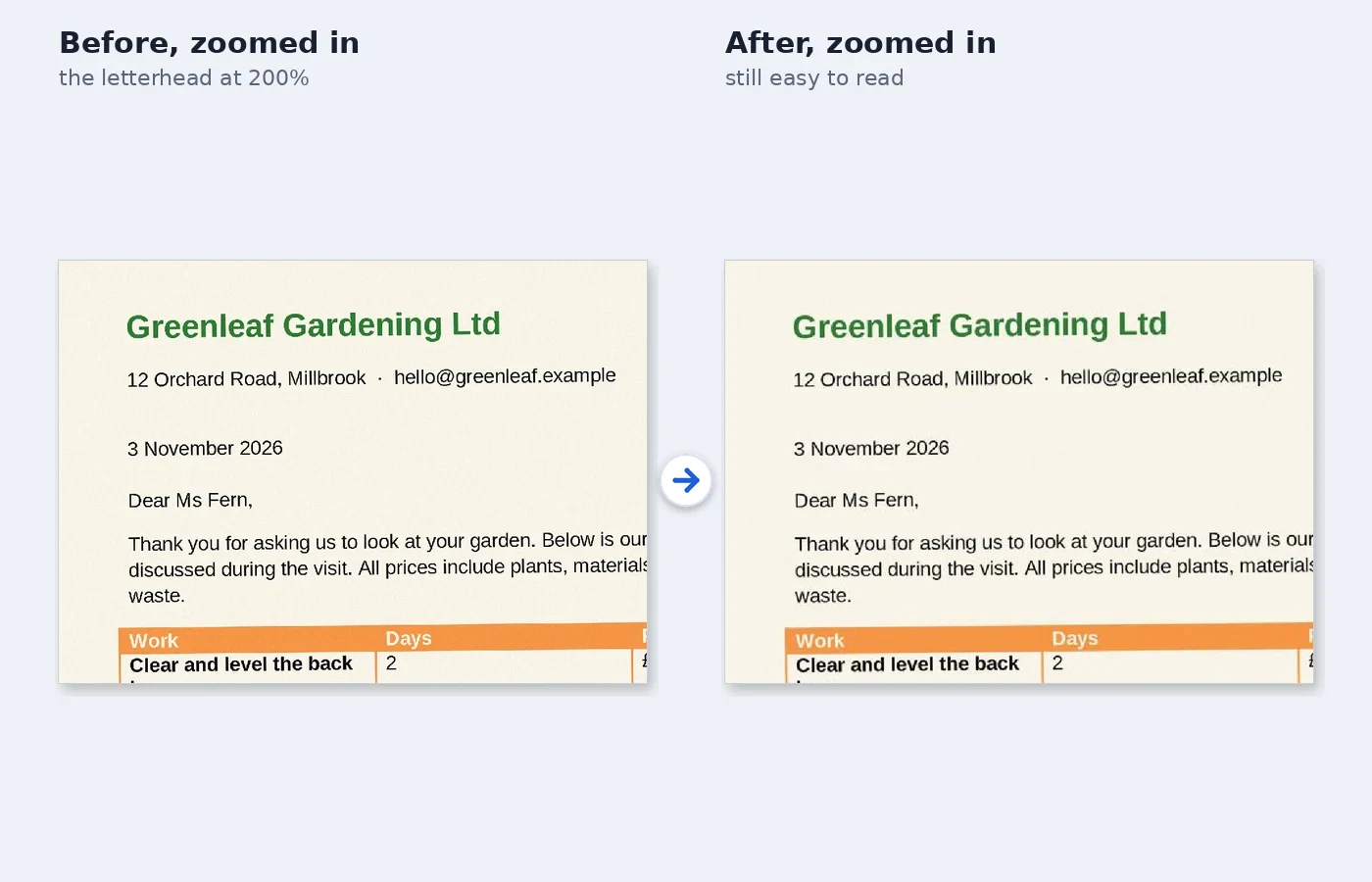
The same letter, zoomed in
- Letterhead and text still sharp
- No blocks or smudges
- Before and after at 200%
Sample letter we made ourselves, with made-up names and data, converted here and shown as they came out. Your own files are never shown to anyone.
How to get a PDF under 100 KB
-
Step 1
Choose the PDF
Usually a scan or photo of a document: those are the ones that are too big.
-
Step 2
Pick the limit
100 KB, 200 KB, 300 KB, 500 KB, 1 MB or 2 MB: whatever the form says.
-
Step 3
Download
You see the final size. If it could not get under the limit, the page says how close it got and why.
Why forms ask for 100 KB
Many official upload forms still have tiny limits: 100 KB for a passport photo or a signature, 200 KB or 500 KB for a certificate, 1 MB or 2 MB for a whole application. They were set years ago to save storage, and they have not changed. A single page scanned on a modern phone or scanner is easily 1 to 3 MB, so it is rejected straight away. The ordinary compress PDF tool lets you choose a strength; this page works the other way round. You give the limit, and it finds the strongest compression that is needed, but no stronger than that, so the document stays as readable as possible.
How we compress PDF to 100KB step by step
Ghostscript rebuilds the PDF several times, each time a little harder: first pictures at 150 dpi with normal JPEG quality, then lower quality, then 120, 96, 72 and 60 dpi, and as a last resort grey instead of colour at 50 and 40 dpi. It stops at the first result that fits under your limit. For a one-page scan, 100 KB is usually reached at about 96 dpi, which is still easy to read on screen. Text that is real text (not part of a scan) stays sharp whatever happens, because only pictures are resampled. If the colours had to go to reach the limit, the result page tells you, so you are not surprised when you open it.
When 100 KB is not possible
A long PDF cannot fit in 100 KB however hard it is squeezed: 20 scanned pages at 100 KB would be 5 KB a page, which is less than a readable picture of a page needs. In that case the tool stops before the pages become a grey blur and tells you the smallest size it reached. Then you have three choices: split the PDF and upload the parts separately if the form allows it, remove pages that are not needed (an empty back side of a scan, say), or scan again at a lower resolution, 150 dpi in black and white is plenty for a form. PDFs full of text and embedded fonts, with no pictures, are already small and cannot be compressed much further.
Getting a photo or scan under the limit from the start
If you are scanning for a form, set the scanner or the scanning app to 150 dpi and to greyscale or black and white; a page like that is often under 100 KB without any compression. On a phone, the Notes app on iPhone and Google Drive on Android both scan to PDF; their files are usually 300 KB to 1 MB a page, which this tool brings down easily. If you have photos rather than a PDF, put them into one PDF with JPG to PDF first, then compress the result here.
Privacy
Documents for forms are often personal: passports, certificates, bank letters. The file goes to our server over an encrypted connection, Ghostscript works on it automatically, and both the file and the result are deleted 24 hours later. Nobody opens it. PDFs locked with an open password need Unlock PDF first.
More free PDF tools and converters
- Merge PDF
- Split PDF
- Compress PDF
- Delete PDF pages
- Rotate PDF
- Extract PDF pages
- Reorder PDF pages
- Crop PDF
- Add page numbers
- Watermark PDF
- Sign PDF
- Protect PDF
- Unlock PDF
- OCR PDF
- Flatten PDF
- PDF to grayscale
- Invert PDF colors
- Remove PDF metadata
- PDF to Word
- Word to PDF
- PDF to Excel
- Excel to PDF
- PDF to PowerPoint
- PowerPoint to PDF
- JPG to PDF
- PNG to PDF
- Image to PDF
- PDF to JPG
- PDF to PNG
- PDF to text
- HTML to PDF
- PDF to EPUB
- PDF to PDF/A
- PDF to TIFF
- PDF to SVG
Questions about compressing a PDF to a size
Can any PDF be made 100 KB?
A page or two of scans, usually yes. Long scans often cannot without becoming unreadable; the tool then tells you the smallest size it reached.
Will it turn my PDF grey?
Only if colour pictures at a low resolution were still too big. The result page says when that happened.
Is 100 KB the same as 0.1 MB?
Close enough: forms usually mean 100 × 1024 bytes, and the tool aims below that, so the file passes either way.
What about a 1 MB or 2 MB limit?
Choose it in the list. A bigger limit means less compression and better pictures.
Is the text still searchable?
Yes, if it was searchable before. Only pictures are made smaller.