Discord chat export: save Discord chats as PDF
Have a Discord chat export and want to read it, print it or keep it? Upload it here: every channel and DM becomes a PDF with names, dates and times, plus an Excel list of every message.
- See the first pages free before you pay.
- Photos stay in the chat, where they were sent.
- Refund in one click if it is not usable.
- Deleted after 24 hours. Nobody looks at it.
A Discord channel converted by FileOpens
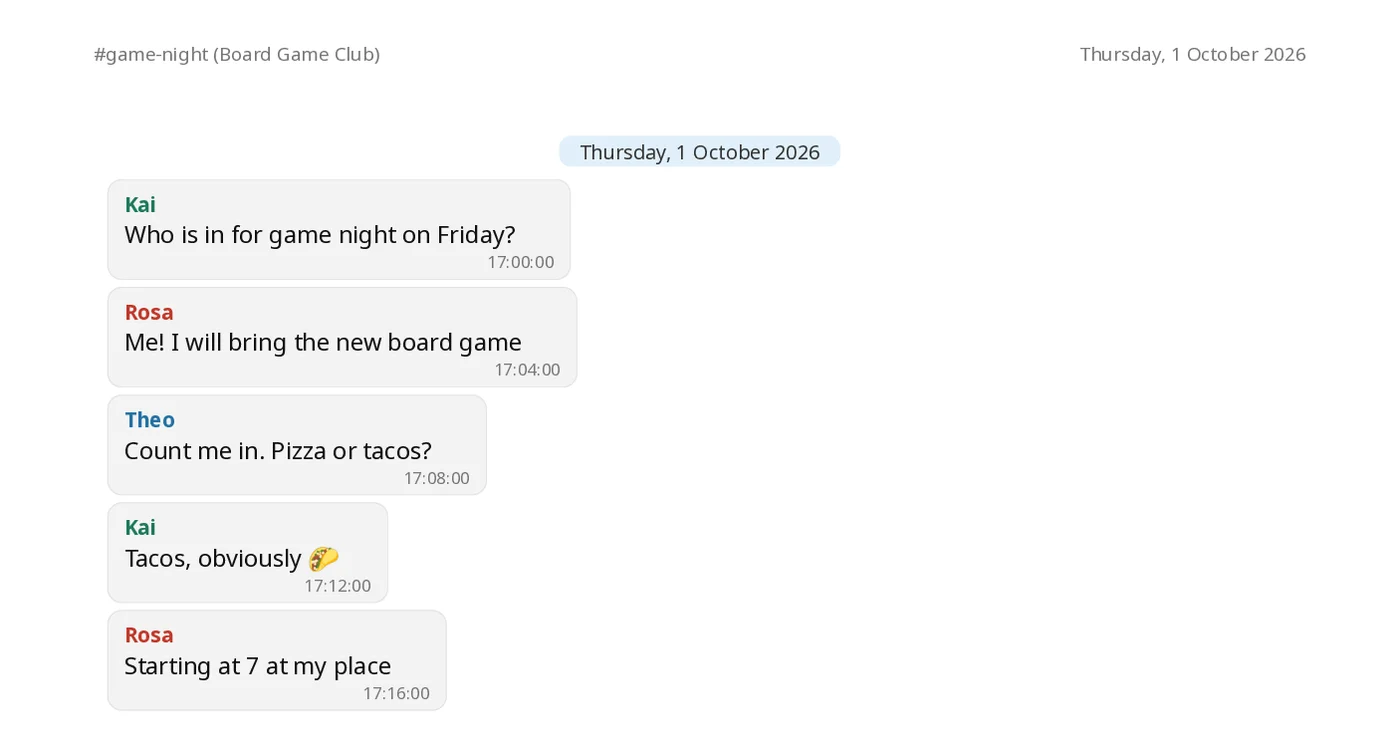
Board Game Club - game-night.jsongame-night.pdf + .xlsx
Server channel
- Nicknames in colour
- Every message with its time
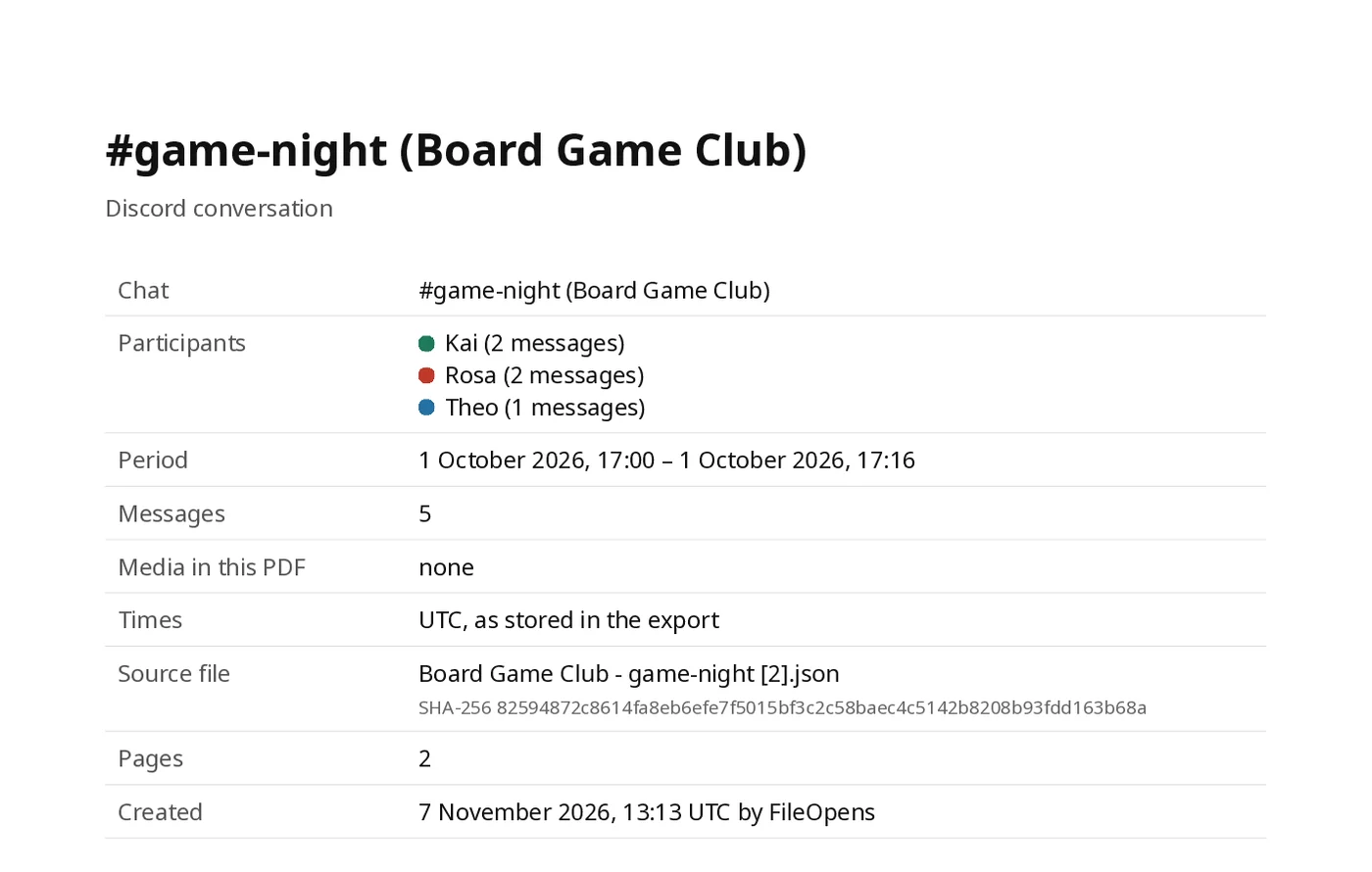
Board Game Club - game-night.jsongame-night.pdf + .xlsx
Cover page
- Server and channel name
- Messages per member
Sample export we made ourselves, with made-up names and data, converted here and shown as they came out. Your own files are never shown to anyone.
Chats people save as PDF
- Evidence for court or a lawyer
- Divorce and custody
- Disputes with a landlord or employer
- Business and client agreements
- Family groups and memories
- Chats with someone who has died
- Printing to keep
How to turn a Discord chat into a PDF
-
STEP 1
Get your Discord export
Data package from Discord, or a DiscordChatExporter file.
-
STEP 2
Upload it and look
Every channel is found; the cover and first pages appear free.
-
STEP 3
Pay once, download
One PDF with every channel, plus Excel. Refund in one click.
What you get back
- Every channel as a PDFMessages with names, dates and times, replies and reactions, a contents page and page numbers.
- Photos in placePhotos and stickers where they were sent, videos with a still frame, voice notes with their length.
- A cover pageParticipants, number of messages, the period, and the SHA-256 fingerprint of your export file.
- Every message in ExcelDate, time, sender and text in columns, to search, filter or quote.
- Servers, DMs and groupsEvery channel in the export, each starting on its own page.
Price
See the cover and the first pages free. Then $4.99 per export, with every channel in it: the PDF and the Excel file. One payment, no subscription, refund within 24 hours if it is not usable.
How to export Discord chats
Discord has no "export chat" button. There are two ways to get your messages out. The official one is your data package: in Discord open User Settings, go to Data & Privacy and choose Request your data, select Messages, and Discord e-mails you a .zip within up to 30 days. It holds every message you have sent, in every server channel, DM and group, one folder per conversation, but not what the others wrote. The second way is DiscordChatExporter, a free open-source program that saves whole channels, everyone's messages included, as HTML or JSON. Its own documentation warns that running it with a personal account token goes against Discord's terms, while using it with a bot on a server you manage is allowed.
What we read
Upload the data package .zip exactly as Discord sent it, or a DiscordChatExporter .json or .html file, or a .zip with several of them and their media folders. We recognise the format by itself. From a data package you get every conversation with your own messages, named after the channel or DM; from an exporter file you get the whole conversation with every author, replies, reactions, stickers, links, calls with their length and notices such as members joining.
Discord chat export as PDF: what it looks like
Each channel starts on a new page with its server and channel name, the people in it, the period and the number of messages. Messages appear as bubbles with the author's name, the time and the text; replies say who they answer, edited messages are marked, and reactions are listed under the message. Pictures that came with the export appear where they were posted. Attachments that are only links to Discord's servers, which expire, are named where they were posted so you know what was there. The cover lists every channel with its first page and the SHA-256 fingerprint of your export file, which helps when a chat is used as evidence in a dispute about harassment, a business deal or a community decision.
Why people save Discord chats
Servers get deleted, moderators remove channels, accounts are banned or closed, and old messages are hard to scroll back to. People save Discord chats to keep a record of a project or a community, to document harassment or scams for a report or a lawyer, to archive a server before it shuts down, or to keep conversations with a friend. A PDF reads and prints on any device without Discord, and the Excel file makes it easy to search, sort and quote.
Times and privacy
Data packages and JSON exports store times in UTC, and the PDF says so on the cover; HTML exports show the times the way the exporter wrote them. Your export is used only to make your PDF and Excel file and is deleted automatically after 24 hours. More chat apps: Slack export viewer, Telegram to PDF and WhatsApp to PDF.
More chat tools
Also on FileOpens
Questions about Discord chat exports
Can I export a Discord chat to PDF?
Yes. Get your Discord data package or a DiscordChatExporter file, upload it here and download a PDF of every channel, plus Excel. The first pages are free to see.
Does the data package include other people's messages?
No, only the messages you sent. For a whole conversation you need an export of the channel itself, for example from DiscordChatExporter used by a server admin with a bot.
Are images included?
Images that are inside the export appear in the PDF. Attachments that are only links to Discord are named where they were posted, so you can see what was shared and when.
How much does it cost?
The cover and the first pages are free to see. Then $4.99 per export, with every channel in it, for the PDF and the Excel file. Not usable? Refund within 24 hours.
What happens to my export?
It is used only to make your PDF and Excel file and is deleted automatically 24 hours after upload. Nobody reads it, and it is never shared.