Free Your PDF is not uploaded
Flatten PDF
Flatten PDF forms here: the fields you filled in, with their text, ticks and choices, become part of the page, so nobody can change them and every viewer shows them the same. It runs in your browser.
or drop it here. Up to 500 MB. Flattened on your device and never sent anywhere.
Your form
Everything happens in this browser tab: the PDF is not sent to FileOpens or anywhere else, and nothing is kept when you close the page.
A form flattened by FileOpens
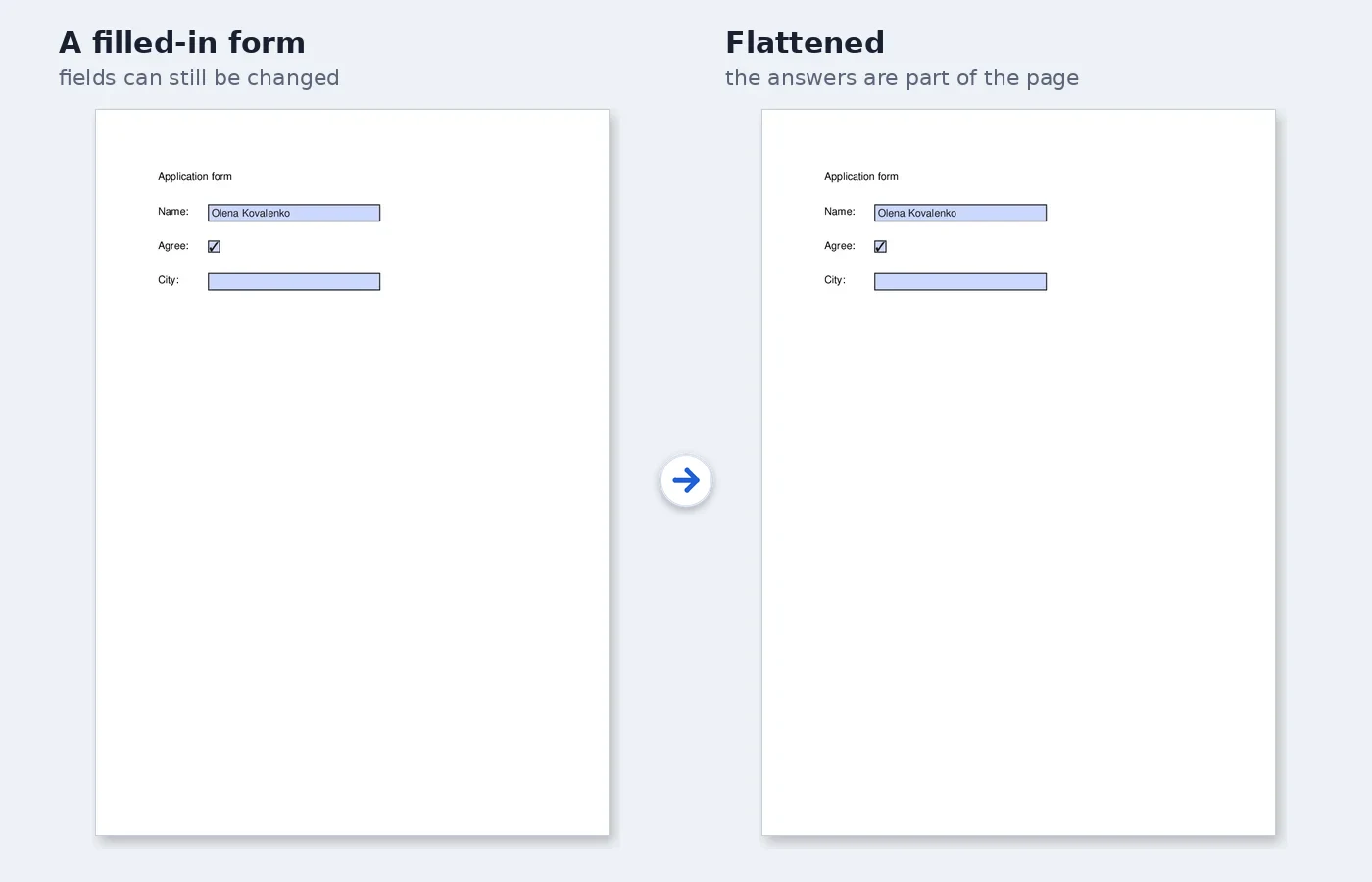
form.pdfform-flat.pdf
Filled-in form, flattened
- Looks the same
- The answers can no longer be changed
- Fields counted before you flatten
A sample form we made ourselves, with made-up names and data, opened in this tool and shown as it came out. Your own files stay on your device.
How to flatten a PDF form
-
Step 1
Fill in and save the form
In any PDF reader, then save it.
-
Step 2
Choose it here
It is opened in this browser tab and the fields are counted.
-
Step 3
Flatten and download
The fields become ordinary page content.
What flattening means
A fillable PDF form has fields floating over the page: boxes you can type in, tick boxes, drop-down lists, radio buttons. They stay editable after you fill them, so anyone who opens the file can change an amount or untick a box, and some viewers (older phones, some printing services, e-mail previews) show them empty or draw them differently. Flattening "prints" what is in the fields onto the page and removes the fields themselves. The result looks the same, but it is now ordinary page content: fixed, and shown identically by every viewer.
When to flatten PDF forms
Before you send a completed form, application, invoice or contract, so what you wrote cannot be altered and arrives as you saw it. Before you merge filled forms with other PDFs, because merged form fields can clash or vanish. Before printing through a service that ignores form fields. When a portal says your PDF "contains form fields" or "must not be editable". And after you sign a form with sign PDF, to make sure the rest of it is fixed too. Keep the unflattened original if you might need to change the answers later: flattening cannot be undone.
It runs in your browser
The flattening is done by pdf-lib, an open-source PDF library, in this browser tab. The PDF is read from your disk, changed in memory and saved to your downloads; it is never uploaded, so it is fine for tax forms and medical papers. The tool first counts the fields and how many are filled in, so you can see what will happen. If the PDF has no fields, it tells you, and there is nothing to do: the boxes you see are already part of the page.
What is flattened, and what is not
Text fields, tick boxes, radio buttons, lists and drop-downs are flattened with their current values. The values are drawn fresh in a standard font so they look right in every viewer; text in letters that font lacks (Cyrillic or Chinese, say) keeps the look the form already gave it. Comments, sticky notes, highlights and drawings (annotations) are not part of the form and are left as they are; the tool tells you if the PDF has any. A digital signature stops being valid when the document is flattened, because a flattened document is a changed document; flatten first, and apply a digital signature after. Password-protected PDFs need Unlock PDF first.
Other ways to flatten
Printing the form to a new PDF ("Microsoft Print to PDF" on Windows, "Save as PDF" on a Mac or in Chrome) flattens everything, but turns it into a new file in which links are lost and text may no longer be searchable. Adobe Acrobat's paid version can flatten with its Print Production tools. Here only the form is flattened; the rest of the PDF stays as it was.
More free PDF tools and converters
- Merge PDF
- Split PDF
- Compress PDF
- Compress PDF to 100 KB
- Delete PDF pages
- Rotate PDF
- Extract PDF pages
- Reorder PDF pages
- Crop PDF
- Add page numbers
- Watermark PDF
- Sign PDF
- Protect PDF
- Unlock PDF
- OCR PDF
- PDF to grayscale
- Invert PDF colors
- Remove PDF metadata
- PDF to Word
- Word to PDF
- PDF to Excel
- Excel to PDF
- PDF to PowerPoint
- PowerPoint to PDF
- JPG to PDF
- PNG to PDF
- Image to PDF
- PDF to JPG
- PDF to PNG
- PDF to text
- HTML to PDF
- PDF to EPUB
- PDF to PDF/A
- PDF to TIFF
- PDF to SVG
Questions about flattening PDFs
Is my PDF uploaded?
No. It is flattened in your browser and saved to your downloads.
Can I undo flattening?
No, the fields are gone. Keep the original if you may need to edit the answers.
Are comments flattened?
No, only form fields. Comments and highlights stay as they are.
Why does it say there is nothing to flatten?
The PDF has no fillable fields: the boxes are already part of the page.
Is it free?
Yes, with no account and no limits.