Free Your pictures are not uploaded
HEIC to PNG converter
Convert HEIC to PNG here when you need a lossless copy of an iPhone photo: for editing in Photoshop or Canva, for design work, or for printing. Each photo becomes a full-resolution PNG, right in your browser, without uploading anything.
or drop them here, as many as you like. .heic and .heif. Nothing is uploaded.
Your pictures
Everything happens in this browser tab: your pictures are not sent to FileOpens or anywhere else, and nothing is kept when you close the page.
A HEIC photo converted to PNG by FileOpens
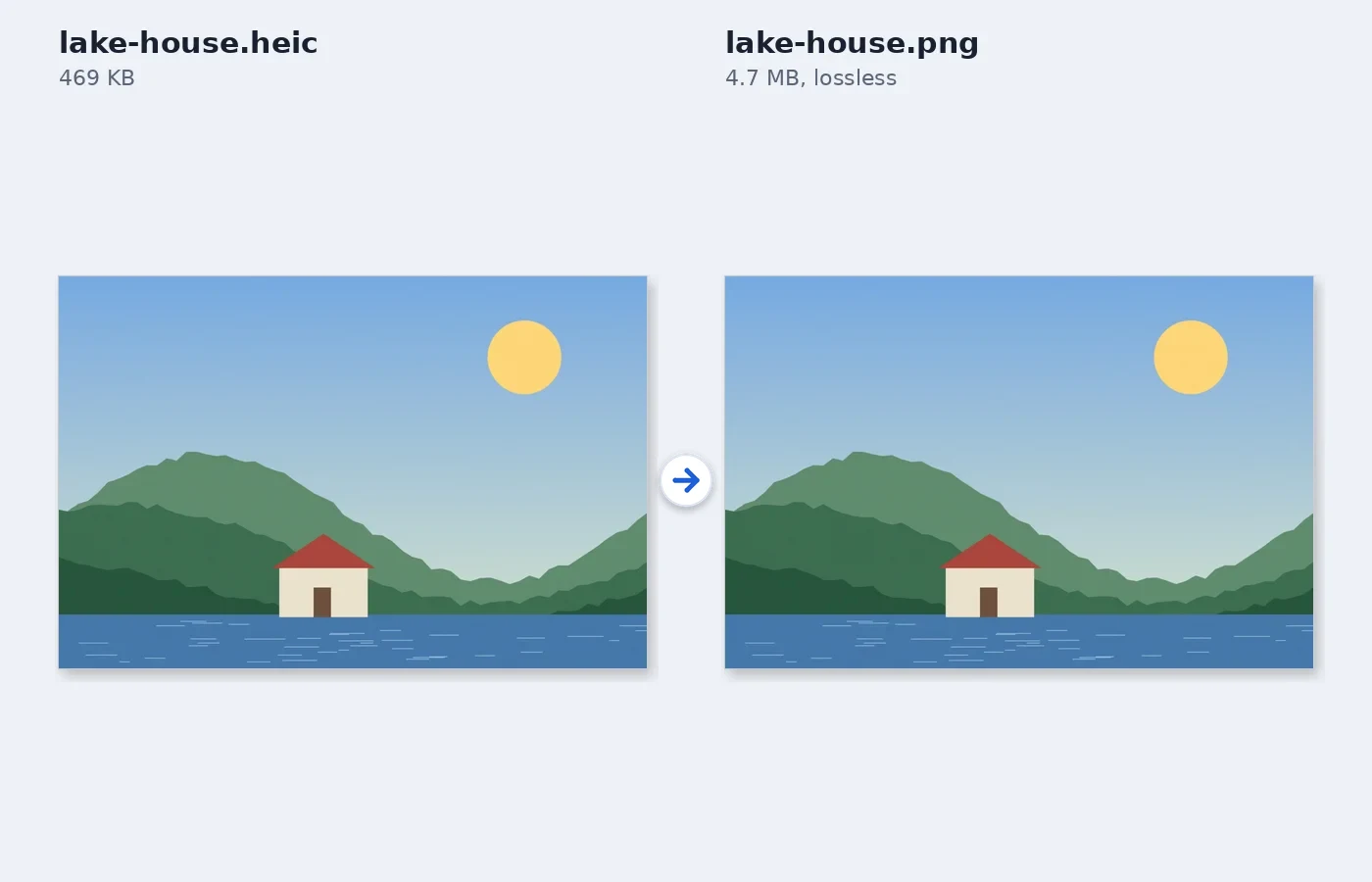
lake-house.heiclake-house.png
HEIC photo to lossless PNG
- Every pixel kept, 2400 × 1600
- 4.7 MB PNG from a 469 KB HEIC
- Lossless: no further loss when edited
A sample photo we made ourselves, with made-up names and data, opened in this tool and shown as it came out. Your own files stay on your device.
How to convert HEIC to PNG
-
Step 1
Choose the HEIC files
Photos, screenshots or stickers from an iPhone or iPad.
-
Step 2
Convert
Each one is decoded and saved as PNG at full size.
-
Step 3
Download
Click a file name, or take them all as one ZIP.
PNG or JPG: which one do you need?
Both open everywhere, but they are made for different jobs. JPG compresses with small losses, which makes photos compact; every time a JPG is edited and saved again, a little more detail goes. PNG is lossless: the picture is stored exactly, pixel for pixel, so you can edit and re-save it as often as you like. The price is size: a 12-megapixel iPhone photo is about 2 MB as HEIC, 3–4 MB as JPG, but 15–25 MB as PNG. So choose PNG when the picture will be edited, retouched, cut out or printed professionally, and HEIC to JPG when it will simply be shared or uploaded.
Pictures with transparency and fine detail
Not every HEIC is a plain camera photo. HEIF can store a transparent background, and some apps use it for cut-out subjects and graphics. JPG cannot store transparency and fills it with white; PNG keeps it. Fine detail such as text on a photographed sign or a whiteboard, sharp edges in a product shot, or a picture you will scale and sharpen later also survives better in PNG, without the faint blur and blocks that JPG compression leaves around edges. For both, PNG is the right target.
What happens to your photo
The HEIC is opened by libheif, the open-source HEIF library, running in this browser tab. The picture is turned upright as the camera recorded it, decoded at full resolution and written as an 8-bit RGB PNG, with transparency where the original had it. The camera details (EXIF), Live Photo motion and depth maps are not copied. iPhone photos taken in HDR store extra brightness information that a normal PNG cannot hold; the PNG shows the standard version of the picture, which is what most screens and printers show anyway.
HEIC to PNG on Mac and Windows without a converter
On a Mac, Preview converts one photo at a time: File > Export, Format: PNG. The Photos app on Windows can open HEIC once the HEIF and HEVC extensions are installed from the Microsoft Store, then Save as PNG. Photoshop opens HEIC on a Mac and, with the extensions, on Windows. This page converts many at once without installing anything, and because nothing is uploaded, it is also fine for private photos. Need the reverse direction for a website, smaller than PNG? See PNG to WebP.
Converting HEIC to PNG on an iPhone or Android phone
The page works on phones too. On an iPhone, tap the button, choose Photo Library or Browse, and pick the photos; iOS may offer to hand the page a JPG version instead, so if you want the original HEIC, choose the files from the Files app. The PNGs land in Downloads in the Files app, from where you can save them to Photos. On Android, HEIC photos usually arrive through email, chat or a cloud folder; open this page in Chrome, choose them from Files, and the PNGs appear in your Download folder. A phone has less memory than a computer, so convert large batches in a few rounds of ten or twenty photos.
More free image converters
- Image converter
- Compress image
- JPG to PNG
- PNG to JPG
- JPEG to JPG
- Compress JPEG
- Compress PNG
- GIF to PNG
- PNG to GIF
- GIF to JPG
- JPG to GIF
- GIF maker
- Remove background
- Background eraser
- Make background transparent
- White background for photo
- Remove white background
- Resize image
- Crop image
- Rotate image
- Flip image
- Blur image
- Pixelate image
- Black and white photo
- Invert image colors
- Merge images
- Watermark image
- Add text to image
- Remove EXIF data
- EXIF viewer
- Change DPI
- Image to Base64
- Base64 to image
- MP4 to GIF
- Video to GIF
- GIF to MP4
- GIF compressor
- PNG to SVG
- JPG to SVG
- Image to SVG
- SVG to PDF
- Image to text
- PNG to DXF
- SVG to DXF
- DXF to SVG
- HEIC to JPG
- HEIC to PDF
- HEIC viewer
- WebP to PNG
- WebP to JPG
- WebP to GIF
- WebP to PDF
- PNG to WebP
- JPG to WebP
- AVIF to PNG
- AVIF to JPG
- JFIF to JPG
- JFIF to PNG
- SVG to PNG
- SVG to JPG
- PNG to ICO
- ICO to PNG
- BMP to JPG
- BMP to PNG
- TIFF to JPG
- TIFF to PNG
- PSD viewer
- PSD to PNG
- PSD to JPG
- PSD to PDF
- AI to SVG
- AI to PNG
- Open AI file
- EPS to PNG
- DDS to PNG
- TGA to PNG
- TGA to JPG
- RAW to JPG
- CR3 to JPG
- CR2 to JPG
- NEF to JPG
Questions about HEIC to PNG
Why is the PNG so much bigger than the HEIC?
PNG stores every pixel without loss. HEIC and JPG throw away detail you would not see, so they are smaller.
Does PNG keep transparency?
Yes. Stickers and cut-outs with a transparent background stay transparent.
Is the full resolution kept?
Yes, the PNG has the same pixels as the photo.
Are my photos uploaded?
No. Everything happens in your browser.
Can I convert several at once?
Yes, and save them all as one ZIP.