Free Your pictures are not uploaded
GIF to PNG converter
Convert GIF to PNG here: a GIF becomes a PNG with its transparency kept, and an animated GIF can be split into one PNG per frame, delivered in a ZIP. Drop as many GIFs as you like; your browser does the work.
or drop them here, still or animated. Nothing is uploaded.
Your GIFs
Everything happens in this browser tab: your pictures are not sent to FileOpens or anywhere else, and nothing is kept when you close the page.
An animated GIF split into PNG frames by FileOpens
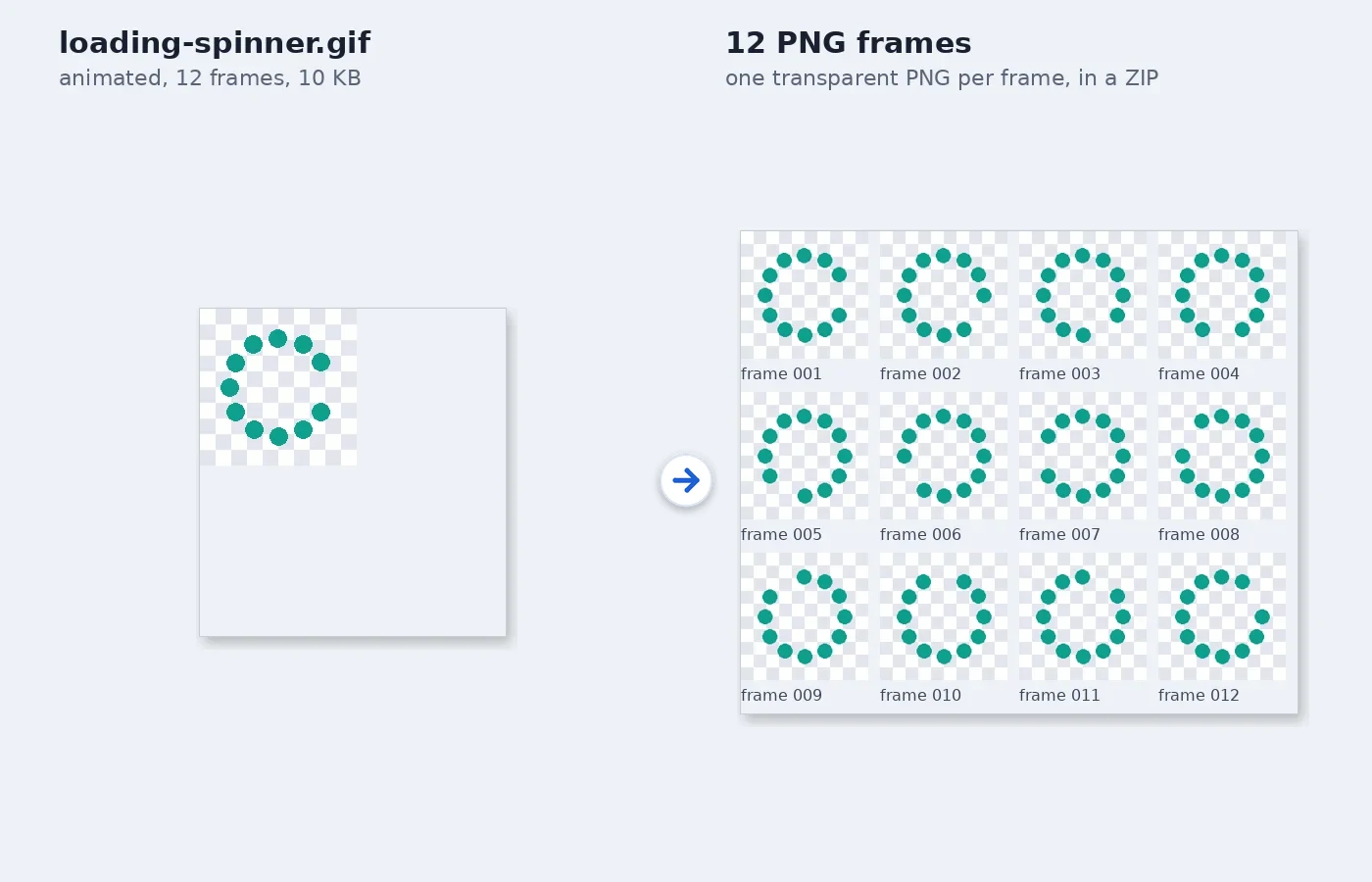
loading-spinner.gif12 PNGs
Every frame of a loading spinner
- 12 frames, 12 PNGs in a ZIP
- Transparency kept
A sample animation we made ourselves, with made-up names and data, opened in this tool and shown as it came out. Your own files stay on your device.
How to convert GIF to PNG
-
Step 1
Choose the GIFs
Logos, icons, stickers, animations, old web graphics.
-
Step 2
First frame or all
Tick the box to get every frame of an animation.
-
Step 3
Download
The PNGs one by one, or all in a ZIP.
Why convert GIF to PNG
GIF is from 1987 and can show only 256 colours at a time, with on-or-off transparency. PNG was created in 1996 as its replacement: it keeps the same pixels exactly, supports smooth transparency and is accepted by every editor and document. People convert GIF to PNG to edit an old logo or icon, to use a frame of an animation as a still picture or thumbnail, or because a site or program does not accept GIF.
Animated GIFs: one frame or every frame
By default, you get the first frame of an animation as a PNG, which is what most people want for a thumbnail or a cover picture. Tick "save every frame" and each frame becomes its own PNG, named frame001, frame002 and so on, in a ZIP: useful for sprite sheets, for picking the best moment, or for editing the animation frame by frame. Reading individual frames uses a feature of Chrome, Edge and Firefox 133 or later; in Safari you get the first frame.
Transparency and colours
Where the GIF is transparent, the PNG is transparent too, so logos and stickers still sit cleanly on any background. Colours are copied exactly; converting does not add colours the GIF never had, so a grainy GIF stays grainy, but it will not get worse when you edit and save the PNG. Frames of animations that only store the changed part of the picture are drawn complete, as you see them in the animation.
Other ways
Paint on Windows and Preview on a Mac open a GIF and save the first frame as PNG. Splitting an animation into frames otherwise needs GIMP or a video editor. For a JPG instead of PNG, use GIF to JPG; to go back, PNG to GIF also builds animations from several pictures.
GIF to PNG for stickers and emoji
Chat stickers, Discord and Slack emoji, and small web icons are often found as GIFs. Platforms that need a still picture usually want PNG with transparency, often at sizes like 128 × 128 or 512 × 512. Converting keeps the transparency of the sticker exactly, so it sits cleanly on dark and light themes. If the GIF is smaller than the size you need, enlarge it afterwards in an editor using "nearest neighbour" scaling for pixel art, so it stays crisp instead of blurry. The PNG also opens in every sticker maker and design app, which is not always true of GIF.
Private
Your GIFs are read in the browser and never uploaded.
More free image converters
- Image converter
- Compress image
- JPG to PNG
- PNG to JPG
- JPEG to JPG
- Compress JPEG
- Compress PNG
- PNG to GIF
- GIF to JPG
- JPG to GIF
- GIF maker
- Remove background
- Background eraser
- Make background transparent
- White background for photo
- Remove white background
- Resize image
- Crop image
- Rotate image
- Flip image
- Blur image
- Pixelate image
- Black and white photo
- Invert image colors
- Merge images
- Watermark image
- Add text to image
- Remove EXIF data
- EXIF viewer
- Change DPI
- Image to Base64
- Base64 to image
- MP4 to GIF
- Video to GIF
- GIF to MP4
- GIF compressor
- PNG to SVG
- JPG to SVG
- Image to SVG
- SVG to PDF
- Image to text
- PNG to DXF
- SVG to DXF
- DXF to SVG
- HEIC to JPG
- HEIC to PNG
- HEIC to PDF
- HEIC viewer
- WebP to PNG
- WebP to JPG
- WebP to GIF
- WebP to PDF
- PNG to WebP
- JPG to WebP
- AVIF to PNG
- AVIF to JPG
- JFIF to JPG
- JFIF to PNG
- SVG to PNG
- SVG to JPG
- PNG to ICO
- ICO to PNG
- BMP to JPG
- BMP to PNG
- TIFF to JPG
- TIFF to PNG
- PSD viewer
- PSD to PNG
- PSD to JPG
- PSD to PDF
- AI to SVG
- AI to PNG
- Open AI file
- EPS to PNG
- DDS to PNG
- TGA to PNG
- TGA to JPG
- RAW to JPG
- CR3 to JPG
- CR2 to JPG
- NEF to JPG
Questions about GIF to PNG
Can I get every frame of an animated GIF?
Yes, tick the box and you get one PNG per frame in a ZIP.
Is transparency kept?
Yes, transparent parts of the GIF stay transparent in the PNG.
Will the colours improve?
No, the PNG shows exactly the GIF's colours; it just stops further losses.
Does it work in Safari?
Yes for the first frame; every frame needs Chrome, Edge or Firefox 133+.
How are the frame files named?
name-frame001.png, name-frame002.png and so on, in order.
Can I convert many GIFs at once?
Yes, drop them all; with frames ticked, each GIF gives its own set of PNGs.
Are my files uploaded?
No, everything happens in your browser.