Free No account needed
PS to PDF: convert PostScript files
Convert PS to PDF here, free: a PostScript document becomes a PDF with every page, its paper size and fonts, and text you can search, ready to open, send or print on any device.
- Free. No account, no watermark.
- See the pages right on this site.
- Deleted after 24 hours. Nobody reads it.
A PostScript file converted by FileOpens
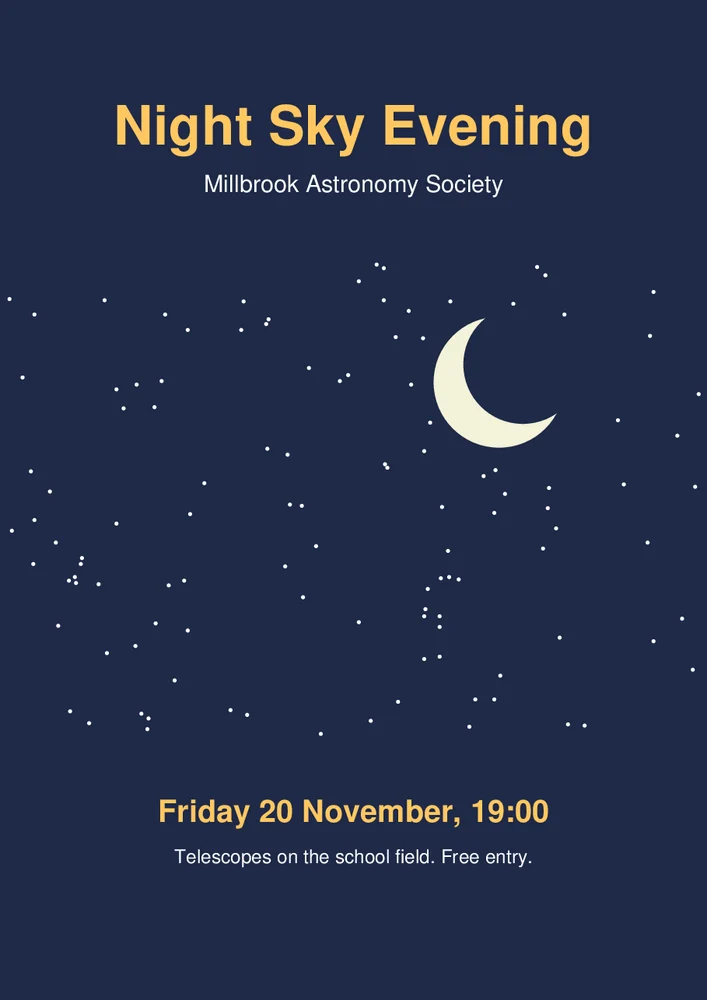
poster.psposter.pdf
Poster, page 1
- A4 as set in the file
- Fonts and colours
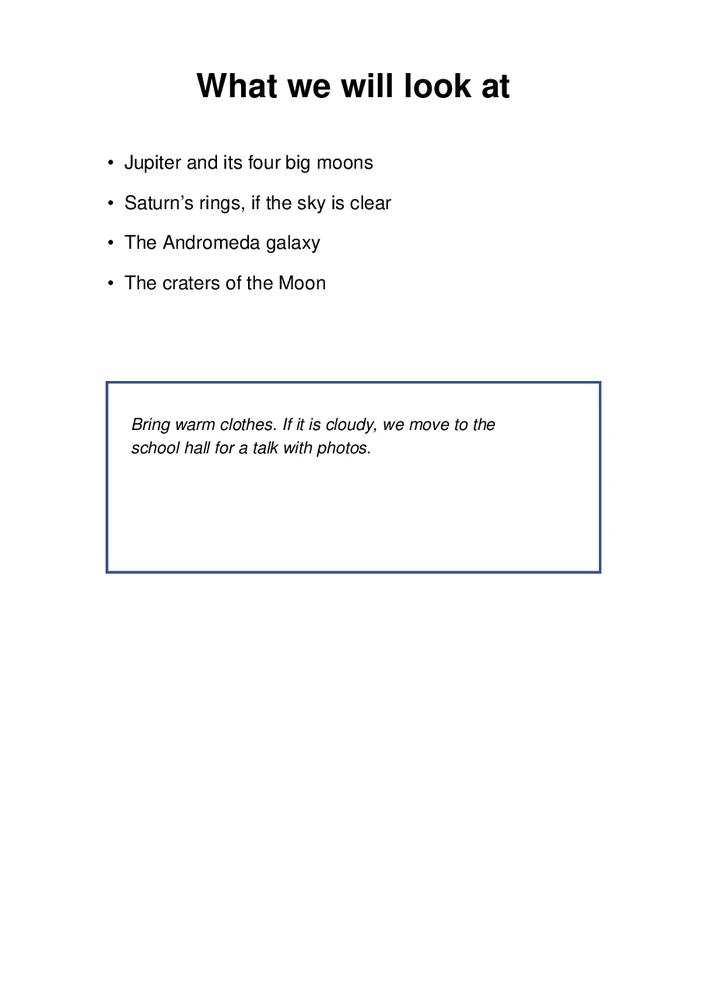
poster.psposter.pdf
Page 2
- Every page
- Searchable text
Sample poster we made ourselves, with made-up names and data, converted here and shown as they came out. Your own files are never shown to anyone.
What you get
- Every pageA multi-page PostScript document becomes one PDF with all its pages.
- Paper size keptLetter, A4 or any size set in the file; EPS drawings are cropped to fit.
- Searchable textText stays text where the file used real fonts, so you can search and copy it.
- Safe modeGhostscript runs the file locked down: it cannot read or write anything else.
What a PS file is
PostScript is the page language Adobe created in 1984 for laser printers. A .ps file is a program that describes each page, and for years it was how documents travelled to printers and print shops. You still meet it as the output of "Print to file" on Windows and Linux, in LaTeX and scientific papers on arXiv, from CAD, chart and statistics programs, and in old document archives. PDF grew out of PostScript and has replaced it almost everywhere.
Why PS files no longer open
Only programs with a PostScript interpreter can show a .ps file. Windows never had one. On a Mac, Preview converted PostScript to PDF for decades until macOS Ventura (2022) removed it. Phones, browsers and Office do not open it either. On Linux, viewers built on Ghostscript still work, and the ps2pdf command converts a file if Ghostscript is installed. Without that, the quickest way is to convert PS to PDF here.
How to convert PS to PDF here
Choose the .ps file above. Ghostscript, the same engine behind ps2pdf, draws every page and saves it as a PDF in a few seconds. Paper sizes set in the document are kept, so a US Letter file stays Letter and an A4 file stays A4; a file without a size gets A4. The first pages appear on this site, and then you download the whole PDF, free, with no account and no watermark.
Text, fonts and pictures
Text written with ordinary fonts usually stays text in the PDF, so you can search and copy it; fonts included in the PostScript are embedded in the PDF, and the standard printer fonts are replaced with metric-compatible free fonts, so line breaks do not move. Vector drawings stay vectors and pictures keep their resolution. Scanned pages and text drawn with bitmap fonts stay pictures, with nothing to search. A print-to-file made for a specific printer in that printer's own language (PCL) is not PostScript and will be refused.
Privacy and related tools
A PostScript file is a program, so it runs in Ghostscript's safe mode and cannot touch anything else on our server; a file that never stops drawing is cut off. Your file is deleted 24 hours after upload. Logos and single drawings? See EPS to PDF. Windows print files in XPS? See XPS to PDF.
Also on FileOpens
Questions about PS to PDF
Is this the same as ps2pdf?
Yes, in effect. It uses Ghostscript, the program behind the ps2pdf command, with no installation.
How do I open a PS file on Windows?
Windows has no PostScript viewer. Convert the file to PDF here and open it in Edge or any PDF reader.
Can I convert a .prn print-to-file?
If the printer driver was a PostScript one, rename the .prn to .ps and convert it. Files for PCL printers are not PostScript and cannot be converted here.
Is it really free?
Yes: no account, no watermark, no limit on the number of files. We make our money converting old document formats such as Publisher and Works files.
What happens to my file?
It is used only to make your PDF and is deleted automatically 24 hours after upload. Nobody looks at it.