Free Your pictures are not uploaded
WebP to GIF converter
Convert WebP to GIF here: animated WebP stickers, memes and short clips become ordinary GIF animations that play in email, chat apps, slides and older programs. Still WebP pictures become a single-frame GIF. All in your browser.
or drop them here. Animated or still. Nothing is uploaded.
Your WebP files
Everything happens in this browser tab: your pictures are not sent to FileOpens or anywhere else, and nothing is kept when you close the page.
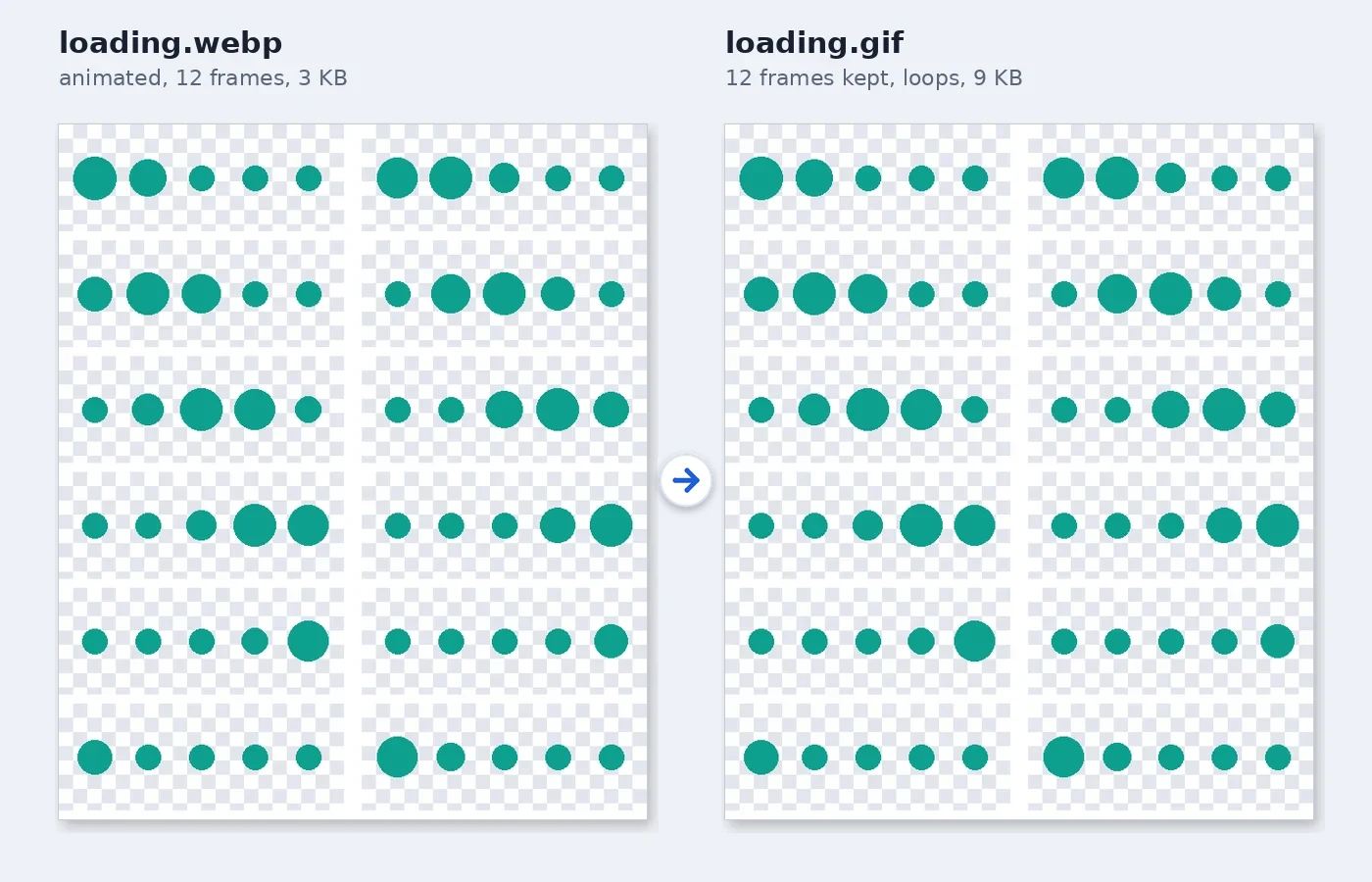
An animated WebP converted to GIF by FileOpens
loading.webploading.gif
Animated WebP to GIF
- All 12 frames kept with their timing
- Loops forever
- Transparent background kept
A sample animation we made ourselves, with made-up names and data, opened in this tool and shown as it came out. Your own files stay on your device.
How to turn an animated WebP into a GIF
-
Step 1
Choose the .webp
A sticker, a reaction, a short animation saved from the web.
-
Step 2
Convert
Every frame is read with its timing and written into a GIF.
-
Step 3
Download
The GIF loops like the original.
Where animated WebP comes from
WebP can hold animations, and since it is much smaller than GIF, many websites, sticker packs and messaging apps use it instead. When you save such an animation, you get a .webp that moves in your browser but often shows as a still picture, or not at all, in email programs, PowerPoint, older chat apps, forum software and image editors. GIF is the old format for little animations, and it plays practically everywhere, which is why people convert back.
How WebP to GIF conversion works
Chrome and Edge can read an animated WebP frame by frame through a browser feature called ImageDecoder; the page uses it to take every frame with its own display time, then writes them into an animated GIF with the GIF encoder gifenc. The GIF loops forever, like most WebP animations. In browsers without ImageDecoder (Safari, and Firefox in many versions), the page can only read the first frame, so you get a still GIF; it tells you how many frames it found, so you know. For animations, open this page in Chrome or Edge. Still WebP pictures convert in every browser.
What GIF changes
GIF is from 1987 and can show at most 256 colours in each frame. For cartoon stickers, text and flat graphics that is plenty; for photographic clips, colours are reduced and fine gradients can look grainy. Transparency in GIF is all or nothing, so soft shadows and semi-transparent edges become either solid or invisible. And GIF compresses far less than WebP: expect the GIF to be several times bigger. If you only need a still picture, WebP to PNG keeps full colour and transparency.
Uses
Putting a reaction or sticker into a PowerPoint or Keynote slide, an email newsletter or a Slack or Teams message that does not animate WebP; uploading to a forum that accepts only GIF; editing frames in an older animation program. For a video file instead of a GIF, keep the WebP or record the screen: converting to MP4 is a different job.
Private, no limits
Nothing is uploaded: frames are decoded and the GIF is built in this tab, then saved to your downloads. Long animations with hundreds of large frames can take a little while and make a big GIF; the page reads at most 600 frames. Other formats to GIF are not on this page; for WebP to a document, see WebP to PDF.
WebP stickers from messaging apps
Sticker packs in WhatsApp and Signal are stored as WebP files, and Telegram uses WebP for its still stickers. If you export or save such a sticker, this page turns it into a GIF that you can paste into email, a slide or a chat app that does not take stickers. Animated stickers in Telegram use a different format (TGS or WebM), which this page does not read. Respect the creator's rights when you reuse stickers outside the app.
More free image converters
- Image converter
- Compress image
- JPG to PNG
- PNG to JPG
- JPEG to JPG
- Compress JPEG
- Compress PNG
- GIF to PNG
- PNG to GIF
- GIF to JPG
- JPG to GIF
- GIF maker
- Remove background
- Background eraser
- Make background transparent
- White background for photo
- Remove white background
- Resize image
- Crop image
- Rotate image
- Flip image
- Blur image
- Pixelate image
- Black and white photo
- Invert image colors
- Merge images
- Watermark image
- Add text to image
- Remove EXIF data
- EXIF viewer
- Change DPI
- Image to Base64
- Base64 to image
- MP4 to GIF
- Video to GIF
- GIF to MP4
- GIF compressor
- PNG to SVG
- JPG to SVG
- Image to SVG
- SVG to PDF
- Image to text
- PNG to DXF
- SVG to DXF
- DXF to SVG
- HEIC to JPG
- HEIC to PNG
- HEIC to PDF
- HEIC viewer
- WebP to PNG
- WebP to JPG
- WebP to PDF
- PNG to WebP
- JPG to WebP
- AVIF to PNG
- AVIF to JPG
- JFIF to JPG
- JFIF to PNG
- SVG to PNG
- SVG to JPG
- PNG to ICO
- ICO to PNG
- BMP to JPG
- BMP to PNG
- TIFF to JPG
- TIFF to PNG
- PSD viewer
- PSD to PNG
- PSD to JPG
- PSD to PDF
- AI to SVG
- AI to PNG
- Open AI file
- EPS to PNG
- DDS to PNG
- TGA to PNG
- TGA to JPG
- RAW to JPG
- CR3 to JPG
- CR2 to JPG
- NEF to JPG
Questions about WebP to GIF
Does the animation keep playing?
Yes in Chrome and Edge: every frame and its timing go into the GIF. Other browsers give the first frame only.
Why does the GIF look grainier?
GIF has 256 colours per frame. Photos and gradients lose some smoothness; stickers and text look the same.
Why is the GIF bigger?
GIF compresses much less than WebP, often several times.
Are my files uploaded?
No, the GIF is made in your browser.
Does the GIF loop?
Yes, it repeats forever.