Free No account · the file is deleted after 24 hours
PDF to TIFF converter
Convert a PDF to TIFF here: all pages go into one multi-page TIFF, in colour, greyscale or black and white (CCITT G4, the fax format), at 200 or 300 dpi. Free, no account.
or drop it here. Up to 200 MB, 500 pages. Free, no account.
TIFF settings
The file is sent over an encrypted connection to our server in Canada (OVHcloud, Beauharnois, Quebec), processed by a program there, and deleted with the result 24 hours later. Nobody looks at it.
A PDF converted to TIFF by FileOpens
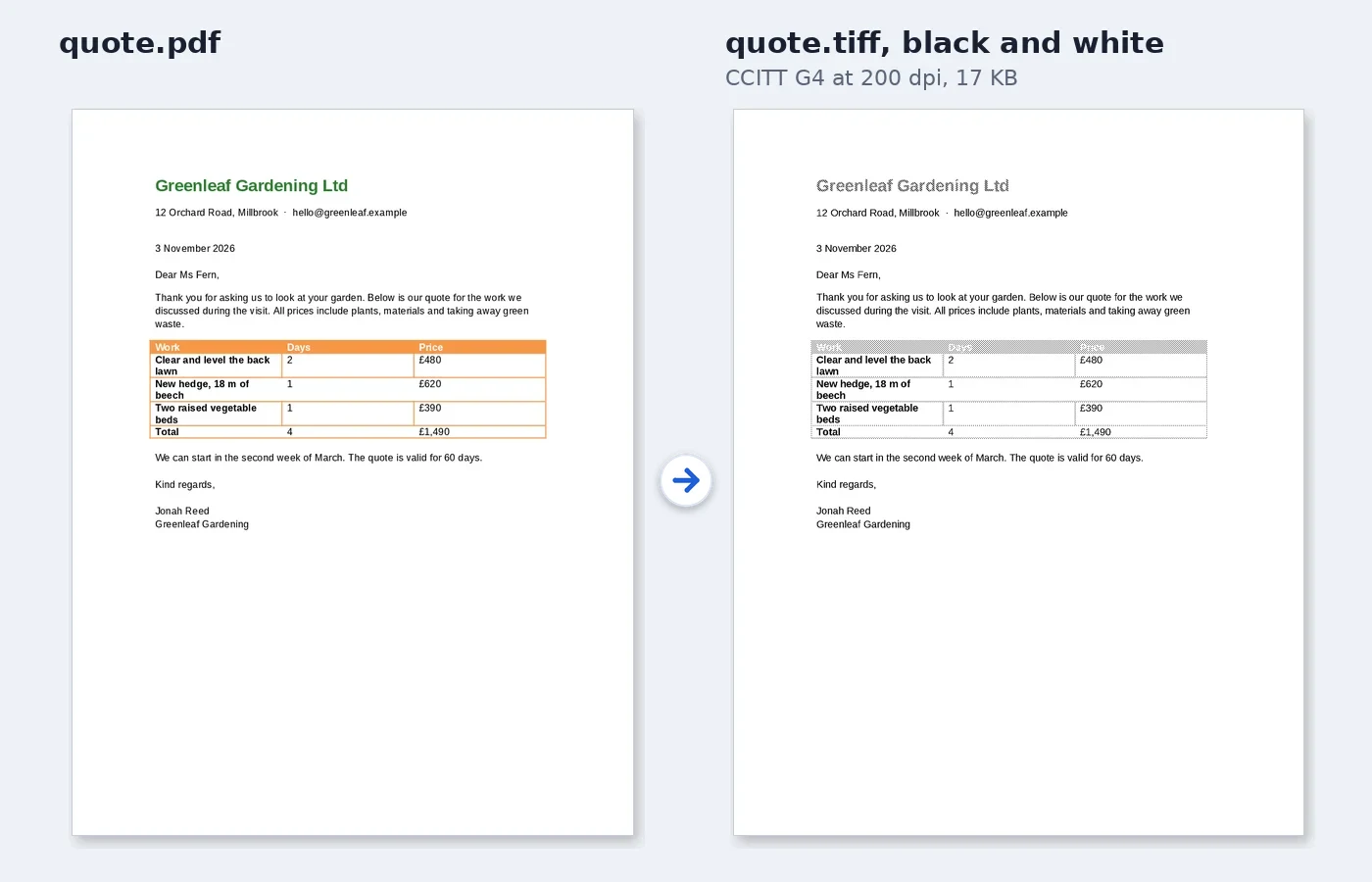
quote.pdfquote.tiff
Black-and-white TIFF for fax
- CCITT G4 at 200 dpi
- 17 KB for a full page
- Colours become black or white
Sample letter we made ourselves, with made-up names and data, converted here and shown as they came out. Your own files are never shown to anyone.
How to convert a PDF to TIFF
-
Step 1
Choose the PDF
The document a fax service, archive or older document system wants as TIFF.
-
Step 2
Choose colours and resolution
Black and white G4 for fax and archives, colour for photos.
-
Step 3
Download the .tiff
One file with every page, in order.
Why convert PDF to TIFF: who still asks for it
TIFF is the oldest common format for scanned documents, and many systems built around it are still in use: internet fax services, which send black-and-white TIFF pages; document management and archiving systems in insurance, health care and government; patent and trademark offices that have long taken drawings as TIFF; and some printing and imaging workflows. When one of them refuses a PDF, it usually wants exactly what this tool makes: one multi-page TIFF with every page as a picture.
Which settings to choose
Black and white makes a 1-bit TIFF compressed with CCITT Group 4, the fax standard: very small (often 20–60 KB a page at 200 dpi) and accepted by every fax and archive system. Choose it for text documents. Greyscale keeps shades, for documents with photos or shaded tables, with lossless LZW compression. Colour is a 24-bit TIFF with LZW, for anything where colour matters; it gets large, several megabytes a page. As for resolution, 200 dpi is the fax standard ("fine") and plenty for reading; 300 dpi suits archives and later OCR.
What carries over
TIFF is a picture format, so each page becomes an image of exactly how the page looks: text, fonts, drawings and photos drawn at the resolution you chose, with smooth edges. What a picture cannot keep: the text layer (the TIFF is not searchable), links, bookmarks and form fields. Pages of different sizes keep their own size in the TIFF. If you need separate image files rather than one TIFF, PDF to PNG and PDF to JPG make one picture per page right in your browser. Sizes to expect: a text page in black and white at 200 dpi is around 30 KB, the same page in greyscale 300 to 600 KB, and in colour 1 to 3 MB; at 300 dpi each is about twice as big. For fax and archives, black and white is almost always the right choice. A scanned PDF converts like any other: its page pictures are simply written out again at the resolution you choose, so choosing a higher resolution than the scan had does not add detail.
Opening a multi-page TIFF
On Windows, the Photos app shows only the first page of a multi-page TIFF; the older Windows Photo Viewer, IrfanView and most fax and document programs show all of them. On a Mac, Preview shows every page in its sidebar. To turn a TIFF back into a PDF, use TIFF to PDF.
Privacy and limits
The PDF goes to our server over an encrypted connection and is converted by Ghostscript automatically; both files are deleted 24 hours later. Up to 200 MB and 500 pages. Password-protected PDFs need Unlock PDF first.
More free PDF tools and converters
- Merge PDF
- Split PDF
- Compress PDF
- Compress PDF to 100 KB
- Delete PDF pages
- Rotate PDF
- Extract PDF pages
- Reorder PDF pages
- Crop PDF
- Add page numbers
- Watermark PDF
- Sign PDF
- Protect PDF
- Unlock PDF
- OCR PDF
- Flatten PDF
- PDF to grayscale
- Invert PDF colors
- Remove PDF metadata
- PDF to Word
- Word to PDF
- PDF to Excel
- Excel to PDF
- PDF to PowerPoint
- PowerPoint to PDF
- JPG to PDF
- PNG to PDF
- Image to PDF
- PDF to JPG
- PDF to PNG
- PDF to text
- HTML to PDF
- PDF to EPUB
- PDF to PDF/A
- PDF to SVG
Questions about converting PDF to TIFF
Do I get one TIFF or one per page?
One multi-page TIFF with every page, in order.
Which setting is right for fax?
Black and white at 200 dpi: a CCITT G4 TIFF, the fax standard.
Is the TIFF searchable?
No, TIFF holds pictures only. Keep the PDF for searching.
Why does Windows show only one page?
The Photos app shows the first page only. Use Windows Photo Viewer, IrfanView or your fax program.
Is it free?
Yes, with no account.