Instagram chat to PDF, every conversation
Download your messages from Instagram, drop the .zip here, and get an Instagram chat PDF: every conversation with names, dates, times and photos, plus all messages in Excel.
- See the first pages free before you pay.
- Photos stay in the chat, where they were sent.
- Refund in one click if it is not usable.
- Deleted after 24 hours. Nobody looks at it.
An Instagram chat converted by FileOpens
instagram-alex.reads-2026-08-22.zipchat.pdf + .xlsx
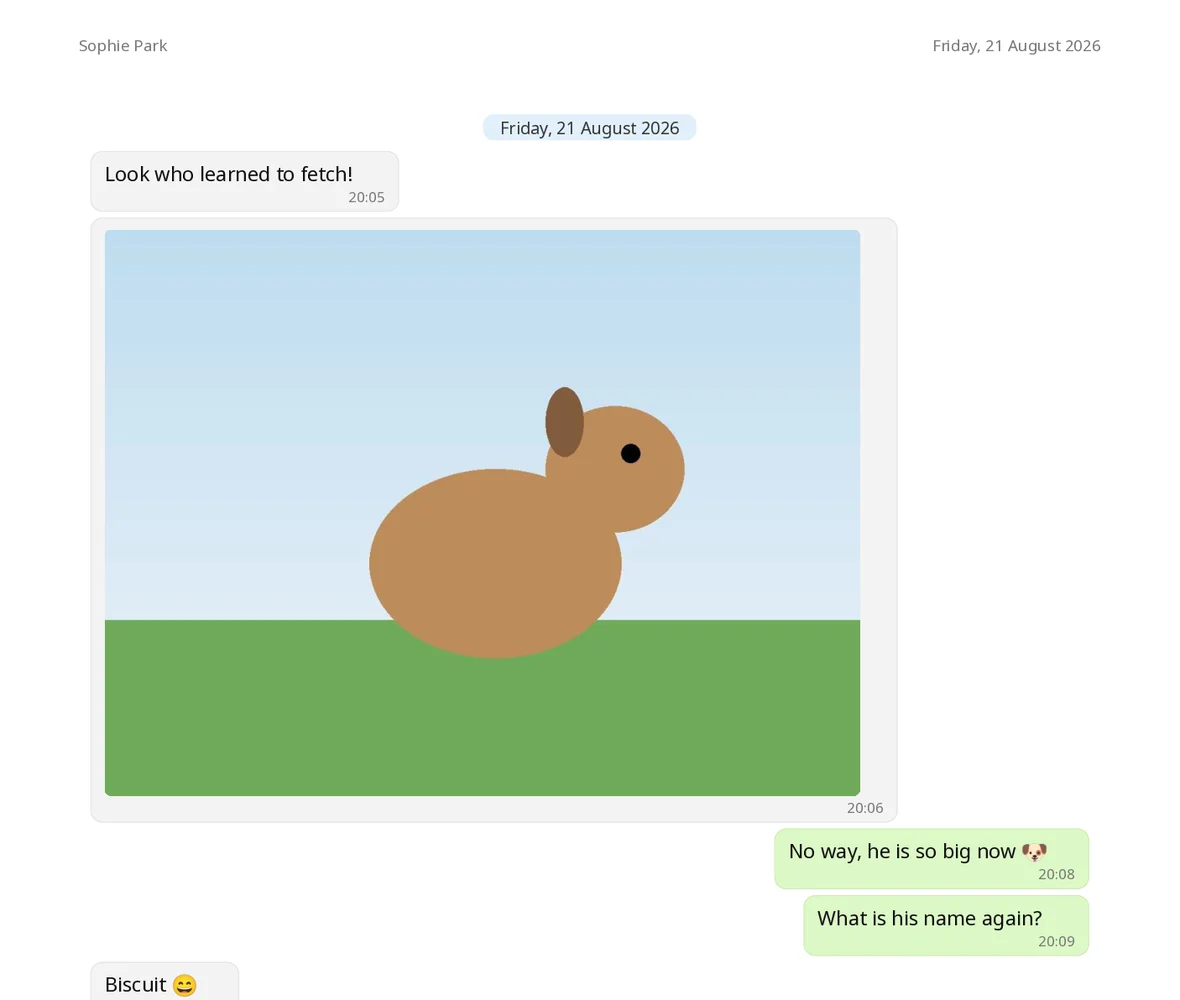
Direct messages with a photo
- Names as Instagram shows them
- Photo from the download
- Oldest message first
instagram-alex.reads-2026-08-22.zipchat.pdf + .xlsx
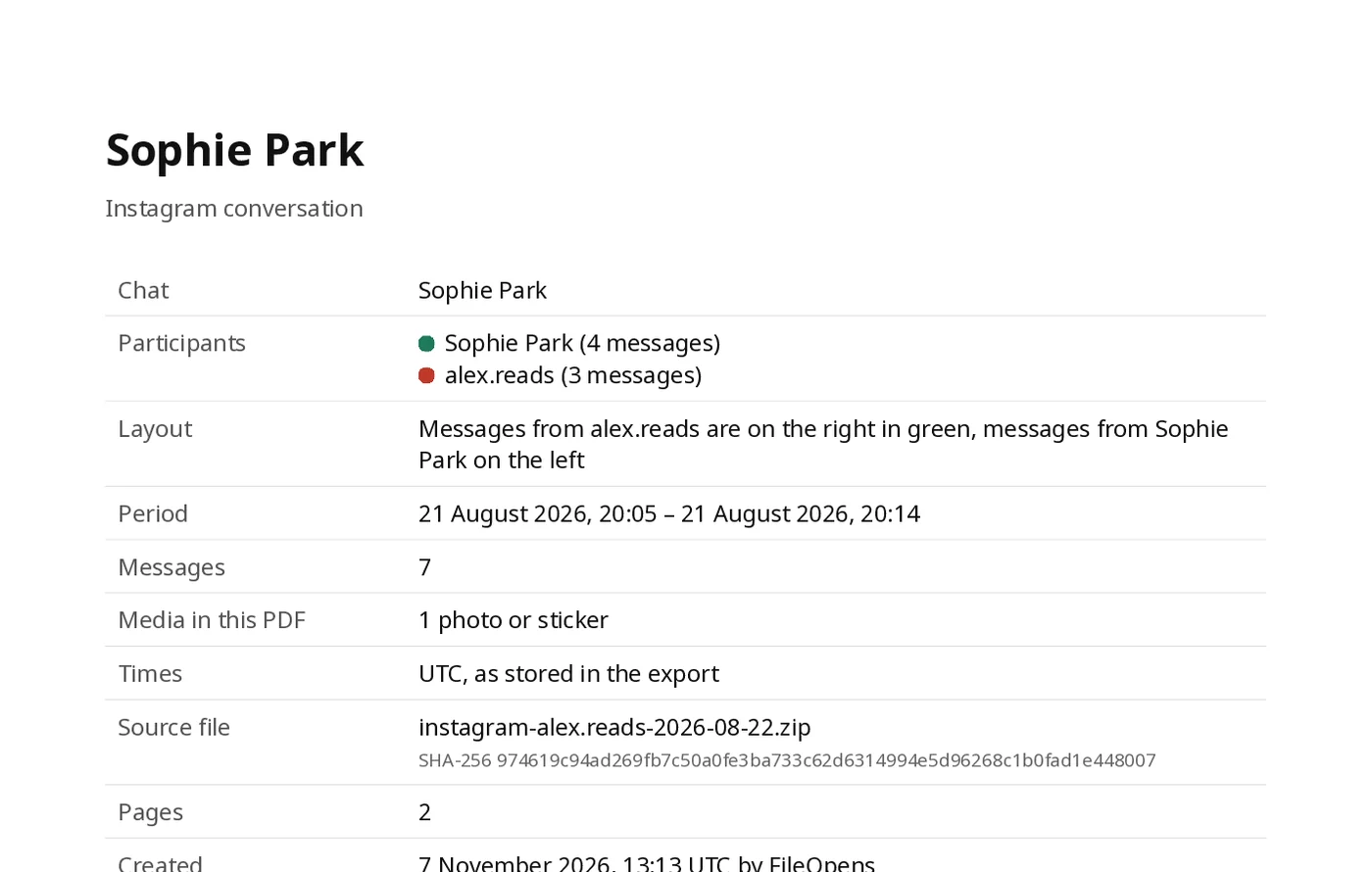
Cover page
- Every conversation in the download
- Message and photo count
Sample chat we made ourselves, with made-up names and data, converted here and shown as they came out. Your own files are never shown to anyone.
Chats people save as PDF
- Evidence for court or a lawyer
- Divorce and custody
- Disputes with a landlord or employer
- Business and client agreements
- Family groups and memories
- Chats with someone who has died
- Printing to keep
How to turn your Instagram messages into a PDF
-
STEP 1
Download your information
Accounts Center > Download your information > Messages.
-
STEP 2
Upload the .zip and look
Every conversation is found; the first pages appear free.
-
STEP 3
Pay once, download
One PDF with all conversations, plus Excel. Refund in one click.
What you get back
- Every conversation as a PDFAll your DMs in one file, each from a new page, with contents on the first page.
- Photos in placePhotos and stickers where they were sent, videos with a still frame, voice notes with their length.
- A cover pageParticipants, number of messages, the period, and the SHA-256 fingerprint of your export file.
- Every message in ExcelDate, time, sender and text in columns, to search, filter or quote.
- JSON or HTMLBoth formats Instagram offers, in any language, with emoji.
Price
See the cover and the first pages free. Then $4.99 for the whole download, however many conversations it holds: the PDF and the Excel file. One payment, no subscription, refund within 24 hours if it is not usable.
How to export an Instagram chat
Instagram has no export button inside a chat. Instead, it gives you a copy of your data: in the app open your profile > ☰ > Accounts Center > Your information and permissions > Download your information. Choose Download or transfer information, your Instagram account, Some of your information, and tick Messages. Pick Download to device, a date range, JSON or HTML as the format and the media quality, then create the files. Instagram prepares them and lets you know when they are ready; download the .zip from the same screen and upload it here without unpacking it.
What is in the download
One folder per conversation, under messages/inbox, with the messages in files called message_1.json or message_1.html and the photos, videos and voice messages next to them. JSON stores the text in a way that turns accents and emoji into odd characters such as "é" when you open it; here they are put right. The messages are also stored newest first; the PDF reads them oldest first, like the app.
What the PDF looks like
The first page lists every conversation with its number of messages and the page where it starts, the dates covered, how many photos, videos and voice messages are inside, and the SHA-256 fingerprint of your download. Each conversation then starts on a new page with the people in it, followed by the messages day by day. In a chat with one person, your messages are on the right in green. Photos, stickers and GIFs appear where they were sent; videos as a still frame; shared posts and reels as their link; reactions under the message. The Excel file has one sheet per conversation.
Times and missing messages
In a JSON download, times are stored in UTC, and the PDF shows them in UTC and says so on the first page; an HTML download already shows your local time. Messages that were unsent are marked as such; messages deleted before the download are not in it. Media is only there if you included it, in the quality you chose. For WhatsApp chats see WhatsApp to PDF; for Facebook, Messenger chat to PDF.
Large downloads and many conversations
An account with years of DMs can make a download of several gigabytes, mostly photos and videos. Uploads of up to 4 GB go up in pieces and carry on by themselves if the connection drops. Conversations are ordered by length, the longest first, and the free preview shows the first pages, so you can check that the chat you need is in the download before paying anything. A big download takes a few minutes to read; the page updates by itself when it is ready.
For a dispute or a report
People keep DMs as proof of harassment, a scam, an agreement with a brand or a buyer, or a falling-out that ended up with a lawyer. The PDF reproduces the download exactly, in order and with its dates, and records the fingerprint of the file it came from. Keep the original .zip; what a court or the police accept depends on where you are, so ask them or your lawyer.
Privacy
Your download is used only to make the PDF and the Excel file, and is deleted automatically 24 hours after upload, together with the results. Nobody reads your messages.
More chat tools
Also on FileOpens
Questions about Instagram messages
Can I export just one conversation?
Instagram downloads all your messages together. Upload the whole .zip: every conversation goes into the PDF, each from a new page, and the first page tells you where each one starts.
JSON or HTML?
Both work. JSON is the more exact of the two; with JSON, times are shown in UTC.
Why do the accents look wrong when I open the JSON myself?
Instagram writes the text in a way most programs misread. The PDF and the Excel file show it correctly.
My download came in several parts. What do I do?
Upload the part that holds the messages folder; if the conversations are spread over parts, put the messages folders into one .zip and upload that.
How much does it cost?
The first pages are free to see. Then $4.99 for the whole download, PDF and Excel. Not usable? Refund within 24 hours.