Free Your pictures are not uploaded
Add text to image
Add text to images here: type a caption, label, quote or meme line, place it at the top, middle or bottom, and choose bold white letters with a black outline, plain coloured text, or text on a dark band. The preview updates as you type, and everything happens in your browser.
or drop them here. JPG, PNG, WebP, HEIC, AVIF, GIF, BMP, TIFF. Nothing is uploaded.
Your pictures
Everything happens in this browser tab: your pictures are not sent to FileOpens or anywhere else, and nothing is kept when you close the page.
Text added to a picture by FileOpens
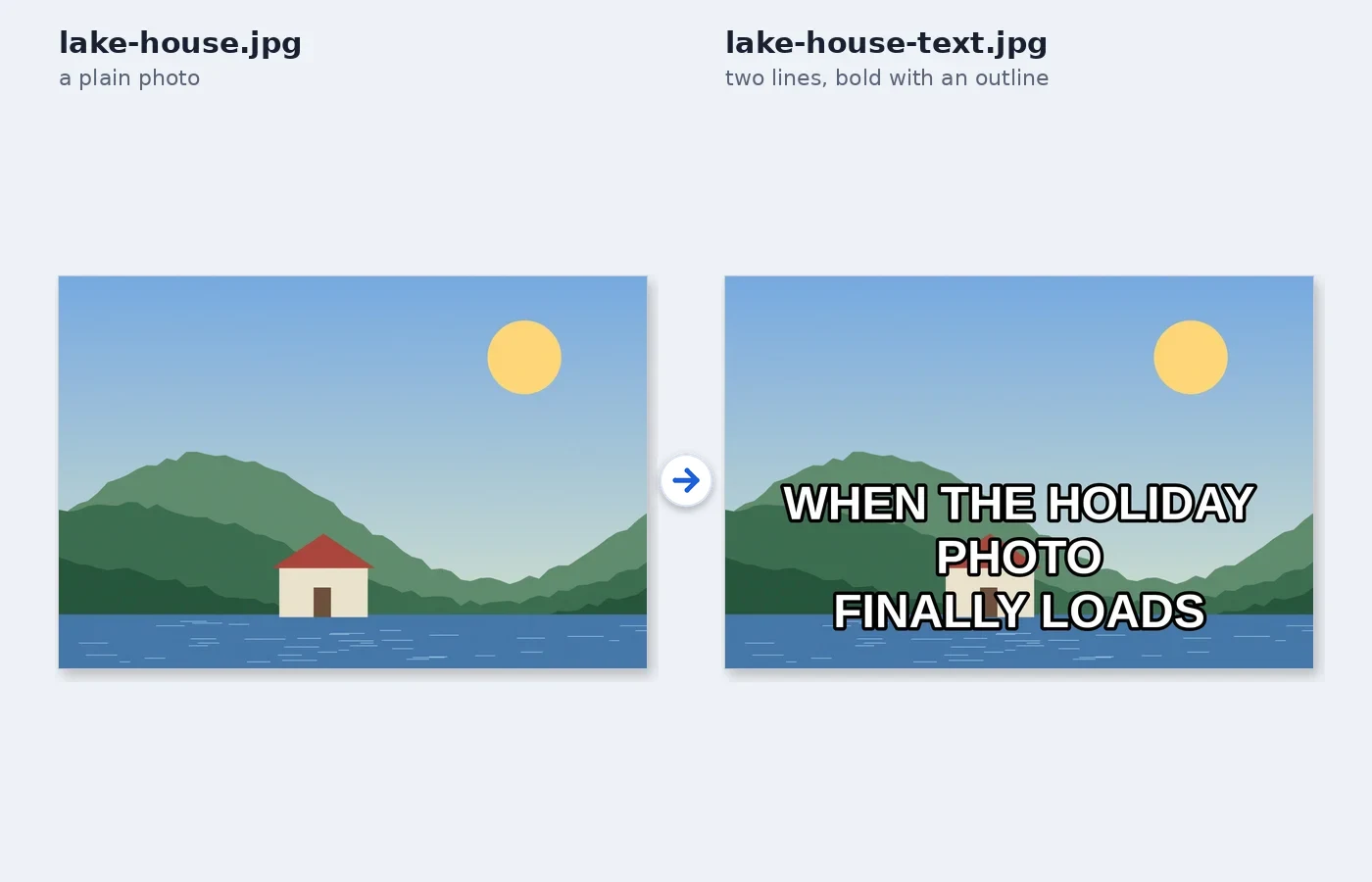
lake-house.jpglake-house-text.jpg
A two-line caption in meme style
- White letters, black outline
- Lines wrapped to fit
A sample photo we made ourselves, with made-up names and data, opened in this tool and shown as it came out. Your own files stay on your device.
How to add text to an image
-
Step 1
Choose the picture
A photo, a screenshot, a background, several at once.
-
Step 2
Type and style the text
Position, style, size and colour, with a live preview.
-
Step 3
Save
The picture with your text, as JPG or PNG.
Add text to image in three styles
"Bold white with a black outline" is the classic meme style: capital letters that stay readable on any photo, light or dark. "Plain colour" puts the text in the colour you pick, for labels and captions on calm backgrounds. "On a dark band" draws a semi-transparent black strip behind the text, like subtitles or news captions, which keeps light text readable on busy photos. Choose the top, middle or bottom, and the text is centred.
Size and line breaks
The size is a share of the picture width, from 3% for a small credit line to 20% for a big headline, so the text looks the same on a small and a large picture. Long lines wrap automatically to fit the width; press Enter for your own line breaks, for example a top and bottom line in one block. Letters use a heavy sans-serif font available on all systems, so the result looks the same everywhere.
Ideas: memes, labels, quotes
Write the punchline of a meme over a reaction photo; label a product photo with its name and price; add the date and place to a holiday photo; put a quote over a landscape for a post; add "Step 1", "Step 2" to screenshots in a guide. The same text can be put on several pictures at once, which is handy for a series of slides or product photos with the same label.
Formats and next steps
JPG pictures stay JPG at quality 92; PNG keeps its transparency. For a repeated mark of your name or logo, the watermark image tool is the better choice. To make the result fit a social media size first, use resize image.
Readable text on any photo
Text is easiest to read where the photo is calm: sky, a wall, a dark floor. If the background is busy, use the outline style or the dark band, and make the text a little bigger rather than adding more words. Short lines work best on phones, where most pictures are seen: two lines of three to five words each read at a glance. Check the preview at the size people will see it, and remember that social networks may crop square or portrait previews, so keep important text away from the edges.
Private
Your pictures and text stay in your browser and are never uploaded.
More free image converters
- Image converter
- Compress image
- JPG to PNG
- PNG to JPG
- JPEG to JPG
- Compress JPEG
- Compress PNG
- GIF to PNG
- PNG to GIF
- GIF to JPG
- JPG to GIF
- GIF maker
- Remove background
- Background eraser
- Make background transparent
- White background for photo
- Remove white background
- Resize image
- Crop image
- Rotate image
- Flip image
- Blur image
- Pixelate image
- Black and white photo
- Invert image colors
- Merge images
- Watermark image
- Remove EXIF data
- EXIF viewer
- Change DPI
- Image to Base64
- Base64 to image
- MP4 to GIF
- Video to GIF
- GIF to MP4
- GIF compressor
- PNG to SVG
- JPG to SVG
- Image to SVG
- SVG to PDF
- Image to text
- PNG to DXF
- SVG to DXF
- DXF to SVG
- HEIC to JPG
- HEIC to PNG
- HEIC to PDF
- HEIC viewer
- WebP to PNG
- WebP to JPG
- WebP to GIF
- WebP to PDF
- PNG to WebP
- JPG to WebP
- AVIF to PNG
- AVIF to JPG
- JFIF to JPG
- JFIF to PNG
- SVG to PNG
- SVG to JPG
- PNG to ICO
- ICO to PNG
- BMP to JPG
- BMP to PNG
- TIFF to JPG
- TIFF to PNG
- PSD viewer
- PSD to PNG
- PSD to JPG
- PSD to PDF
- AI to SVG
- AI to PNG
- Open AI file
- EPS to PNG
- DDS to PNG
- TGA to PNG
- TGA to JPG
- RAW to JPG
- CR3 to JPG
- CR2 to JPG
- NEF to JPG
Questions about adding text to images
How do I make a meme?
Choose the photo, the "bold white with a black outline" style, and type your line.
Can I write two lines?
Yes, press Enter for a new line; long lines also wrap by themselves.
Can I choose the font?
The text uses one heavy font that looks the same on every device.
Can I put text on several pictures?
Yes, all pictures in the list get the same text.
Can I move the text freely?
Choose top, middle or bottom; the text is centred across the width.
Can I add text in another language?
Yes, any language your device can type, including emoji where the font supports them.
Are my pictures uploaded?
No, everything happens in your browser.