Free Nothing is uploaded
ICS viewer: open an .ics calendar file
Drop an .ics file and this free ICS viewer lists every event: date, time, title, place, people and notes, month by month. Print it, save it as a PDF or take it to Excel. The file never leaves your device.
or drop it here. From Google Calendar, Outlook, Apple Calendar, an e-mail invitation or a booking. Read on your device, never sent anywhere.
Calendar
Repeating events are listed once, at their first date, with the rule written out (for example "Every week on Monday").
A calendar file opened in FileOpens
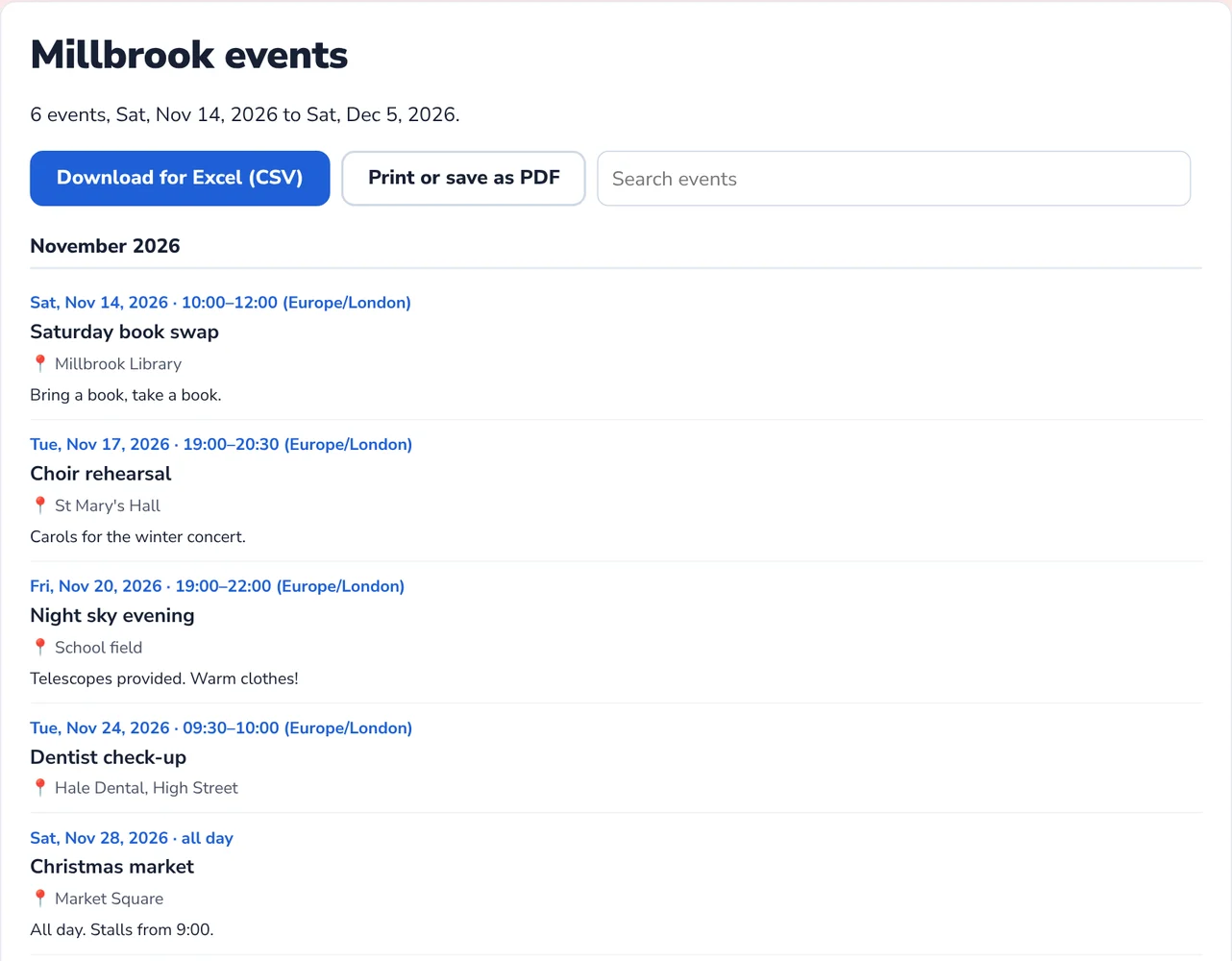
millbrook-events.icsevents.csv
Events grouped by month
- Date, time and time zone
- Place and notes of each event
- All-day events marked
A sample calendar we made ourselves, with made-up names and data, opened in this tool and shown as it came out. Your own files stay on your device.
How to open an .ics file in three steps
-
Step 1
Drop the file
A calendar export, an invitation (invite.ics) or a booking confirmation.
-
Step 2
Read every event
Date, time, title, place, people and notes, month by month, with a search box.
-
Step 3
Keep it your way
Print the list or save it as a PDF, or download a CSV that opens in Excel.
What is an .ics file?
ICS is the file format of iCalendar, the standard every calendar program understands (RFC 5545). One .ics file can hold a single appointment, such as the invite.ics attached to a meeting request, a booking or a ticket, or a whole calendar with thousands of events, as Google Calendar, Outlook and Apple Calendar export it. It is plain text: blocks that start with BEGIN:VEVENT, each with a start and end time, a title, a place, a description, the organizer and the attendees, and sometimes a rule for repeating.
Why open an .ics file here instead of in a calendar?
Double-clicking an .ics usually imports it straight into your calendar app, and a whole exported calendar then lands among your own appointments, sometimes twice, and is hard to take back out. Often you only want to read it: check what is in an old calendar backup, look through a club or school schedule before subscribing, see the events a former colleague left behind, or print a list for someone without a computer. Without Outlook or a calendar account, many people cannot open an .ics at all. This viewer shows the events without importing anything.
How to open an ICS file on Windows, Mac or a phone
Drop the file above, or tap the button and pick it from Files on an iPhone or Android phone. The events appear in date order, grouped by month, with a search box for names, places and people. Times stored with a time zone are shown as written, with the zone; times stored in UTC are shown in your own time zone. Exports from Google Calendar arrive as a .zip with one .ics per calendar: unzip it first. A Calendar.ics also comes out of our Outlook for Mac .olm converter.
Print an .ics file or keep it as a list
Print or save as PDF gives a clean agenda without the page around it: every event with its date, time, place and notes, ready for a wall, a meeting or an archive. Download for Excel gives a CSV with one row per event; the ICS to CSV page explains the columns.
What is shown and what is not
Events with their title, start and end, all-day flag, location, description, organizer, attendees, status, categories and link. Repeating events are listed once, at their first date, with the rule written out, such as "Every 2 weeks on Tuesday, until 2027-06-30". Tasks (to-dos) and alarms are not shown. The file is read only by your browser and is not uploaded anywhere.
Also on FileOpens
Questions about .ics files
How do I open an .ics file without Outlook?
Drop it on this page. Every event appears as a list in your browser, on any computer or phone, without importing it into a calendar.
Will this add the events to my calendar?
No. The viewer only shows them. To add them to a calendar, open the .ics in Google Calendar, Outlook or Apple Calendar.
Can I print an .ics file?
Yes. Click Print or save as PDF for a clean list of every event with its date, time, place and notes.
Is my calendar uploaded?
No. The file is read by your browser on your own device and is not sent to our server or anyone else.
Why does a repeating event appear only once?
The file stores it once with a repeat rule. We show it at its first date with the rule in words, such as "Every week on Monday".
Is it free?
Yes, with no account and no limit.