Free Your pictures are not uploaded
ICO to PNG converter
Convert ICO to PNG here: open a Windows icon or a favicon.ico, see which sizes it contains, and save the largest one, or every size, as a PNG with its transparent background. Your browser reads the icon itself.
or drop them here. favicon.ico and Windows .ico files. Nothing is uploaded.
Your icons
Everything happens in this browser tab: your pictures are not sent to FileOpens or anywhere else, and nothing is kept when you close the page.
An icon taken apart by FileOpens
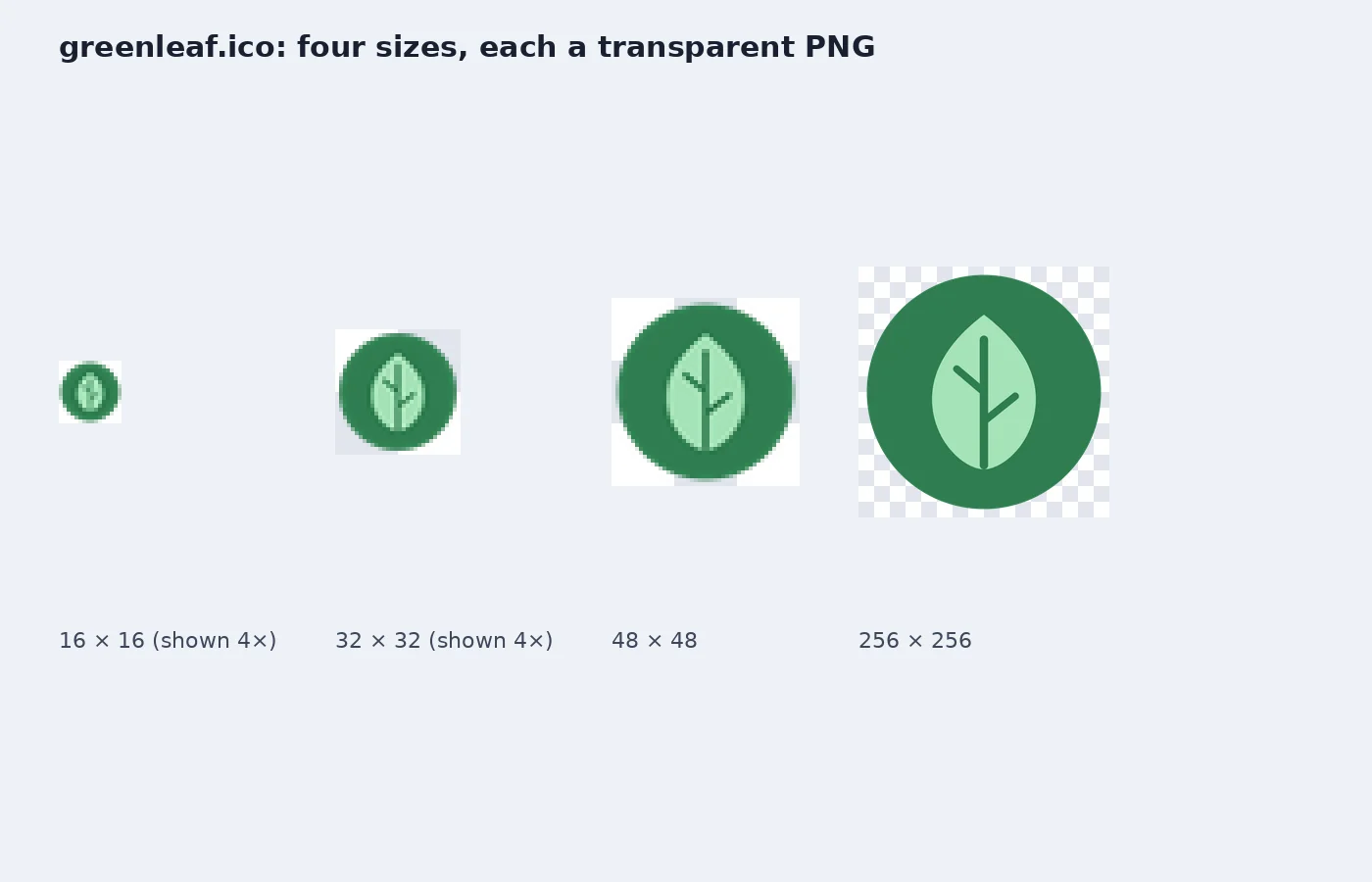
greenleaf.ico4 PNGs
Every size as its own PNG
- 16, 32, 48 and 256 pixels found
- Transparent backgrounds kept
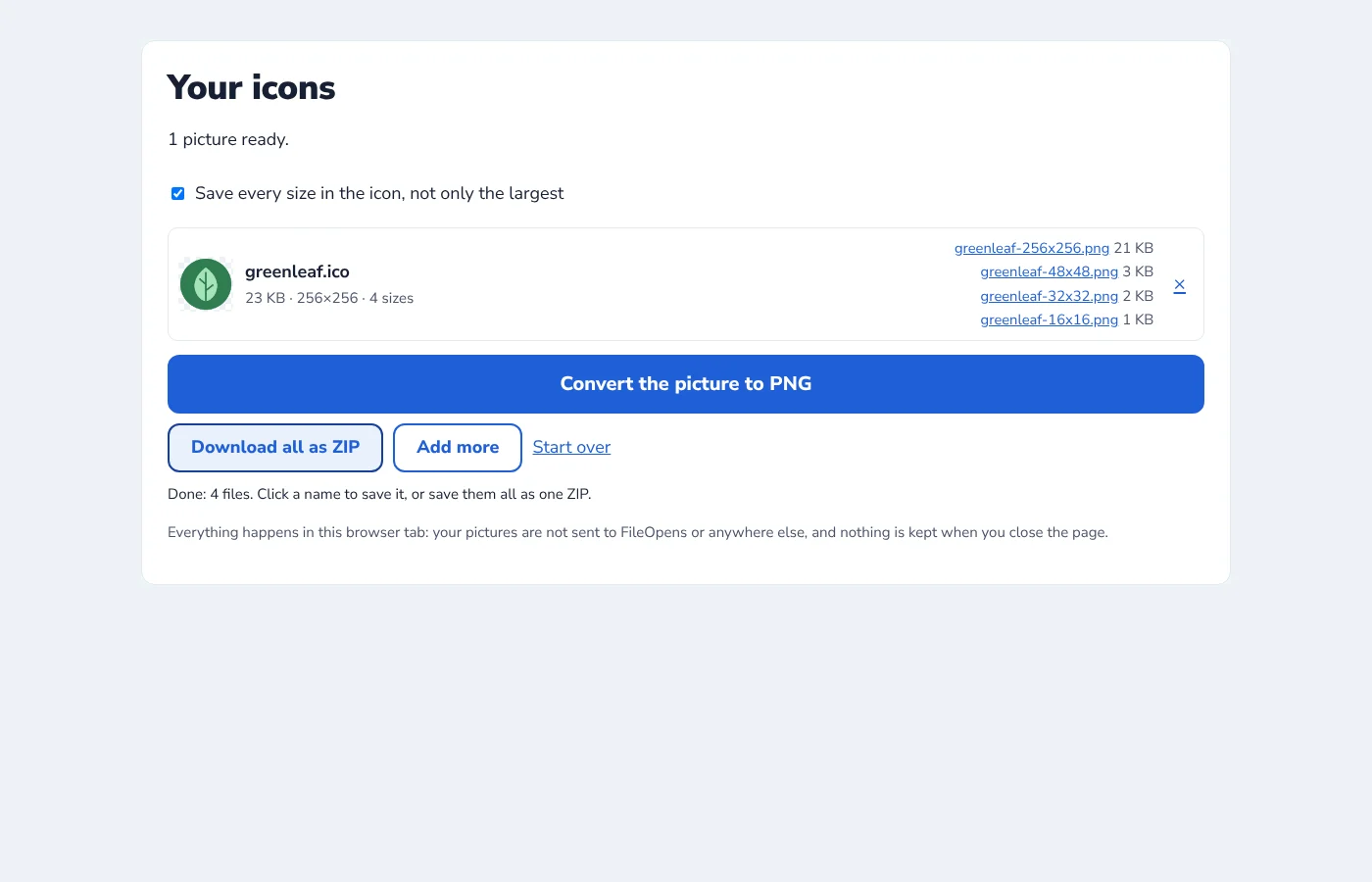
greenleaf.ico4 PNGs
With "Save every size" ticked
- Files named with their size
- All in one ZIP
A sample icon we made ourselves, with made-up names and data, opened in this tool and shown as it came out. Your own files stay on your device.
How to convert ICO to PNG
-
Step 1
Choose the .ico
A favicon saved from a site, or an icon from a program folder.
-
Step 2
See its sizes
The list shows the largest picture and how many sizes are inside.
-
Step 3
Save as PNG
The largest size, or tick the option to get every size.
One ICO, several pictures
An .ico file is a small container with several versions of the same icon, typically 16, 32, 48 and 256 pixels square, sometimes many more. Programs that open ICO usually show only one of them, often a small one, which is why an icon can look tiny or blurry in an image viewer. This converter reads every picture in the file, tells you how many sizes it found, and saves the largest as PNG; with "Save every size" ticked, you get one PNG per size, named with its dimensions.
Old and new kinds of icons
Icons from Windows XP and earlier store each size as a bitmap with a separate transparency mask, in 2, 16, 256 or millions of colours. Since Windows Vista, icons have 32-bit pictures with smooth transparency, and the 256-pixel size is usually stored as a PNG inside the ICO. The converter reads all of these itself, applies the transparency masks correctly, and writes every picture as a 32-bit PNG with a transparent background.
Why you might need it
To use a website's favicon in a document or presentation (respecting the brand's rules), to get a larger version of an icon for a design, to check which sizes your own favicon.ico actually contains, or to edit an icon in a program that does not open ICO. Note that icons inside .exe and .dll files are not separate files; this page opens .ico files only.
Other ways to convert ICO to PNG
GIMP opens ICO files with every size as a layer, and exports a layer as PNG. Windows Paint opens an ICO but shows just one size. On a Mac, Preview opens ICO files and shows the sizes in its sidebar. For a quick look and a clean PNG, this page is the fastest, and it works on any device. To build an icon from a PNG, use PNG to ICO; to turn a PNG into other formats, see PNG to WebP.
Favicons from websites
Most websites still publish a favicon.ico at their address, for example example.com/favicon.ico. Open that address in your browser and save the file, then choose it here to see what sizes the site provides. Many sites only put 16 and 32 pixels in the ICO and offer larger icons as separate PNG files, listed in the page source as apple-touch-icon or icon links. Logos and icons belong to their owners; use them only where you are allowed to, for example to link to the site.
Icons with many sizes
Some icons hold a dozen pictures: the same symbol at 16, 20, 24, 32, 40, 48, 64, 96, 128 and 256 pixels, sometimes in both full colour and 256-colour versions for very old systems. With "Save every size" ticked, each becomes its own PNG, named with its width and height, so you can pick the exact size you need for a toolbar, a document or a design mock-up. The icon is read by the page's own code in your browser; nothing is uploaded.
More free image converters
- Image converter
- Compress image
- JPG to PNG
- PNG to JPG
- JPEG to JPG
- Compress JPEG
- Compress PNG
- GIF to PNG
- PNG to GIF
- GIF to JPG
- JPG to GIF
- GIF maker
- Remove background
- Background eraser
- Make background transparent
- White background for photo
- Remove white background
- Resize image
- Crop image
- Rotate image
- Flip image
- Blur image
- Pixelate image
- Black and white photo
- Invert image colors
- Merge images
- Watermark image
- Add text to image
- Remove EXIF data
- EXIF viewer
- Change DPI
- Image to Base64
- Base64 to image
- MP4 to GIF
- Video to GIF
- GIF to MP4
- GIF compressor
- PNG to SVG
- JPG to SVG
- Image to SVG
- SVG to PDF
- Image to text
- PNG to DXF
- SVG to DXF
- DXF to SVG
- HEIC to JPG
- HEIC to PNG
- HEIC to PDF
- HEIC viewer
- WebP to PNG
- WebP to JPG
- WebP to GIF
- WebP to PDF
- PNG to WebP
- JPG to WebP
- AVIF to PNG
- AVIF to JPG
- JFIF to JPG
- JFIF to PNG
- SVG to PNG
- SVG to JPG
- PNG to ICO
- BMP to JPG
- BMP to PNG
- TIFF to JPG
- TIFF to PNG
- PSD viewer
- PSD to PNG
- PSD to JPG
- PSD to PDF
- AI to SVG
- AI to PNG
- Open AI file
- EPS to PNG
- DDS to PNG
- TGA to PNG
- TGA to JPG
- RAW to JPG
- CR3 to JPG
- CR2 to JPG
- NEF to JPG
Questions about ICO to PNG
Which size do I get?
The largest picture in the icon. Tick "Save every size" to get all of them.
Is the transparent background kept?
Yes, including the masks of old Windows icons.
Can I get the icon from an .exe file?
No, this page opens .ico files only.
Why does my icon look blurry elsewhere?
The program shows a small size. Here you can take the largest.
Is anything uploaded?
No, the icon is read in your browser.