Free Your pictures are not uploaded
Flip image
Flip images here: mirror photos horizontally to fix a reversed selfie or backwards text, flip them vertically, or both, for a whole batch at once. The pixels are mirrored exactly, in your browser.
or drop them here. JPG, PNG, WebP, HEIC, AVIF, GIF, BMP, TIFF. Nothing is uploaded.
Your pictures
Everything happens in this browser tab: your pictures are not sent to FileOpens or anywhere else, and nothing is kept when you close the page.
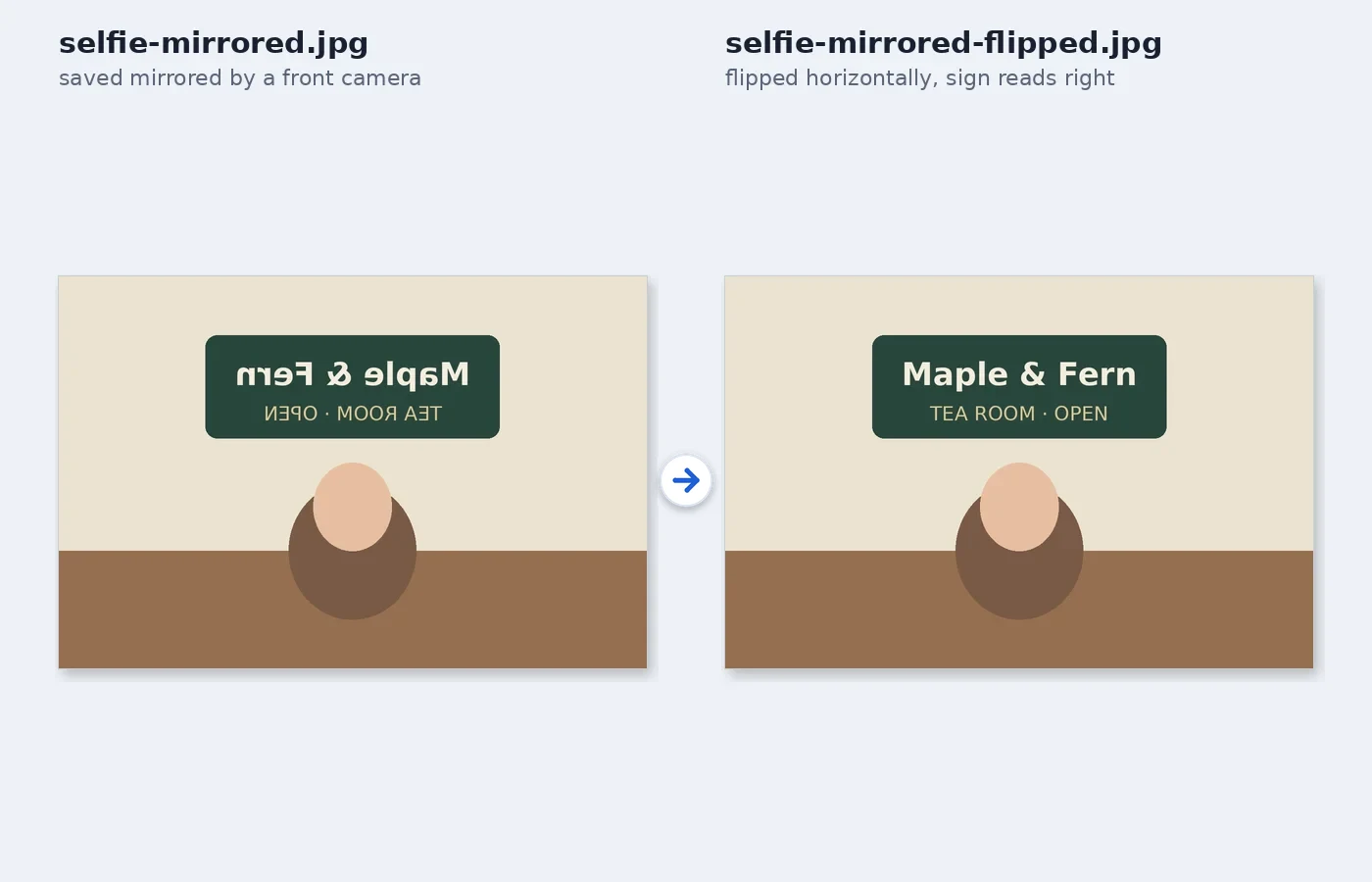
A mirrored selfie fixed by FileOpens
selfie-mirrored.jpgselfie-mirrored-flipped.jpg
A front-camera picture flipped back
- Flipped horizontally
- The sign reads the right way
A sample photo we made ourselves, with made-up names and data, opened in this tool and shown as it came out. Your own files stay on your device.
How to flip an image
-
Step 1
Choose the pictures
Selfies, scans, designs, product photos.
-
Step 2
Choose the direction
Horizontal, vertical or both.
-
Step 3
Download
Each flipped picture, or all of them in a ZIP.
Flip image horizontally: fixing selfies
Front cameras show you a mirror image while you take a selfie, and many phones also save it mirrored, so text on a T-shirt or sign reads backwards and your parting is on the "wrong" side. Flipping horizontally mirrors the picture left to right and fixes that. The same is needed for pictures taken through a mirror, for scans made from the back of transparent film, and for designs that must face the other way.
Mirror image for printing and crafts
Iron-on transfers, T-shirt transfer paper, some sublimation printing, window decals applied from inside, and printing on the back of acrylic all need the design mirrored, so it reads correctly once applied. Flip the design horizontally here and print it as usual. Check the printer settings too: some transfer printers have their own "mirror" option, and using both would flip it back.
Horizontal, vertical, both
Horizontal swaps left and right; vertical swaps top and bottom, as if seen in a lake; both together give the same picture as turning it 180°. That is handy when a scanner or camera delivered a page upside down and mirrored at the same time, which happens with some document cameras and microfilm readers: choose Both and the page reads normally again. No quality is lost in any direction. Flipping moves pixels exactly, without any smoothing, and keeps the size. For turning a sideways picture, use rotate image instead, because a flip would mirror it as well.
Formats
JPG pictures are saved as JPG at quality 92, PNG stays PNG with its transparency, WebP stays WebP; HEIC, AVIF, GIF, BMP and TIFF are saved as PNG, which every program opens. Transparent backgrounds stay transparent in PNG. For many pictures, "Download all" gives one ZIP with the flipped files, named after the originals with "-flipped" added. To change the shape as well, use crop image.
Flip image vertically and other uses
A vertical flip turns a picture upside down as a mirror would, which is useful for reflections, for artwork that is drawn on the reverse of a sheet, and for some scanners and microfilm readers that capture pages the wrong way. Designers flip product photos so the product faces the text on a web page, and teachers flip worksheets for lightbox tracing. Because flipping does not redraw anything, sharp edges, pixel art and text stay crisp, and the picture keeps exactly the same size in pixels. Several pictures can be flipped together and downloaded as one ZIP, each named after its original with flipped added, so they are easy to tell apart from the originals.
Private
Pictures are flipped in your browser and never uploaded.
More free image converters
- Image converter
- Compress image
- JPG to PNG
- PNG to JPG
- JPEG to JPG
- Compress JPEG
- Compress PNG
- GIF to PNG
- PNG to GIF
- GIF to JPG
- JPG to GIF
- GIF maker
- Remove background
- Background eraser
- Make background transparent
- White background for photo
- Remove white background
- Resize image
- Crop image
- Rotate image
- Blur image
- Pixelate image
- Black and white photo
- Invert image colors
- Merge images
- Watermark image
- Add text to image
- Remove EXIF data
- EXIF viewer
- Change DPI
- Image to Base64
- Base64 to image
- MP4 to GIF
- Video to GIF
- GIF to MP4
- GIF compressor
- PNG to SVG
- JPG to SVG
- Image to SVG
- SVG to PDF
- Image to text
- PNG to DXF
- SVG to DXF
- DXF to SVG
- HEIC to JPG
- HEIC to PNG
- HEIC to PDF
- HEIC viewer
- WebP to PNG
- WebP to JPG
- WebP to GIF
- WebP to PDF
- PNG to WebP
- JPG to WebP
- AVIF to PNG
- AVIF to JPG
- JFIF to JPG
- JFIF to PNG
- SVG to PNG
- SVG to JPG
- PNG to ICO
- ICO to PNG
- BMP to JPG
- BMP to PNG
- TIFF to JPG
- TIFF to PNG
- PSD viewer
- PSD to PNG
- PSD to JPG
- PSD to PDF
- AI to SVG
- AI to PNG
- Open AI file
- EPS to PNG
- DDS to PNG
- TGA to PNG
- TGA to JPG
- RAW to JPG
- CR3 to JPG
- CR2 to JPG
- NEF to JPG
Questions about flipping images
How do I mirror a selfie?
Choose "Horizontal" and save; text will read the right way.
Is flipping the same as rotating?
No. Flipping mirrors the picture; rotating turns it.
Does flipping lose quality?
No, pixels are mirrored exactly. JPGs are saved at quality 92.
Can I flip many pictures at once?
Yes, all pictures in the list are flipped the same way.
Is transparency kept?
Yes, PNG pictures stay transparent.
Do I need to flip a design for iron-on transfers?
Usually yes; flip it horizontally so it reads correctly once ironed on.
Are my pictures uploaded?
No, everything happens in your browser.