Free No account · the file is deleted after 24 hours
CR2 to JPG converter
Convert CR2 to JPG here: RAW photos from Canon EOS DSLRs, such as the 5D, 6D, 7D, 80D and the Rebel and 1000D lines, are developed into full-size JPGs with the camera's white balance, ready to share or print. No Canon software needed.
or drop it here. One CR2 photo at a time, up to 200 MB. Free, no account.
Develop your photo
The file is sent over an encrypted connection to our server in Canada (OVHcloud, Beauharnois, Quebec), processed by a program there, and deleted with the result 24 hours later. Nobody looks at it.
A camera RAW photo developed by FileOpens
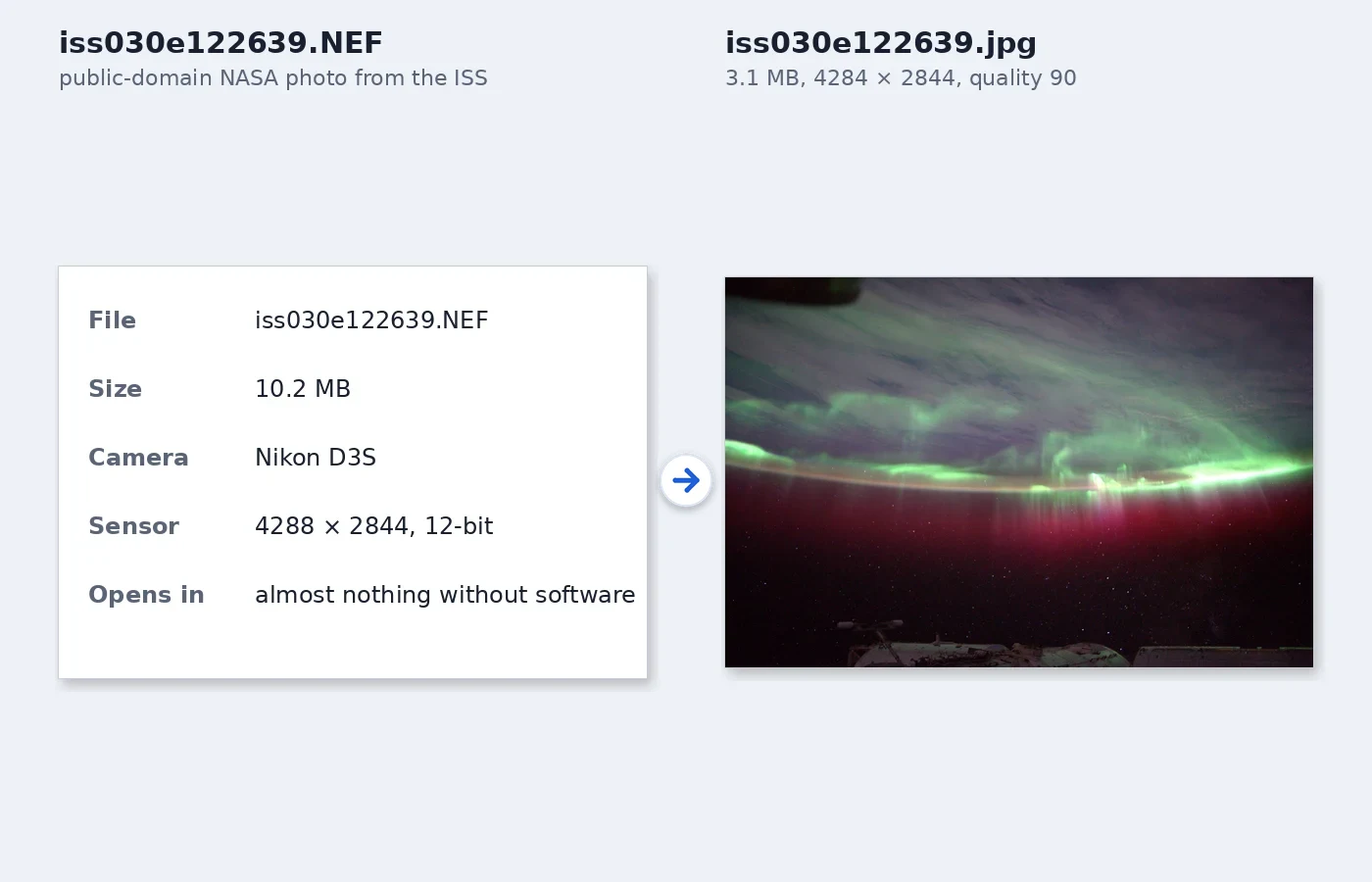
iss030e122639.NEFiss030e122639.jpg
A Nikon NEF (public-domain NASA photo) developed to JPG
- 10.2 MB NEF to 3.1 MB JPG
- Full size, 4284 × 2844
- Camera white balance
A public-domain photo taken by NASA astronauts on the International Space Station, developed by this tool and shown as it came out. Your photos are deleted after 24 hours and never shown to anyone.
How to convert CR2 to JPG
-
Step 1
Choose the .cr2 file
Straight from the Canon DSLR or its card.
-
Step 2
Pick the quality
Full size at JPG quality 90, or 95 and half size if you prefer.
-
Step 3
Download the JPG
With a preview on the result page.
What CR2 is
CR2 was Canon's RAW format for about fifteen years, used by nearly every EOS digital SLR from 2004 until the switch to CR3 around 2018, and by PowerShot compacts with RAW. Archives of family, wedding and travel photos are full of CR2 files. Old programs open them fine, but phones, websites, online printing and photo frames do not, and new computers often lack the right software.
How the CR2 photo is developed
LibRaw, the open-source RAW reader we run on our server, unpacks the CR2, applies the white balance the camera chose, converts the colours to sRGB, turns portrait photos upright and saves a JPG at the full sensor resolution, for example 5616 × 3744 pixels from a 5D Mark II or 6000 × 4000 from an 80D. Canon's Picture Styles and lens corrections, which the camera applies to its own JPGs, are not added, so contrast and saturation are a little lower: a neutral, detailed picture that is easy to adjust.
CR2 photo archives
Many people have years of CR2 files on an old hard drive or memory card, shot "RAW only" or "RAW + JPG" with the JPGs lost along the way. For a few favourites, this page is the quickest way to get pictures that open on any phone, print shop website or digital frame. For a whole archive, keep the CR2 files, since they hold more detail than any JPG, and batch-convert them with Canon Digital Photo Professional, Lightroom or darktable, which can export hundreds of photos in one go. Copy the card or drive first and convert from the copy, so the originals stay untouched.
sRAW, mRAW and old files
Some Canon DSLRs could save smaller sRAW and mRAW files; those are already partly processed inside the camera and develop here as well. Very old Canon RAW files with the .crw extension, from cameras like the EOS 300D and 10D, are supported too.
CR2 to JPG with Canon software, Windows and Mac
Canon Digital Photo Professional is free for Canon owners and applies Canon's picture styles and lens corrections. Windows shows CR2 in Photos with the free "Raw Image Extension"; macOS Photos and Preview open CR2 directly and can export JPG. For a single photo on a computer without any of that, this page is the quickest. Newer Canons: CR3 to JPG; other brands: RAW to JPG.
Privacy and limits
One CR2 per conversion, up to 200 MB. Family and client photos are private: the file travels encrypted, is developed by a program without anyone looking at it, and is deleted with the JPG after 24 hours.
More free image converters
- Image converter
- Compress image
- JPG to PNG
- PNG to JPG
- JPEG to JPG
- Compress JPEG
- Compress PNG
- GIF to PNG
- PNG to GIF
- GIF to JPG
- JPG to GIF
- GIF maker
- Remove background
- Background eraser
- Make background transparent
- White background for photo
- Remove white background
- Resize image
- Crop image
- Rotate image
- Flip image
- Blur image
- Pixelate image
- Black and white photo
- Invert image colors
- Merge images
- Watermark image
- Add text to image
- Remove EXIF data
- EXIF viewer
- Change DPI
- Image to Base64
- Base64 to image
- MP4 to GIF
- Video to GIF
- GIF to MP4
- GIF compressor
- PNG to SVG
- JPG to SVG
- Image to SVG
- SVG to PDF
- Image to text
- PNG to DXF
- SVG to DXF
- DXF to SVG
- HEIC to JPG
- HEIC to PNG
- HEIC to PDF
- HEIC viewer
- WebP to PNG
- WebP to JPG
- WebP to GIF
- WebP to PDF
- PNG to WebP
- JPG to WebP
- AVIF to PNG
- AVIF to JPG
- JFIF to JPG
- JFIF to PNG
- SVG to PNG
- SVG to JPG
- PNG to ICO
- ICO to PNG
- BMP to JPG
- BMP to PNG
- TIFF to JPG
- TIFF to PNG
- PSD viewer
- PSD to PNG
- PSD to JPG
- PSD to PDF
- AI to SVG
- AI to PNG
- Open AI file
- EPS to PNG
- DDS to PNG
- TGA to PNG
- TGA to JPG
- RAW to JPG
- CR3 to JPG
- NEF to JPG
Questions about CR2 to JPG
Which cameras make CR2?
Canon EOS DSLRs from about 2004 to 2018, and PowerShot compacts with RAW.
Are sRAW and old CRW files supported?
Yes, both develop here.
My camera saved RAW + JPG. Do I need this?
Only if the JPG is lost or you want a neutral version. The camera's JPG already has Canon's look.
Is the full resolution kept?
Yes, or half size if you choose it.
Will colours match Canon's software?
Close; Canon's picture style and lens corrections are not applied.
Is it free?
Yes, with no account.