Free Your pictures are not uploaded
Resize image
Resize images here: type a new width or height in pixels, choose a percentage, or pick a ready size for Instagram, stories, YouTube thumbnails or link previews. Proportions are kept unless you set both sides, and a whole batch is resized at once, in your browser.
or drop them here. JPG, PNG, WebP, HEIC, AVIF, GIF, BMP, TIFF. Nothing is uploaded.
Your pictures
Everything happens in this browser tab: your pictures are not sent to FileOpens or anywhere else, and nothing is kept when you close the page.
A photo resized by FileOpens
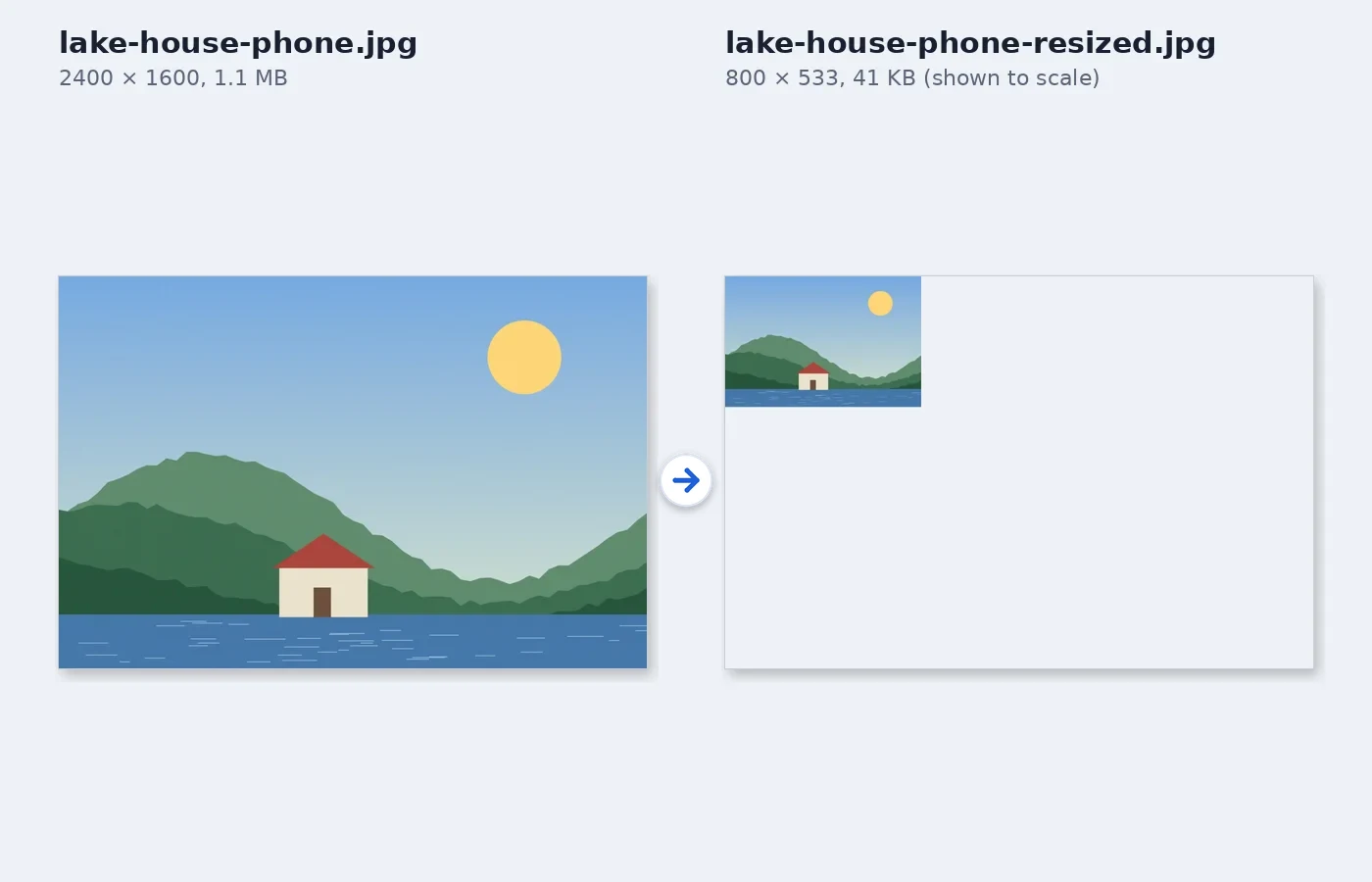
lake-house-phone.jpglake-house-phone-resized.jpg
A photo resized to 800 pixels wide
- 2400 × 1600 to 800 × 533
- 1.1 MB to 41 KB
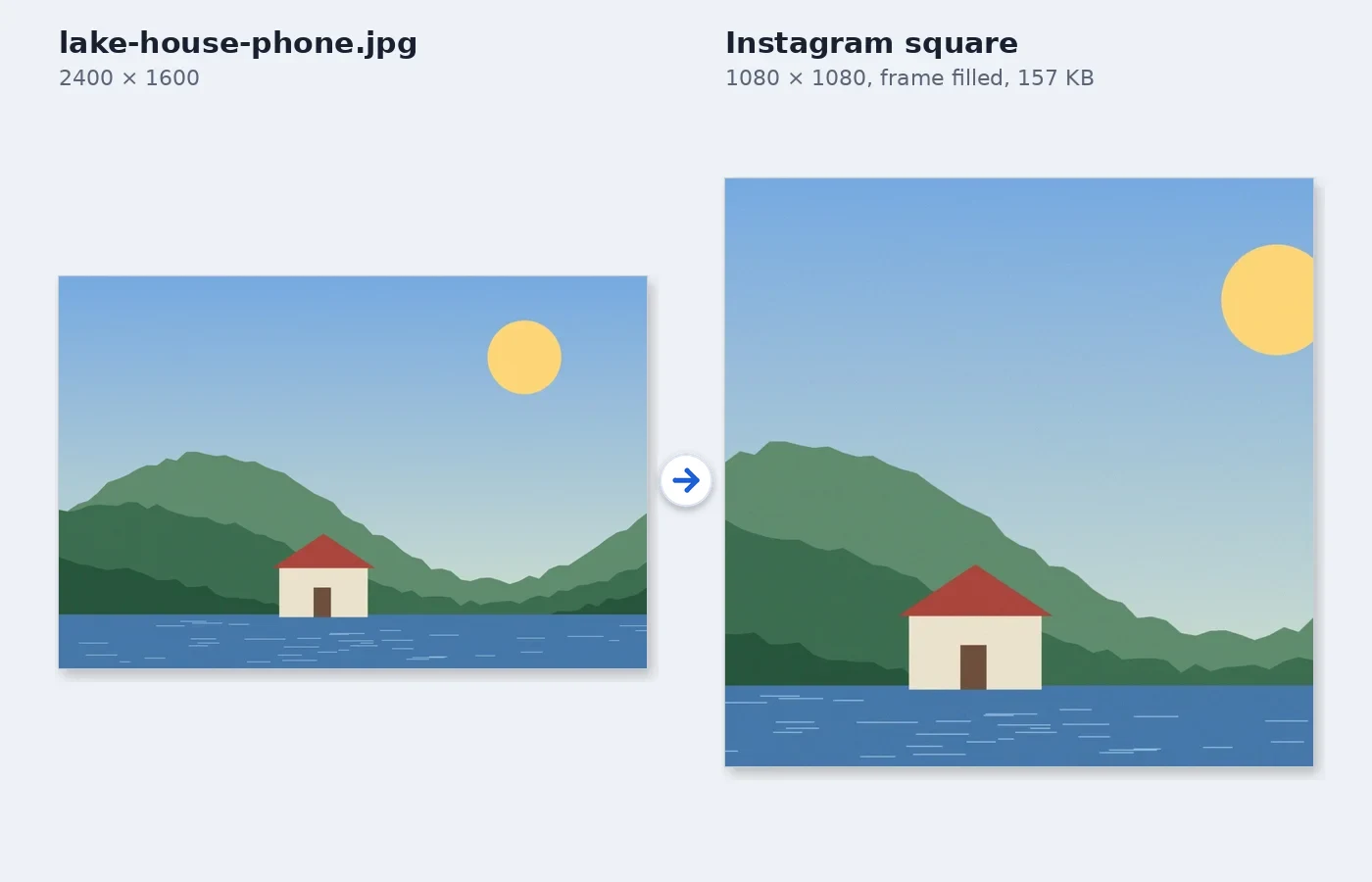
lake-house-phone.jpgInstagram square
The same photo as an Instagram square
- 1080 × 1080, frame filled
- Edges trimmed, centred
A sample photo we made ourselves, with made-up names and data, opened in this tool and shown as it came out. Your own files stay on your device.
How to resize an image
-
Step 1
Choose the pictures
Photos, screenshots, product pictures, scans.
-
Step 2
Pick the new size
Width or height in pixels, a percentage, or a social media size.
-
Step 3
Download
Each resized picture, or all of them in a ZIP.
Why resize images
Phone photos are 4000 pixels wide or more, while a website column is about 1200, an email shows 600–800, and many forms ask for an exact size such as 600 × 600 for a profile or passport photo. Resizing to the size you really need makes pictures load faster, fit where they should, and take far less space: halving the width and height leaves a quarter of the pixels and usually about a quarter of the file size.
Three ways to resize a picture
"To a width and height" is the usual choice: type 1200 in the width and the height follows the proportions, or fill in both to force an exact size, which may stretch the picture. "By percentage" shrinks or enlarges everything by the same factor, from 10% to 300%, which is handy for a batch of photos of different sizes. "To a social media size" fits each picture into a fixed frame, either filling it and trimming the edges, or showing the whole picture with a border in the colour you choose.
Resize image for Instagram and other sites
The ready sizes are Instagram square 1080 × 1080, Instagram portrait 1080 × 1350, stories and TikTok 1080 × 1920, YouTube thumbnail 1280 × 720, Full HD 1920 × 1080, Facebook and LinkedIn link images 1200 × 627, X posts 1600 × 900, and a 400 × 400 profile picture. "Fill the frame" crops what does not fit, centred; "whole picture" keeps everything and adds a border, so nothing important is cut off.
Quality when making pictures smaller or bigger
Shrinking is done in steps of one half and then the final size, with high-quality smoothing, which keeps fine detail and avoids the jagged edges of a single big jump. Enlarging cannot add detail that is not there: a small picture made 300% bigger looks soft. JPG pictures are saved as JPG at quality 92, PNG stays PNG with its transparency, WebP stays WebP; HEIC, AVIF, GIF, BMP and TIFF are saved as PNG, which every program opens. To make files smaller without changing the size, use compress image; to cut out part of a picture, use crop image.
Resize photos for email and forms
A practical rule for sharing: 1600 to 2000 pixels on the longest side looks sharp on any phone or laptop and keeps each photo well under 1 MB. Online forms usually state an exact size, such as 600 x 600 for an avatar or 1200 x 800 for a listing; type both numbers when the shape already matches, or crop first so the picture is not stretched. Resizing a whole batch to the same width is the quickest way to prepare a gallery, a product catalogue or a slideshow, and the list shows every new size before you download.
Private
Pictures are resized in your browser and never uploaded. Camera details (EXIF) are not copied into the resized files.
More free image converters
- Image converter
- Compress image
- JPG to PNG
- PNG to JPG
- JPEG to JPG
- Compress JPEG
- Compress PNG
- GIF to PNG
- PNG to GIF
- GIF to JPG
- JPG to GIF
- GIF maker
- Remove background
- Background eraser
- Make background transparent
- White background for photo
- Remove white background
- Crop image
- Rotate image
- Flip image
- Blur image
- Pixelate image
- Black and white photo
- Invert image colors
- Merge images
- Watermark image
- Add text to image
- Remove EXIF data
- EXIF viewer
- Change DPI
- Image to Base64
- Base64 to image
- MP4 to GIF
- Video to GIF
- GIF to MP4
- GIF compressor
- PNG to SVG
- JPG to SVG
- Image to SVG
- SVG to PDF
- Image to text
- PNG to DXF
- SVG to DXF
- DXF to SVG
- HEIC to JPG
- HEIC to PNG
- HEIC to PDF
- HEIC viewer
- WebP to PNG
- WebP to JPG
- WebP to GIF
- WebP to PDF
- PNG to WebP
- JPG to WebP
- AVIF to PNG
- AVIF to JPG
- JFIF to JPG
- JFIF to PNG
- SVG to PNG
- SVG to JPG
- PNG to ICO
- ICO to PNG
- BMP to JPG
- BMP to PNG
- TIFF to JPG
- TIFF to PNG
- PSD viewer
- PSD to PNG
- PSD to JPG
- PSD to PDF
- AI to SVG
- AI to PNG
- Open AI file
- EPS to PNG
- DDS to PNG
- TGA to PNG
- TGA to JPG
- RAW to JPG
- CR3 to JPG
- CR2 to JPG
- NEF to JPG
Questions about resizing images
How do I keep the proportions?
Fill in only the width or only the height; the other side follows.
Can I resize many photos at once?
Yes, all pictures in the list get the same new size or percentage.
What size is best for Instagram?
1080 × 1080 for square posts, 1080 × 1350 for portrait, 1080 × 1920 for stories.
Does resizing reduce quality?
Shrinking keeps pictures sharp; enlarging makes them softer.
Will the file get smaller?
Yes, fewer pixels mean a smaller file. For a size in KB, use compress image.
Are my pictures uploaded?
No, they are resized in your browser.