Telegram chat to PDF, with the photos
Export the chat from Telegram Desktop, zip the folder and drop it here: you get a Telegram chat PDF with every message, sender, date and photo, page numbers on every page, plus an Excel list.
- See the first pages free before you pay.
- Photos stay in the chat, where they were sent.
- Refund in one click if it is not usable.
- Deleted after 24 hours. Nobody looks at it.
A Telegram chat converted by FileOpens
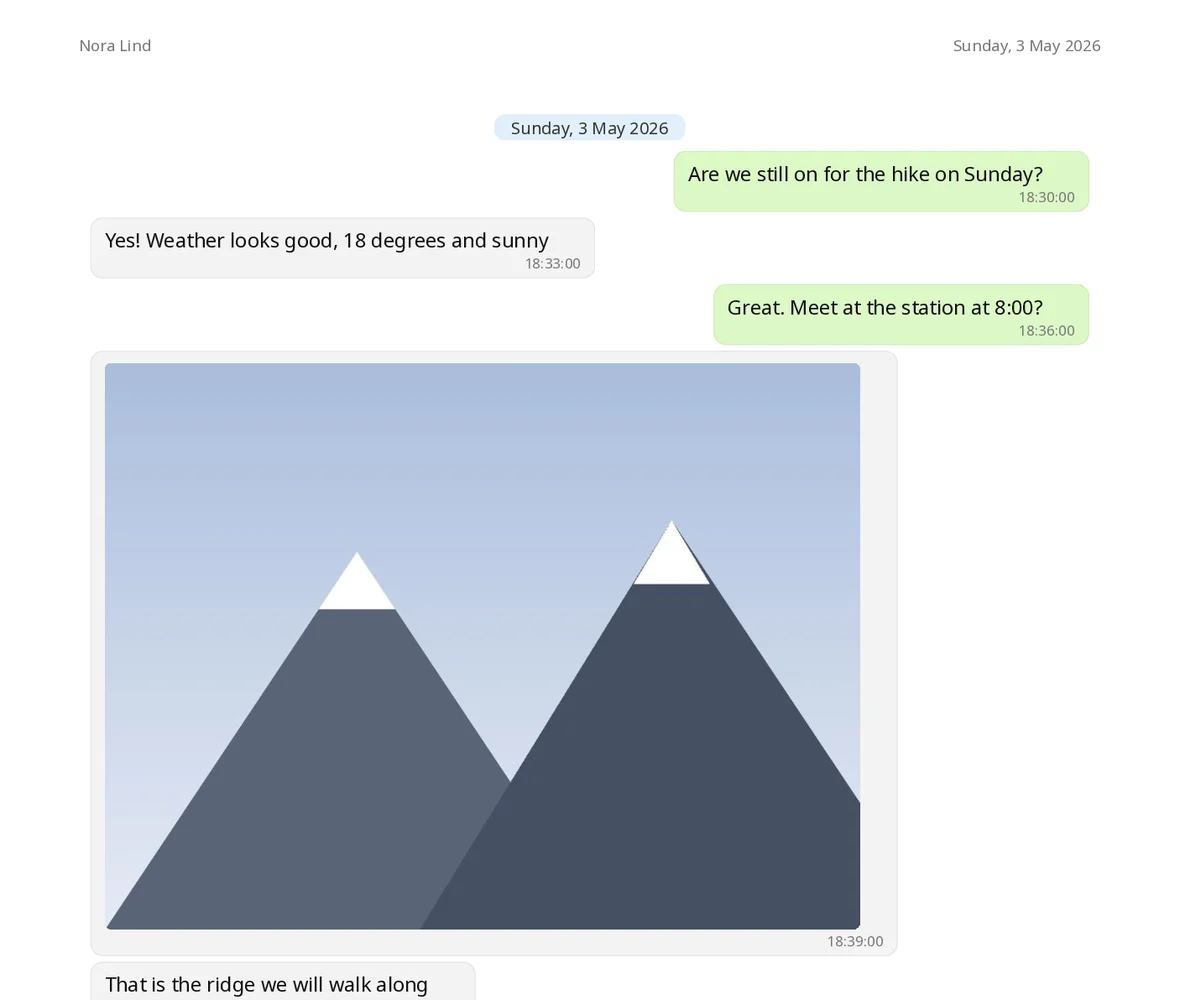
ChatExport_2026-05-03.zipchat.pdf + .xlsx
Telegram Desktop export
- Your messages on the right
- Photo in its place
- Date and time of each message
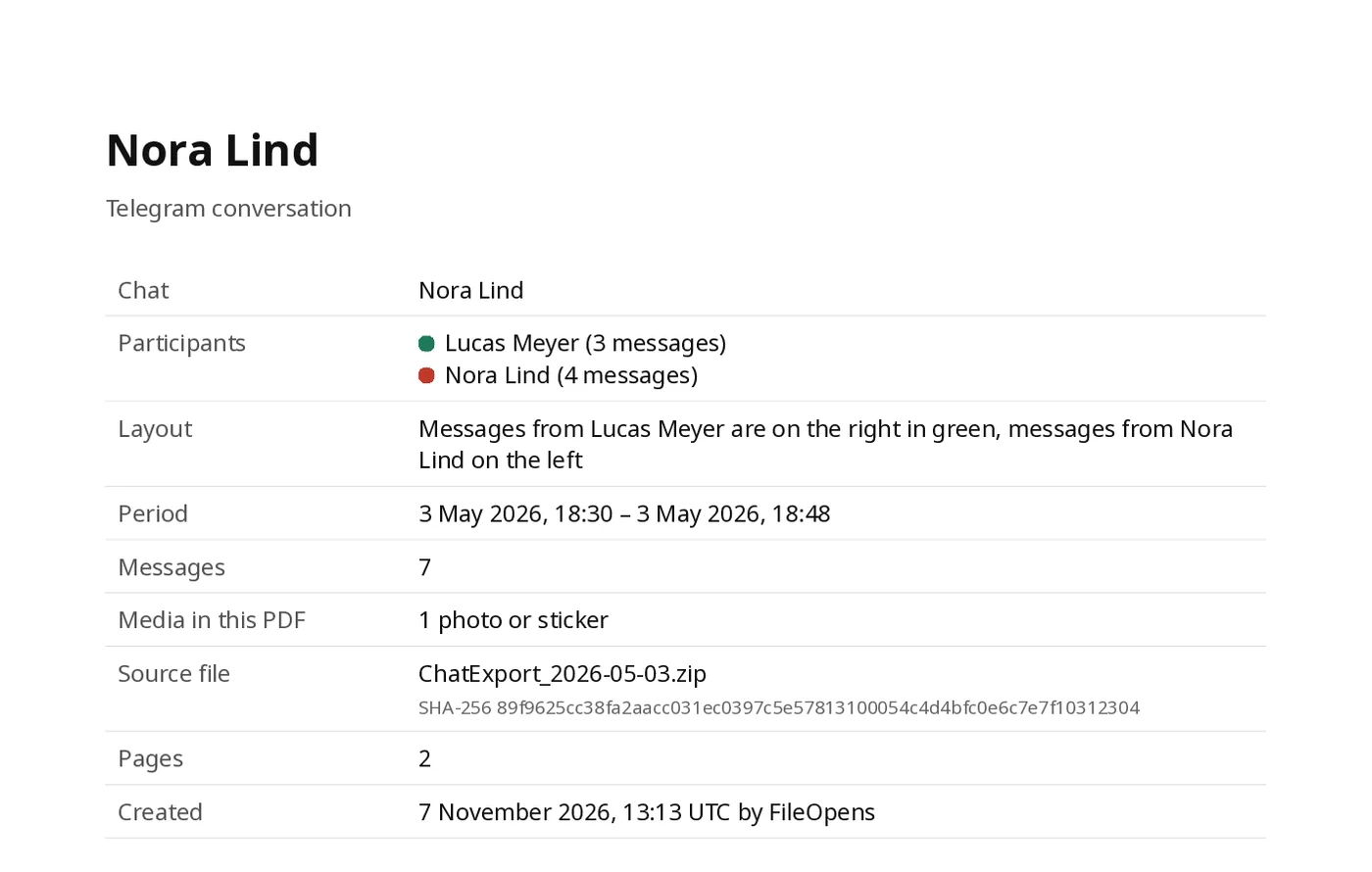
ChatExport_2026-05-03.zipchat.pdf + .xlsx
Cover page
- Participants and period
- How the pages are laid out
Sample chat we made ourselves, with made-up names and data, converted here and shown as they came out. Your own files are never shown to anyone.
Chats people save as PDF
- Evidence for court or a lawyer
- Divorce and custody
- Disputes with a landlord or employer
- Business and client agreements
- Family groups and memories
- Chats with someone who has died
- Printing to keep
How to turn a Telegram chat into a PDF
-
STEP 1
Export it in Telegram Desktop
Chat > ⋮ > Export chat history, then zip the folder.
-
STEP 2
Upload it and look
The cover page and the first pages appear for free.
-
STEP 3
Pay once, download
The PDF with every message and photo, plus Excel. Refund in one click.
What you get back
- The whole chat as a PDFMessages as bubbles with names, dates and times, page numbers on every page.
- Photos in placePhotos and stickers where they were sent, videos with a still frame, voice notes with their length.
- A cover pageParticipants, number of messages, the period, and the SHA-256 fingerprint of your export file.
- Every message in ExcelDate, time, sender and text in columns, to search, filter or quote.
- HTML or JSONBoth export formats of Telegram Desktop, one chat or your whole account.
Price
See the cover and the first pages free. Then $4.99 per export, however long the chat is: the PDF and the Excel file. One payment, no subscription, refund within 24 hours if it is not usable.
How to export a Telegram chat
Telegram can only export from Telegram Desktop, the app for Windows, macOS and Linux from desktop.telegram.org; the phone apps have no export. Sign in with your phone, open the chat, click ⋮ in the top right corner and choose Export chat history. Tick photos, videos and voice messages if you want them, raise the size limit if large files matter, and keep the format at HTML or choose JSON; both work here. Telegram writes a folder called ChatExport with the date into your Downloads. Compress that folder (right-click > Compress on a Mac, Send to > Compressed folder on Windows) and upload the .zip.
Why convert a Telegram export to PDF
The export opens in a browser, but it is split into files of a thousand messages, the photos sit in a separate folder, and it cannot be sent to someone as one document or printed in order. A PDF keeps the whole conversation in one file that anyone can open: a lawyer, an accountant, a colleague, a family member. Text stays real text, so it can be searched and copied, and the pages are numbered for a printout.
What the PDF shows
A first page with the chat name, every participant and how many messages they wrote, the dates the chat covers, the number of photos, videos and voice messages, and the SHA-256 fingerprint of your export file. Then the messages, day by day, as bubbles with the sender's name in their own colour and the time. Photos and stickers are shown where they were sent, videos with a still frame and their length, voice messages with their length, files with their name and size. Forwarded messages say where they came from; group events, such as who joined or left, are kept as small grey lines. The Excel file has every message in columns: date, time, sender, text and attached file.
Groups, channels and whole accounts
Group chats and channels convert the same way as a chat with one person. If you used Export Telegram data in Settings > Advanced and exported several chats at once, upload that .zip: every chat is put into one PDF, each starting on a new page, with a contents list on the first page. A single price covers the whole export.
What Telegram leaves out
Secret chats live only on the phone and cannot be exported at all. Files larger than the size limit you set, and media types you did not tick, are not in the export; the PDF marks those messages so you can see that something was there. Messages deleted before the export are gone. Times are written by Telegram Desktop in the time zone of the computer that made the export, and edited messages show their last version. For chats from other apps, see WhatsApp to PDF and Instagram chat to PDF.
Privacy
Your export is used only to make the PDF and the Excel file, and both it and the results are deleted automatically 24 hours after upload. Nobody reads your chats. Keep the original export: the fingerprint on the first page of the PDF shows it was made from that very file.
More chat tools
Also on FileOpens
Questions about Telegram chats
Can I export a Telegram chat from my phone?
Not with Telegram itself: export is only in Telegram Desktop for Windows, macOS and Linux. Install it, sign in with your phone number and export from there.
HTML or JSON, which should I choose?
Either works here. JSON is slightly more exact for dates and file names; HTML is the default and is fine.
My export is a folder, not a file. What do I upload?
Compress the ChatExport folder into one .zip and upload that, with the photos folder inside it.
Are secret chats included?
No. Telegram does not export secret chats; they exist only on the devices that took part.
How much does it cost?
The first pages are free to see. Then $4.99 for the whole export, the PDF and the Excel file. Not usable? Refund within 24 hours.