Free Your PDF is not uploaded
Rotate PDF pages and save them
Rotate PDF pages here and save the PDF the right way up for good: turn single pages or all of them by 90 or 180 degrees. It runs in your browser, so the file is never uploaded. Free.
or drop it here. One PDF up to 500 MB. It is rotated on your device and never sent anywhere.
Turn the pages
Everything happens in this browser tab: the PDF is not sent to FileOpens or anywhere else, and nothing is kept when you close the page.
Rotate PDF in use
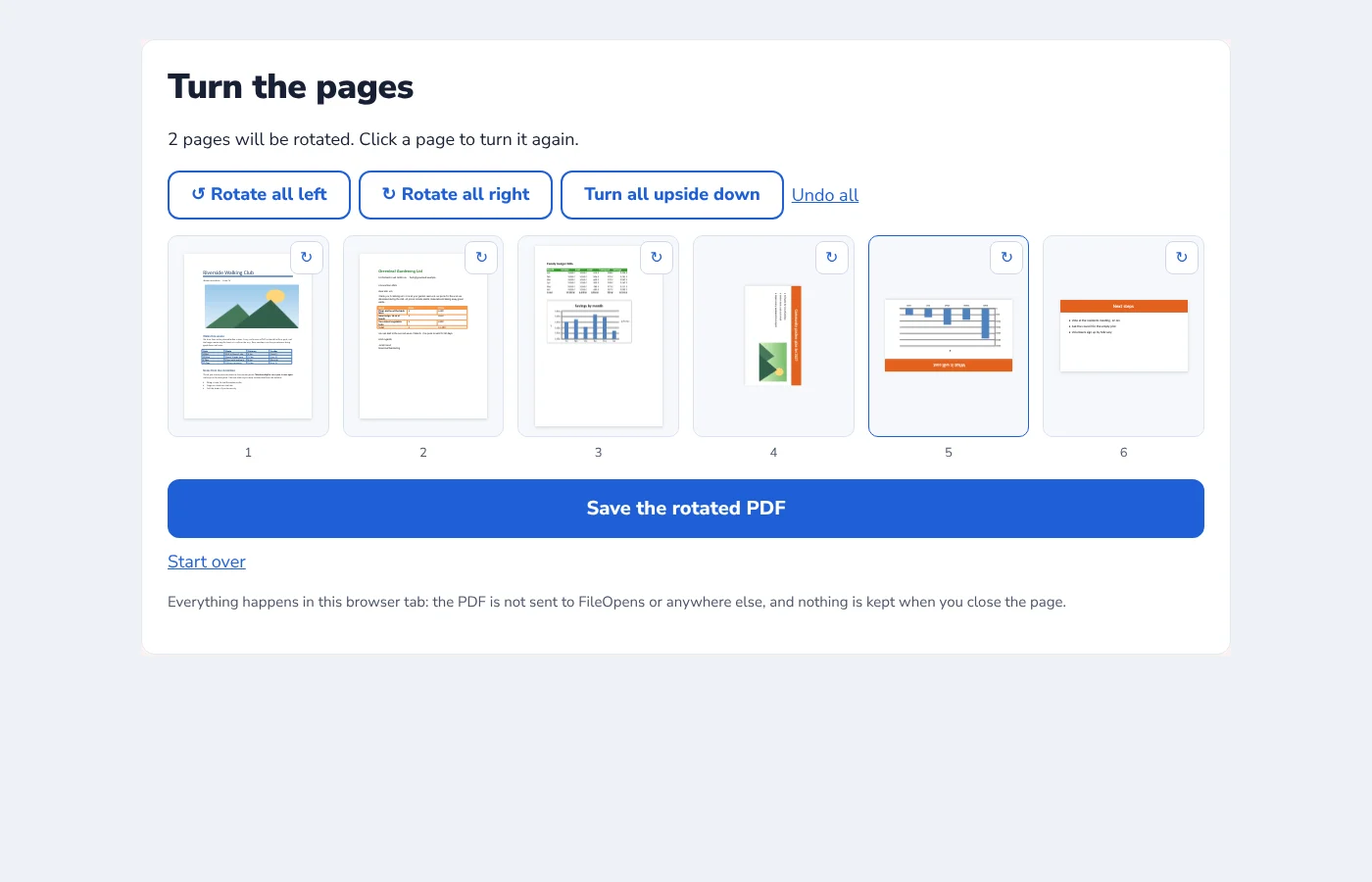
club-pack.pdfrotated.pdf
Two pages turned
- Click a page to turn it 90°
- Or rotate all pages at once
A sample PDF we made ourselves, with made-up names and data, opened in this tool and shown as it came out. Your own files stay on your device.
How to rotate a PDF in three steps
-
Step 1
Choose the PDF
Pick or drop the file. Every page is shown as it is now.
-
Step 2
Turn the pages
Click a page to turn it a quarter clockwise, or rotate all pages at once.
-
Step 3
Save
Download the PDF with the pages turned for good, in every program.
Rotate a PDF and save it the right way up
Scans often come out sideways or upside down, and a landscape table in the middle of a report makes everyone tilt their head. Most PDF readers can turn the view, but only until you close the file: the next person who opens it sees it sideways again. This tool changes the page rotation stored in the PDF itself, so the pages open the right way up in every program, on every computer and phone, and when they are printed or sent on.
How to rotate PDF pages
Choose the PDF above and you see every page as it looks now. Click a page, or the arrow on its corner, to turn it a quarter clockwise; click again for 180 and 270 degrees. To turn the whole document, use Rotate all left, Rotate all right or Turn all upside down, then fix any single page that still needs it. Undo all puts every page back. The summary tells you how many pages will change. Click Save and the rotated PDF goes to your downloads.
Rotate one page or the whole PDF
You can mix: leave most pages as they are and turn only the landscape table on page 7, or rotate a whole scan by 180 degrees in one click. Each page keeps its own rotation. Rotating does not cut anything off and does not change the size of the page; a portrait page simply becomes landscape. If pages are in the wrong order or some should go, use delete pages from PDF, split PDF or merge PDF after rotating.
No quality loss, nothing uploaded
Rotating only changes one setting per page. Nothing is redrawn or recompressed, so text stays sharp, searchable and selectable, pictures keep their quality, links and form fields keep working, and the file stays the same size. All of it happens in your browser, on your device: the PDF is not uploaded to FileOpens or anywhere else, which matters for scanned IDs, contracts or medical letters. There is no account, no watermark and no limit.
Protected PDFs and large files
A PDF protected with a password or editing restrictions cannot be rotated; the tool says so. Print it to a new PDF first ("Microsoft Print to PDF" on Windows, "Save as PDF" on a Mac) and rotate that copy. Files up to 500 MB work; on a phone, very long documents take longer to show all the thumbnails, but rotating itself is instant.
More free PDF tools and converters
- Merge PDF
- Split PDF
- Compress PDF
- Compress PDF to 100 KB
- Delete PDF pages
- Extract PDF pages
- Reorder PDF pages
- Crop PDF
- Add page numbers
- Watermark PDF
- Sign PDF
- Protect PDF
- Unlock PDF
- OCR PDF
- Flatten PDF
- PDF to grayscale
- Invert PDF colors
- Remove PDF metadata
- PDF to Word
- Word to PDF
- PDF to Excel
- Excel to PDF
- PDF to PowerPoint
- PowerPoint to PDF
- JPG to PDF
- PNG to PDF
- Image to PDF
- PDF to JPG
- PDF to PNG
- PDF to text
- HTML to PDF
- PDF to EPUB
- PDF to PDF/A
- PDF to TIFF
- PDF to SVG
Questions about rotating PDFs
Is rotating PDFs free?
Yes. Free, with no account, no watermark and no limit.
Will the rotation stay when I open the PDF elsewhere?
Yes. The rotation is saved in the PDF itself, so it opens the right way up in every program and on every device.
Can I rotate only one page?
Yes. Click just that page. Every page keeps its own rotation.
Does rotating reduce quality?
No. Nothing is redrawn or recompressed; only the page orientation changes.
Is my PDF uploaded?
No. It is rotated in your browser on your device and never sent anywhere.