Free No account · the file is deleted after 24 hours
HTML to PDF converter
Convert HTML to PDF here: upload the .html or .htm, and the page is laid out on paper-sized pages with its own fonts, colours and tables, ready to print or send. Free, no account.
or drop it here. One .html or .htm file, up to 200 MB. Free, no account.
Convert to PDF
The file is sent over an encrypted connection to our server in Canada (OVHcloud, Beauharnois, Quebec), processed by a program there, and deleted with the result 24 hours later. Nobody looks at it.
An HTML file converted to PDF by FileOpens
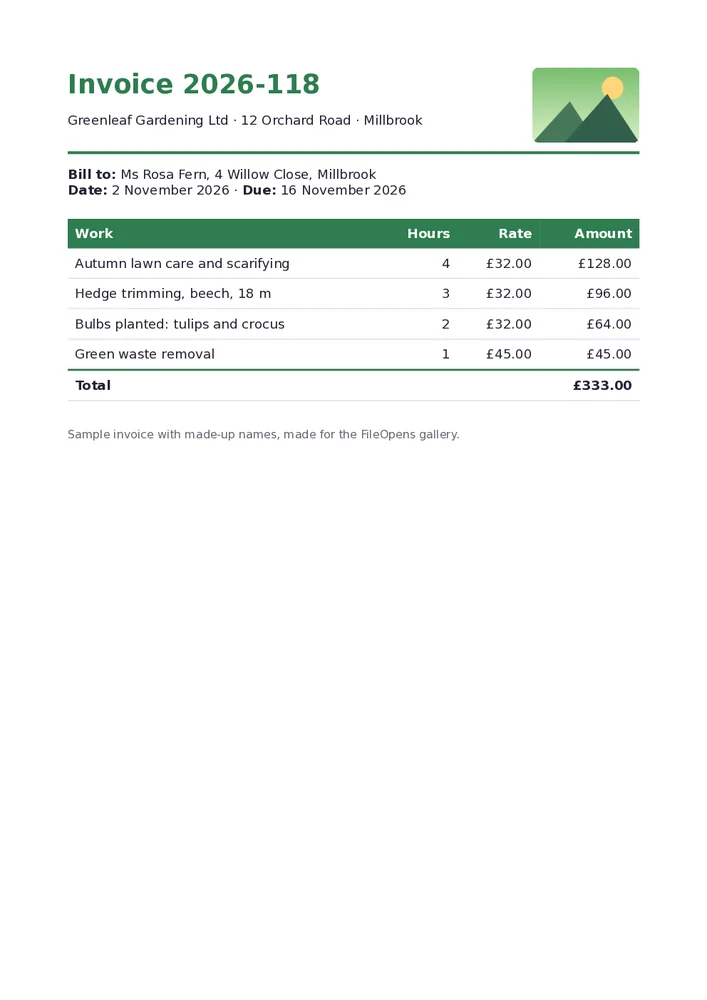
invoice.htmlinvoice.pdf
Invoice exported as HTML
- Its own colours and table styles
- Logo inside the file is kept
- A4 page from the page's CSS
Sample invoice we made ourselves, with made-up names and data, converted here and shown as they came out. Your own files are never shown to anyone.
How to convert an HTML file to PDF
-
Step 1
Choose the HTML file
A page you saved, an invoice or report a program exported, an e-mail template.
-
Step 2
It is laid out on pages
WeasyPrint applies the page's CSS, including print styles.
-
Step 3
Download the PDF
Text stays real text, links stay clickable.
An HTML file, not a web address
This converter takes the HTML file itself, not a link. That is deliberate: a converter that opens any web address you type can be used to make a server visit places it should not, and many pages need you to be signed in anyway. For a live web page, your browser already does a better job: press Ctrl+P (Cmd+P on a Mac), choose "Save as PDF" as the printer, and the page is saved as you see it, including what is behind your sign-in. This tool is for HTML files you have: invoices and reports exported by accounting or shop software, newsletters and e-mail templates, documentation, a page saved with "Save Page As", or HTML produced by a script.
What carries over from HTML to PDF
The converter is WeasyPrint, a layout engine made for printing HTML. It follows the CSS inside the file: fonts, colours, backgrounds, tables, borders, flexbox and grid layouts, and the print-specific rules a web designer can add, such as @page for paper size and margins, page-break-before and repeating table headers. Without such rules, pages are A4 with normal margins. Text remains selectable and searchable, and links stay clickable. Pictures that are inside the file as data: URLs (as many exported invoices and e-mails have them) are included.
What is left out, and how to keep it
For safety, nothing is loaded from outside the file: no pictures, style sheets or fonts from the internet, no files next to it in a folder, and no JavaScript is run. If the page links to a picture or a CSS file elsewhere, the result page tells you that something was left out. To keep everything, save the page as one file that contains its pictures: in Chrome or Edge, "Save as > Webpage, Single File" gives an .mht file, which MHT to PDF converts with its pictures. Pages built by JavaScript (many modern web apps) are empty in the HTML itself; for those, use the browser's own "Save as PDF". Moving a whole site built with Weebly is a different job: Weebly to WordPress converts its archive.
Characters and languages
The file's text encoding is detected (UTF-8, or the charset the page declares), and the server has fonts for Latin, Cyrillic, Greek, Arabic, Hebrew, Chinese, Japanese and Korean text, so a page in any of those comes out readable. If you need the PDF smaller afterwards, use compress PDF; to combine several converted pages into one file, merge PDF.
Privacy and limits
The HTML file goes to our server over an encrypted connection and is converted automatically; the file and the PDF are deleted 24 hours later. One file at a time, up to 200 MB. Word documents, spreadsheets and slides have their own converters: Word to PDF, Excel to PDF, PowerPoint to PDF.
More free PDF tools and converters
- Merge PDF
- Split PDF
- Compress PDF
- Compress PDF to 100 KB
- Delete PDF pages
- Rotate PDF
- Extract PDF pages
- Reorder PDF pages
- Crop PDF
- Add page numbers
- Watermark PDF
- Sign PDF
- Protect PDF
- Unlock PDF
- OCR PDF
- Flatten PDF
- PDF to grayscale
- Invert PDF colors
- Remove PDF metadata
- PDF to Word
- Word to PDF
- PDF to Excel
- Excel to PDF
- PDF to PowerPoint
- PowerPoint to PDF
- JPG to PDF
- PNG to PDF
- Image to PDF
- PDF to JPG
- PDF to PNG
- PDF to text
- PDF to EPUB
- PDF to PDF/A
- PDF to TIFF
- PDF to SVG
Questions about converting HTML to PDF
Can I paste a web address?
No, only HTML files. For a live page, use your browser: Ctrl+P (Cmd+P), then "Save as PDF".
Why are pictures missing?
They are loaded from elsewhere, and we do not fetch anything. Save the page as "Webpage, Single File" (.mht) and use MHT to PDF instead.
Does it run JavaScript?
No. Pages that build their content with JavaScript should be saved as PDF from the browser.
Can I set the paper size?
The page's own CSS decides (@page size). Without it, pages are A4.
Is it free?
Yes, with no account and no watermark.