Print WhatsApp messages, the whole chat
WhatsApp has no Print button. Export the chat, drop the file here, and print WhatsApp messages from a ready PDF: every message with its date, time and sender, photos in place, numbered pages.
- See the first pages free before you pay.
- Photos stay in the chat, where they were sent.
- Refund in one click if it is not usable.
- Deleted after 24 hours. Nobody looks at it.
A WhatsApp chat converted by FileOpens
WhatsApp Chat with Seaside weekend.zipchat.pdf + .xlsx
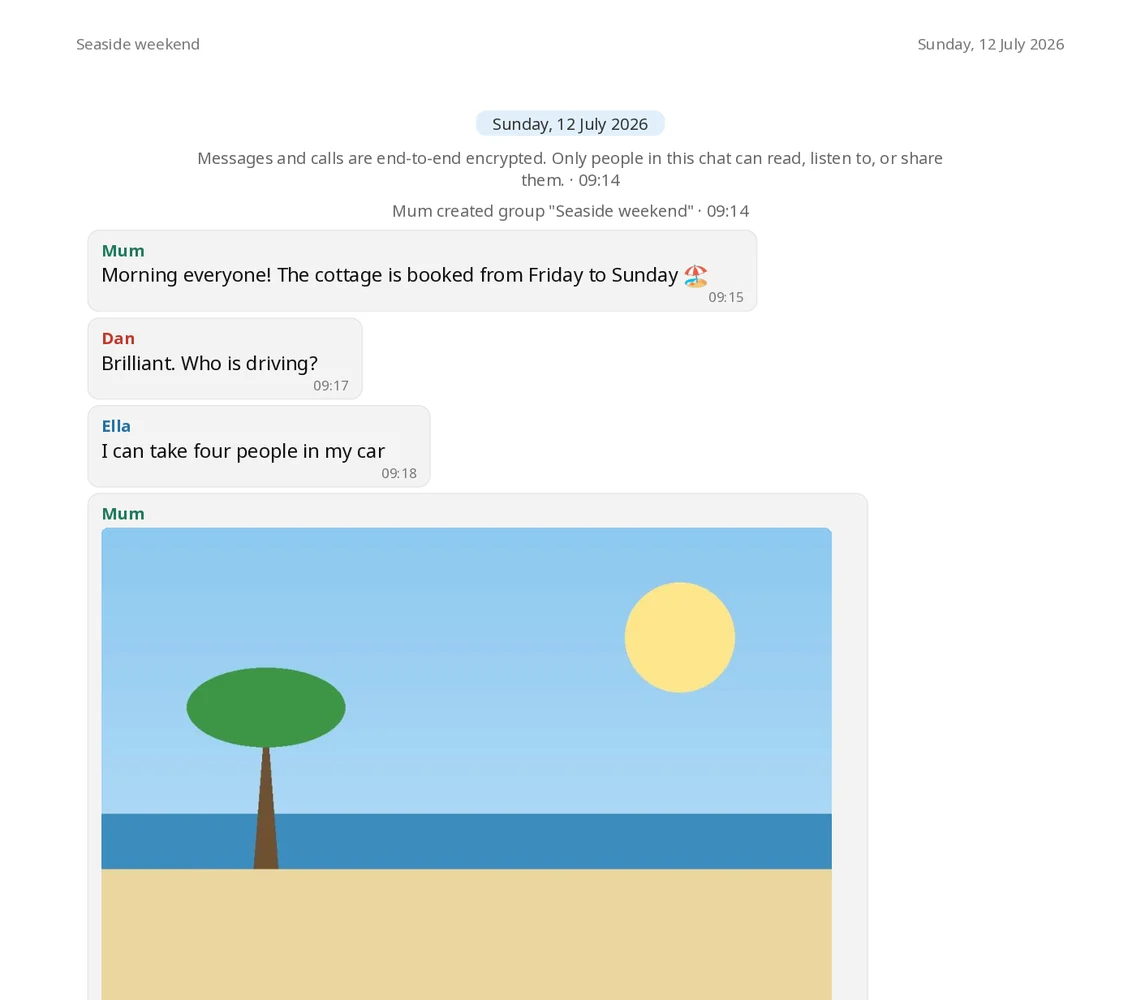
Messages with photos
- Bubbles with names and times
- Photos where they were sent
- Emoji in colour
WhatsApp Chat with Seaside weekend.zipchat.pdf + .xlsx
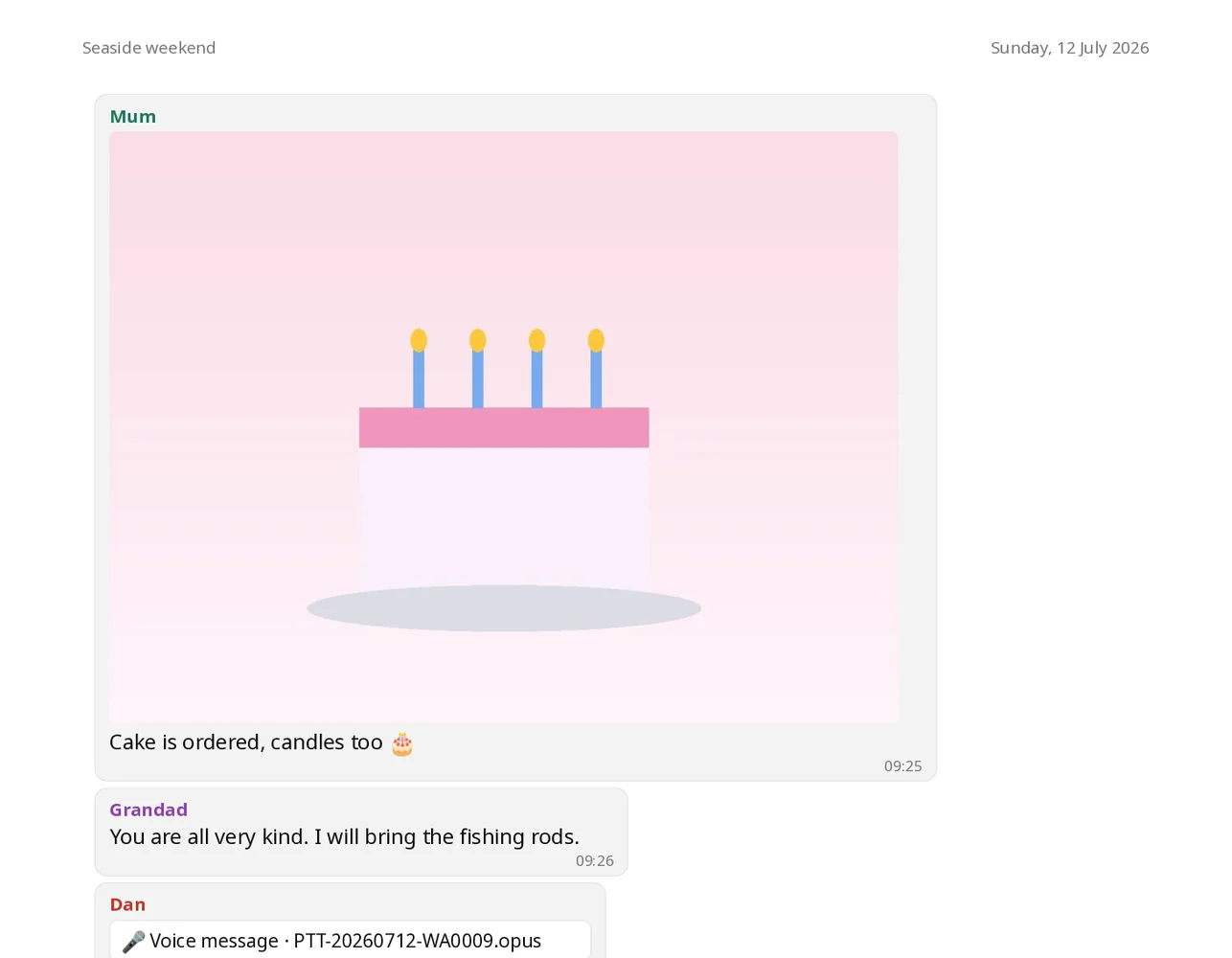
Photos and a voice message
- Caption under the photo
- Voice notes listed by name
WhatsApp Chat with Seaside weekend.zipchat.pdf + .xlsx
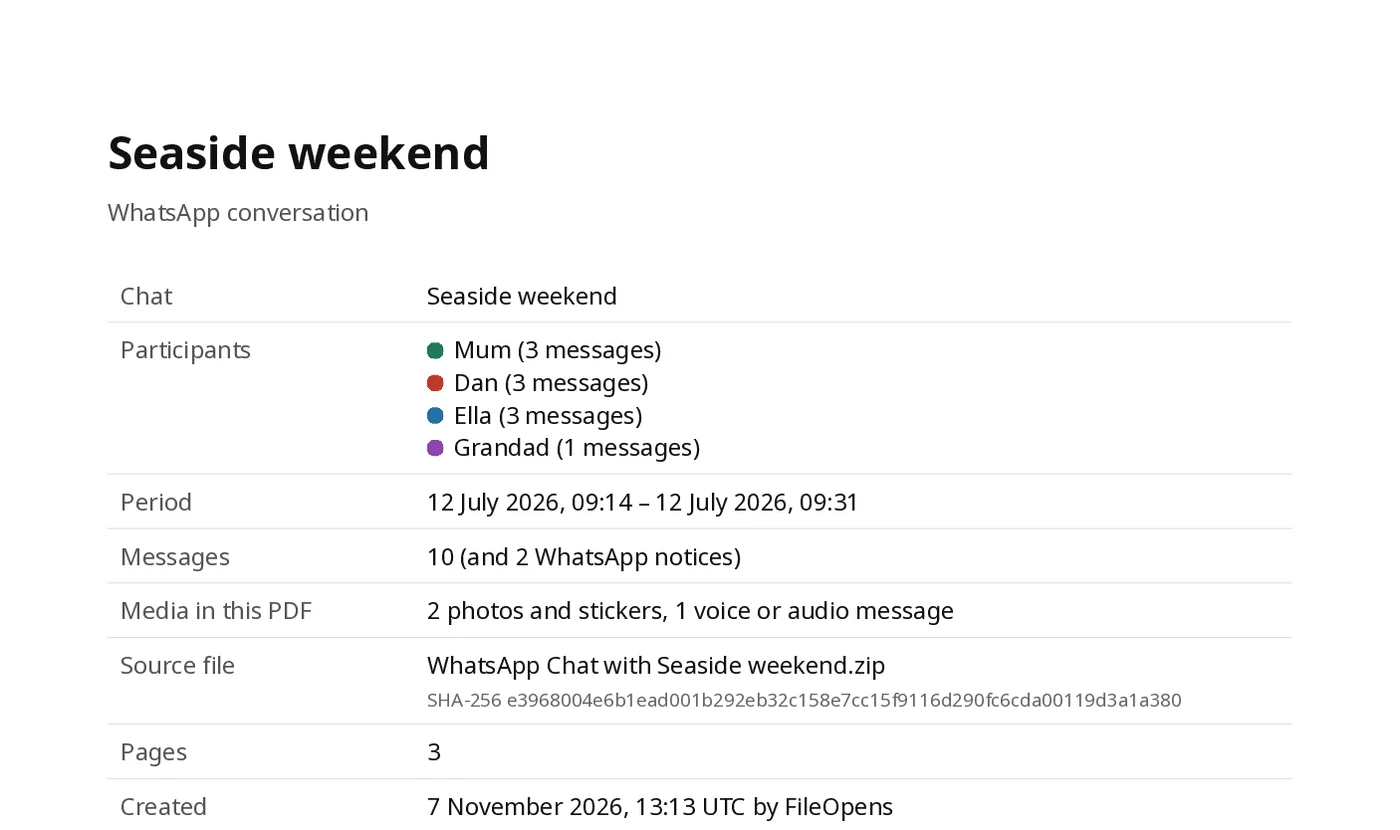
Cover page of the chat
- Who wrote how many messages
- Period, media and page count
- Fingerprint of the export file
Sample chat we made ourselves, with made-up names and data, converted here and shown as they came out. Your own files are never shown to anyone.
Chats people save as PDF
- Evidence for court or a lawyer
- Divorce and custody
- Disputes with a landlord or employer
- Business and client agreements
- Family groups and memories
- Chats with someone who has died
- Printing to keep
How to turn a WhatsApp chat into a PDF
-
STEP 1
Export the chat in WhatsApp
Chat > Export chat > Attach media. You get one .zip.
-
STEP 2
Upload it and look
The cover page and the first pages appear for free.
-
STEP 3
Pay once, download
The PDF with every message and photo, plus Excel. Refund in one click.
What you get back
- The whole chat as a PDFMessages as bubbles with names, dates and times, page numbers on every page.
- Photos in placePhotos and stickers where they were sent, videos with a still frame, voice notes with their length.
- A cover pageParticipants, number of messages, the period, and the SHA-256 fingerprint of your export file.
- Every message in ExcelDate, time, sender and text in columns, to search, filter or quote.
- Any phone, any languageExports from Android and iPhone, 12- or 24-hour clock, every alphabet and emoji.
Price
See the cover and the first pages free. Then $4.99 per chat, however long it is: the PDF and the Excel file. One payment, no subscription, refund within 24 hours if it is not usable.
How to print WhatsApp messages
First get the chat out of WhatsApp with its own Export chat: on an iPhone tap the chat name at the top, then Export Chat; on Android tap ⋮ > More > Export chat. Choose to include media if you want the photos on paper too, and save the file or e-mail it to yourself. Upload it here and look at the first pages. After paying you download a PDF: open it and print. On a computer that is Ctrl+P (Cmd+P on a Mac); on an iPhone tap Share > Print; on Android open the PDF and choose Print from the menu. Any printer works, colour or black and white.
Why you cannot print a chat from WhatsApp itself
The app on the phone has no print option at all, and printing the WhatsApp Web page from a browser gives only the part of the chat that is on the screen, cut at the edges. Screenshots work for three or four messages; for a conversation that runs over weeks they become hundreds of images, with the older dates missing and messages cut in two. The export file has everything, but as a bare text file it is hard to read and prints as a wall of lines without the photos.
What the printed chat looks like
Each page carries the chat name at the top left, the day at the top right and its page number at the bottom, so a stack of paper stays in order even if it is dropped. Messages are printed as bubbles with the sender and the time; in a chat with one person, the person who exported it is on the right. Photos and stickers are printed where they were sent, videos as a still frame with their length, voice notes as a line with their length. Colours are light, so a black-and-white printer gives clean grey bubbles and does not use much toner. A first page lists who took part, the dates the chat covers and how many messages and photos it holds.
Printing for a lawyer, a court or an employer
A printout is often asked for in a dispute, a divorce, a complaint about harassment or a claim. The PDF repeats the export word for word and in the same order, and the first page records the SHA-256 fingerprint of the export file it was made from. Print the whole PDF, including that first page, keep the export file and the phone, and ask your lawyer what else your court needs; we do not certify chats. Our WhatsApp to PDF page explains what an export leaves out.
Printing part of a long chat
A long chat can run to hundreds of pages. To print only some days, find them in the PDF (the day is written above the messages and at the top of each page) and print that page range, for example pages 120–134. The Excel file that comes with the PDF lists every message with its date, so you can search for a word or a date first and then print just those pages.
Paper size and quality
The PDF is laid out on A4 and prints on US Letter as well: choose Fit to page in the print dialog. Text is real text, not a picture, so it stays sharp at any size and can be searched and copied. For e-mails rather than chats, there is EML to PDF, free.
More chat tools
Also on FileOpens
Questions about WhatsApp chats
Can I print only some messages?
Yes. Print a page range from the PDF; every page shows the day at the top, and the Excel file helps you find the dates you need.
Will it print on US Letter paper?
Yes. The pages are A4; choose Fit to page when printing and nothing is cut off.
Do the photos print too?
Yes, if you exported the chat with media: photos and stickers appear next to the messages they were sent with. Without media, those messages show a short note instead.
Is there a way to print straight from the phone?
Not from WhatsApp. Export the chat on the phone, upload it here from the phone's browser, then open the PDF and print it to any printer the phone can reach.
Which chats can you convert?
Any chat or group exported with WhatsApp's Export chat, from Android or iPhone, in any language: the .zip with media, or the .txt alone. Dates in day/month or month/day order and 12- or 24-hour times are recognised by themselves.
How much does it cost?
The cover page and the first pages are free to see. Then $4.99 per chat, however long it is, for the PDF and the Excel file. Not usable? Refund within 24 hours.
What happens to my chat?
It is used only to make your PDF and Excel file and is deleted automatically 24 hours after upload, together with the photos in it. Nobody reads it, and it is never shared.